通过http协议传输的数据都是明文的,很容易被窃听。很多时候需要在网上传输口令,这个时候就需要对信息进行加密,对HTTP传输进行加密的协议就是HTTPS,它是通过SSL进行HTTP传输的协议。
我们现在已经有了httpd环境,可参考(http://fengwan.blog.51cto.com/508652/1360429)
在编译过程中需要加上参数--enable-ssl
[[email protected] httpd-2.4.7]# ./configure \
>--prefix=/webserver/httpd\
>--sysconfdir=/webserver/httpd/conf\
>--enable-so \
>--enable-rewirte \
>--enable-ssl \>--enable-cgi \
>--enable-cgid \
>--enable-modules=most \
>--enable-modules-shared=most \
>--enable-mpms-shared=all \
>--with-apr=/webserver/apr\
>--with-apr-util=/webserver/apr-util
1.环境准备
1.openssl安装
[[email protected] ~]# yum -y install openssl openssl-devel
2.创建密码文件
[[email protected] ~]# openssl genrsa -out server.key 1024
[[email protected] ~]# openssl req -new -key server.key -out server.csr
You are about to be asked to enter information that will be incorporated
into your certificate request.
What you are about to enter is what is called a Distinguished Name or a DN.
There are quite a few fields but you can leave some blank
For some fields there will be a default value,
If you enter '.', the field will be left blank.
-----
Country Name (2 letter code) [XX]:CN
State or Province Name (full name) []:GuangDong
Locality Name (eg, city) [Default City]:GuangZhou
Organization Name (eg, company) [Default Company Ltd]:Test
Organizational Unit Name (eg, section) []:Test
Common Name (eg, your name or your server's hostname) []:localhost
Email Address []:ca
Please enter the following 'extra' attributes
to be sent with your certificate request
A challenge password []:
An optional company name []:
[[email protected] ~]# openssl x509 -req -days 3650 -in server.csr -signkey server.key -out server.crt
执行上述命令后将产生3个文件,分别是server.key、server.csr和server.crt ,接着将3个文件复制到/webserver/httpd/conf/ca
[[email protected] ~]# mkdir /webserver/httpd/conf/ca/
[[email protected] ~]# cp -r server.* /webserver/httpd/conf/ca/
3.修改 /webserver/httpd/conf/extra/httpd-ssl.conf
[[email protected] ~]# vim /webserver/httpd/conf/extra/httpd-ssl.conf
//修改一下位置
SSLCertificateFile "/webserver/httpd/conf/ca/server.crt"
SSLCertificateKeyFile "/webserver/httpd/conf/ca/server.key"
4.修改/webserver/httpd/conf/httpd.conf加载ssl_module和socache_shmcb_module
[[email protected] ~]# vim /webserver/httpd/conf/httpd.conf
//将一下2句前面的#删除,或者直接将下面这2句加入配置文件
LoadModule socache_shmcb_module modules/mod_socache_shmcb.so
LoadModule ssl_module modules/mod_ssl.so
如果没有加载socache_shmcb_module将出现
[[email protected] ~]# service httpd restart
Stopping httpd:                                            [  OK  ]
Starting httpd: AH00526: Syntax error on line 76 of /webserver/httpd/conf/extra/httpd-ssl.conf:
SSLSessionCache: 'shmcb' session cache not supported (known names: ). Maybe you need to load the appropriate socache module (mod_socache_shmcb?).
                                                           [FAILED]
5.重启httpd服务即可
[[email protected] ~]# service httpd restart
Stopping httpd:                                            [  OK  ]
Starting httpd:                                            [  OK  ]
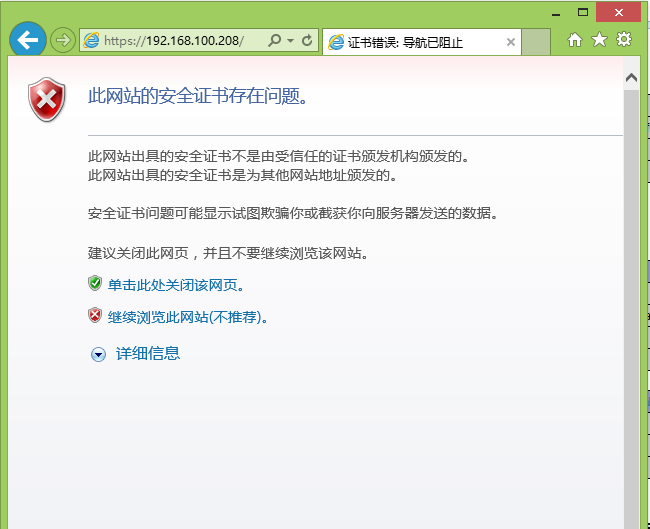
6.测试
转载于:https://blog.51cto.com/fengwan/1363821