美拍链接:https://www.meipai.com/
找到视频链接的标签,源代码中没有这个div
通过Fiddler抓包,找到class="mp-h5-player-layer-video"的div由哪个js文件生成的
打开对应的js文件,对其进行断点,找到src生成的方式
发现src参数在这个位置
此时需要找到字符串的来源、再模拟出这个方法
最后发现字符串是一开始就存在于网页中的
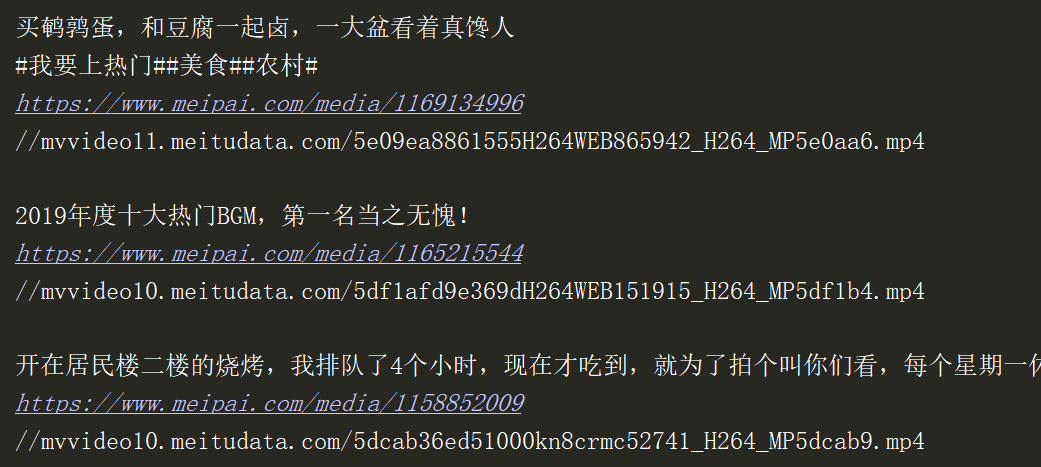
在请求网页时,提取出视频对应的字符串,再通过模拟出的方法即可得到URL
import threading
import requests
import base64
import re


#   解密video的URL
def Decrypt_video_url(content):
    str_start = content[4:]

    list_temp = []
    list_temp.extend(content[:4])
    list_temp.reverse()
    hex = \'\'.join(list_temp)

    dec = str(int(hex, 16))
    list_temp1 = []
    list_temp1.extend(dec[:2])
    pre = list_temp1

    list_temp2 = []
    list_temp2.extend(dec[2:])
    tail = list_temp2

    str0 = str_start[:int(pre[0])]
    str1 = str_start[int(pre[0]):int(pre[0]) + int(pre[1])]

    result1 = str0 + str_start[int(pre[0]):].replace(str1, \'\')

    tail[0] = len(result1) - int(tail[0]) - int(tail[1])

    a = result1[:int(tail[0])]
    b = result1[int(tail[0]):int(tail[0]) + int(tail[1])]
    c = (a + result1[int(tail[0]):].replace(b, \'\'))

    return base64.b64decode(c).decode()


#   获取网页的内容
def Page_text(url):
    headers = {
        \'User-Agent\': \'Mozilla/5.0 (Windows NT 6.1; WOW64; rv:21.0) Gecko/20130331 Firefox/21.0\'
    }
    return requests.get(url, headers=headers).text


#   解析单个网页
def Parse_url(video_title, url_tail):
    page_url = \'https://www.meipai.com\' + url_tail
    video_page = Page_text(page_url)
    #   获取视频加密后的的URL
    data_video = re.findall(r\'data-video="(.*?)"\', video_page, re.S)[0]
    video_url = Decrypt_video_url(data_video)
    print("{}\n{}\n{}\n".format(video_title, page_url, video_url))


def Get_url(url):
    index_page = Page_text(url)
    #   各个视频的标题
    videos_title = re.findall(r\'class="content-l-p pa" title="(.*?)">\', index_page, re.S)
    #   各个播放网页的URL
    urls = re.findall(r\'<div class="layer-black pa"></div>\n\s*<a hidefocus href="(.*?)"\', index_page, re.S)

    t_list = []
    for video_title, url_tail in zip(videos_title, urls):
        t = threading.Thread(name=\'GetUrl\', target=Parse_url, args=(video_title, url_tail,))
        t_list.append(t)

    for i in t_list:
        i.start()


if __name__ == \'__main__\':
    Get_url(\'https://www.meipai.com/\')