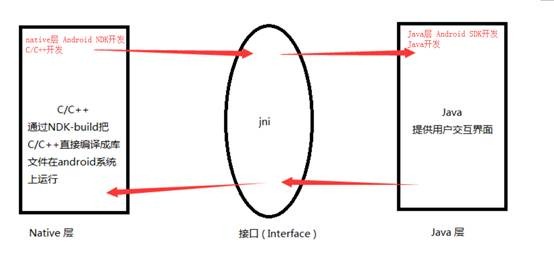
一、Java层加载so文件
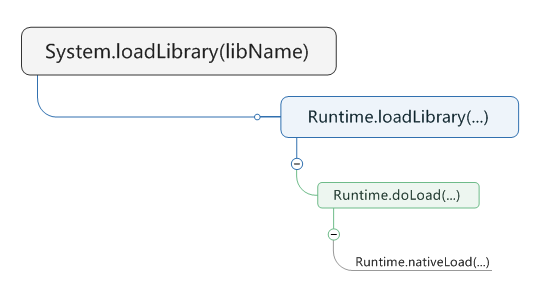
Android在Java层加载so的接口是System.loadLibrary()逐级调用的过程:

System.loadLibrary()系统源码:
987 public static void loadLibrary(String libName) {
988 Runtime.getRuntime().loadLibrary(libName, VMStack.getCallingClassLoader());
989 }
例程 System.loadLibrary(“xxx”) [xxx:libname名称]
Ctrl+左键Loadlibrary跟踪(如果不显示代码,添加SDK目录下\sources\android-18文件夹)
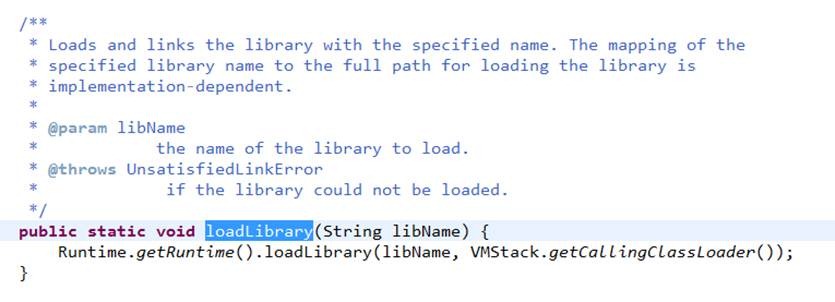
Ctrl+左键 Runtime.getRuntime().loadLibrary() 中的 loadLibrary跟踪
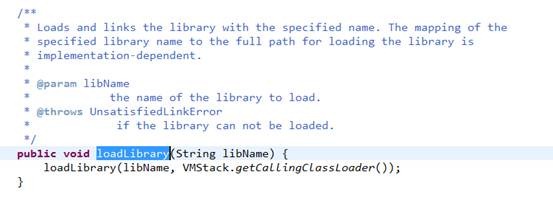
系统重载了loadLibrary()函数察看重载的 loadLibrary()
其中String libraryName参数为so文件的绝对路径
356     * Searches for and loads the given shared library using the given ClassLoader.
357     */
358    void loadLibrary(String libraryName, ClassLoader loader) {
359        if (loader != null) {
360            String filename = loader.findLibrary(libraryName);
361            if (filename == null) {
362                // It's not necessarily true that the ClassLoader used
363                // System.mapLibraryName, but the default setup does, and it's
364                // misleading to say we didn't find "libMyLibrary.so" when we
365                // actually searched for "liblibMyLibrary.so.so".
366                throw new UnsatisfiedLinkError(loader + " couldn't find \"" +
367                                               System.mapLibraryName(libraryName) + "\"");
368            }
369            String error = doLoad(filename, loader);
370            if (error != null) {
371                throw new UnsatisfiedLinkError(error);
372            }
373            return;
374        }
375
376        String filename = System.mapLibraryName(libraryName);
377        List<String> candidates = new ArrayList<String>();
378        String lastError = null;
379        for (String directory : mLibPaths) {
380            String candidate = directory + filename;
381            candidates.add(candidate);
382
383            if (IoUtils.canOpenReadOnly(candidate)) {
384                String error = doLoad(candidate, loader);
385                if (error == null) {
386                    return; // We successfully loaded the library. Job done.
387                }
388                lastError = error;
389            }
390        }
391
392        if (lastError != null) {
393            throw new UnsatisfiedLinkError(lastError);
394        }
395        throw new UnsatisfiedLinkError("Library " + libraryName + " not found; tried " + candidates);
396    }