1. 打开android studio
2. 选择要折叠的代码
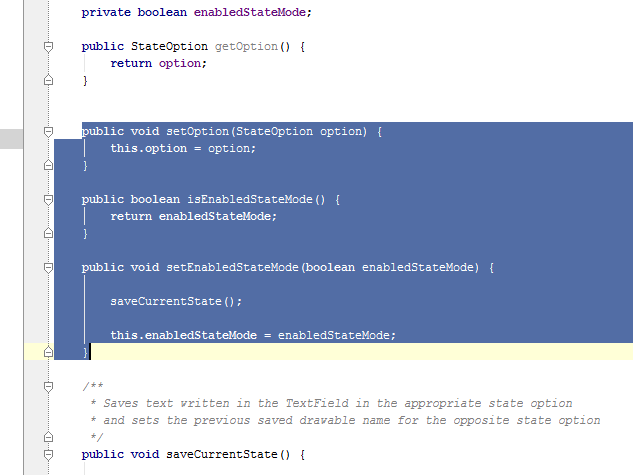
3. 按Ctrl + Alt + T 选择 “region .. end region comments”
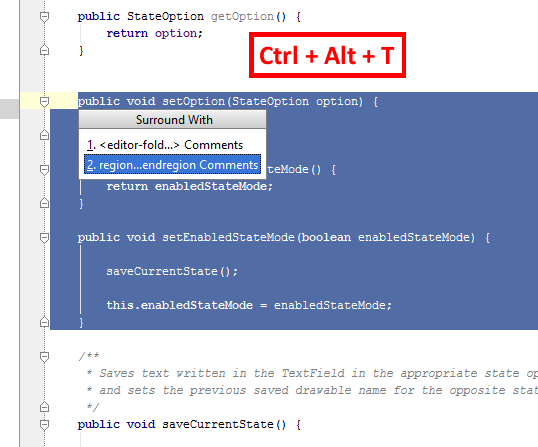
Group selection dialog
4. 代码已被 “//region” / “//endregion” 包围, 可以看到代码可以折叠了
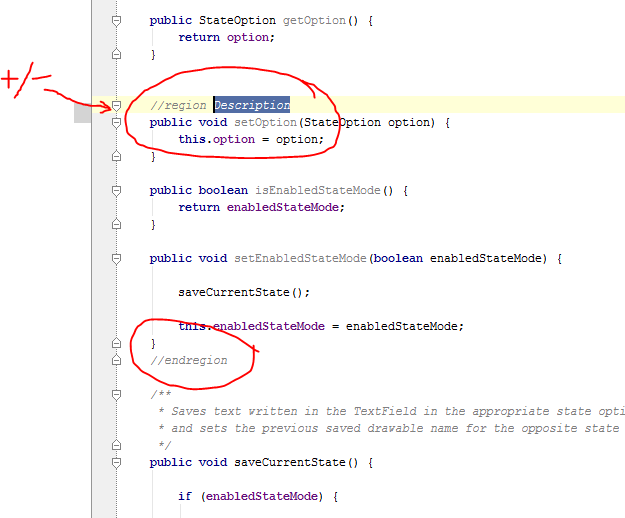
Initial code region
5. You can now edit the description of your group
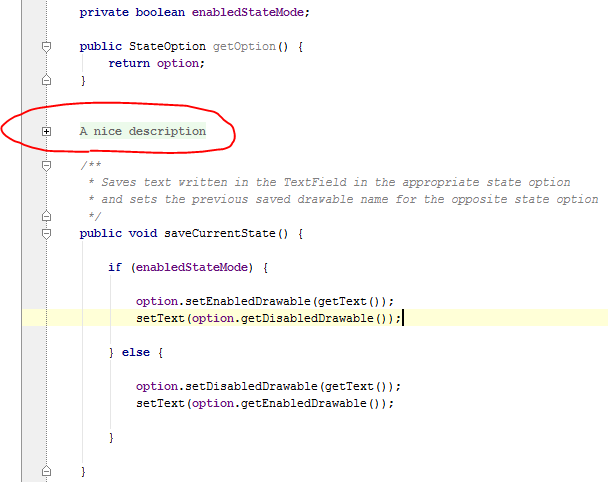
Collapsed Group with description
6. You can easily see the code within your group without having to expand the group, just hover the group description with the mouse pointer
来源: