转自国外的一篇文档
Yii is a new php framework which is going to be used widely in the near future.Here i am going to guide how to install Yii framework in xampp on windows platform.
Step1
Download the frame work from here
Step2
Unpack it and and put the folder in C:\xampp\htdocs\yii (or the path you installed xampp).
Step3
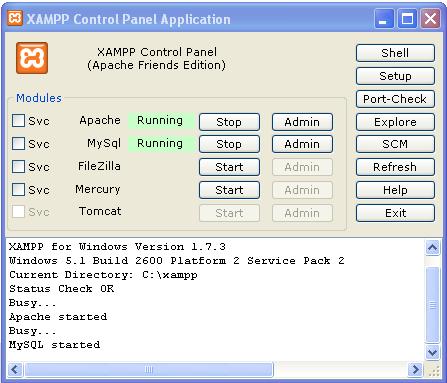
Start the Xampp control panel and start the apache server and mysql

Step4
Open the browser and got to
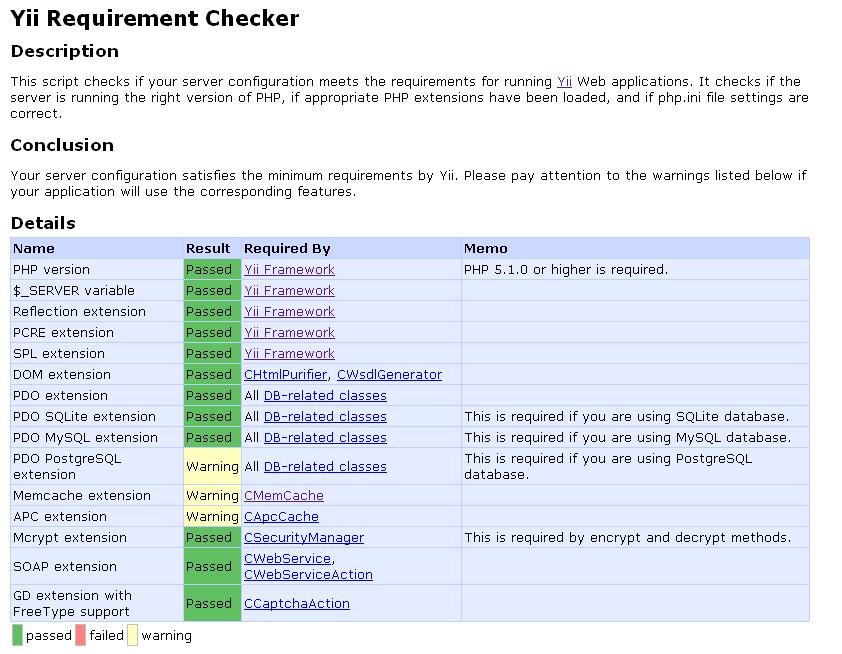
http://localhost/yii/requirements/
 if you put folder correctly in htdocs you should be getting the above page
Creating web app from cmd windows(comand promtp)
How to use the yiic command to bootstrap the creation of a new
Yii application
Step1

if you dont do the above step correctly you will get this error "php.exe is not recognized as an internal or external command"
then enter
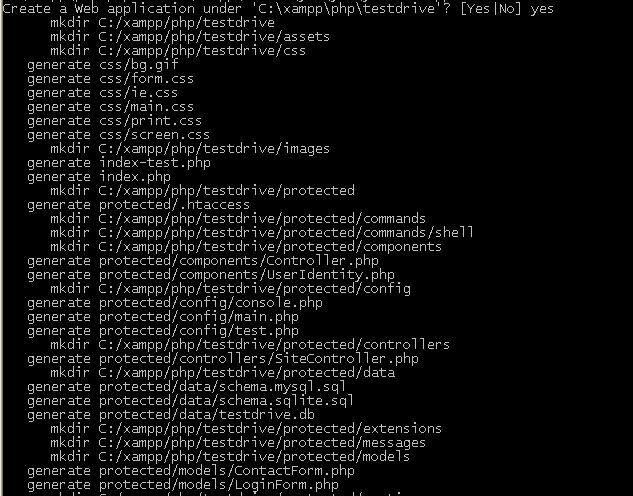
you will prompted with

Step1
Download the frame work from here
Step2
Unpack it and and put the folder in C:\xampp\htdocs\yii (or the path you installed xampp).
Step3
Start the Xampp control panel and start the apache server and mysql
Step4
Open the browser and got to
http://localhost/yii/requirements/
Creating web app from cmd windows(comand promtp)
How to use the yiic command to bootstrap the creation of a new
Yii application
Step1
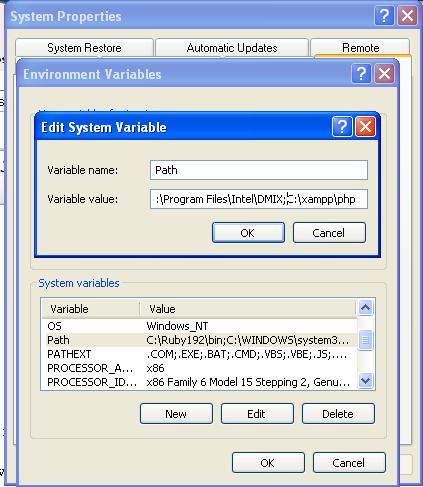
- right click "my computer"
- go to "system properties" under "advanced" tab, click on "environment variables"
- under "system variables" find for the variable named "PATH" and click on "Edit" button
in "Variable Value" append the php.exe path with a semi-colon like below
;C:\xampp\php
;C:\xampp\php
Step2
open cmd and enter
cd c:\xampp\htdocs\yii\framework
then enter
yiic webapp ..\newapp
you will prompted with
安装完成后,输入http://localhost/yii/newapp 就可以查看这个demo网站了。
为了方便的运行Yii的命令,最好将YII framework目录加入Windows 环境变量里