从SVN上下载应用后在Problems面板中提示以下错误信息:
Java compiler level does not match the version of the installed Java project facet
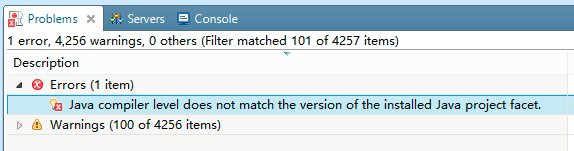
我的Java编译级别和项目设置的编译级别不匹配导致的错误信息。
百度发现,可以通过修改项目目录下的“\.settings\org.eclipse.wst.common.project.facet.core.xml”文件解决该问题。
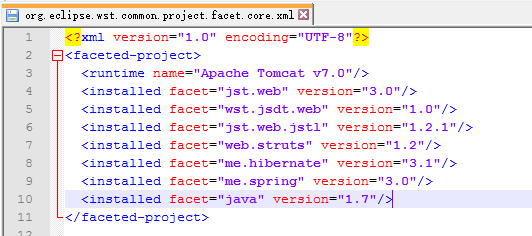
将org.eclipse.wst.common.project.facet.core.xml中的java属性修改为对应的版本即可。
如将我的1.6修改为1.7后刷新项目错误消失。