Performance Analysis of Logs (PAL) Tool

背景

在众多的独立项目中,我们如何快速了解数据库(SQL Server)服务器的性能,以及数据库的基线情况是怎样的,或者该服务器接下来优化要从何处下手,这些问题一直困扰着运维人员。微软提供个一个PAL开源工具可以为上述问题提供一些帮助,该工具还支持如下微软产品:IIS、MOSS、 BizTalk、Exchange、Active Directory的分析。

操作步骤

大概流程如下:
                                  Performance Analysis of Logs (PAL) Tool
1.本地安装PAL:
按照官方文档安装即可,注意如下信息;
  • 安装要求需满足如下条件:
- PowerShell v2.0 or greater.
- Microsoft .NET Framework 3.5 Service Pack 1
- Microsoft Chart Controls for Microsoft .NET Framework 3.5
  • 目前已知问题必须是英文环境才能正常运行
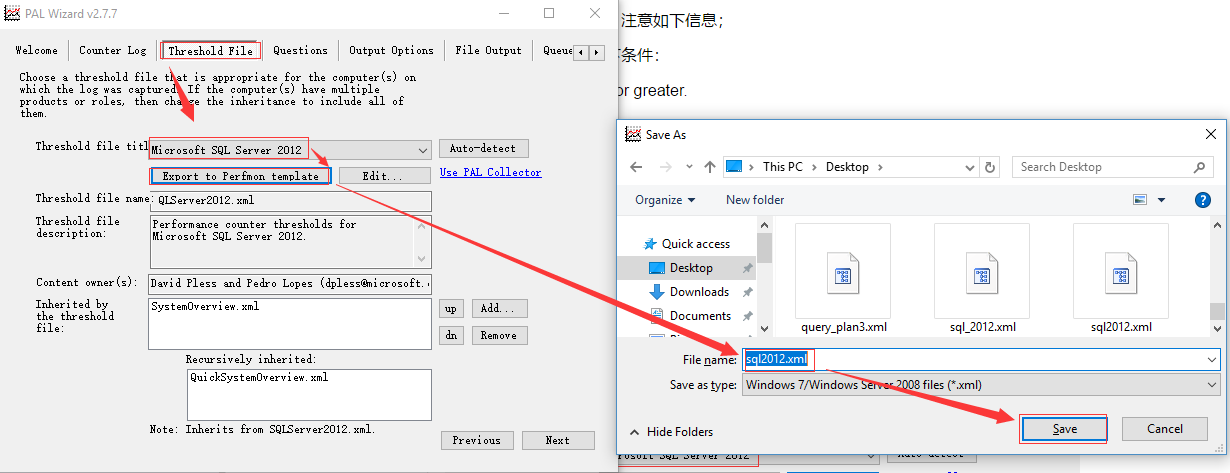
2.生成收集模板
以SQL Server 2012为例
Performance Analysis of Logs (PAL) Tool
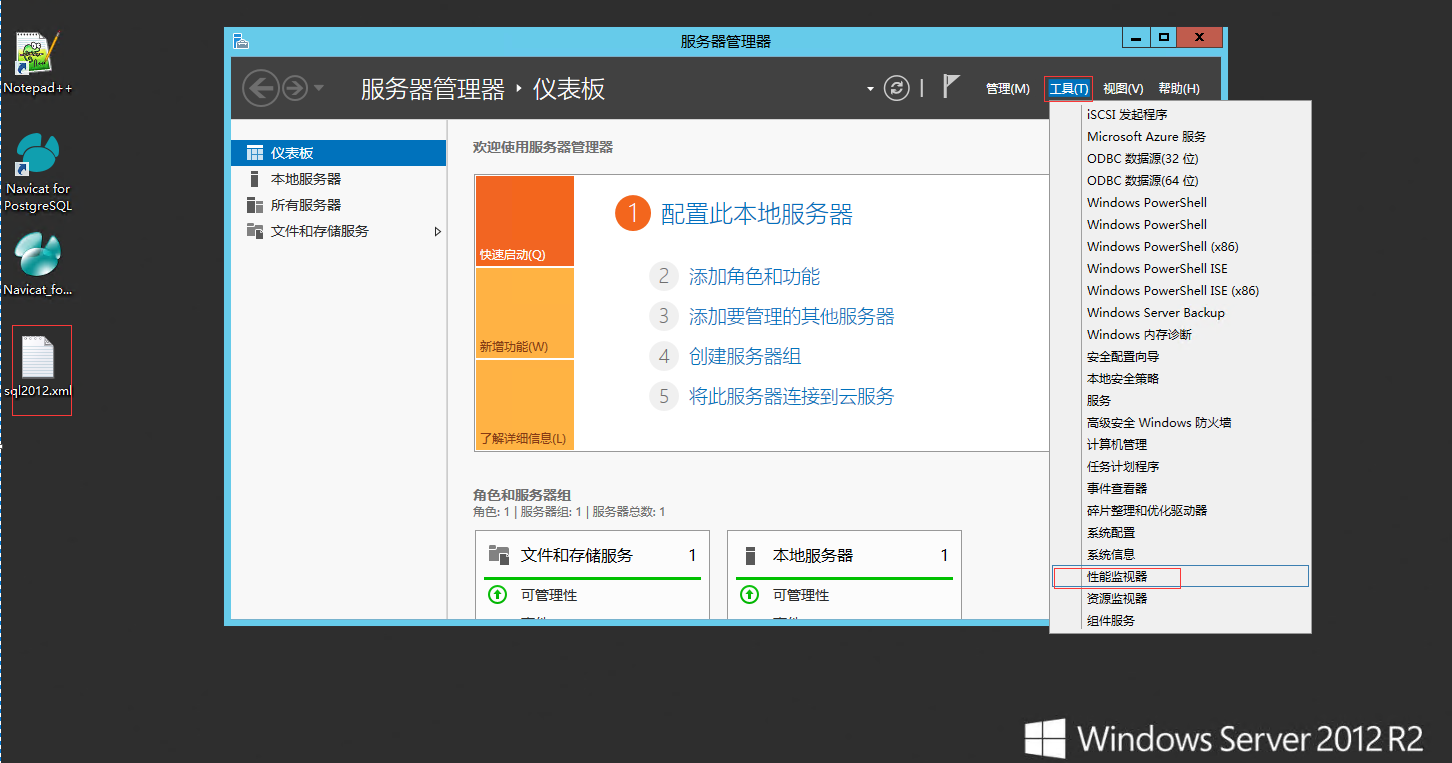
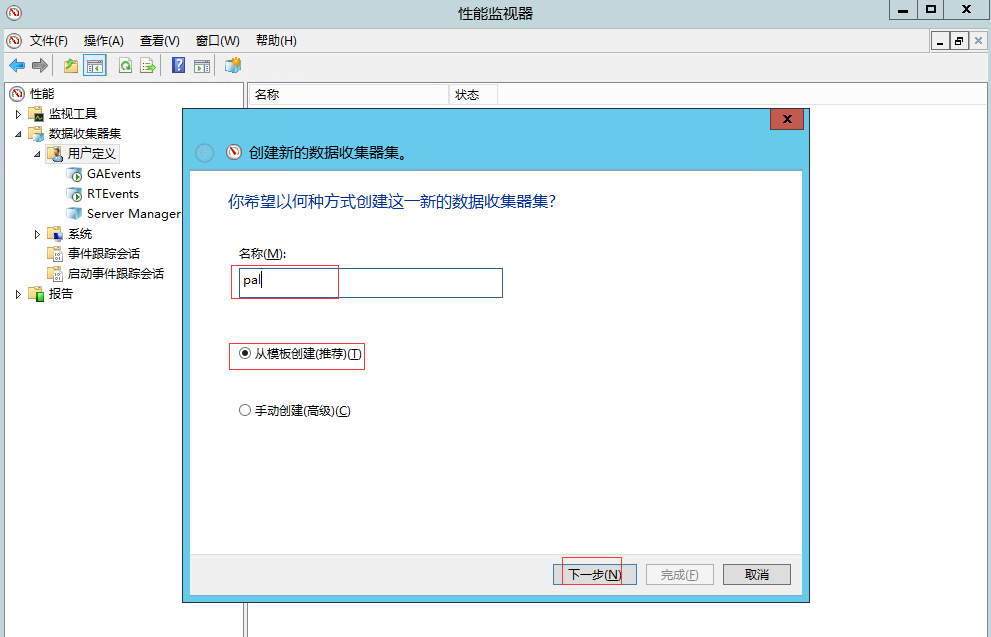
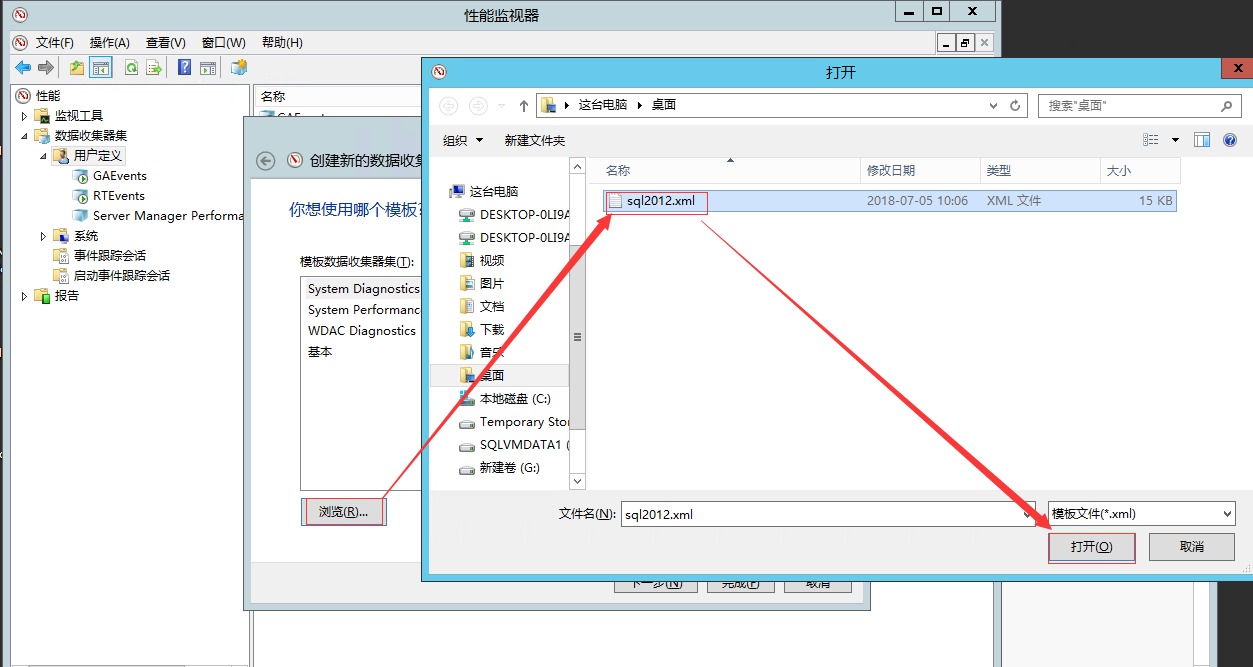
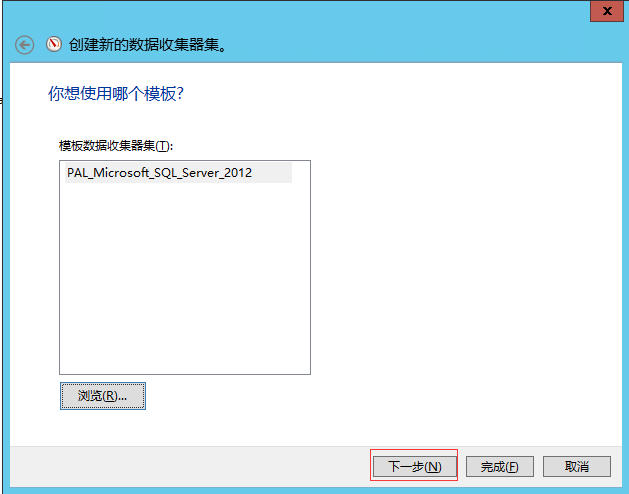
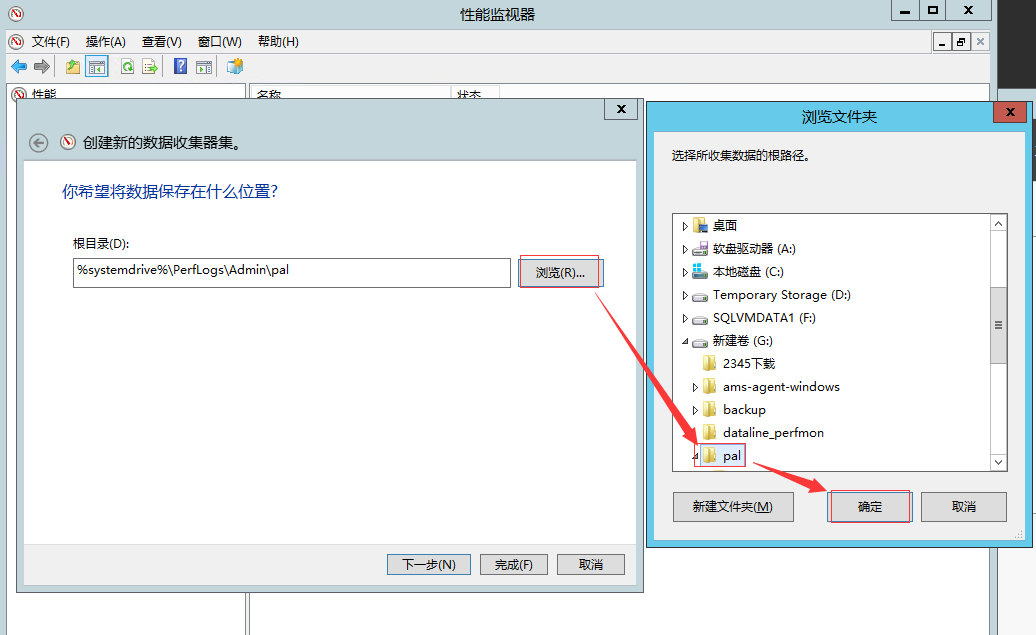
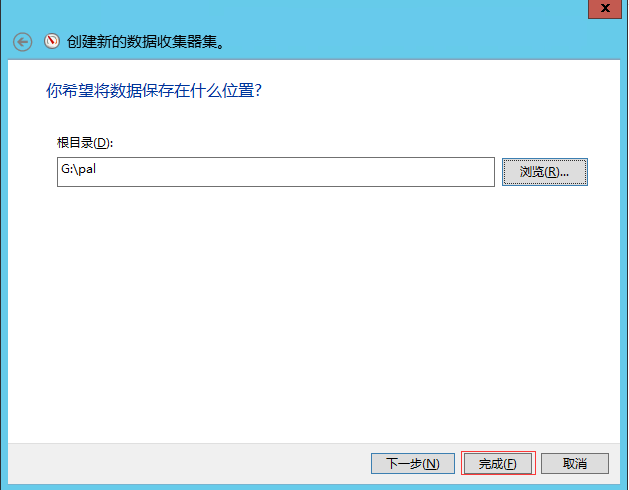
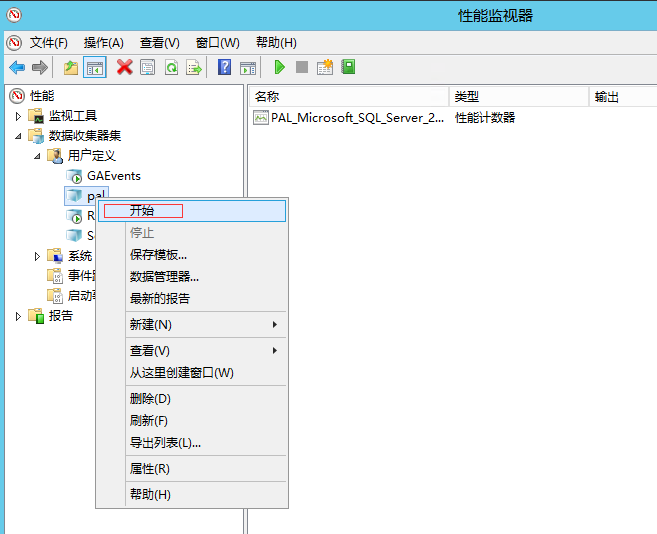
3.在数据库服务器导入模板并收集数据
Performance Analysis of Logs (PAL) Tool
                             Performance Analysis of Logs (PAL) Tool
Performance Analysis of Logs (PAL) Tool
                         Performance Analysis of Logs (PAL) Tool
Performance Analysis of Logs (PAL) Tool
                    Performance Analysis of Logs (PAL) Tool
                    Performance Analysis of Logs (PAL) Tool
可以直接点开始收集数据,也可以点属性设置计划以及结束条件。
4.本地PAL分析收集数据并生成报告
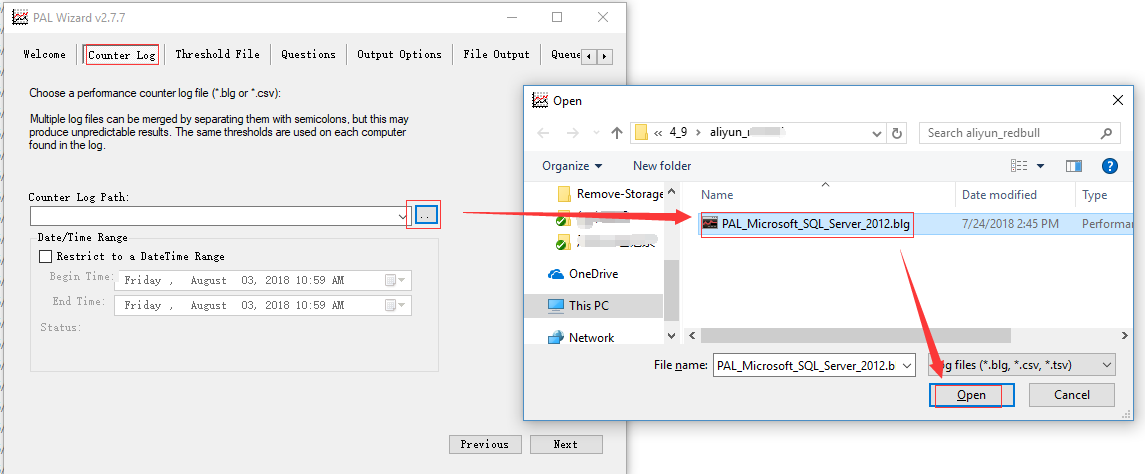
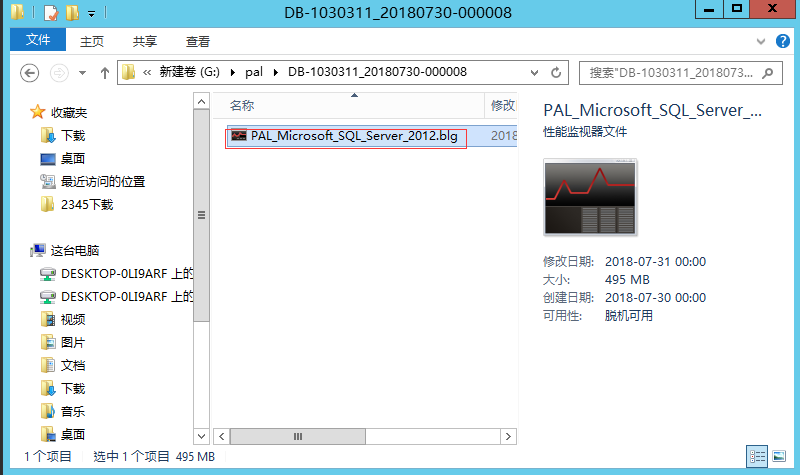
从数据库服务器上拷贝收集的数据至本地的安装PAL的电脑上。
Performance Analysis of Logs (PAL) Tool
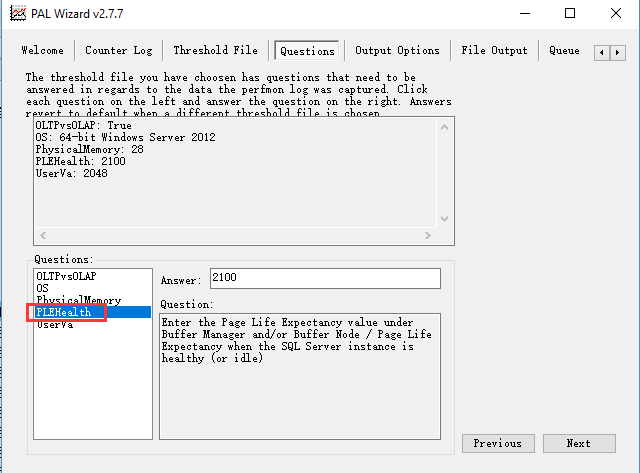
然后下一步一下步,其中PLE值的设置要注意一下
Performance Analysis of Logs (PAL) Tool
跟着下一步的提示,最后是PS运行的界面
Performance Analysis of Logs (PAL) Tool

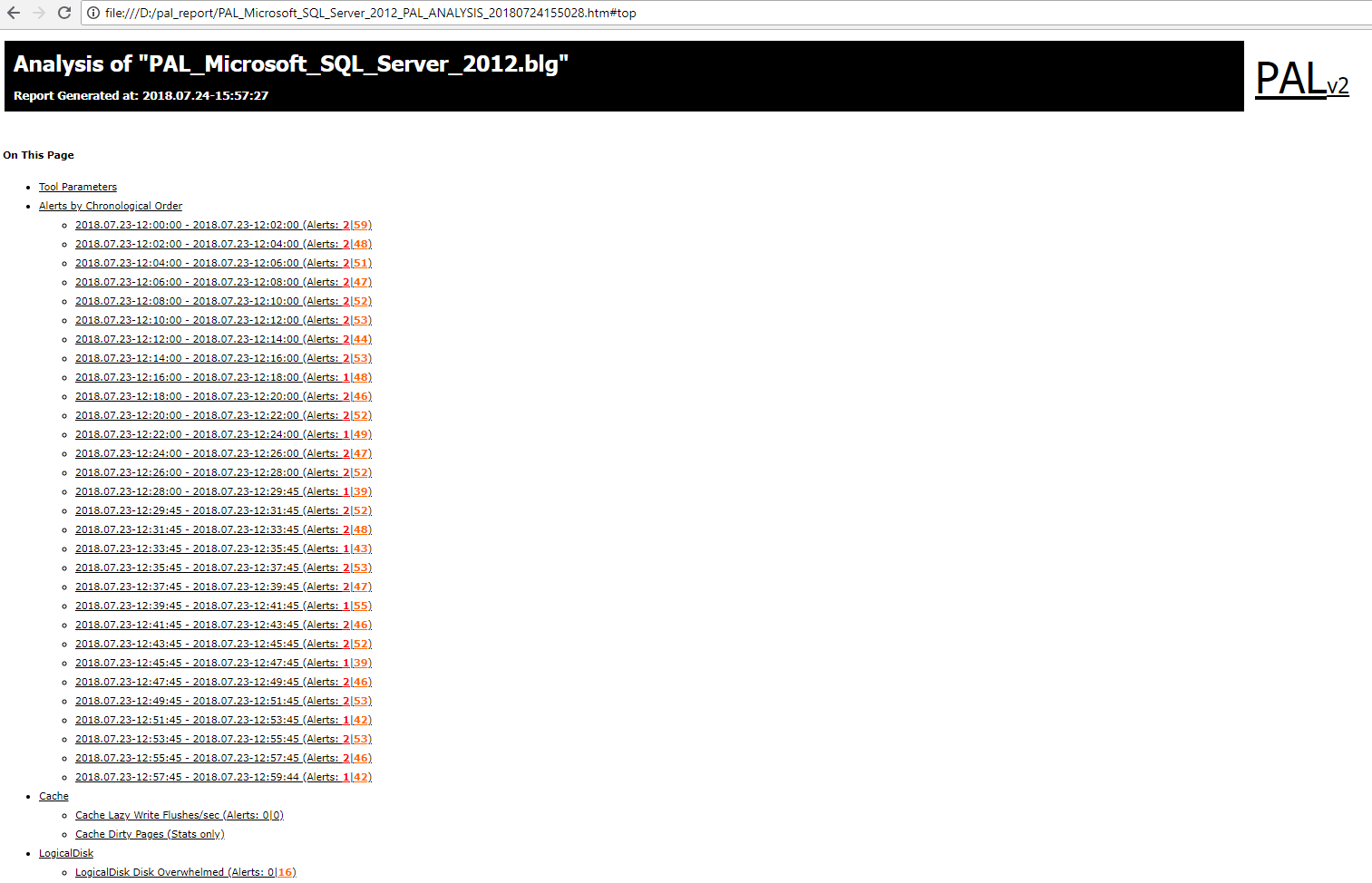
报告分析

Performance Analysis of Logs (PAL) Tool
点击需关注的时间段或指标查看报表情况。如下:
Performance Analysis of Logs (PAL) Tool
首先可以直接阅读该指标的描述,或者可以直接根据颜色判断是否超阈值。其中有还对应说明链接等;

参考


相关文章: