我对接的是 odoo8 和 magento1.9.x
准备工作:
l 服务器
装上mangento 组件 : $ pip install magento
装上 requests 组件:$ pip install requests
要用到功能模块
connector connector_base_product https://github.com/OCA/connector/tree/8.0
connector_ecommerce https://github.com/OCA/connector-ecommerce/tree/8.0
sale_exceptions sale_payment_method_automatic_workflow
https://github.com/OCA/sale-workflow/tree/8.0
product_m2mcategories
https://github.com/OCA/product-attribute/tree/8.0
magentoerpconnect
https://github.com/OCA/connector-magento/tree/8.0
把上面的安装好,最后我们看到的结果

到magento那边要装对应的模块
准备模块:
链接: http://pan.baidu.com/s/1geXparp 密码: e7jy

下载下来也有这个目录,把内容放进去即可
然后把这个目录下的缓存清除:

这样就安装完成
在magento 后台可以查到

建立好密钥:
第一步角色


第二步用户:


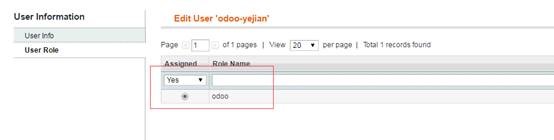
好这样完成magento端
到odoo端配置
配置文件

启动脚本 如下:
python /var/www/erp-yejian/odoo.py --load=web,web_kanban,connector -c /var/www/erp-yejian/openerp-server.conf
主要加上了--load=web,web_kanban,connector 参数
对应的/var/www/erp-yejian/odoo.py 和/var/www/erp-yejian/openerp-server.conf
要按照你们自己的odoo放的位置做相应的改变
到后台配置

用户名 和密码,就是在mangento 后面新建的用户
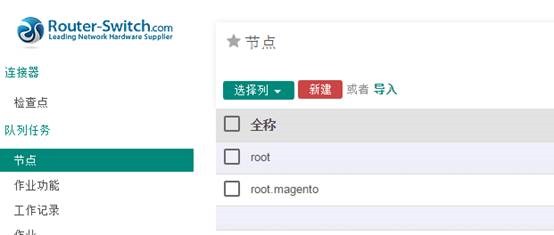
和配置文件

级别名称一样
执行导入工作


显示成功完成导入
后期特殊的功能就可以做二开,这样就集成成功了