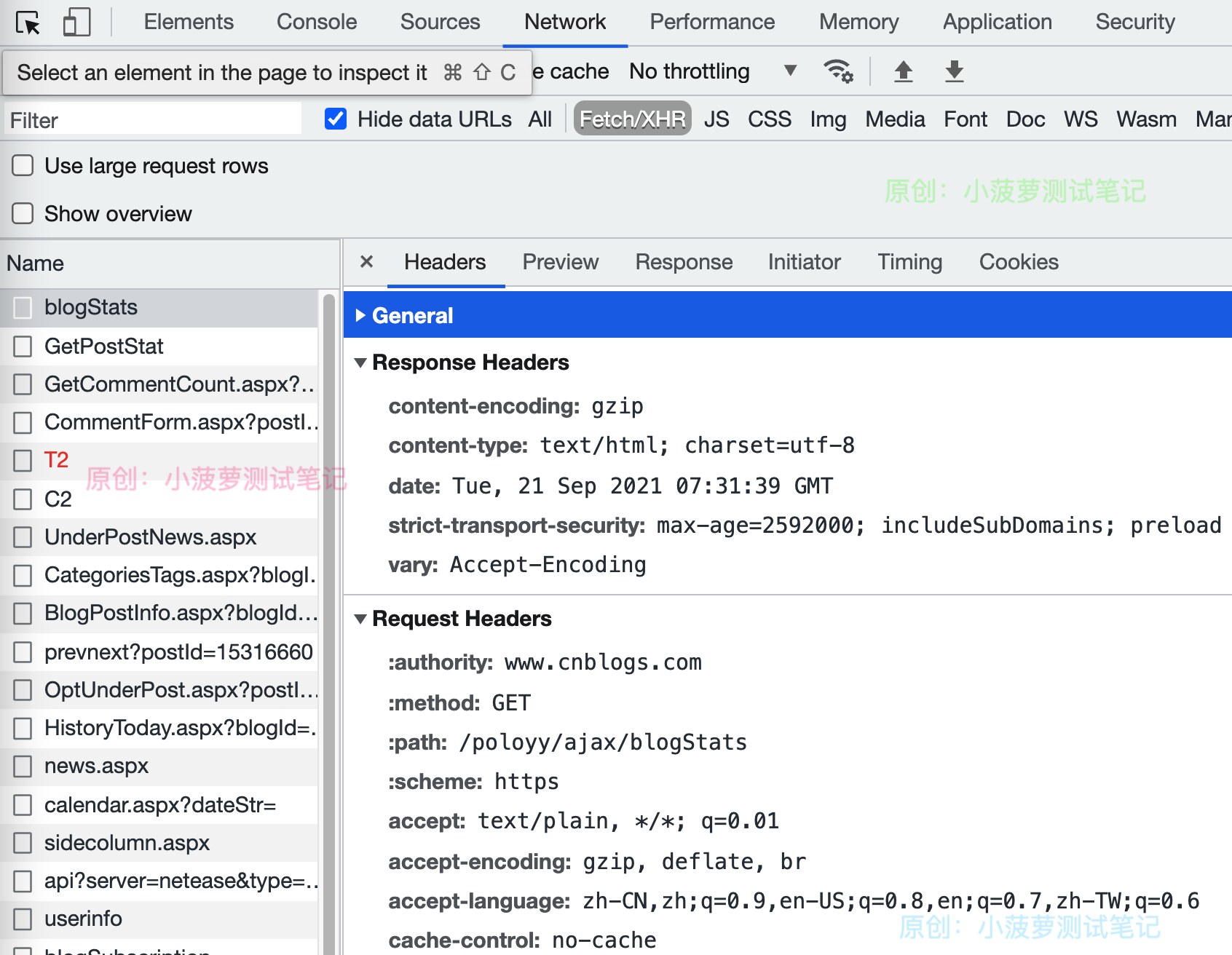
进到某个网站,右键检查元素;或者直接 F12
找到 Network,选择一个请求,就能看到 Request Header、Response Header 啦
- Header 是 Path、Query、Cookie 的“姐妹”类
- 它也继承自相同的通用 Param 类
- 注意:从 fastapi 导入 Query、Path、Cookie、Header 等时,这些实际上是返回特殊类的函数
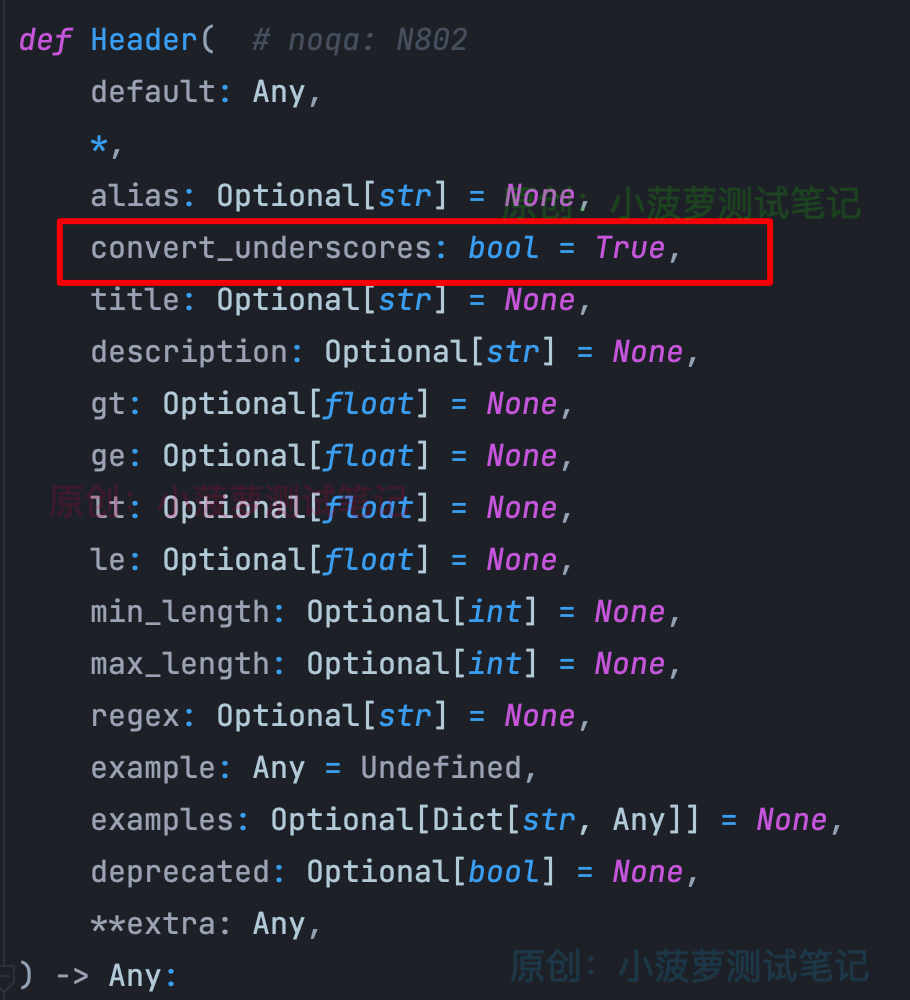
新增了一个参数,默认值是 True,盲猜是跟转换下换线有关系
#!usr/bin/env python
# -*- coding:utf-8 _*-
"""
# author: 小菠萝测试笔记
# blog:  https://www.cnblogs.com/poloyy/
# time: 2021/9/21 2:39 下午
# file: 15_cookies.py
"""
from typing import Optional
import uvicorn
from fastapi import FastAPI, Header

app = FastAPI()


@app.get("/items/")
async def read_items(accept_encoding: Optional[str] = Header(None)):
    return {"Accept-Encoding": accept_encoding}


if __name__ == "__main__":
    uvicorn.run(app="16_Header:app", host="127.0.0.1", port=8080, reload=True, debug=True)
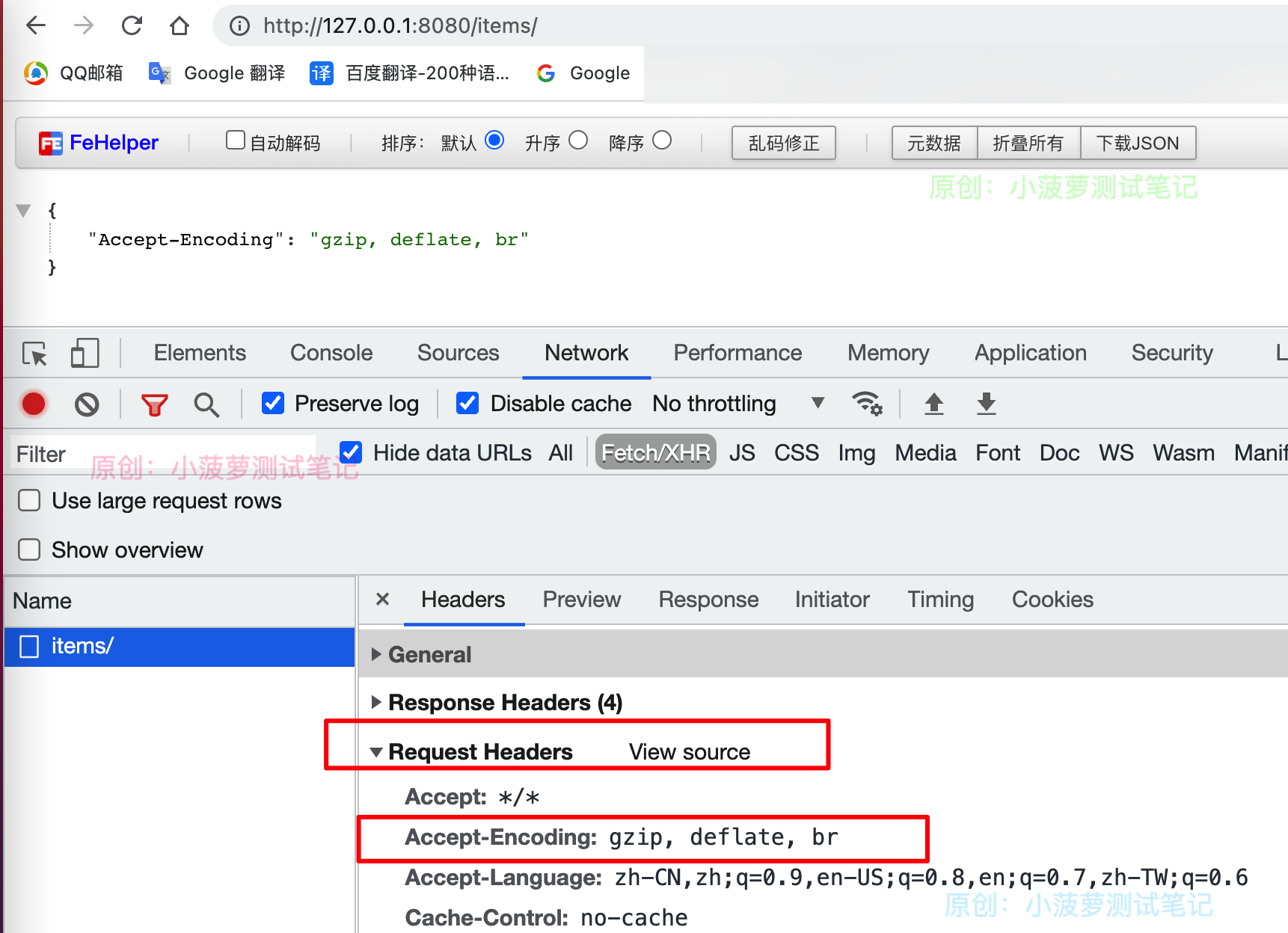
可以看到,获取的是 Request Header 里面的值
- 首先,Accept-Encoding 这种变量名在 Python 是无效的
- 因此, Header 默认情况下,会用下划线 _ 代替 - ,这就是 convert_underscores 参数的作用
- 重点:HTTP Header 是不区分大小写的,所以写 accept_encoding 还是 Accept_Encoding 是一样效果的
假设一个 Request Header 里面有多个重名的 Header,那可以用 List[str] 来声明参数类型
@app.get("/items/")
async def read_items(x_token: Optional[List[str]] = Header(None)):
    return {"X-Token values": x_token}
X-Token: foo
X-Token: bar
x_token 就是一个列表
{
    "X-Token values": [
        "bar",
        "foo"
    ]
}
from starlette.responses import JSONResponse

@app.get("/header/")
def Login():
    content = {
        "name": "poloyy",
        "age": 10
    }
    response = JSONResponse(content=content)
    token = {
        "x-token-name": "token",
        "x-token-value": "test_header"
    }
    # 设置 Header
    response.init_headers(token)
    return response
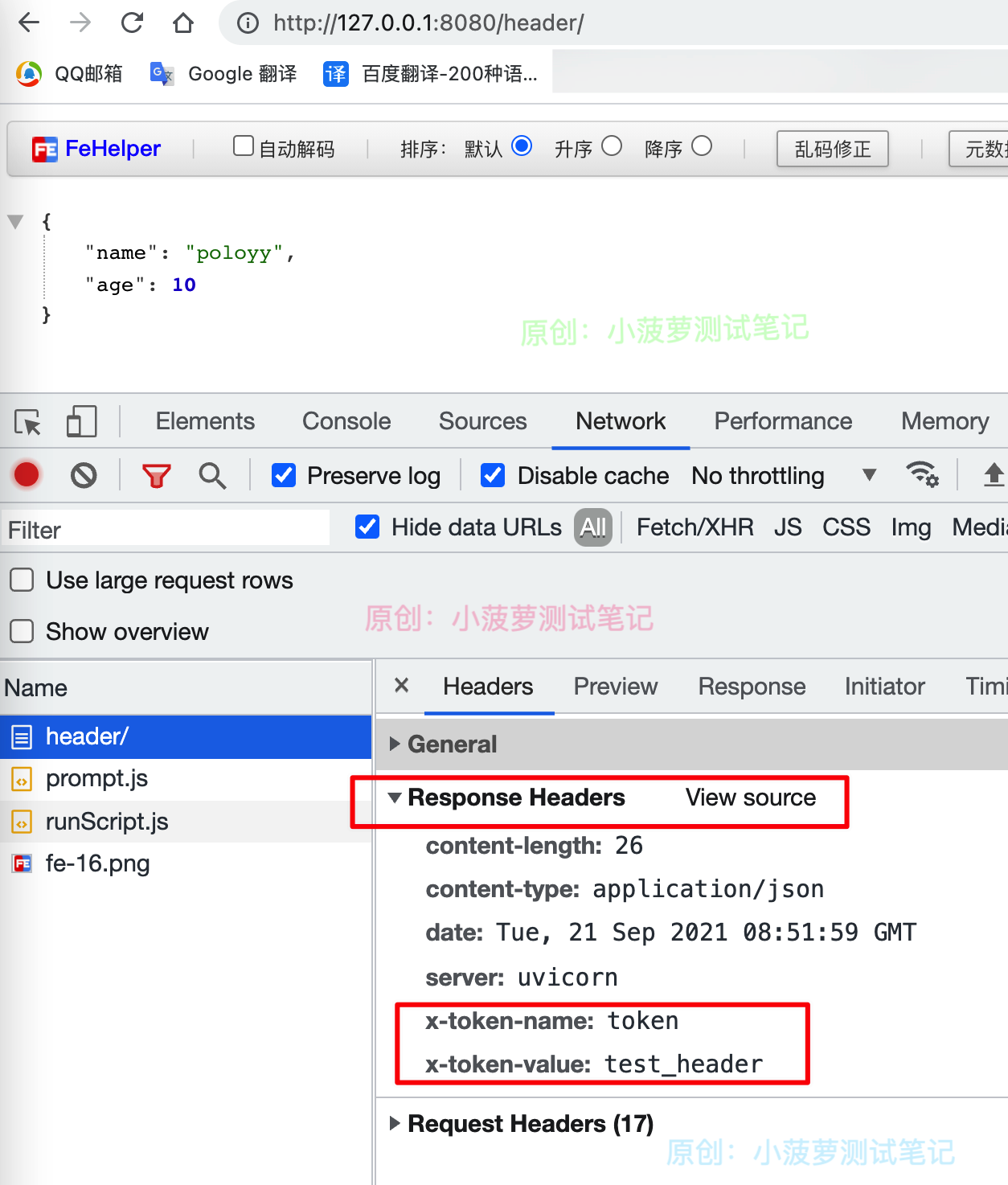
这里会用到 FastAPI 提供的响应模型,后面会详解,这里先做了解
方便演示,这里用 get 请求
进到某个网站,右键检查元素;或者直接 F12
找到 Network,选择一个请求,就能看到 Request Header、Response Header 啦
- Header 是 Path、Query、Cookie 的“姐妹”类
- 它也继承自相同的通用 Param 类
- 注意:从 fastapi 导入 Query、Path、Cookie、Header 等时,这些实际上是返回特殊类的函数
新增了一个参数,默认值是 True,盲猜是跟转换下换线有关系
#!usr/bin/env python
# -*- coding:utf-8 _*-
"""
# author: 小菠萝测试笔记
# blog:  https://www.cnblogs.com/poloyy/
# time: 2021/9/21 2:39 下午
# file: 15_cookies.py
"""
from typing import Optional
import uvicorn
from fastapi import FastAPI, Header

app = FastAPI()


@app.get("/items/")
async def read_items(accept_encoding: Optional[str] = Header(None)):
    return {"Accept-Encoding": accept_encoding}


if __name__ == "__main__":
    uvicorn.run(app="16_Header:app", host="127.0.0.1", port=8080, reload=True, debug=True)
可以看到,获取的是 Request Header 里面的值
- 首先,Accept-Encoding 这种变量名在 Python 是无效的
- 因此, Header 默认情况下,会用下划线 _ 代替 - ,这就是 convert_underscores 参数的作用
- 重点:HTTP Header 是不区分大小写的,所以写 accept_encoding 还是 Accept_Encoding 是一样效果的
假设一个 Request Header 里面有多个重名的 Header,那可以用 List[str] 来声明参数类型
@app.get("/items/")
async def read_items(x_token: Optional[List[str]] = Header(None)):
    return {"X-Token values": x_token}
X-Token: foo
X-Token: bar
x_token 就是一个列表
{
    "X-Token values": [
        "bar",
        "foo"
    ]
}
from starlette.responses import JSONResponse

@app.get("/header/")
def Login():
    content = {
        "name": "poloyy",
        "age": 10
    }
    response = JSONResponse(content=content)
    token = {
        "x-token-name": "token",
        "x-token-value": "test_header"
    }
    # 设置 Header
    response.init_headers(token)
    return response
这里会用到 FastAPI 提供的响应模型,后面会详解,这里先做了解
方便演示,这里用 get 请求