cat /usr/local/elasticsearch/config/elasticsearch.yml
cluster.name: wlt-es5.0-application
#
 换个节点名字
node.name: node-1
path.data: /data/elasticsearch/data
path.logs: /data/elasticsearch/logs
# 修改一下ES的监听地址,这样别的机器也可以访问
network.host: 0.0.0.0
# 默认的就好
http.port: 9200
# 增加新的参数,这样head插件可以访问es
#http.cors.enabled: true
#http.cors.allow-origin: “*"
4.修改系统参数
|
1
2
3
4
5
6
7
8
|
cat /etc/security/limits.conf
* soft nproc 65536
* hard nproc 65536
* soft nofile 65536
* hard nofile 65536
cat /etc/sysctl.conf
vm.max_map_count= 262144
sysctl -p
|
5.启动服务
su - elasticsearch -c "/usr/local/elasticsearch/bin/elasticsearch &”
su - elasticsearch -c "/usr/local/elasticsearch/bin/elasticsearch >/dev/null 2>&1 &”
浏览器访问:http://192.168.8.98:9200/
 head插件的安装
在5.0版本中不支持直接安装head插件,需要启动一个服务
1.下载插件安装
Git
git clone git://github.com/mobz/elasticsearch-head.git
cd elasticsearch-head
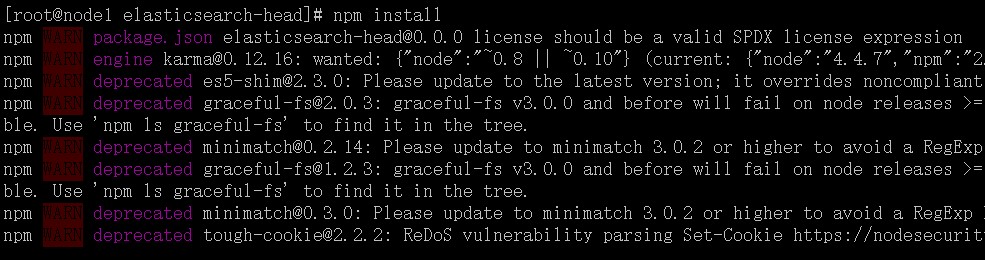
npm install

在elasticsearch-head目录下node_modules/grunt下如果没有grunt二进制程序,需要执行
cd elasticsearch-head
npm install grunt --save
2.修改配置
由于head的代码还是2.6版本的,直接执行有很多限制,比如无法跨机器访问。因此需要用户修改两个地方:
connect: {
    server: {
        options: {
            port: 9100,
            hostname: '*',
            base: '.',
            keepalive: true
        }
    }
}
修改连接地址:
修改head的连接地址:
this.base_uri = this.config.base_uri || this.prefs.get("app-base_uri") || "http://localhost:9200";
this.base_uri = this.config.base_uri || this.prefs.get("app-base_uri") || "http://192.168.8.98:9200";
3.启动服务
/usr/local/elasticsearch-head/node_modules/grunt/bin/gruntserver
浏览器访问:http://192.168.8.98:9100
错误一:
ERROR: bootstrap checks failed
max file descriptors [65535] for elasticsearch process likely too low, increase to at least [65536]
解决办法:
cat /proc/sys/fs/file-max? If it's too low, execute sysctl -w fs.file-max=65536