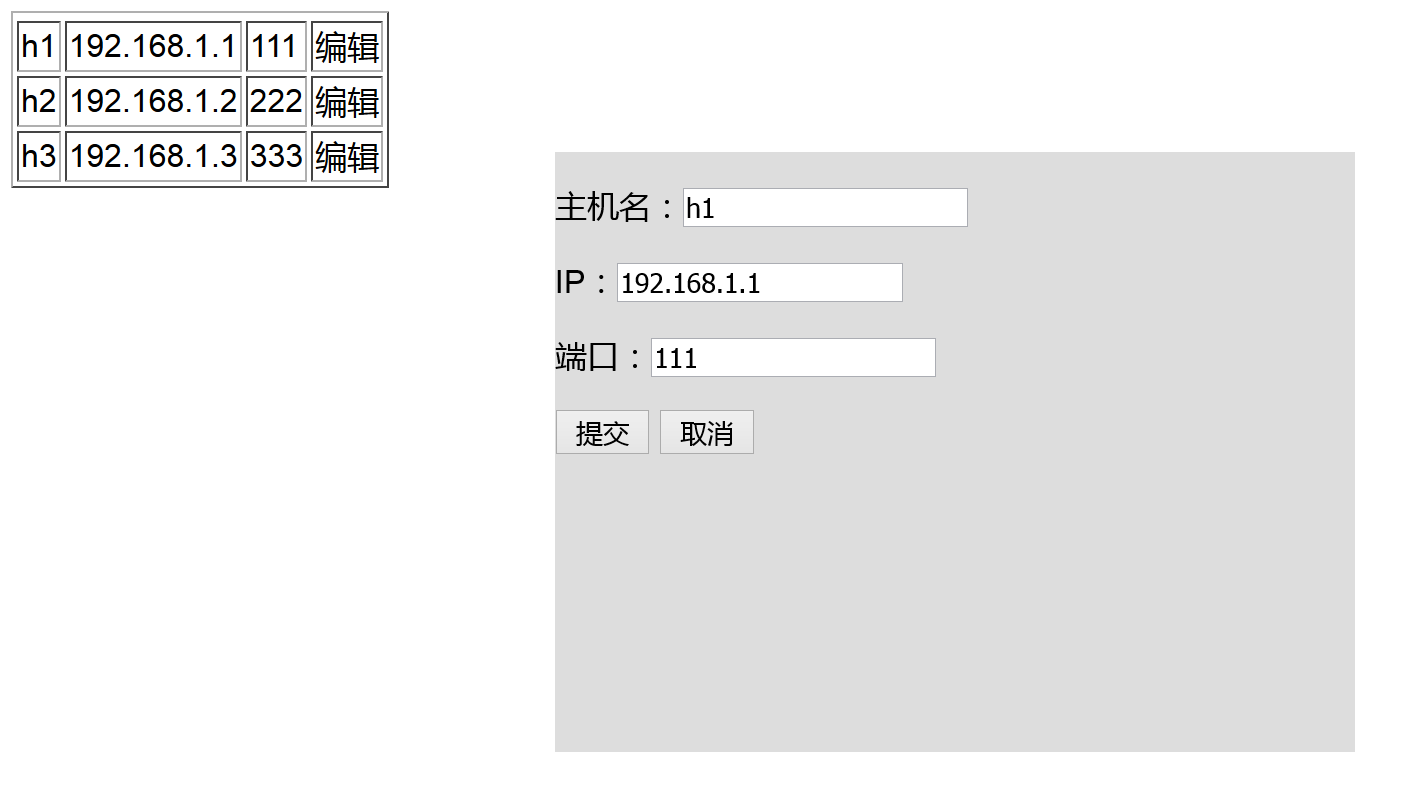
目的:
点击‘编辑’,弹出对话框,修改数据。
主要知识点:
prevAll(),获取同级别本元素前面的所有元素。
代码:
1
2
3
4
5
6
7
8
9
10
11
12
13
14
15
16
17
18
19
20
21
22
23
24
25
26
27
28
29
30
31
32
33
34
35
36
37
38
39
40
41
42
43
44
45
46
47
48
49
50
51
52
53
54
55
56
57
58
59
60
61
62
63
64
65
66
67
68
69
70
71
72
73
74
75
76
77
78
79
80
81
82
83
84
85
86
87
88
89
90
91
92
93
94
95
96
97
98
99
<!DOCTYPE html><html lang="en">
<head>
<meta charset="UTF-8">
<title></title>
<style>
.modal{
position: fixed;
left:50%;
top: 50%;
width: 400px;
height: 300px;
background-color: #DDDDDD;
margin-left: -200px;
margin-top: -150px;
}
.hide{
display: none;
}
</style>
</head>
<body>
<table border="1">
<thead></thead>
<tbody>
<tr>
<td>h1</td>
<td>192.168.1.1</td>
<td>111</td>
<td onclick="GetPrev(this)">编辑</td>
</tr>
<!--1.弹出框-->
<!--2.取出表格数据-->
<!--3.将数据填充到弹出框-->
<tr>
<td>h2</td>
<td>192.168.1.2</td>
<td>222</td>
<td onclick="GetPrev(this)">编辑</td>
</tr>
<tr>
<td>h3</td>
<td>192.168.1.3</td>
<td>333</td>
<td onclick="GetPrev(this)">编辑</td>
</tr>
</tbody>
</table>
<div id="dialog" class="modal hide">
<form action="" method="get">
<p>主机名:<input type="text" id="hostname" /></p>
<p>IP:<input type="text" id="ip" /></p>
<p>端口:<input type="text" id="port" /></p>
<input type="submit" value="提交" onclick="return SubmitForm()">
<!--当onclick返回false,submit不进行提交。-->
<input type="button" value="取消" onclick="Cancel()">
</form>
</div>
<script type="text/javascript" src="jquery-2.1.4.min.js"></script>
<script type="text/javascript">
function GetPrev(arg){
var list=[];
$.each($(arg).prevAll(),function(i){
var item=$(arg).prevAll()[i];
//this
var text=$(item).text();
list.push(text);
});
var new_list=list.reverse();
//在弹出框的hostname中设置值
$('#hostname').val(new_list[0]);
$('#ip').val(new_list[1]);
$('#port').val(new_list[2]);
$('#dialog').removeClass('hide');
}
function SubmitForm(){
//获取form表单中的input值,判断是否为空;
var ret=true;
//遍历所有的input["type=text"],只要有空值,就将ret设置为false;
$(':text').each(function(){
//$(this)=要循环的每一个元素
var value=$(this).val();
if(value.trim().length==0){
$(this).css('border-color','red');
alert("不能为空");
ret=false;
}else{
$(this).css('border-color','green');
}
});
return ret;
}
function Cancel(){
$('#dialog').addClass('hide');
}
</script>
</body>
</html>