RvmTranslator6.2 is released
RvmTranslator can translate the RVM file exported by AVEVA Plant(PDMS)/AVEVA Marine to STEP, IGES, STL, DXF, 3D PDF, OBJ, 3DXML, .etc. So it can be used for exchanging model data between other CAD software, such as Autodesk AutoCAD, Plant3d, 3ds Max, CATIA, Solidworks, Pro/E, Unity3d, .etc.
I am pleased to announce a new release of RvmTranslator6.2.
RvmTranslatoer6.2 is a minor release, which includes the following new features:
l Color File
The colors.txt file in the application folder can used to set up to resemble the ReviewReality color scheme. You can edit the colors.txt to change the color scheme to show model in your need.
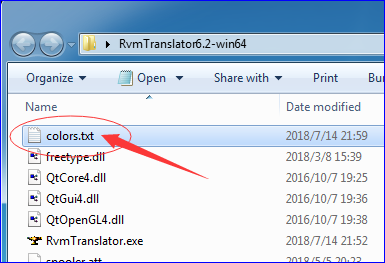
Figure 1. Colors.txt
After you config the colors in the colors.txt, you can show the same color in RvmTranslator. The following figures show the result in RvmTranslator, you can see the color is the same with PDMS.
How to customized the color please read the colors.txt.
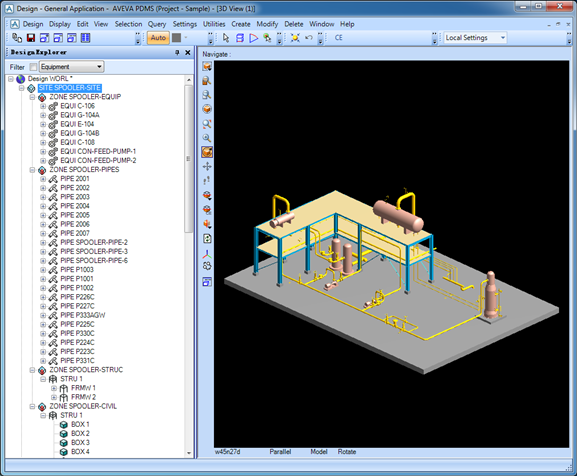
Figure 2. Spooler model in AVEVA PDMS

Figure 3. Spooler model in RvmTranslator6.2
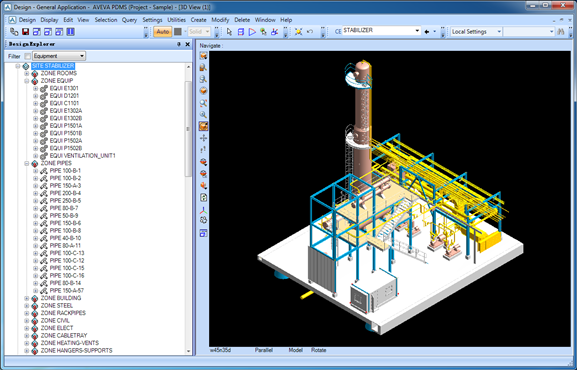
Figure 4. Stabilizer model in PDMS

Figure 5. Stabilizer model in RvmTranslator6.2
l Add Model to 3D Viewer & Remove model from 3D Viewer
1. From the menu View->Add Model / Remove Model;

2. From the Design Explorer context menu,
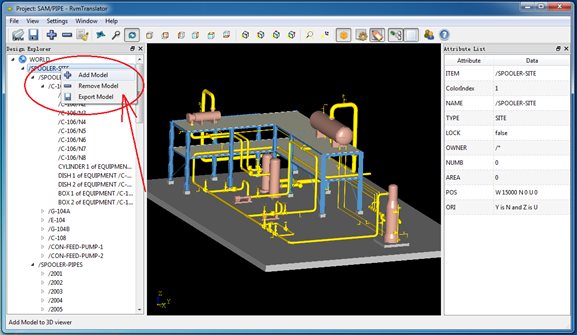
These Add Model/Remove Model functions are to add the selected tree node model to the 3D viewer or remove the selected tree node model from the 3D viewer.
l Clear 3D Viewer

The clear 3D viewer function will remove all the models in the 3D viewer.
Download RvmTranslator6.2