Spring Boot是由Pivotal团队提供的全新框架,设计目的是用来简化新Spring应用的初始搭建以及开发过程。它主要推崇的是'消灭配置’,实现零配置。
那么,如何快速新建一个一个springboot项目脚手架呢?目前,市面主流的两种方式:一种主要利用 Spring 官方提供的在线项目脚手架来搭建 SpringBoot 的项目;另一种使用开发工具IDE(比如,IntelliJ IDEA)集成的插件快速创建。
1.1 知识储备
 1 # Group 、Package Name中填总包名的前缀,如com.bingbinlee
 2 # Artifact 中填项目名
 3 # 要选择的依赖
 4     Core下的Cache
 5     Web下的Web
 6     Template Engines下的Thymeleaf
 7     SQL下的MySQL(如果要mybatis的话也把这个勾上)
 8 # 如果要支持jsp的话就在pom.xml加上jasper的jar
 9
10 <!--添加对jsp的支持-->
11 <dependency>
12     <groupId>org.apache.tomcat.embed</groupId>
13     <artifactId>tomcat-embed-jasper</artifactId>
14     <!--此处的<scope></scope>一定不要加上作用于为provided,可以为compile或缺省-->
15 </dependency>
1.2 第一步:选择版本和类型
打开地址: https://start.spring.io/
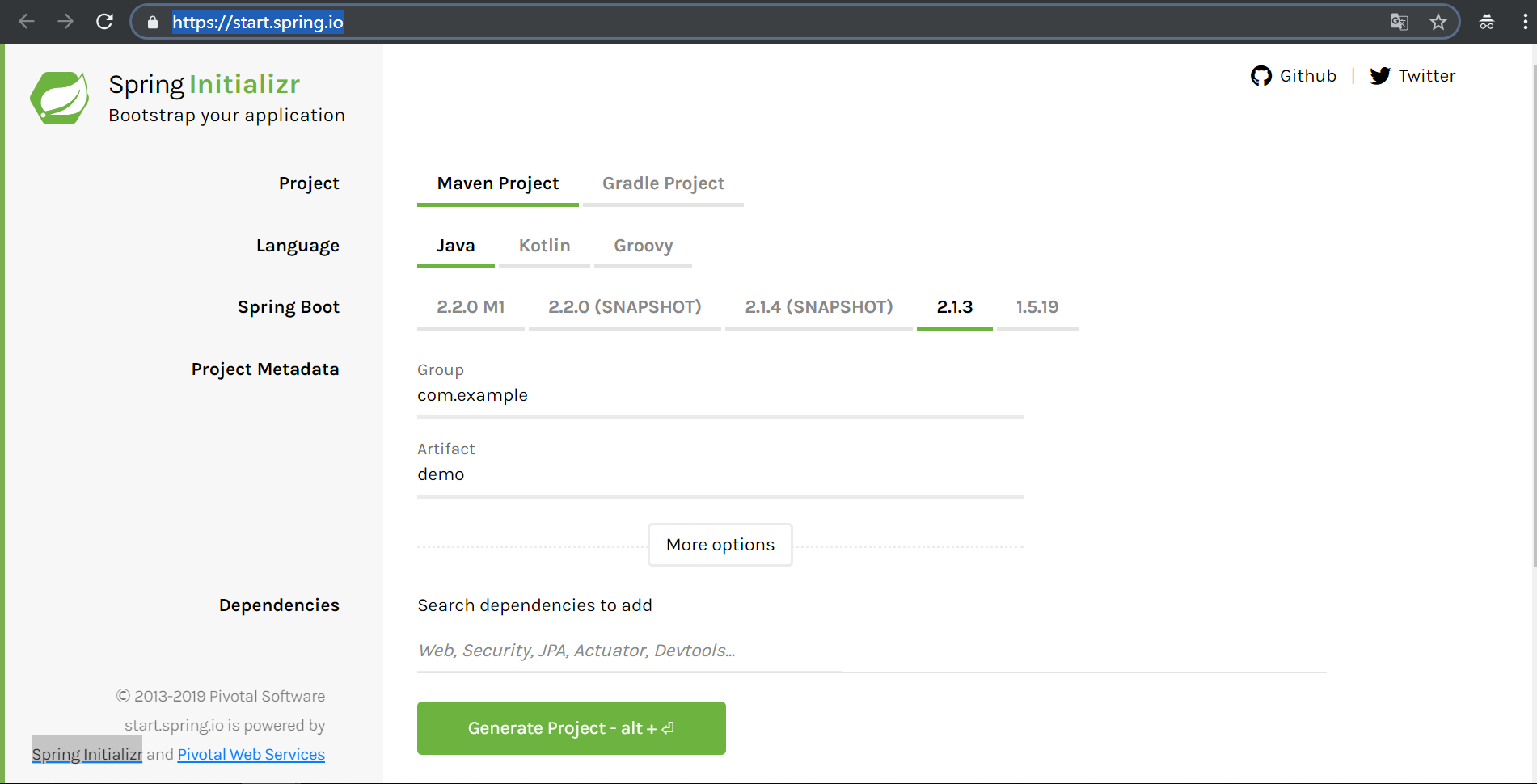
根据需要选择:
* 选择你的项目是 maven 还是 grade
* 开发语言有:Java、Kotlin、Groovy
* 选择 Spring Boot 的版本
* 填写 maven 的 Group 、Artifact
1.3 第二步:添加依赖

你可以在这里输入关键字,如:mysql、mybatis、cache、web等。点击 Switch to the full version,往下翻你会发现页面展开了好多选择项以供选择(此步可以忽略,不做选择)。
 1 # Spring 把依赖项分了一些组,以便于查找,如:
 2
 3 # 核心依赖(Core)
 4
 5 # Web项目常用依赖(Web)
 6
 7 # 模板引擎(Template Engines)
 8
 9 # 数据库(SQL)
10
11 # 非关系数据库(NoSQL)
12
13 # 云(Cloud xxx)
1.4 第三步:下载项目

当你把依赖项都选择完毕后,点击那个绿色的大按钮(Generate Project)就会下载一个项目依赖配置好的项目了(点击生成的zip文件下载解压,然后maven 引入就好)。
二、IntelliJ IDEA 快速搭建springboot项目
2.1 首先我们IDEA软件,点击"Create New Project"
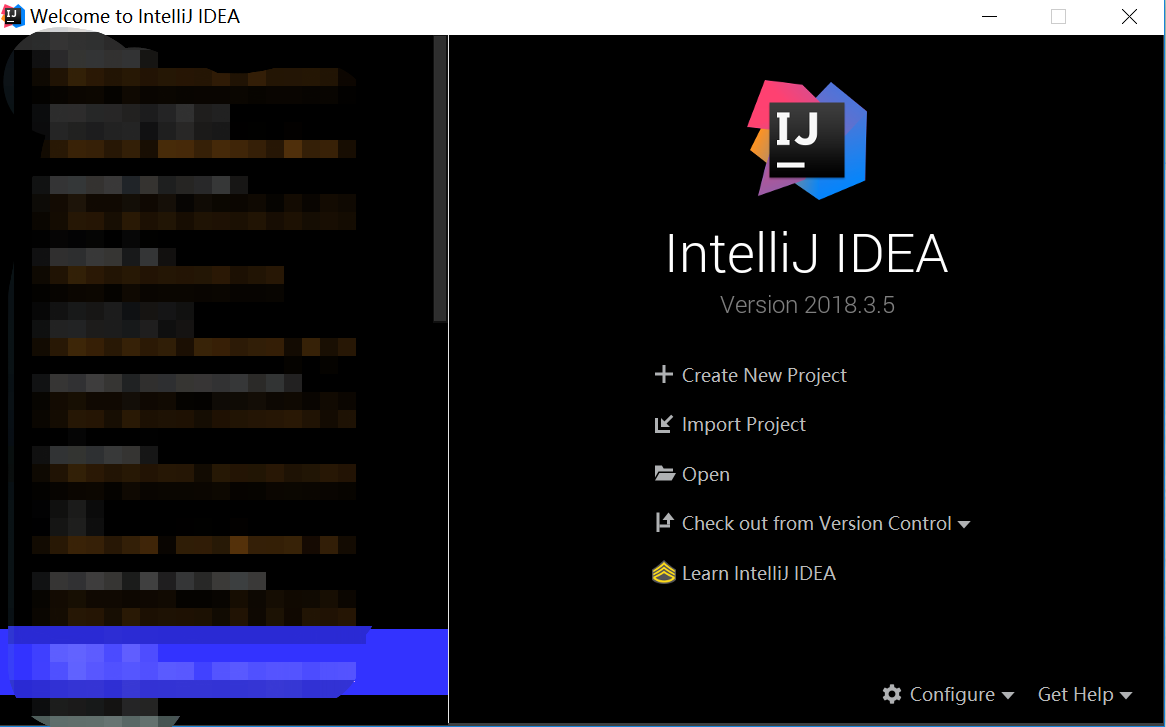
2.2 在你建立的工程下创建 Module 选择Spring initializr创建
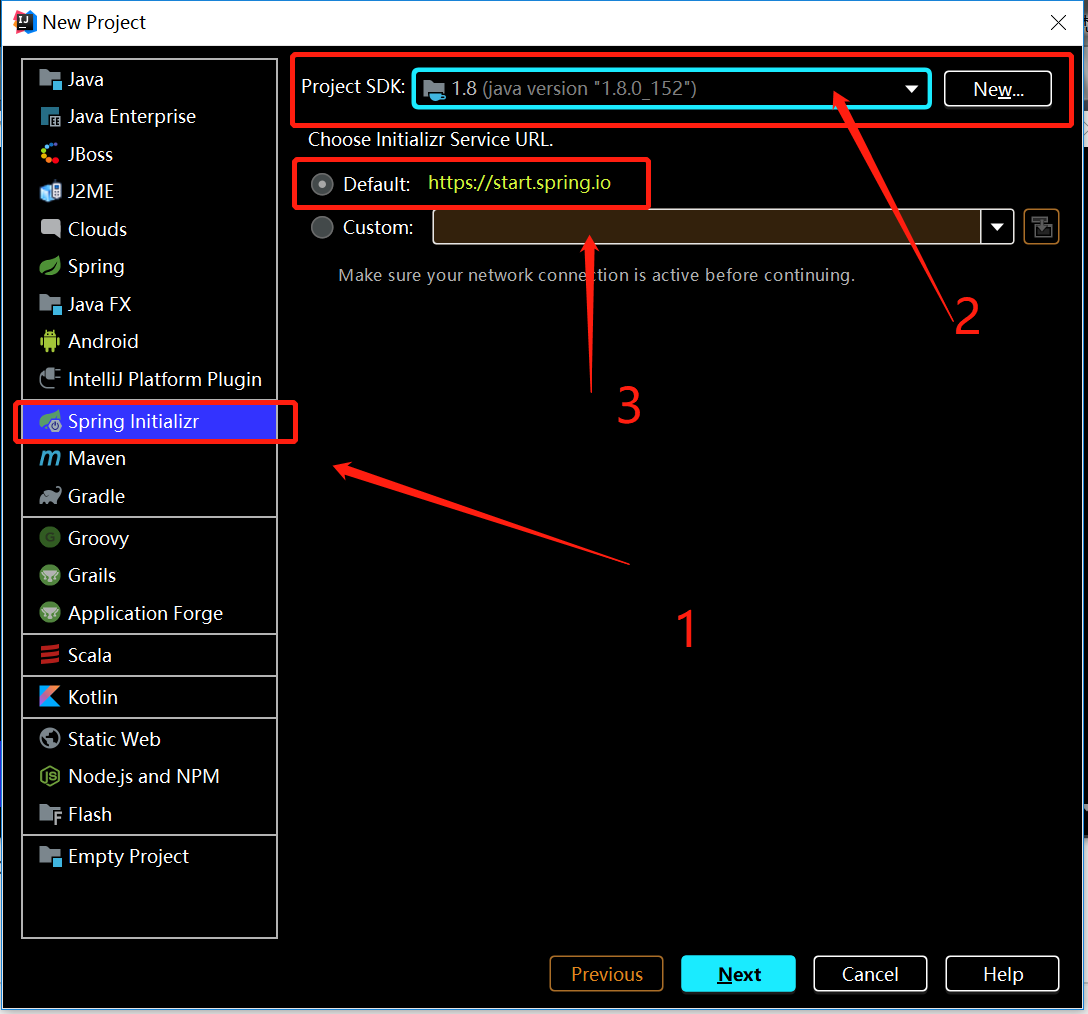
2.3 然后 Group 这些可以自己命名,也可以用系统的,记得 Type 选择 Maven Project ,写好之后点击 "Next"

2.4 选中 左边 "Web" ,然后选中右边复选框 web,这个窗口的勾选,主要是为了IDEA自动创建这些依赖,可以根据自己习惯进行勾选

2.5 最后一步,核对新建项目信息无误,点击 ”Finish“ 即可
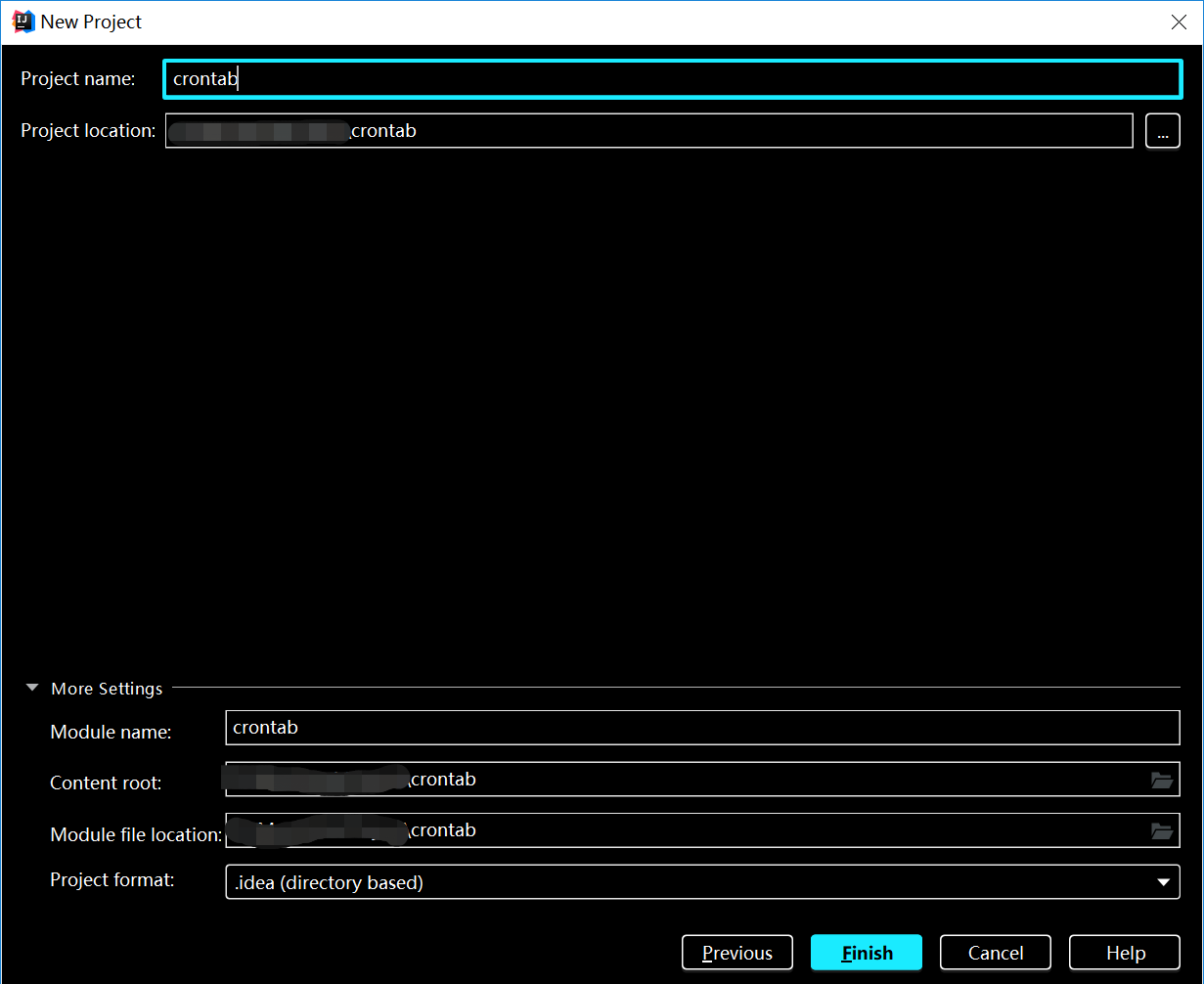
2.6 建立好的项目结构
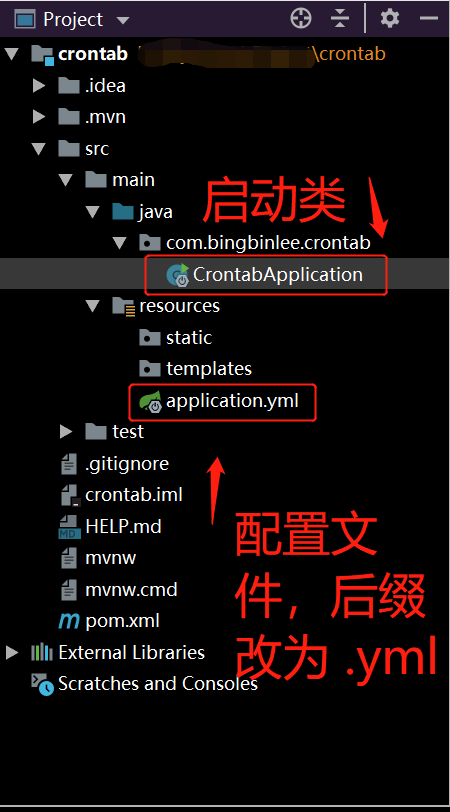
2.7 pom.xml 可以根据后续项目实际需求添加修改
 1 <?xml version="1.0" encoding="UTF-8"?>
 2 <project xmlns="http://maven.apache.org/POM/4.0.0" xmlns:xsi="http://www.w3.org/2001/XMLSchema-instance"
 3          xsi:schemaLocation="http://maven.apache.org/POM/4.0.0 http://maven.apache.org/xsd/maven-4.0.0.xsd">
 4     <modelVersion>4.0.0</modelVersion>
 5     <parent>
 6         <groupId>org.springframework.boot</groupId>
 7         <artifactId>spring-boot-starter-parent</artifactId>
 8         <version>2.1.3.RELEASE</version>
 9         <relativePath/> <!-- lookup parent from repository -->
10     </parent>
11     <groupId>com.bingbinlee</groupId>
12     <artifactId>crontab</artifactId>
13     <version>0.0.1-SNAPSHOT</version>
14     <name>crontab</name>
15     <description>crontab</description>
16
17     <properties>
18         <java.version>1.8</java.version>
19     </properties>
20
21     <dependencies>
22         <dependency>
23             <groupId>org.springframework.boot</groupId>
24             <artifactId>spring-boot-starter-web</artifactId>
25         </dependency>
26
27         <dependency>
28             <groupId>org.springframework.boot</groupId>
29             <artifactId>spring-boot-starter-test</artifactId>
30             <scope>test</scope>
31         </dependency>
32     </dependencies>
33
34     <build>
35         <plugins>
36             <plugin>
37                 <groupId>org.springframework.boot</groupId>
38                 <artifactId>spring-boot-maven-plugin</artifactId>
39             </plugin>
40         </plugins>
41     </build>
42
43 </project>
----------------------------------------------------------------------------
本文为博主原创文章,转载请注明出处!
-----------------------------------------------------------------------------