DirectX SDK (download August 2008 or newer)
Installation instructions
- First install Visual Studio 2005
- Install the the Visual Studio 2005 SP1 update - Vista users: Rightclick on the setup and run as administrator.
(Also be sure to have a few gigabytes spare on your C:\) - If you’re using Windows Vista you will need to install the SP1 update for Vista aswell, again in administrator mode.
(Windows XP users can continue reading). - Now it is time to install the libraries, start with installing OpenCV 1.0. Just use the recommend path and let it set the environment variables.
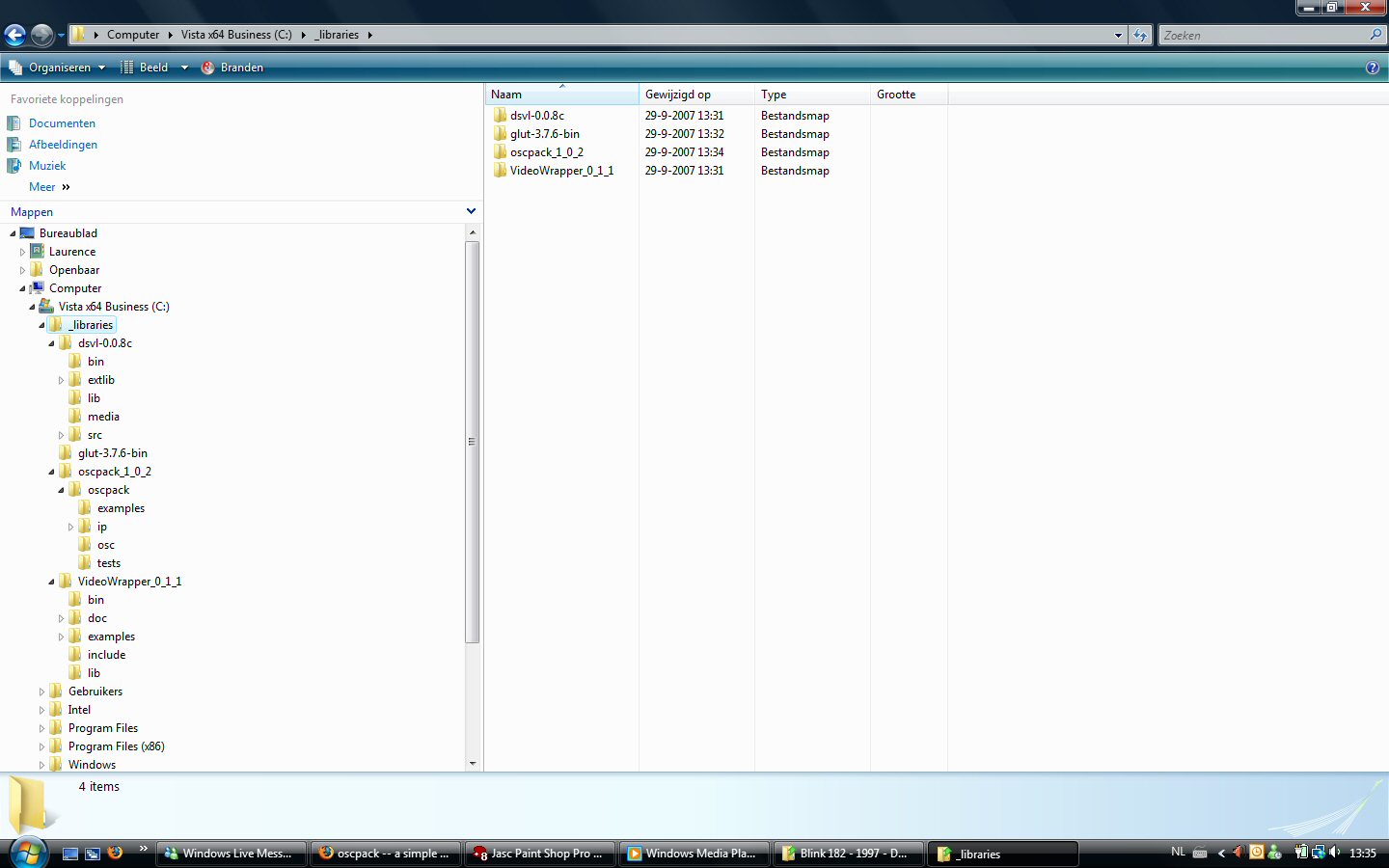
- Next, create a directory called C:\_libraries and unzip the content of dsvideolib, VideoWrapper, GLUT and OSCpack to this directory.
- Install the CMU 1394 Digital Camera Driver (yes, even if you dont have/use a firewire camera)
During the setup Check “Development Files” and “Program Shortcuts”. - Install the Platform SDK, typical settings should be fine.
(I used the ISO to install this, if you use the webinstaller be sure to download the right platform). - Install the DirectX SDK.
- Install TortoisSVN.
Setting environment variables
Depending on your setup you might need to change a few directory location values.
- Press the right mouse button on “My Computer” and choose: Properties > Advanced > Environmental Variables
- To add an entry, click “new” at the System Variables.
- Add the OpenCV root directory:
name: “OPENCV_HOME”
value: “C:\Program Files\OpenCV” - Add the DSVideoLib:
name: “DSVL_HOME”
value: “C:\_libraries\dsvl-0.0.8c” - Add the VideoWrapper
name: “VIDEOWRAPPER_HOME”
value: “C:\_libraries\VideoWrapper_0_1_1″ - Add the OSCpack
name: “OSCPACK_HOME”
value: “C:\_libraries\oscpack_1_0_2\oscpack” - Add the CMU driver location
name: “CMU_PATH”
value: “C:\Program Files\CMU\1394Camera”
Checkout touchlib svn
- Create a directory called C:\multitouch in windows explorer
- Click the right mouse button and choose SVN Checkout
- Enter “http://touchlib.googlecode.com/svn/trunk/” as the URL of the repository
- Enter “C:\multitouch\touchlib” as checkout directory
- Click OK (confirm creation of the directory)
- Downloading the files might take a while because of the demo movies which are included. (rev. 395 is 121,14 MBytes)
Visual studio settings
We are almost done with setting up the enviroment, there are just a few steps left before we can compile Touchlib.
- Open up “solution.sln” in the “C:\multitouch\touchlib\build\VC8″ directory.
- Choose Tools > Options
- On the left choose Project and Solutions > VC++ Directories
- On the right change “Show directories for:” to “Include files”
- Add the directory “C:\_libraries\glut-3.7.6-bin”
- Add the directory “C:\Program Files\Microsoft Platform SDK for Windows Server 2003 R2\Include”
- Add the directory “C:\Program Files\Microsoft Platform SDK for Windows Server 2003 R2\Samples\Multimedia\DirectShow\BaseClasses”
- Add the directory “C:\Program Files\Microsoft DirectX SDK (August 2007)\Include”
- Change “Show directories for:” to “Library files”
- Add the directory “C:\_libraries\glut-3.7.6-bin”
- Add the directory “C:\Program Files\Microsoft Platform SDK for Windows Server 2003 R2\Lib”
- Add the directory “C:\Program Files\Microsoft DirectX SDK (August 2007)\Lib\x86″
- Click OK
- In the menu choose Build > Build Touchlib
- When it has compiled Touchlib, Build > Build solution
- The End