实现的原理比较直接,定义一个MessageHandler记录WebAPI的请求记录,然后将这些请求日志推送到客户端,客户端就是一个查看日志的页面,实时将请求日志展示在页面中。
这个例子的目的是演示如何在PersistentConnection类外部给Clients推送消息
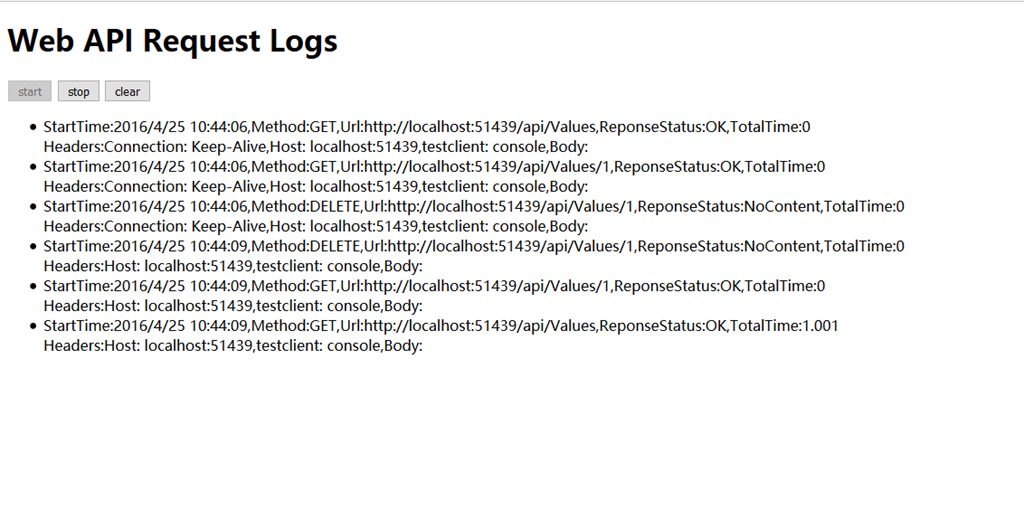
实现过程
一、服务端
服务端同时具备SignalR和WebAPI的功能,通过定义一个记录日志的MessageHandler实现对WebAPI请求的拦截,并生成请求记录,然后推送到客户端
step 1
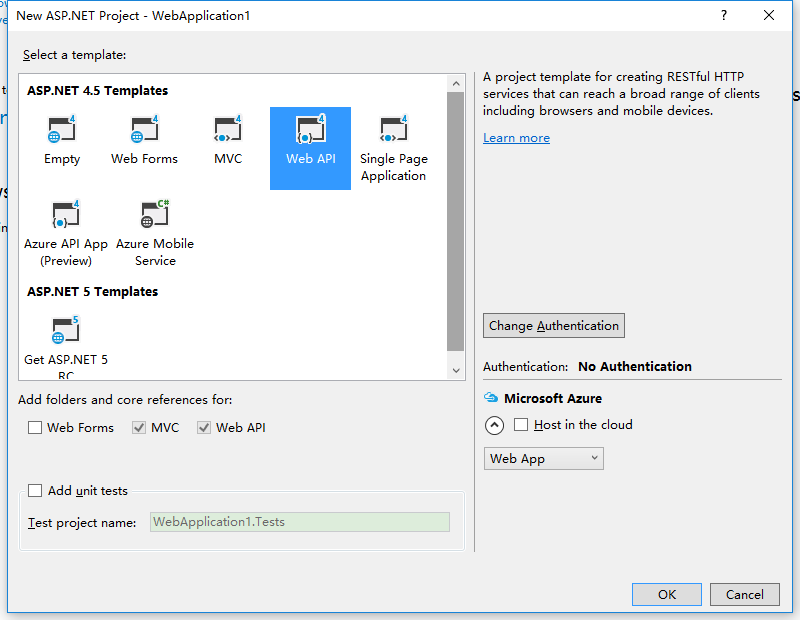
创建一个具备WebAPI功能的站点,为了简化起见,设置Authentication为No Authentication
step 2
创建一个DelegatingHandler,用于记录WebAPI日志,代码如下
下面代码没有涉及到SignalR的功能,日志展示是通过ILoggingDisplay接口传入
public class LoggingHandler : DelegatingHandler
    {
        private static readonly string _loggingInfoKey = "loggingInfo";

        private ILoggingDisplay _loggingDisplay;

        public LoggingHandler(ILoggingDisplay loggingDisplay)
        {
            _loggingDisplay = loggingDisplay;
        }

        public LoggingHandler(HttpMessageHandler innerHandler, ILoggingDisplay loggingDisplay)
            : base(innerHandler)
        {
            _loggingDisplay = loggingDisplay;
        }

        protected override Task<HttpResponseMessage> SendAsync(HttpRequestMessage request, CancellationToken cancellationToken)
        {
            LogRequestLoggingInfo(request);
            return base.SendAsync(request, cancellationToken).ContinueWith(task =>
            {
                var response = task.Result;
                LogResponseLoggingInfo(response);
                return response;
            });
        }

        private void LogRequestLoggingInfo(HttpRequestMessage request)
        {
            var info = new ApiLoggingInfo();
            info.HttpMethod = request.Method.Method;
            info.UriAccessed = request.RequestUri.AbsoluteUri;
            info.IpAddress = HttpContext.Current != null ? HttpContext.Current.Request.UserHostAddress : "0.0.0.0";
            info.StartTime = DateTime.Now;
            ExtractMessageHeadersIntoLoggingInfo(info, request.Headers.ToList());
            request.Properties.Add(_loggingInfoKey, info);
        }

        private void LogResponseLoggingInfo(HttpResponseMessage response)
        {
            object loggingInfoObject = null;
            if (!response.RequestMessage.Properties.TryGetValue(_loggingInfoKey, out loggingInfoObject))
            {
                return;
            }
            var info = loggingInfoObject as ApiLoggingInfo;
            if (info == null)
            {
                return;
            }
            info.HttpMethod = response.RequestMessage.Method.ToString();
            info.ResponseStatusCode = response.StatusCode;
            info.ResponseStatusMessage = response.ReasonPhrase;
            info.UriAccessed = response.RequestMessage.RequestUri.AbsoluteUri;
            info.IpAddress = HttpContext.Current != null ? HttpContext.Current.Request.UserHostAddress : "0.0.0.0";
            info.EndTime = DateTime.Now;
            info.TotalTime = (info.EndTime - info.StartTime).TotalMilliseconds;
            _loggingDisplay.Display(info);
        }

        private void ExtractMessageHeadersIntoLoggingInfo(ApiLoggingInfo info, List<KeyValuePair<string, IEnumerable<string>>> headers)
        {
            headers.ForEach(h =>
            {
                var headerValues = new StringBuilder();

                if (h.Value != null)
                {
                    foreach (var hv in h.Value)
                    {
                        if (headerValues.Length > 0)
                        {
                            headerValues.Append(", ");
                        }
                        headerValues.Append(hv);
                    }
                }
                info.Headers.Add(string.Format("{0}: {1}", h.Key, headerValues.ToString()));
            });
        }
    }