今天又遇到了一个打开KVM的问题,安装了jre-7u80,已经可以下载应用了,可是最后报错如下:

Your security settings have blocked an application with an expired or not-yet-valid certificate from running
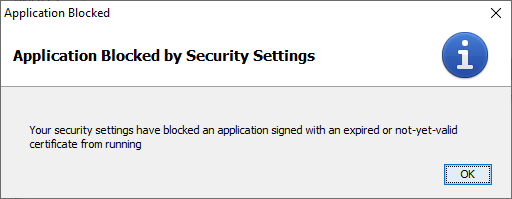

解决Cisco KVM报错 “Your security settings have blocked an application with an expired or not-yet-valid certificate from running”


解决方案根据这篇文章里介绍的方式,我解决了这个问题并成功的打开了KVM。


1. 先打开控制面板,点击Java。

解决Cisco KVM报错 “Your security settings have blocked an application with an expired or not-yet-valid certificate from running”


2. 把我们要打开的KVM的地址添加到exception site list中,就可以了。
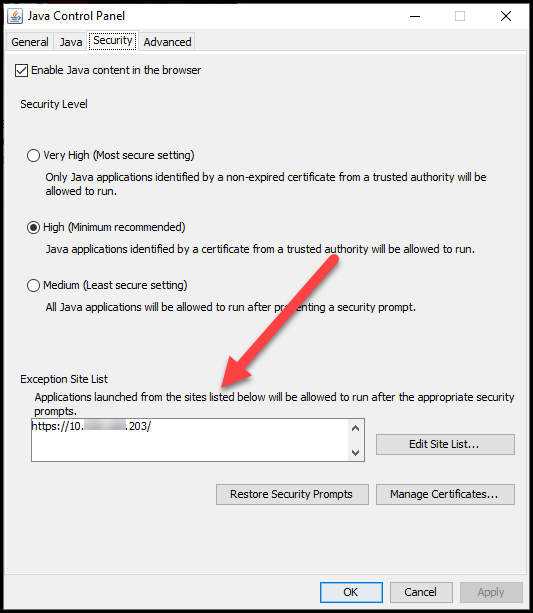
解决Cisco KVM报错 “Your security settings have blocked an application with an expired or not-yet-valid certificate from running”


关于Cisco的KVM的正常打开,我之前已经遇到了一些问题,并总结在了下面的两篇博文里。

Cisco KVM Console无法打开

https://www.cnblogs.com/awpatp/p/4250400.html

打开KVM Console的一些注意事项

https://www.cnblogs.com/awpatp/p/10744585.html


参考资料

===============

How to Fix: Java 'Expired or not-yet-valid Certificate' Error

https://www.infopackets.com/news/10023/how-fix-java-expired-or-not-yet-valid-certificate-error


相关文章:

  • 2022-12-23
  • 2021-05-26
  • 2021-09-13
  • 2021-11-15
  • 2021-11-18
  • 2022-12-23
  • 2022-12-23
  • 2021-10-02
猜你喜欢
  • 2021-12-12
  • 2022-01-31
  • 2021-12-14
  • 2022-12-23
  • 2022-12-23
相关资源
相似解决方案