我发现最近的项目需要导出Excel表的页面非常的多,想来这个也是我们常用的功能了,现在我可以很熟练的导出了,但是记得当时自己第一次导出时还是绕了一些弯路的,那么现在我就来记录下我这次用exshop框架项目下的导出(其实在不同的框架下Excel的导出原理都是差不多的)
前端
 <a href="javascript:;" id="export_all" class="coolbg">导出</a>

<script>
    //导出数据
    $(\'#export_all\').click(function(){
        window.open(\'index.php?app=craft_order&act=export\', \'_blank\');
    });
</script>
控制器
// 导出数据
public function export() {
$result = $this->_oaOrderModel->getAllOrderListForManager($this->store_id, $orderSn=null, $buyer_id=null, $buyer_name=null, $consignee=null, $phone=null, $company_name=null, $status=null, $s_time=null, $e_time=null, $page=null, $listRows=null, $execl=true); //这个是获得数据的代码-model里
$orderList = $result[\'orderList\'];
if (!empty($orderList)) {
$j = 1;
$stmt = array();
foreach ($orderList as $val) {
$stmt[$j][\'网站ID\'] = $val[\'store_id\'];
$stmt[$j][\'订单信息\'] = $val[\'order_sn\'];
$stmt[$j][\'商品信息\'] = $val[\'inventory_sn_count_chinese\'];
$stmt[$j][\'工艺选择\'] = $val[\'craft_count_chinese\'];
$stmt[$j][\'商品总数量\'] = $val[\'real_goods_total_count\'];
$stmt[$j][\'提交日期\'] = date("Y-m-d H:i:s",$val[\'add_time\']);
$stmt[$j][\'客户名称\'] = $val[\'company_name\'];
$stmt[$j][\'联系人\'] = $val[\'consignee\'];
$stmt[$j][\'联系方式\'] = $val[\'phone_mob\'];
$stmt[$j][\'订单完成率\'] = $val[\'percentage_complete\'];
$stmt[$j][\'订单状态\'] = $val[\'statusChinese\'];
$j++;
}
$current_path = dirname(__FILE__);
$home_path = dirname($current_path);
require_once ROOT_PATH . \'/includes/libraries/PHPExcel.php\';
require_once ROOT_PATH . \'/includes/libraries/PHPExcel/IOFactory.php\';
$objPHPExcel = new PHPExcel(); //这个方法自己下载放到公共方法里
$objPHPExcel->getProperties()->setCreator("Maarten Balliauw")
->setLastModifiedBy("Maarten Balliauw")
->setTitle("Office 2007 XLSX Test Document")
->setSubject("Office 2007 XLSX Test Document")
->setDescription("Document for Office 2007 XLSX, generated using PHP classes.")
->setKeywords("office 2007 openxml php")
->setCategory("Test result file");
// 行高
for ($i = 2; $i <= count($stmt); $i++) {
$objPHPExcel->getActiveSheet()->getRowDimension($i)->setRowHeight(22);
}
foreach ($stmt as $fid => $fval) {
if ($fid == 1) {
$key = 0;
foreach ($fval as $title => $first) {
//如果一级标题
$objPHPExcel->getActiveSheet()->setCellValue(chr($key + 65) . \'1\', $title);
$objPHPExcel->getActiveSheet()->getStyle(chr($key + 65) . \'1\')->getFont()->setBold(true); // 加粗
$key ++;
}
}
$cid = 0;
$row_id = $fid + 1;
foreach ($fval as $cval) {
$objPHPExcel->getActiveSheet()->setCellValue(chr($cid + 65) . (string) ($row_id), $cval);
$cid++;
}
}
$objPHPExcel->setActiveSheetIndex(0);
$objPHPExcel->getActiveSheet()->setTitle(\'Excel表\');
$objWriter = PHPExcel_IOFactory::createWriter($objPHPExcel, \'Excel5\');
//$objWriter->save(\'订单列表详细.xls\');
//输出到浏览器
header("Content-Type: application/force-download");
header("Content-Type: application/octet-stream");
header("Content-Type: application/download");
header(\'Content-Disposition:inline;filename="订单列表.xls"\');
header("Content-Transfer-Encoding: binary");
header("Expires: Mon, 26 Jul 1997 05:00:00 GMT");
header("Last-Modified: " . gmdate("D, d M Y H:i:s") . " GMT");
header("Cache-Control: must-revalidate, post-check=0, pre-check=0");
header("Pragma: no-cache");
$objWriter->save(\'php://output\');
}
}
```
***注意:PHPExcel(); //这个方法自己下载放到公共方法里***
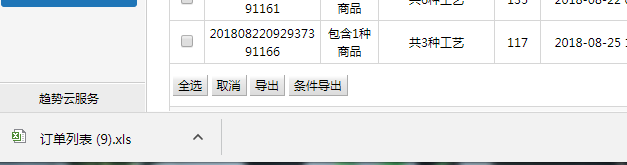
>成果图


---
>心得
*有时候遇到这些问题可以多思考,多看看它的原理,原理理解了下次做其它的也是会的,但最重要的是要懂得做记录,我们的记忆并没有想象的那么好*
***注:文章来源雨中笑记录实习期遇到的问题与心得,转载请申明原文***