1. 检查环境支持。
1. 内核版本需要高于2.6.13
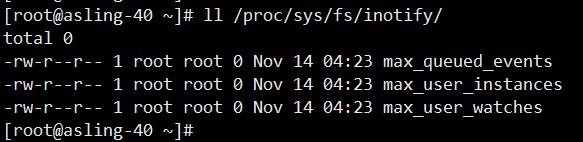
2. 图中3个文件必须存在才能正常支持
2. 安装
wget inotify-tools
./configure --prefix=/path
make && make install
3. /usr/local/inotify/bin/inotifywait -mrq --timefmt '%d/%m/%y %H:%M' --format '%T %w%f' -e create /backup
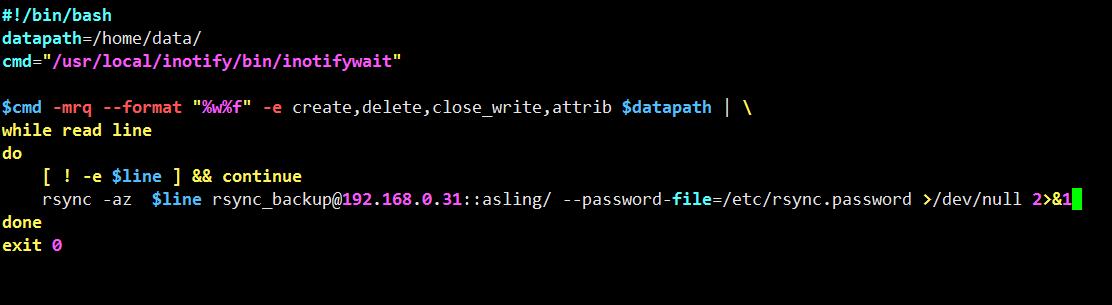
4. inotify+rsync实时同步简单脚本。
###############################################################
#!/bin/bash
datapath=/home/data/
cmd="/usr/local/inotify/bin/inotifywait"
$cmd -mrq --format "%w%f" -e create,delete,close_write,attrib $datapath | \
while read line
do
cd $datapath &&
rsync -az --delete $datapath [email protected]::asling/ --password-file=/etc/rsync.password >/dev/null 2>&1
done
exit 0
################################################################

或者
5. 优化
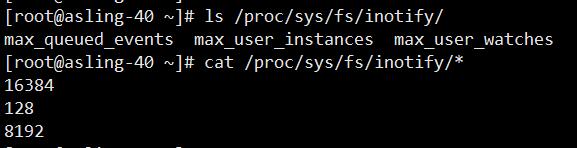
检查3个数值,修改。
转载于:https://blog.51cto.com/xiangpang/1712661