因Mac上的svn工具Cornerstone的diff工具十分不好用,并且比对不精确,所以想在Cornerstone内调用第三方diff工具。个人使用DiffFork进行比对。

DiffFork还提供shell方式打开软件可以软链到/usr/local/bin/difffork
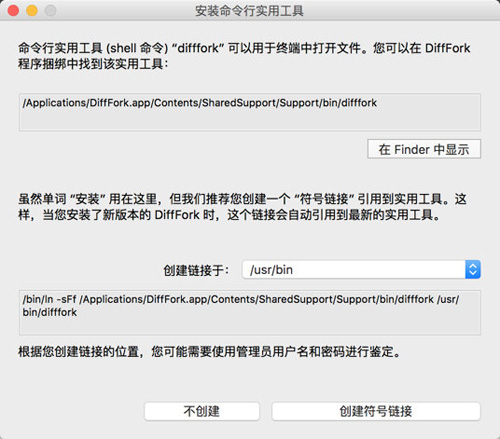
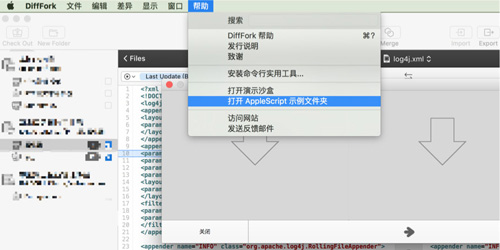
但是我通过shell方式打开后是生成了2个比对窗口,2个文件没能在一起比对,所以使用了applescript方式。
但是BeyondCompare可以通过shell方式正确打开,但是Mac下的BeyondCompare对中文不友好所以就用DiffFork了。
shell调用方式:
- #!/bin/bash
- original_path="$1"
- modified_path="$3"
- /usr/local/bin/bcompare "$original_path" "$modified_path"
DiffFork提供的applescript调用示例:
- (*
- diff v: Diff
- diff item : the old item.
- against item : the new item.
- *)
- set theOld to (choose file with prompt "Select Old:")
- set theNew to (choose file with prompt "Select New:")
- tell application "DiffFork"
- activate
- diff theOld against theNew
- end tell
因为Cornerstone的外部工具只支持*.sh的所以修改了DiffFork提供的applescript以shell方式打开。
- #!/bin/bash
- osascript -e 'tell application "DiffFork"' -e "activate" -e "diff \"$1\" against \"$3\"" -e 'end tell'

下面是BeyondCompare的调用方式:
- #!/bin/bash
- original_path="$1"
- modified_path="$3"
- /usr/local/bin/bcompare "$original_path" "$modified_path"