以IBM DS3512为例,讲述如何配置windows 2008的多路径
先来看红皮书里面的一段描述:
Resetting a controller makes the controller temporarily unavailable for I/O until the reset is complete. If a host is using logical drives owned by the controller being reset, the I/O directed to the controller is rejected. Before resetting the controller, either make sure that the logical drives owned by the controller are not in use, or make sure that a multi-path driver is installed on all of the hosts using these logical drives. If a multipath driver is installed, the I/Os will be processed through the alternate controller.
大体意思就是:
resetting a controller会使controller暂时无法访问IO,因此在resetting a controller之前,要确保controller拥有的那个lun不在使用火主机安装了多路径软件。如果安装了多路径软件,IO可以被另一个controller处理。否则,切换不成功。因此一定要在主机端安装MPIO软件,才能实现多路径的切换。否则虽然存储是双控,lun可以自由切换,但是如果主机不安装MPIO,也无法完成正常切换。
下面开始实验步骤:
拓扑图很简单:
Controller A –iscsi port 10.1.1.13
windows 2008 host (10.45.45.2)----
Controller B—iscsi port 10.1.1.14
1、首先在windows 2008 上安装MPIO
Features Summary. 选择“Add Features” ,“MPIO”
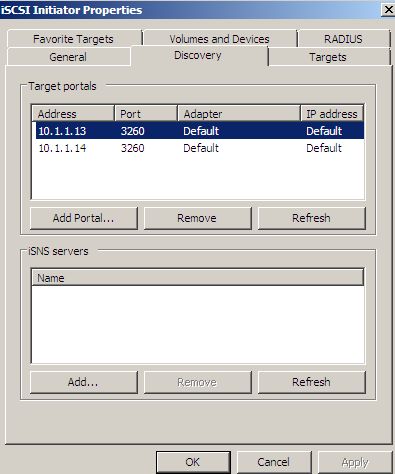
2、打开iscsi initiator,分别添加target端的两个IP地址
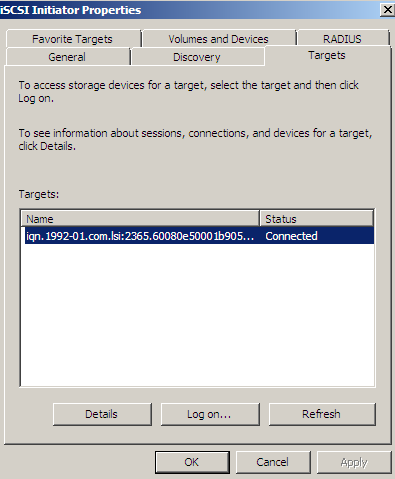
3、打开“targets”面板,选中target端的iscsi 号
4、点击“log on”
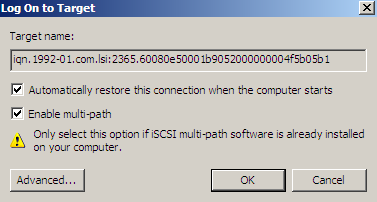
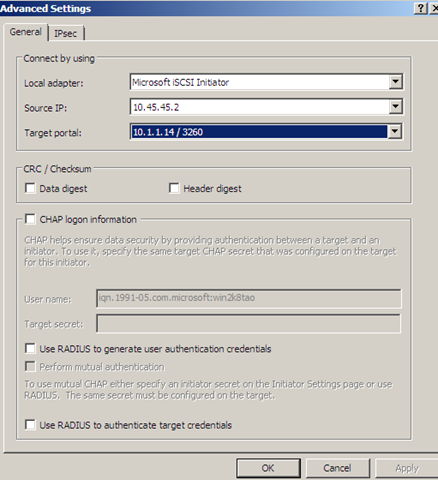
5、点击“advanced”,本实验中源端(host)只有一个,这里先添加第一个target portal,
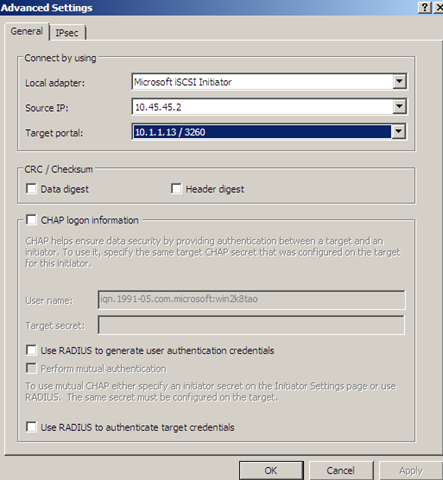
点击“ok”,退出iscsi initiator
6、现在开始配置MPIO
“开始”—“Administrative tools”—“MPIO”
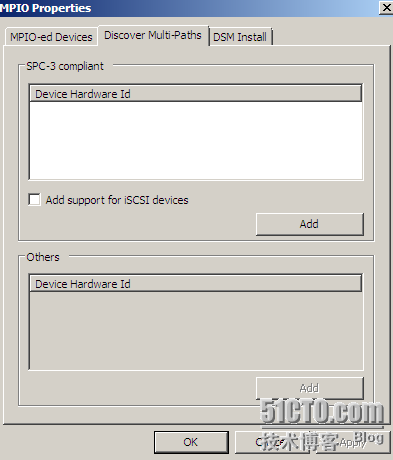
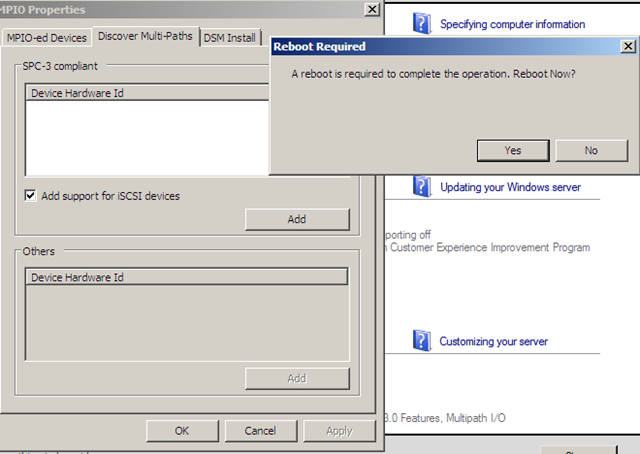
7、选中“Add support for iscsi devices”,再点击Add,接下来会要求重启系统,点击yes,重启系统
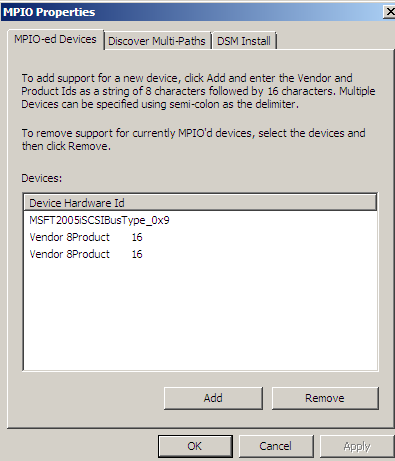
8、系统重启完成后,会多出一个叫做“MSFT2005IBusType 0x9”的device hardware id
9、再次打开iscsi initiator,接着在iscsi initiator中加入第二条路径,这里源端都是一样的,只有目的端的IP不一样。
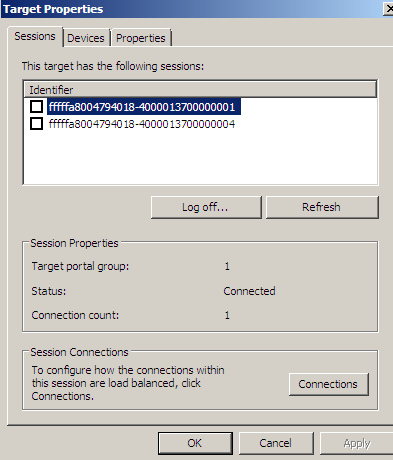
10、查看initiator 软件的target properties,可以看到两个sessions,这就说明配置正确了
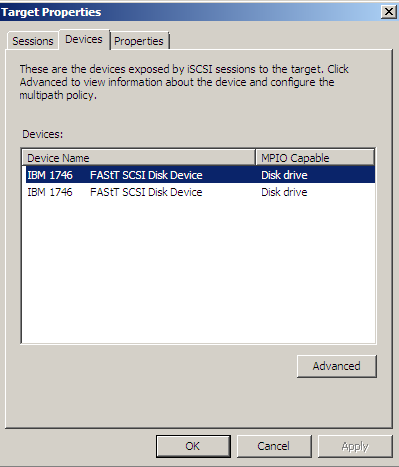
11、可以看到2个devices,点击“Advanced”
12、可以选择load balance policy,fail over或round bin等等
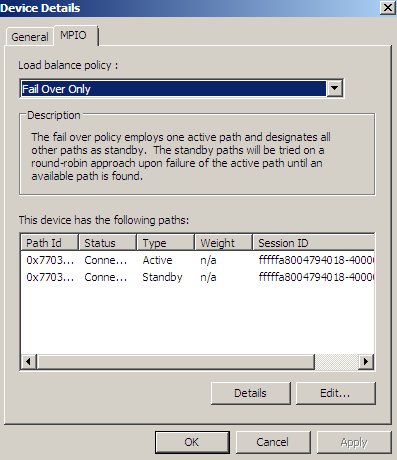
到这一步,multipath就配置完成了。下面开始测试multipath。
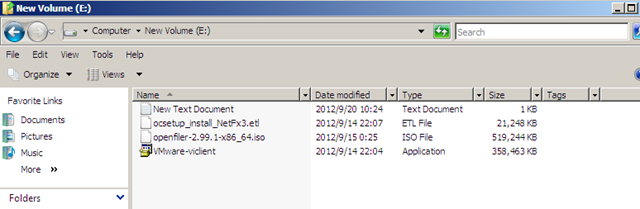
1、如下图,lun_1 目前的owner是controller B,通过iscsi将lun_1挂载到主机
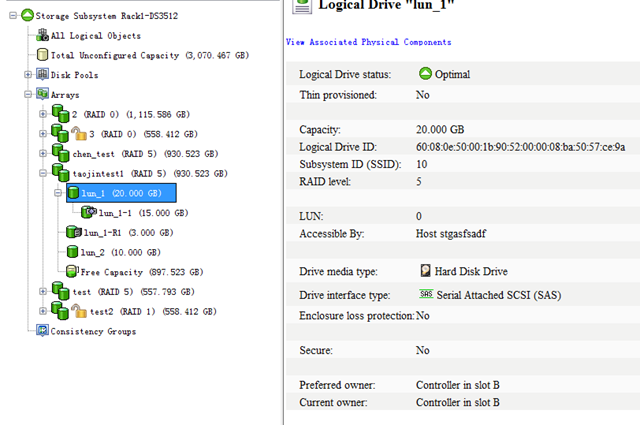
2、现在将controller B offline,如果multipath起作用的话,那主机应该不受影响,能正常读写数据。

3、此时数据仍能正常访问,说明多路径起作用了,实验成功!