######squid正向代理######
##借助代理访问客户端访问不到的地址
1.安装服务
yum install squid -y
systemctl start squid
2.##第三方主机访问网络
vim /etc/squid/squid.conf
52 http_access allow localnet
53 http_access allow localhost
54
55 # And finally deny all other access to this proxy
56 http_access allow all ##允许所有http服务访问
57
58 # Squid normally listens to port 3128
59 http_port 3128##访问端口3128
60
61 # Uncomment and adjust the following to add a disk cache directory.
62 cache_dir ufs /var/spool/squid 100 16 256 ##查询的目录和文件数目
63
systemctl restart squid ##重启服务
测试:
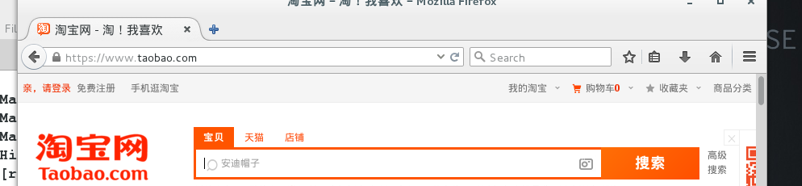
浏览器设置Advance >Network >Setings
3.##访问不了www.baiducom,其余都可以
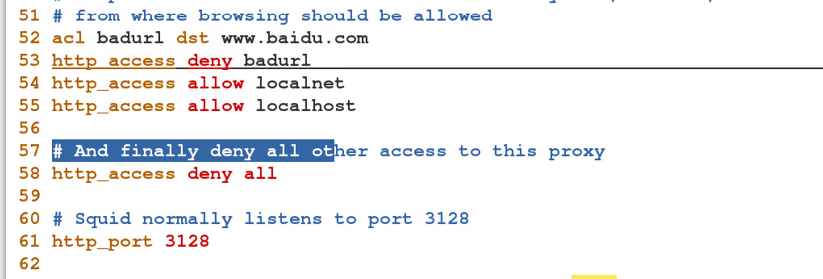
vim /etc/squid/squid.conf
52 acl badurl dst www.baidu.com
53 http_access deny badurl ##www.baidu.com加入黑名单
54 http_access allow localnet
55 http_access allow localhost
56
57 # And finally deny all other access to this proxy
58 http_access deny all
59
60 # Squid normally listens to port 3128
61 http_port 3128
62
63 # Uncomment and adjust the following to add a disk cache directory.
64 cache_dir ufs /var/spool/squid 100 16 256
65
systemctl restart squid
4.##访问不了baidu的网络
vim /etc/squid/squid.conf
52 acl badurl dstdomain .baidu.com
53 http_access deny badurl ##.baidu.com加入黑名单
54 http_access allow localnet
55 http_access allow localhost
56
57 # And finally deny all other access to this proxy
58 http_access deny all
59
60 # Squid normally listens to port 3128
61 http_port 3128
62
63 # Uncomment and adjust the following to add a disk cache directory.
64 cache_dir ufs /var/spool/squid 100 16 256
65
systemctl restart squid
########squid反向代理#######
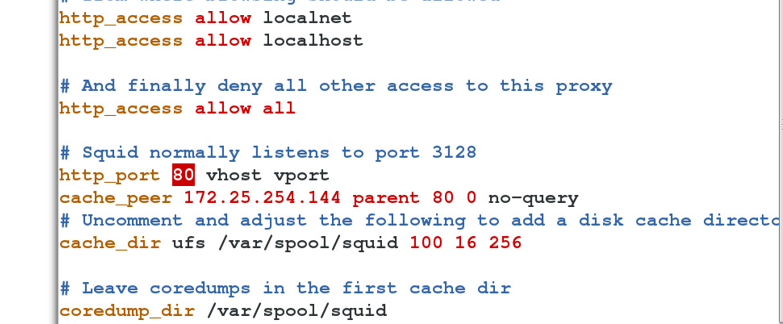
vim /etc/squid/squid.conf
59 http_port 80 vhost vport##反向代理端口为80
60 cache_peer 172.25.254.134 parent 80 0 no-query ##设置访问域名的ip为172.25.254.134 端口80 no-query不查询
61
systemctl restart squid
#####平分访问主机的压力#######
vim /etc/squid/squid.conf
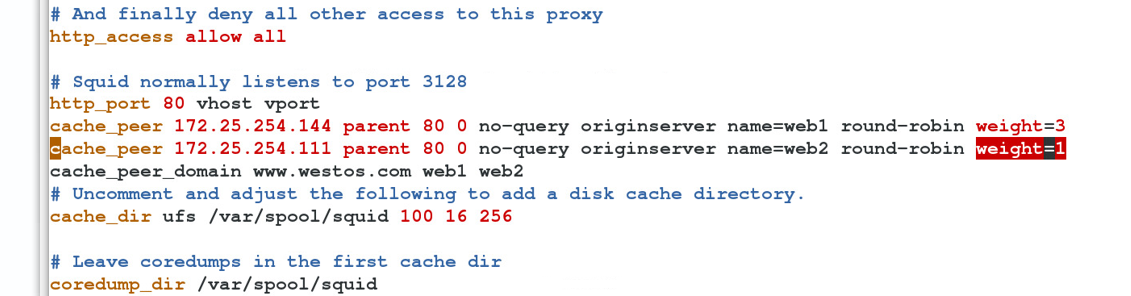
59 http_port 80 vhost vport
60 cache_peer 172.25.254.134 parent 80 0 no-query originserver name=web1 round-robin weight=3
##设置访问域名的ip为172.25.254.134 端口80 no-query不查询,直接获取数据,名字web1,round-robin轮流查询,web1三次
61 cache_peer 172.25.254.111 parent 80 0 no-query originserver name=web2 round-robin weight=1
##设置访问域名的ip为172.25.254.111 端口80 no-query不查 询,直接获取数据,名字web2,round-robin轮流查询,web2一次
62 cache_peer_domain www.westos.com web1 web2 ##指定域名www.westos.com访问的ip是web1和web2
systemctl restart squid
浏览器访问
vim /etc/hosts
172.25.254.111 www.westos.com
172.25.254.134 www.westos.com
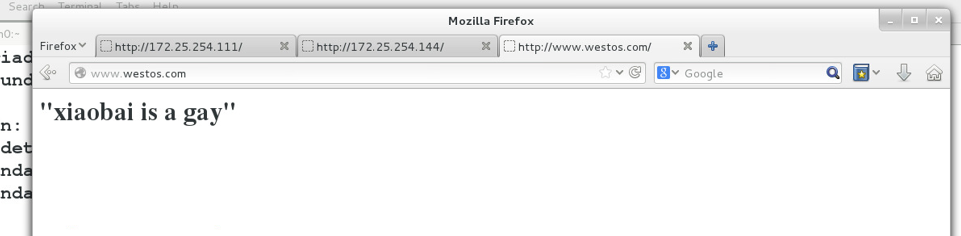
访问:www.westos.com
访问172.25.254.134 三次
访问172.25.254.134 一次
本文转自cuijb0221 51CTO博客,原文链接:http://blog.51cto.com/cuijb/1926828