RHEL7里面的网卡命名方式从eth0,1,2的方式变成了enoXXXXX的格式。
-
en代表的是enthernet (以太网)
-
o 代表的是onboard (内置)
-
XXXXX那一串数字是主板的某种索引编号自动生成,以便保证其唯一性。
和原先的命名方式对比,这种新的方式比较长,难以记忆,不过优点在于编号唯一,做系统迁移的时候不容易出错。
1、修改/etc/sysconfig/network-scripts/eno16777736
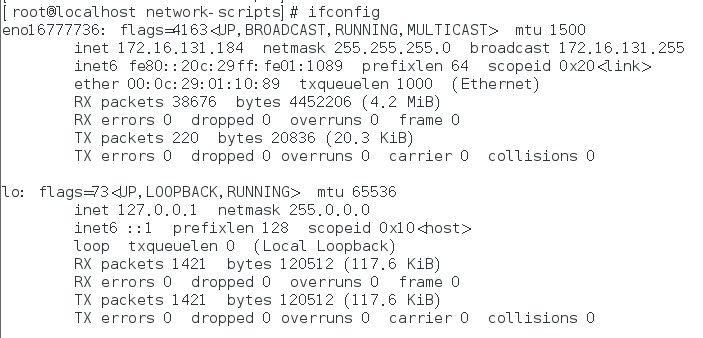
查看网卡名称(本机是eno16777736)
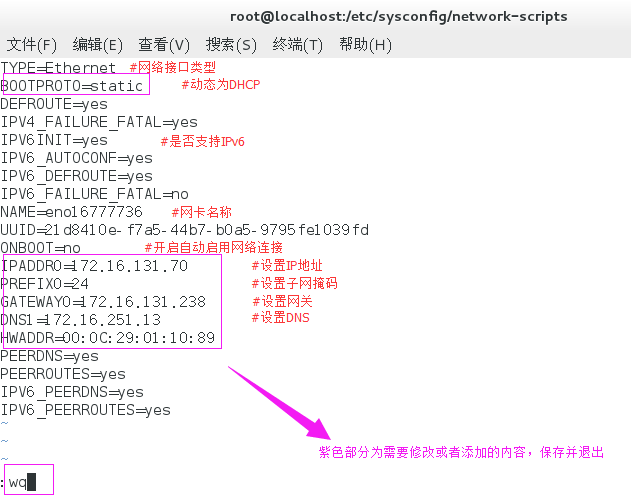
编辑ifcfg-eno16777736文件
[[email protected] network-scripts]# vim ifcfg-eno16777736
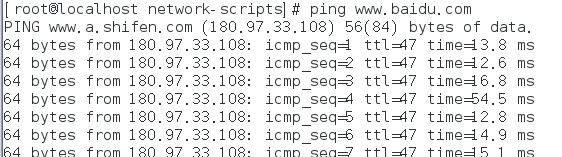
重启网卡,测试网络
[[email protected] network-scripts]# systemctl restart network
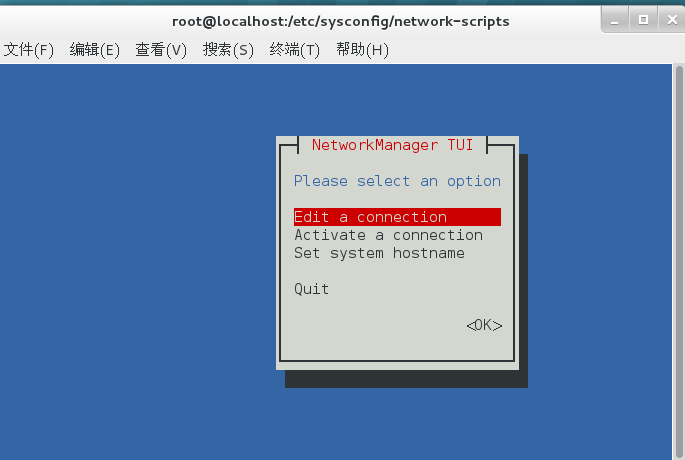
2、图形工具nmtui
[[email protected] network-scripts]# nmtui
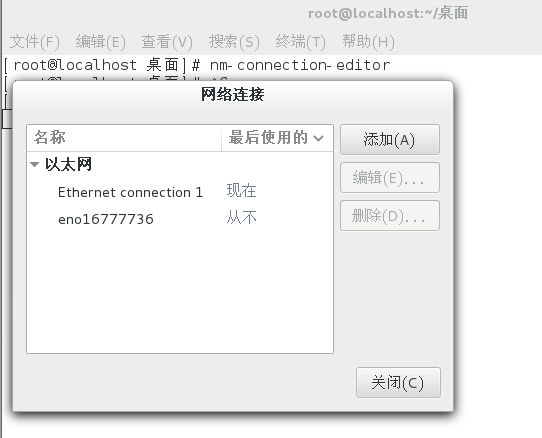
3、图形工具nm-connection-editor
[[email protected] 桌面]# nm-connection-editor
——---------------------------------------------------------------------------------
问题1:在VM上安装Centos7时,装好vmware后还是连不上网
原因:有线网卡没有**(默认centos和Redhat都是不启用有线网卡,所以要么手动开启,要么直接启用)
解决方案:
1、**网卡。在桌面点击右键找到命令行以超级用户的权限进入(输入 su,回车)输入密码(进入桌面时的密码)。
2、cd /etc/sysconfig/network-scripts/
ls 查看下ifcfg-eno后面对应的数字是什么
3、以eno32为例vi ifcfg-eno32编辑下ONBOOT="yes"
开启自动启用网络连接:wq 保存退出
4、service network restart 重启网络应该就可以看到有线网卡了!
问题2:Centos7不能上网,提示Job for iptables.service failed because the control process exited with error code.See "systemctl status network.service" and "journalctl -xe" for details.
解决方案:
[[email protected] inventory]# systemctl stop NetworkManager
[[email protected] inventory]# systemctl disable NetworkManager
然后:重启网卡:
[[email protected] inventory]# systemctl restart network
[[email protected] inventory]# ifconfig