Puppet生产中常用的就是C/S架构./etc/puppet/manifests/site.pp文件是puppet站点导航文件,Agent访问Master的一切配置管理工作都有site.pp文件开始,site.pp文件作用是让Master载入并寻找Agent的配置信息.site.pp文件默认在/etc/puppet/manifests/目录中.
manifests是puppet的资源清单目录,puppet的所有资源配置文件都以*.pp文件作为扩展名.manifests和site.pp文件的路径可以在/etc/puppet.conf文件中的[master]段修改,通过修改puppet.conf中的manifestdir来修改manifest的资源文件目录,修改manifest值来改变更新puppet入口导航文件.
默认master启动会监听8140端口,agent监听8139端口.
|
1
2
3
|
[[email protected] manifests]# ss -antlp | grep puppet
LISTEN 0 5 *:8139 *:* users:(("puppet",31325,5))
LISTEN 0 5 *:8140 *:* users:(("puppet",32174,5))
|
puppet的日志输出路径默认为系统的syslog.
|
1
2
3
4
5
6
7
8
9
10
11
|
[[email protected] manifests]# tail -f /var/log/messages
Sep 13 23:38:58 puppet puppet-master[34213]: Starting Puppet master version 3.8.7Sep 13 23:39:04 puppet puppet-agent[31325]: Caught TERM; exitingSep 13 23:39:04 puppet puppet-agent[34266]: Reopening log filesSep 13 23:39:05 puppet puppet-agent[34266]: Puppet --listen / kick is deprecated. See http://links.puppetlabs.com/puppet-kick-deprecation
Sep 13 23:39:05 puppet puppet-agent[34266]: Starting Puppet client version 3.8.7Sep 13 23:39:06 puppet puppet-master[34213]: Compiled catalog for puppet.localdomain in environment production in 0.03 seconds
Sep 13 23:39:06 puppet puppet-agent[34270]: hello worldSep 13 23:39:06 puppet puppet-agent[34270]: (/Stage[main]/Main/Notify[hello world]/message) defined 'message' as 'hello world'
Sep 13 23:39:06 puppet puppet-agent[34270]: Finished catalog run in 0.01 seconds
Sep 13 23:39:06 puppet puppet-master[34213]: Report processor failed: Connection refused - connect(2) |
通常master也不是随便一台机器就可以连接的,一般都会配火墙规则(下面是举例,真实环境具体对待).
|
1
2
3
4
5
|
# iptables -A INPUT -p icmp# iptables -A INPUT -i lo -j ACCEPT# iptables -A INPUT -d 192.168.30.134 -p tcp -m multiport --dports 80,443,8139,8140 -j ACCEPT# iptables -A INPUT -m state --state RELATED,ESTABLISHED -j ACCEPT# iptables -A INPUT -p tcp -m state --state NEW -m tcp --dport 22 -j ACCEPT |
默认安装完puppetmaster是不存在site.pp文件,手动创建site.pp文件(安装篇已经将puppet和svn结合,所以在win客户端操作svn创建):
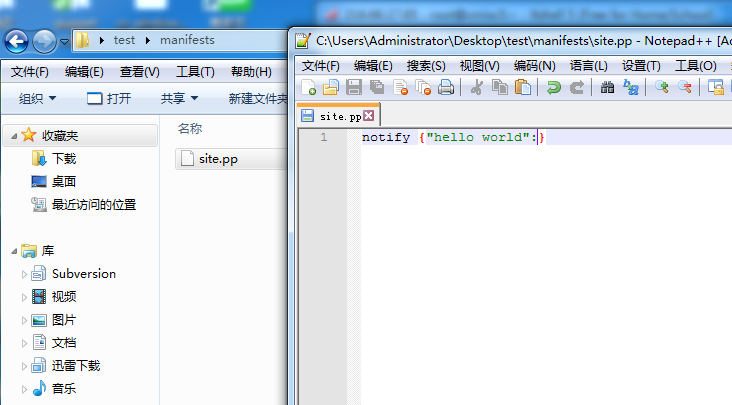
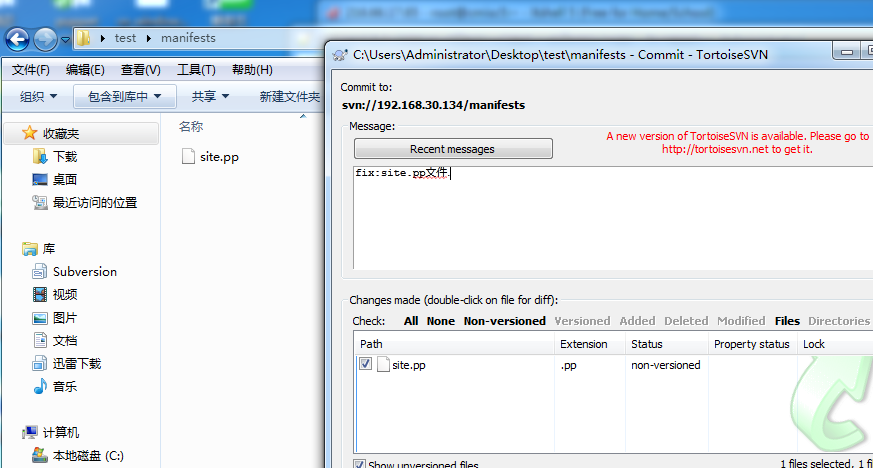
注意:如果使用svn托管了puppet代码,中途直接在服务器写代码会导致svn版本库冲突.
报错如下:
|
1
|
svn: URL 'svn://192.168.30.134/modules/test' of existing directory '/etc/puppet/modules/apache' does not match expected URL 'svn://192.168.30.134/modules/apache'
|
解决:登陆puppet master服务器,rm -rf /etc/puppet/*,重新从svn check即可.
操作如下:
|
1
2
3
4
5
6
7
8
9
10
11
12
13
14
15
16
17
18
19
20
|
[[email protected] puppet]# rm -rf *
[[email protected] puppet]# ls
[[email protected] puppet]# svn checkout svn://192.168.30.134 /etc/puppet/
Restored '/etc/puppet/puppet.conf'
Restored '/etc/puppet/namespaceauth.conf'
Restored '/etc/puppet/auth.conf'
Restored '/etc/puppet/fileserver.conf'
Restored '/etc/puppet/autosign.conf'
A /etc/puppet/modules
A /etc/puppet/modules/test
A /etc/puppet/modules/apache
A /etc/puppet/modules/apache/files
A /etc/puppet/modules/apache/lib
A /etc/puppet/modules/apache/manifests
A /etc/puppet/modules/apache/manifests/init.pp
A /etc/puppet/modules/apache/templates
A /etc/puppet/manifests
A /etc/puppet/manifests/site.pp
A /etc/puppet/manifests/nodes.pp
Checked out revision 64. |
测试puppet代码:
puppet notify指令和shell中的echo指令相似,之前的文章介绍过,很多puppet功能测试都会选择notify指令.
测试节点sh-proxy2更新:
|
1
2
3
4
5
6
7
8
|
[[email protected] ~]# puppet agent -t
Info: Retrieving pluginfactsInfo: Retrieving pluginInfo: Caching catalog for sh-proxy2.localdomain
Info: Applying configuration version '1505315382'
Notice: hello worldNotice: /Stage[main]/Main/Notify[hello world]/message: defined 'message' as 'hello world'
Notice: Finished catalog run in 0.02 seconds
|
测试节点sh-web1更新:
|
1
2
3
4
5
6
7
8
9
|
[[email protected] ~]# puppet agent -t
Notice: Ignoring --listen on onetime runInfo: Retrieving pluginfactsInfo: Retrieving pluginInfo: Caching catalog for sh-web1.localdomain
Info: Applying configuration version '1505315382'
Notice: hello worldNotice: /Stage[main]/Main/Notify[hello world]/message: defined 'message' as 'hello world'
Notice: Finished catalog run in 0.02 seconds
|
举例:(多节点匹配操作)
新建模块apache
|
1
2
|
cd /etc/puppet/modules
# mkdir apache/{templates,files,lib,manifests} |
模块清单文件说明:
uppet模块,模块名称只能使用小写字母开头,可以包含小写字母、数字、下划线,但不能使用"main"或"settings"。
modules/apache/
files 文件存储目录
httpd.conf puppet:///modules/Module_name/module_file
templates: 模板目录,访问路径template("modulename/Tomplatename")
*.erp
manifests: 清单目录
init.pp 必须包含且只能包含一个与模块同名的类
httpd.pp 每个清单文件通常只包含一个类,类名不可以与模块重名,除模块名外可以随意命名
lib :ruby插件存储目录,用于实现一些自定义的功能
示例:
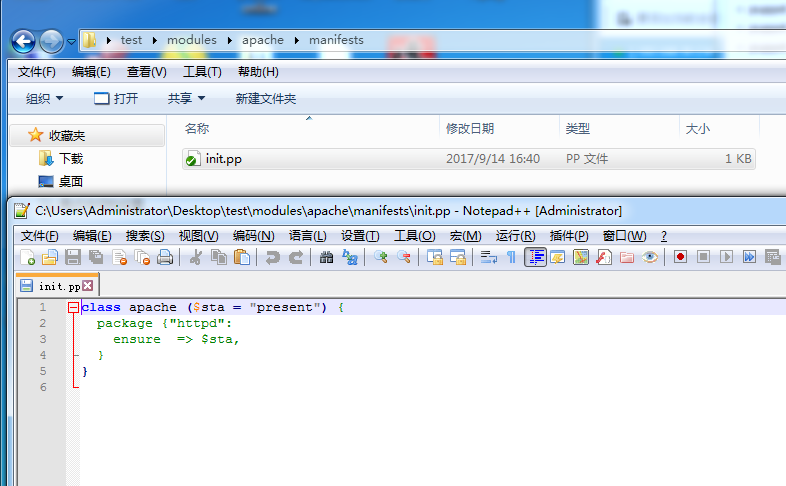
安装apache软件httpd的init.pp文件.
|
1
2
3
4
5
|
class apache ($sta = "present") {
package {"httpd":
ensure=> $sta,
}
} |
文件路径即代码如图:
文件说明:
site.pp文件和nodes.pp文件.
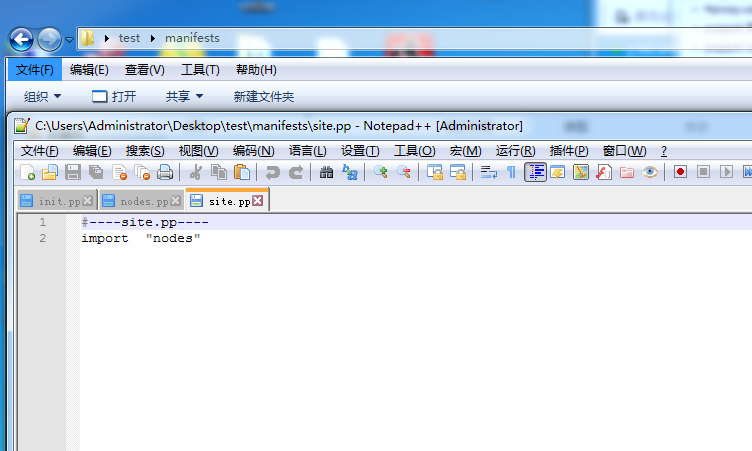
site.pp文件为agent访问master的导航入口文件(site.pp文件直接可以定义资源,class等,批量操作建议引入其他文件).
manifest 可以有多个,manifest之间可以相互调用使用import.
import :导入所有
如下:
import "nodes"
nodes.pp文件作用匹配主机,主机管理文件.
模糊匹配:node /^sh-(web|proxy)\d+/
精确匹配:node "sh-proxy2"
如下:
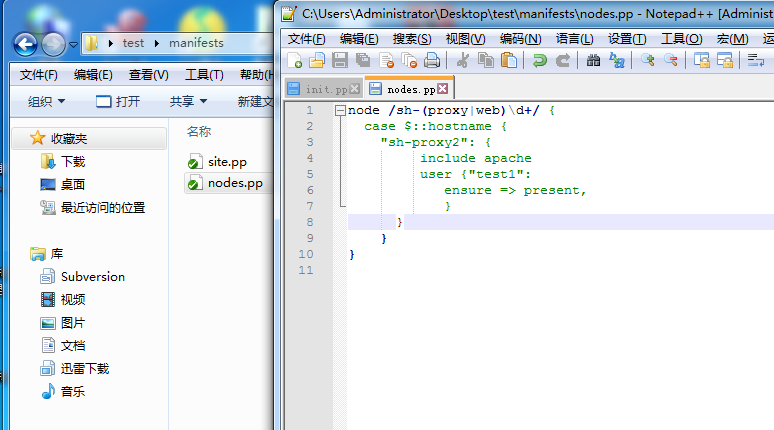
agent端更新操作测试:
|
1
2
3
4
5
6
7
|
[[email protected] puppet]# puppet agent -t
Info: Retrieving pluginfactsInfo: Retrieving pluginInfo: Caching catalog for sh-proxy2.localdomain
Info: Applying configuration version '1505376917'
Notice: /Stage[main]/Apache/Package[httpd]/ensure: created
Notice: Finished catalog run in 7.14 seconds
|
本文转自青衫解衣 51CTO博客,原文链接:http://blog.51cto.com/215687833/1965551