|
1
2
3
4
5
6
7
8
9
10
11
12
13
|
我的博客已迁移到xdoujiang.com请去那边和我交流======================grub2文件修复======================一、grub2文件修复1、内核cat /etc/debian_version 7.82、版本uname -r
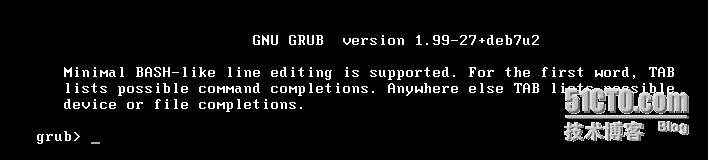
3.2.0-4-amd643、先模拟破坏mv /boot/grub/grub.cfg /boot/grub/grub.cfg.bak
这样的话系统会找不到配置文件 直接进入grub命令行 |
|
1
2
|
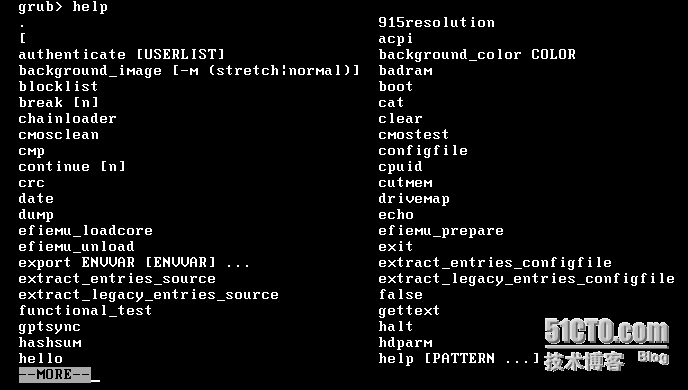
4、先查看下有哪些命令可以使用help |


|
1
2
|
5、可以看到相关赋值ls |

|
1
2
3
4
5
|
6、也可以不用打这条命令,默认系统已经赋值 set root=(hd0,msdos1)
7、查看内核和initrd映像系统ls -l /boot
|

|
1
2
|
8、linux命令linux /boot/vmlinuz-3.2.0-4-amd64 root=/dev/sda1
|

|
1
2
|
9、initrd命令initrd /boot/initrd.img-3.2.0-4-amd64
|

|
1
2
3
4
5
6
7
8
9
10
11
12
13
14
15
16
17
18
19
20
21
22
23
24
25
26
27
28
29
|
10、使用boot命令进入系统boot11、进入系统后使用update-grub命令来检测内核、启动文件,并添加所有的操作系统,自动生成你的启动菜单。cd /boot/grub && update-grub
Generating grub.cfg ...Found linux image: /boot/vmlinuz-3.2.0-4-amd64
Found initrd image: /boot/initrd.img-3.2.0-4-amd64
done12、确认下文件是否已生成ls /boot/grub/grub.cfg
/boot/grub/grub.cfg
13、最后使用grub-install命令对/dev/sda
grub-install /dev/sda
Installation finished. No error reported.======================grub1文件修复======================二、grub1文件修复1、内核cat /etc/debian_version 5.0.102、版本uname -r
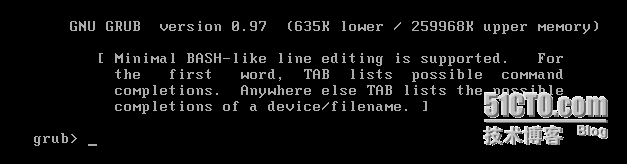
2.6.26-2-amd643、先模拟破坏mv /boot/grub/menu.lst /boot/grub/menu.lst.bak
这样的话系统会找不到配置文件 直接进入grub命令行 |
|
1
2
|
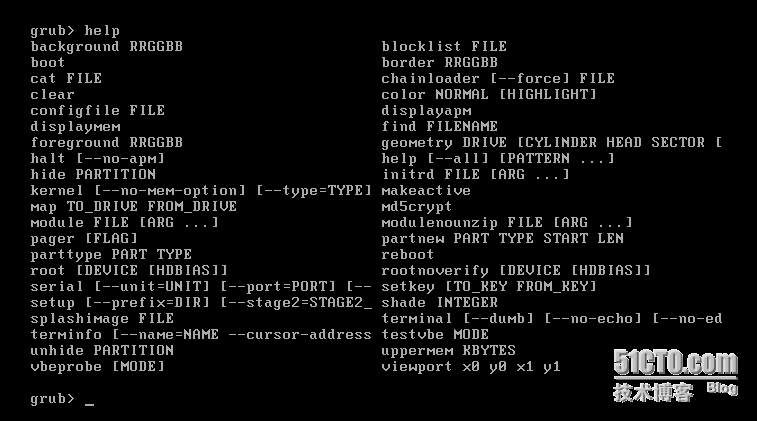
4、先查看下有哪些命令可以使用help |
|
1
2
|
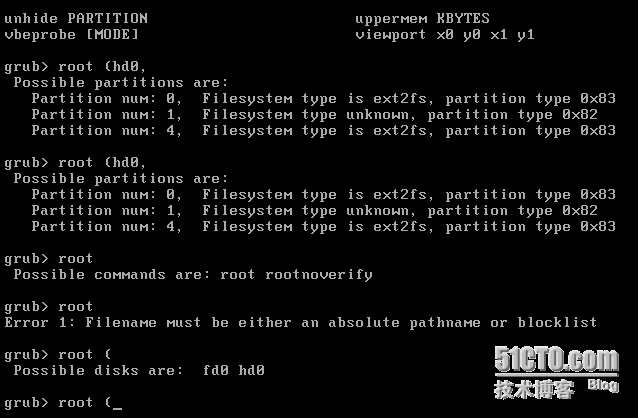
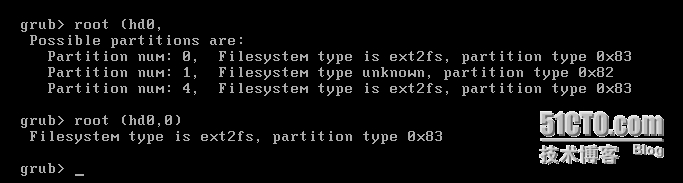
5、使用root命令查看赋值并赋值 root (hd0,0) |
|
1
2
|
6、kernel命令kernel /boot/vmlinuz-2.6.26-2-amd64 root=/dev/sda1
|

|
1
2
|
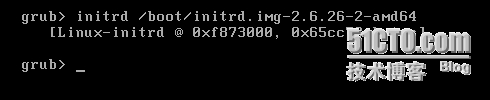
7、initrd命令initrd /boot/initrd.img-2.6.26-2-amd64
|
|
1
2
3
4
5
6
7
8
9
10
11
12
13
14
15
16
17
18
19
20
21
22
23
24
25
26
27
|
8、使用boot命令进入系统boot9、进入系统后使用update-grub命令来检测内核、启动文件,并添加所有的操作系统,自动生成你的启动菜单。cd /boot/grub && update-grub
Searching for GRUB installation directory ... found: /boot/grub
Searching for default file ... found: /boot/grub/default
Testing for an existing GRUB menu.lst file ...
Generating /boot/grub/menu.lst
Searching for splash image ... none found, skipping ...
Found kernel: /boot/vmlinuz-2.6.26-2-amd64
Updating /boot/grub/menu.lst ... done
10、确认下文件是否已生成ls /boot/grub/menu.lst
/boot/grub/menu.lst
11、最后使用grub-install命令对/dev/sda
Searching for GRUB installation directory ... found: /boot/grub
Installation finished. No error reported.This is the contents of the device map /boot/grub/device.map.
Check if this is correct or not. If any of the lines is incorrect,
fix it and re-run the script grub-install.
(hd0) /dev/sda
三、参考文章http://www.gnu.org/software/grub/manual/grub.html
|
本文转自 xdoujiang 51CTO博客,原文链接:http://blog.51cto.com/7938217/1690954,如需转载请自行联系原作者