一、
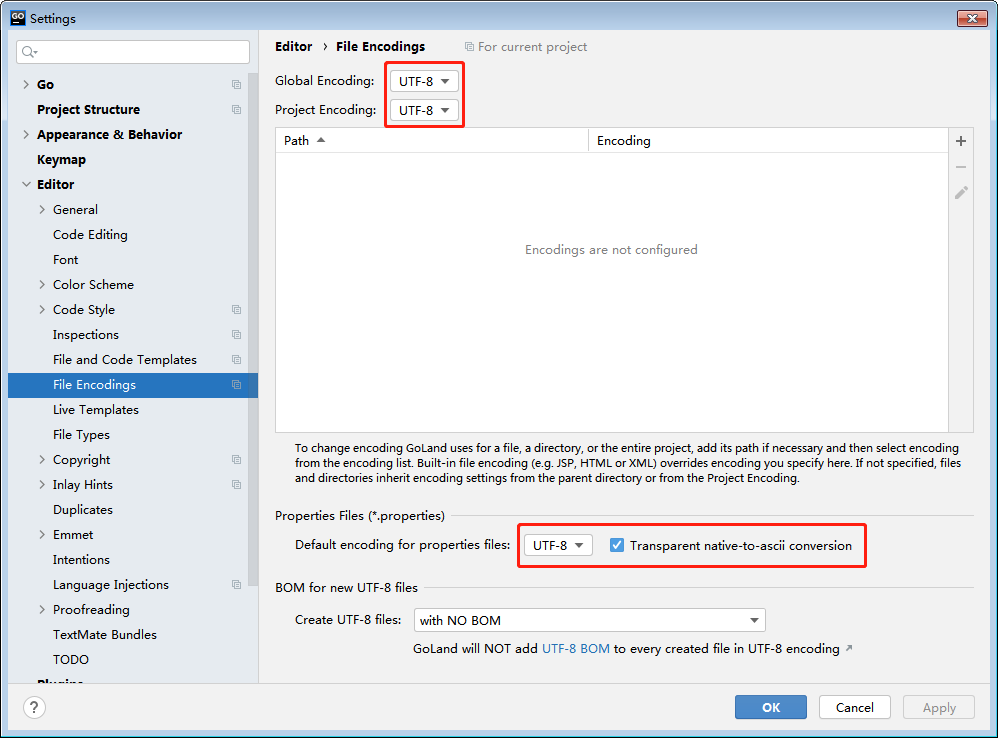
File->Setttings->Editor->FileEncodings

二、
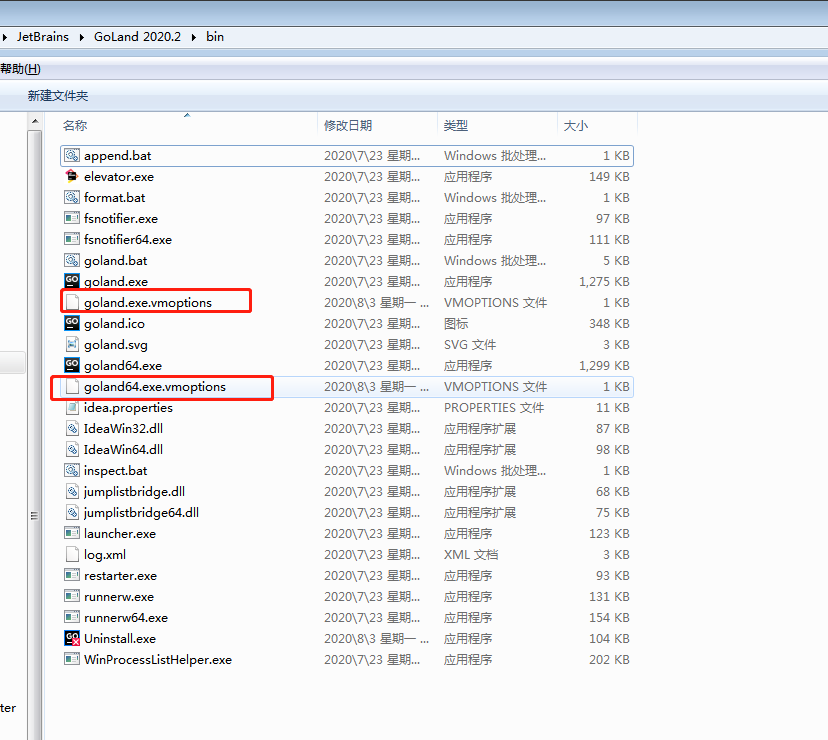
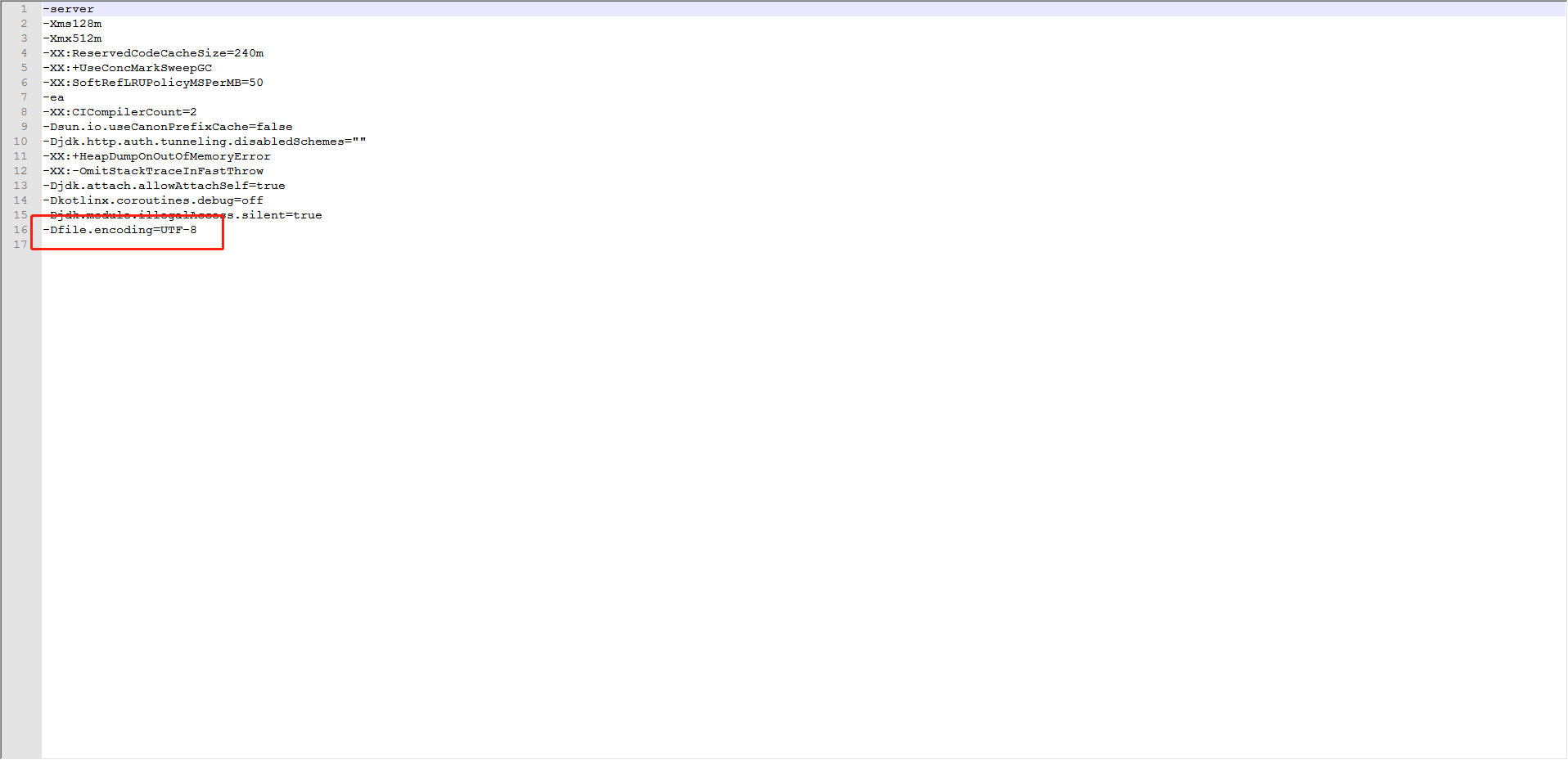
%GoLand_Home%/bin(注:%GoLand_Home%为goLand安装目录中goland.exe.vmoptions和goland64.exe.vmoptions文件末尾添加-Dfile.encoding=UTF-8)


三、
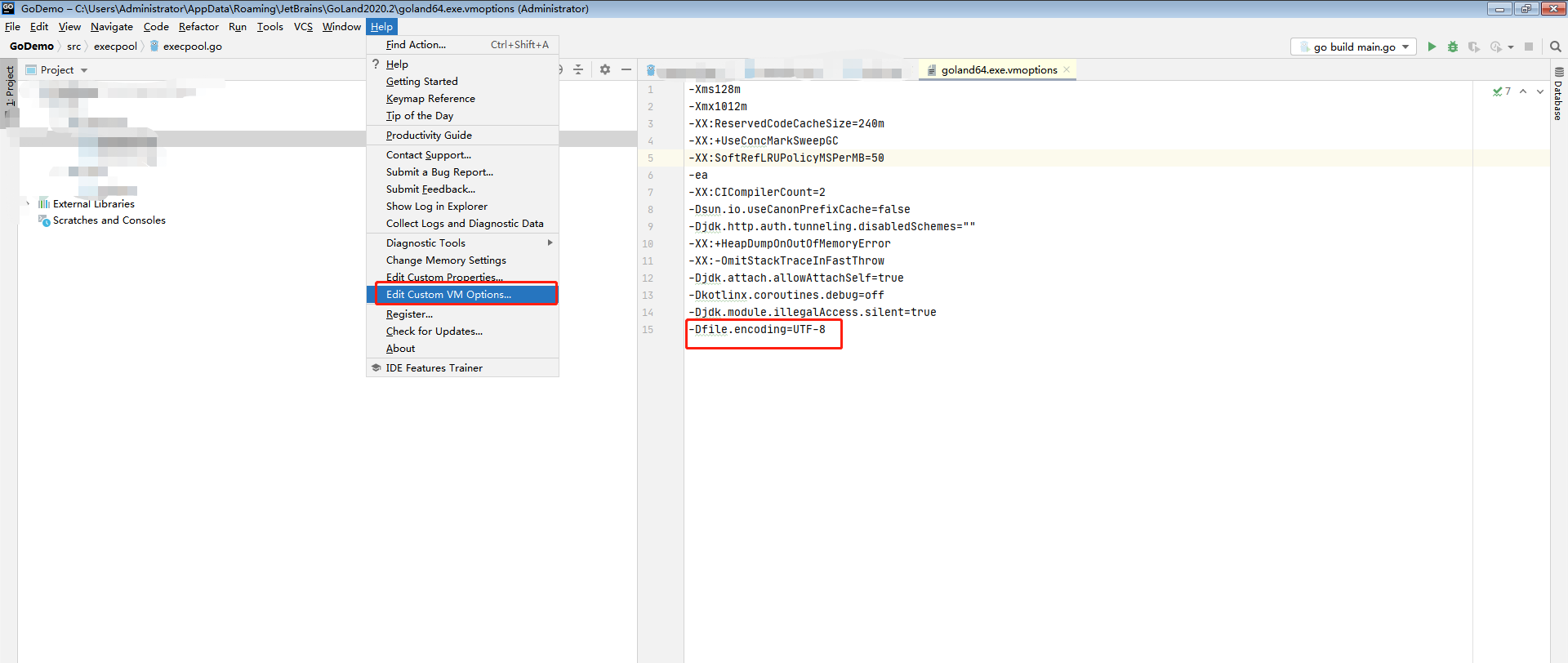
Help->Edit Custom VM Options...在开打文件中添加参数-Dfile.encoding=UTF-8

四、
重启goland,乱码解决
相关文章:
-
2022-01-17
-
2022-02-02
-
2021-06-27
-
2022-01-12
-
2021-06-25
猜你喜欢
-
2021-12-05
-
2021-05-07
-
2021-09-03
-
2021-09-04
-
2021-08-15
相关资源
-
下载
2023-02-01
-
下载
2022-12-09
-
下载
2023-01-08