84.HtmlWebpackPlugin的chunks的配置,webpack.config.js文件修改如下
var webpack = require('webpack');
var HtmlWebpackPlugin = require('html-webpack-plugin');

module.exports = {
	entry:{
		'Greeter':__dirname + "/app/Greeter.js",
		'a':__dirname + "/app/a.js",
		'b':__dirname + "/app/b.js",
		'c':__dirname + "/app/c.js"
	},
	output: {
		path: __dirname + "/build",
		filename: "[name]-[chunkhash].js"
	},
	devServer:{
		contentBase:"./public",
		historyApiFallback:true,
		inline:true
	},
	module:{
		loaders:[
			{
				test:/\.json$/,
				loader:"json-loader"
			},
			{
				test:/\.js$/,
				exclude:/node_modules/,
				loader:'babel-loader'
			},
			{
				test:/\.css$/,
				loader:'style-loader!css-loader?modules'
			}
		]
	},
	plugins:[
		new webpack.BannerPlugin("copyright suyan"),
		new HtmlWebpackPlugin({
			template:__dirname + "/app/index.tmpl.html",
			title:'htmlwebpackplugin filename test',
			filename:'filename.html',
			inject:'body',
			chunks:['a','c']
		})
	]
}
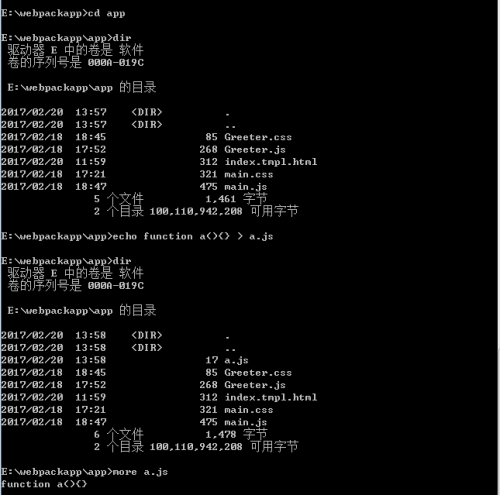
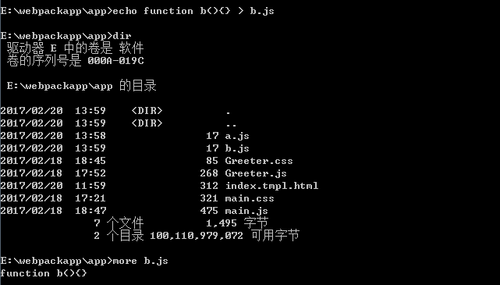
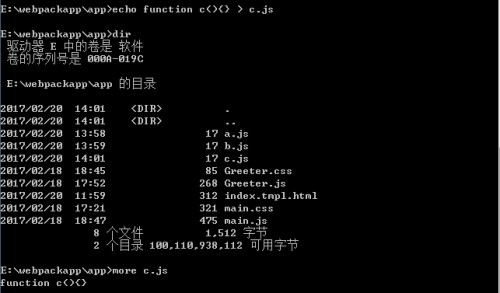
85.在app目录下创建a.js,b.js,c.js文件
cd app
dir
echo function a(){} > a.js
dir
more a.js
echo function b(){} > b.js
dir
more b.js
echo function c(){} > c.js
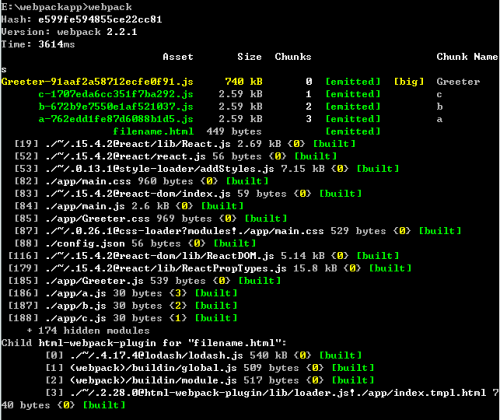
86.使用webpack重新打包
87.查看项目目录结构和生成的filename.html文件
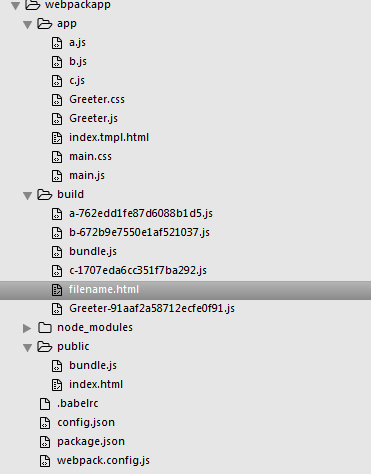
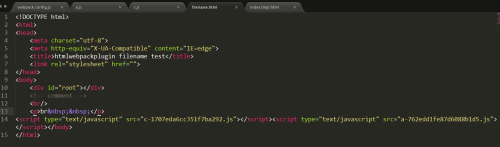
说明
chunks的配置,为模板添加需要的a和c文件,那么这种情况b文件在filename中将不被引用
本文转自 素颜猪 51CTO博客,原文链接:http://blog.51cto.com/suyanzhu/1899449