AAA简介:
认证(Authentication):验证用户的身份与可使用的网络服务;
授权(Authorization):依据认证结果开放网络服务给用户;
计帐(Accounting):记录用户对各种网络服务的用量,并提供给计费系统。
AAA-----身份验证 (Authentication)、授权 (Authorization)和统计 (Accounting)Cisco开发的一个提供网络安全的系统。
radius介绍:
RADIUS 是一种用于在需要认证其链接的网络访问服务器(NAS)和共享认证服务器之间进行认证、授权和记帐信息的文档协议。
RADIUS 的关键功能部件为:
客户机/服务器体系结构 网络访问服务器(NAS)作为 RADIUS 客户机运行。客户机负责将订户信息传递至指定的 RADIUS 服务器,然后根据返回的响应进行操作。
RADIUS 服务器负责接收订户的连接请求、认证订户,然后返回客户机所有必要的配置信息以将服务发送到订户。
RADIUS 服务器可以担当其它 RADIUS 服务器或者是其它种类的认证服务器的代理。
网络安全性 通过使用加密的共享机密信息来认证客户机和 RADIUS 服务器间的事务。从不通过网络发送机密信息。此外,在客户机和 RADIUS 服务器间发送任何订户密码时,都要加密该密码。
灵活认证机制 RADIUS 服务器可支持多种认证订户的方法。当订户提供订户名和原始密码时,RADIUS 可支持点对点协议(PPP)、密码认证协议(PAP)、提问握手认证协议(CHAP)以及其它认证机制。
可扩展协议 所有事务都由变长的三元组“属性-长度-值”组成。可在不影响现有协议实现的情况下添加新属性值。
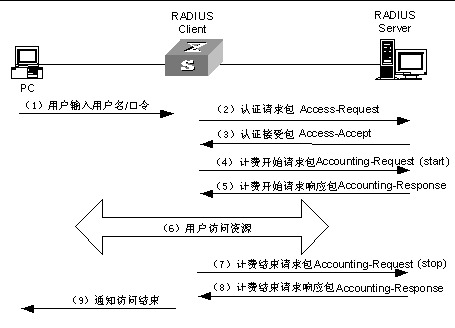
下面是用路由器,防火墙,交换机分别做出的案例:
radius服务器的配置:
安装jdk
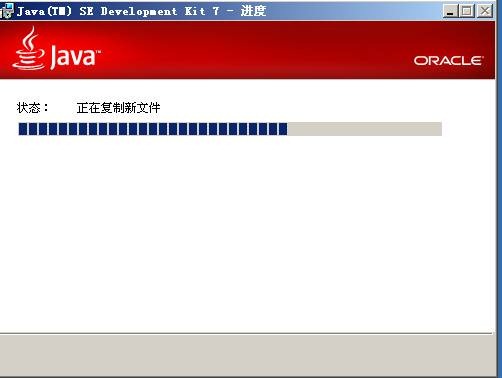
配置aaa服务器地址
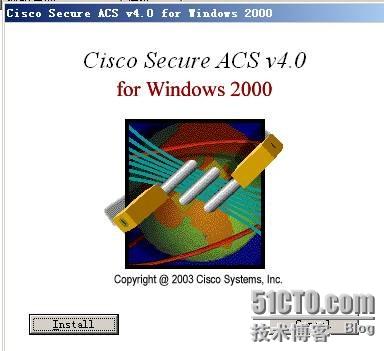
安装 acs

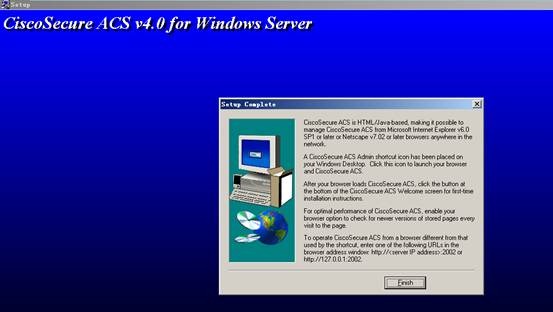
导入华为私有属性:切换到acs安装目录 bin
执行CSUtil.exe –addUDV 0 私有属性目录

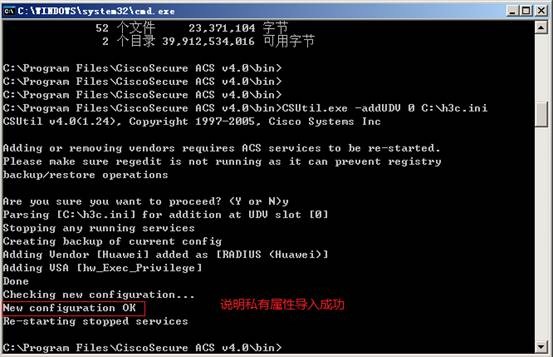
CSUtil.exe –listUDV
配置aaa客户端
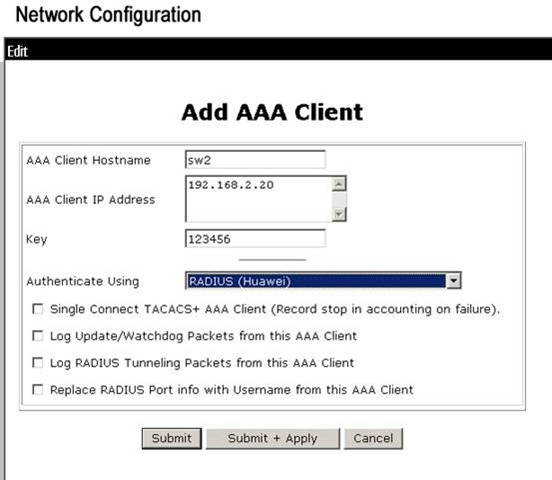
Network configuration 添加aaa客户端
服务器更改为radius
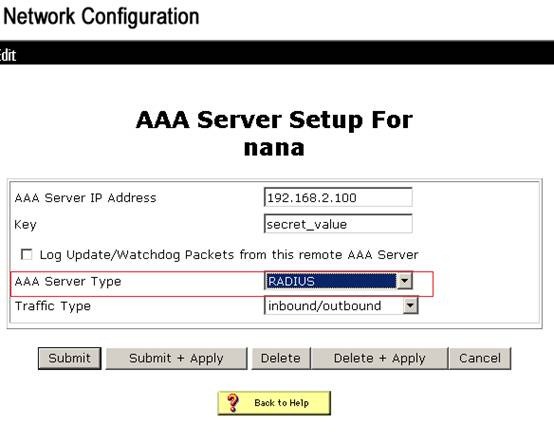
Interface configuration
Radius huawei 打钩提交

Group setup 选择1组
编辑 最下面 选择级别

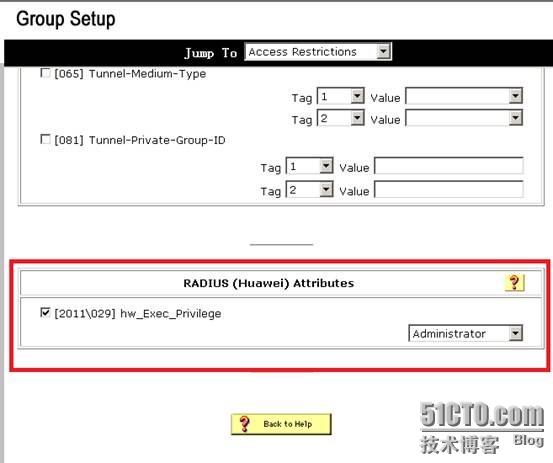
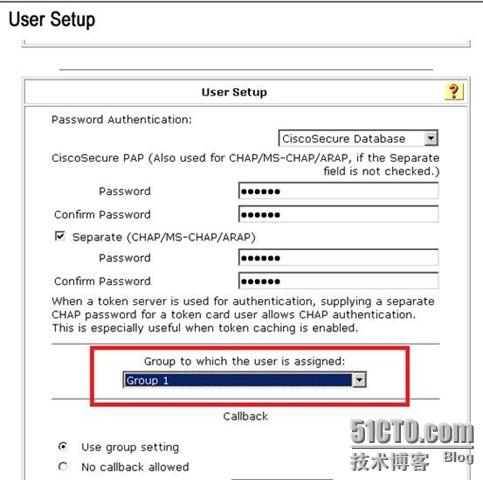
User setup 添加用户 口令高于三位 选择1组
配置交换机
[sw2]interface Vlan-interface 1
[sw2-Vlan-interface1]ip add 192.168.2.20 24
Radius scheme nn
Primary authentication 192.168.2.100 配置验证服务器地址
Server-type huawei 服务 验证类型 华为
Key authentication 123456 验证**
User-name-format without-domain 用户验证格式
Domain tec
Radius-scheme nn 在tec域中引入方案
Accounting optional 计费选项可选
Access-limit enable 20 最大允许用户量
配置验证模式为scheme
User-interface vty 0 4
Authentication-mode scheme
实验结果:
交换机配置查询:
<sw2>dis cu
#
sysname sw2
#
radius scheme system
radius scheme nn
server-type huawei
primary authentication 192.168.2.100
key authentication 123456
user-name-format without-domain
#
domain system
domain tec
scheme radius-scheme nn
access-limit enable 20
accounting optional
#
vlan 1
#
interface Vlan-interface1
ip address 192.168.2.20 255.255.255.0
interface Ethernet1/0/17
user-interface aux 0
user-interface vty 0 4
authentication-mode scheme
#
return
<sw2>
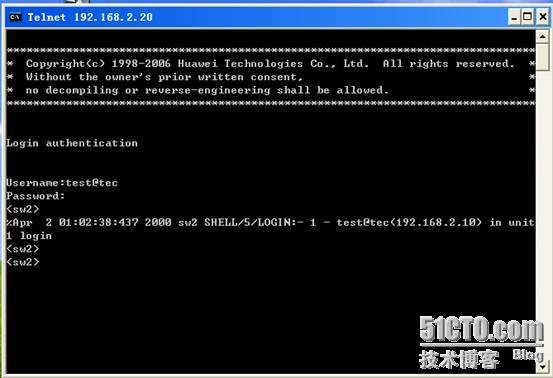
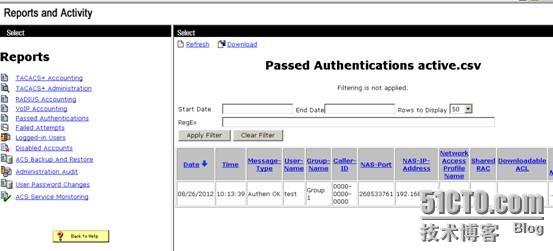
telnet结果:
登录错误时服务器反馈的结果:


登录正确时服务器反馈的结果:
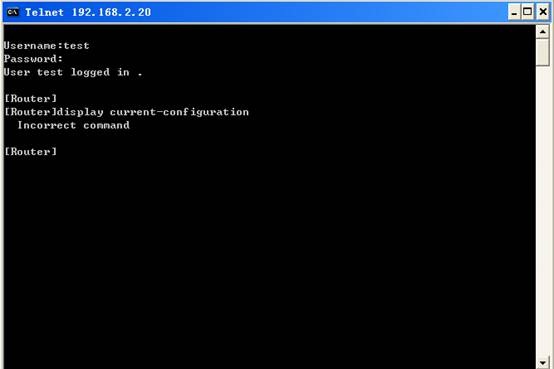
路由器的配置及结果:
路由器:
radius server 192.168.2.100
radius shared-key 123456
radius retry 2
radius timer response-timeout 5
aaa-enable
aaa authentication-scheme login default radius
aaa accounting-scheme optional
防火墙配置及结果:
配置与交换机类似,不做过多解释
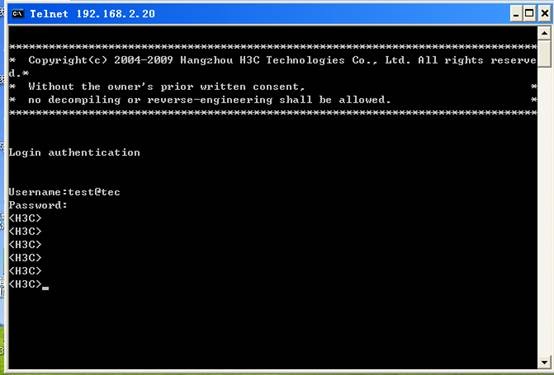
[H3C]dis cu
#
sysname H3C
#
firewall packet-filter enable
firewall packet-filter default permit
#
insulate
#
firewall statistic system enable
#
radius scheme system
server-type extended
radius scheme nn
server-type extended 服务验证类型防火墙里只有标准和扩展 在这里选择扩展
primary authentication 192.168.2.100
key authentication 123456
user-name-format without-domain
#
domain system
domain tec
scheme radius-scheme nn
access-limit enable 20
accounting optional
#
interface Aux0
async mode flow
#
interface Ethernet0/0
#
interface Ethernet0/1
ip address 192.168.2.20 255.255.255.0
#
firewall zone untrust
add interface Ethernet0/1
set priority 5
#
firewall zone DMZ
set priority 50#
user-interface con 0
user-interface aux 0
user-interface vty 0 4
authentication-mode scheme
转载于:https://blog.51cto.com/zhaoweinana/973476