| 成员名称 | 说明 |
|---|---|
| Error | <?xml:namespace prefix="[default]" xhtml="" ns="http://www.w3.org/1999/xhtml">错误事件。?xml:namespace>它指示用户应该知道的严重问题(通常是功能或数据的丢失)。 |
| FailureAudit | 失败审核事件。它指示当审核访问尝试失败(例如打开文件的尝试失败)时发生的安全事件。 |
| Information | 信息事件。它指示重要、成功的操作。 |
| SuccessAudit | 成功审核事件。它指示当审核访问尝试成功(例如成功登录)时发生的安全事件。 |
| Warning | 警告事件。它指示并不立即具有重要性的问题,但此问题可能表示将来会导致问题的条件。 |
===================================向应用程序中写入日志
using System;
using System.Collections.Generic;
using System.Linq;
using System.Text;
using System.Threading.Tasks;
using System.Diagnostics;
namespace ConsoleApplication1
{
    class Program
    {
        static void Main(string[] args)
        {
            //实例化事件日志
            using (EventLog el = new EventLog())
            {
                el.Source = "我的应用程序";
                el.WriteEntry("普通的消息");
                el.WriteEntry("警告的消息", EventLogEntryType.Warning);
                el.WriteEntry("消息", EventLogEntryType.SuccessAudit, 10);
            }
        }
    }
}
使用事件查看器查看:
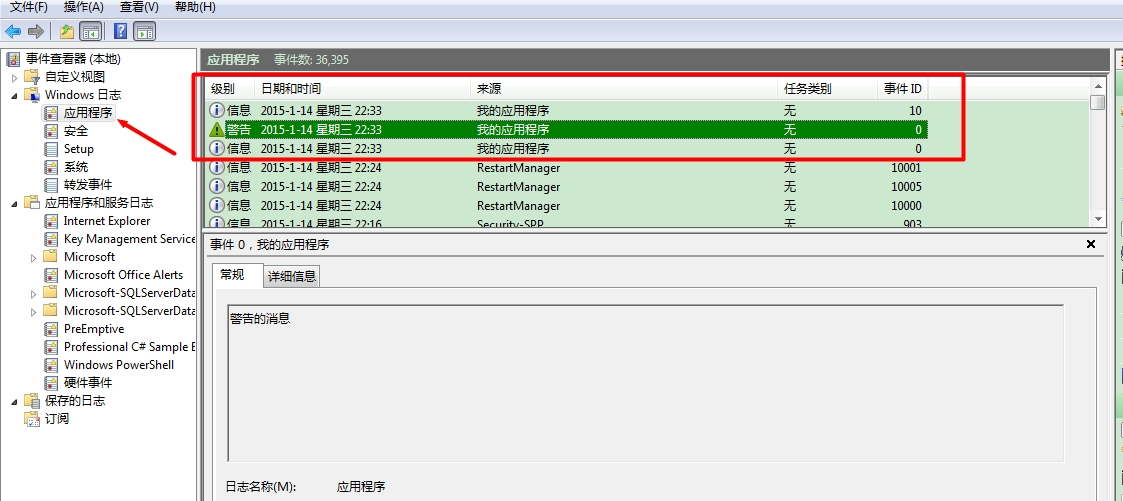
源在注册表中的位置:
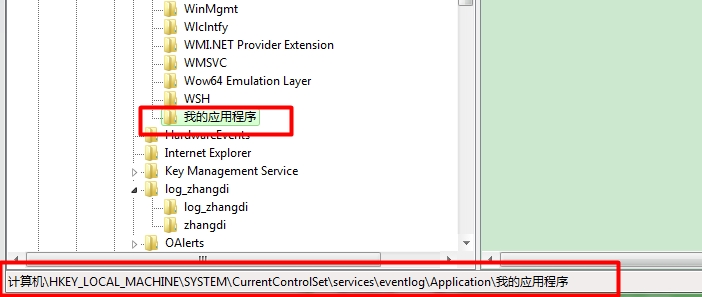
===================================向系统写入日志
using System;
using System.Collections.Generic;
using System.Linq;
using System.Text;
using System.Threading.Tasks;
using System.Diagnostics;
namespace ConsoleApplication1
{
    class Program
    {
        static void Main(string[] args)
        {
            //判断该事件源是否存在?不错在就注册
            if (!EventLog.SourceExists("ConsoleApplication3"))
            {
                //向该事件日志中注册一个事件源
                EventLog.CreateEventSource("ConsoleApplication3", "System");
            }
            //实例化事件日志
            using (EventLog el = new EventLog("System"))
            {
                el.Source = "ConsoleApplication3";
                el.WriteEntry("普通的消息");
                el.WriteEntry("警告的消息", EventLogEntryType.Warning);
                el.WriteEntry("消息", EventLogEntryType.SuccessAudit, 10);
            }
        }
    }
}
使用事件查看器查看:
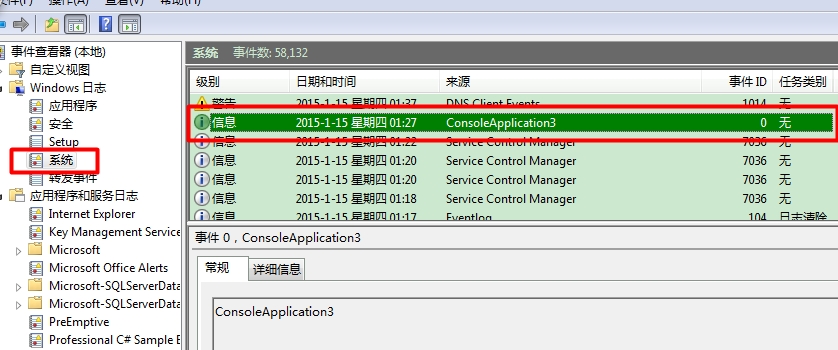
源在注册表中的位置:
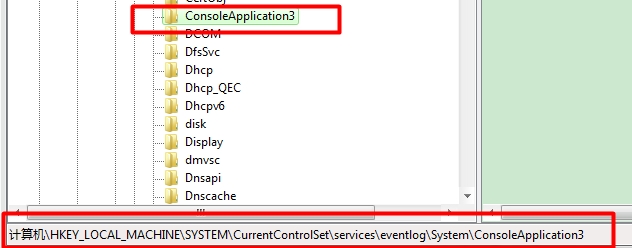
===================================自定义事件日志
using System;
using System.Collections.Generic;
using System.Linq;
using System.Text;
using System.Threading.Tasks;
using System.Diagnostics;
namespace ConsoleApplication1
{
    class Program
    {
        static void Main(string[] args)
        {
            //事件日志
            string logSourceName = "log_zhangdi";
            //事件源
            string SourceName = "zhangdi";

            //事件源与事件日志都不存在,就创建一个事件源和事件日志
            if (!EventLog.SourceExists(SourceName, ".") && !EventLog.Exists(logSourceName, "."))
            {
                EventSourceCreationData escd = new EventSourceCreationData(SourceName, logSourceName);
                EventLog.CreateEventSource(escd);
            }

            using (EventLog el = new EventLog(logSourceName, ".", SourceName))
            {
                el.WriteEntry("警告的消息", EventLogEntryType.Warning, 10);
                el.WriteEntry("错误消息", EventLogEntryType.Error, 10);
            }
        }
    }
}
使用事件查看器查看(事件日志放在C:\Windows\System32\winevt\Logs):
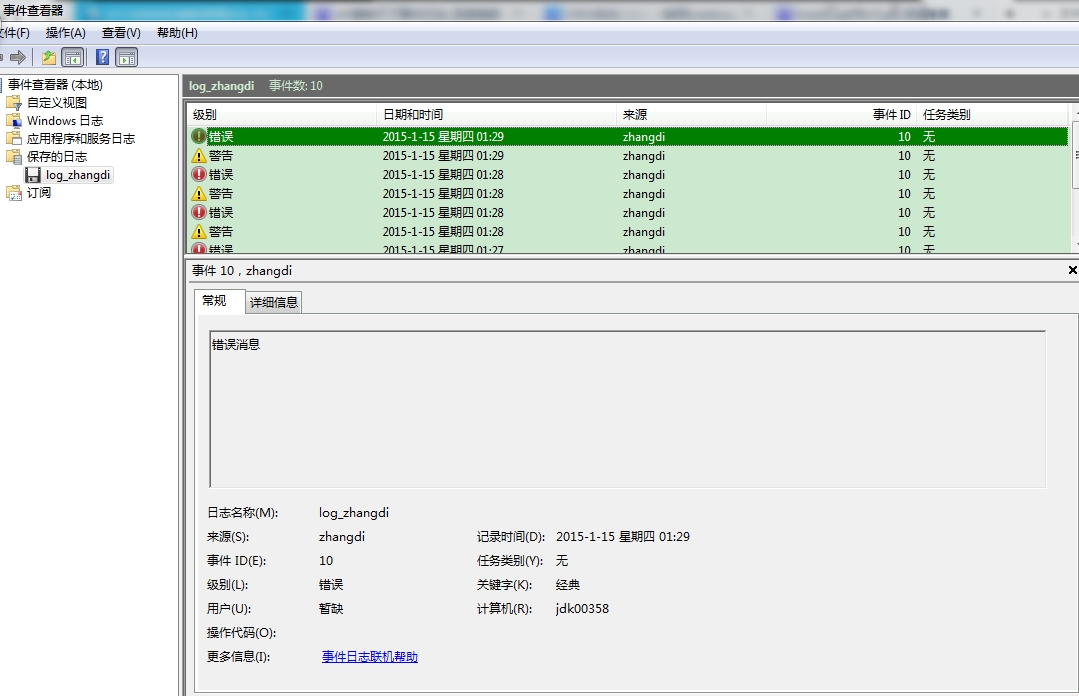
源在注册表中的位置:
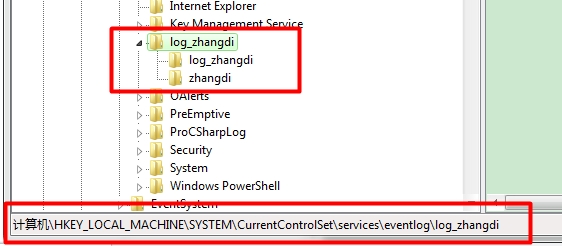
===================================查看日志信息
            using (EventLog el = new EventLog("log_zhangdi", ".", "zhangdi"))
            {
                //遍历日志信息
                foreach (EventLogEntry item in el.Entries)
                {
                    Console.WriteLine("源:{0},消息:{1}",item.Source ,item.Message);
                }
            }
===================================删除操作
//事件日志
string logSourceName = "log_zhangdi";
//事件源
string SourceName = "zhangdi";
//删除事件源
EventLog.DeleteEventSource(SourceName);
//删除事件日志
EventLog.Delete(logSourceName);
//事件日志注册表位置:HKEY_LOCAL_MACHINE\SYSTEM\CurrentControlSet\services\eventlog
//事件日志文件夹位置:C:\Windows\System32\winevt\Logs
转载于:https://blog.51cto.com/962410314/1604118