-
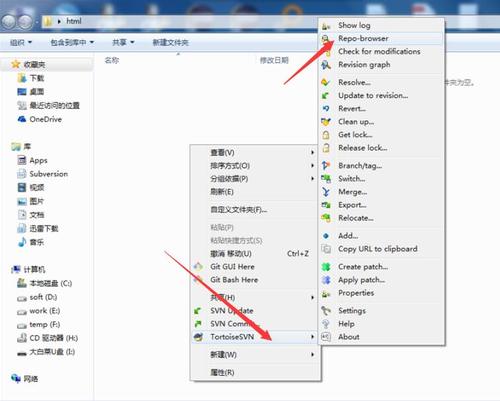
鼠标右键选择箭头所指位置
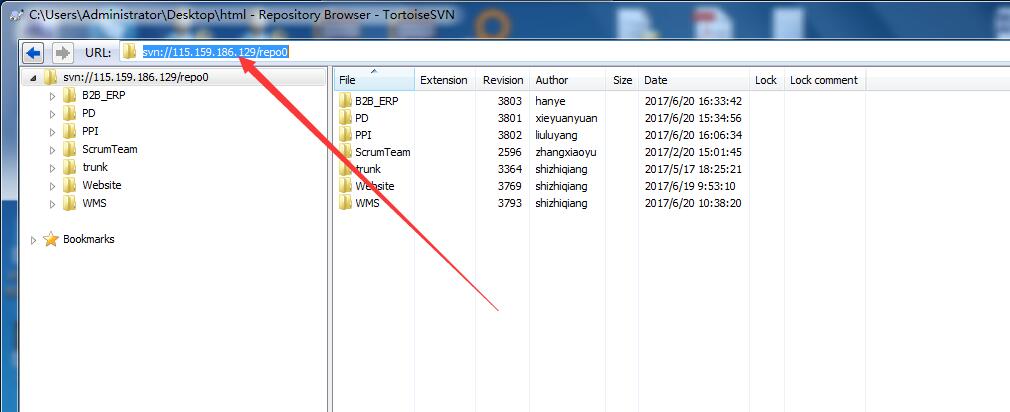
2.在URL输入SVN仓库地址,回车
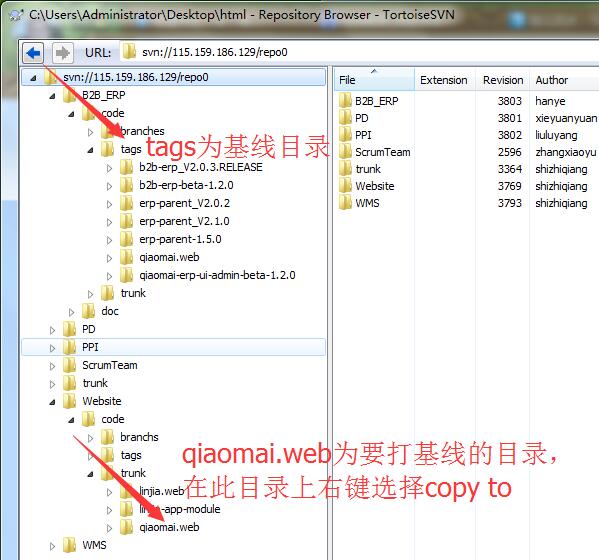
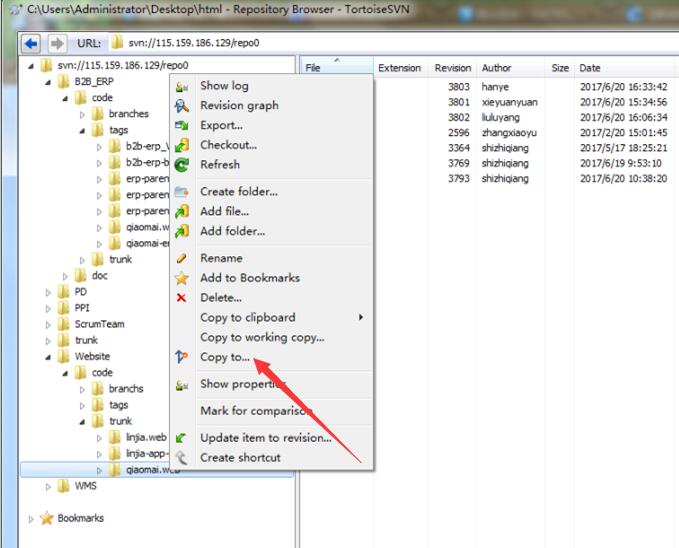
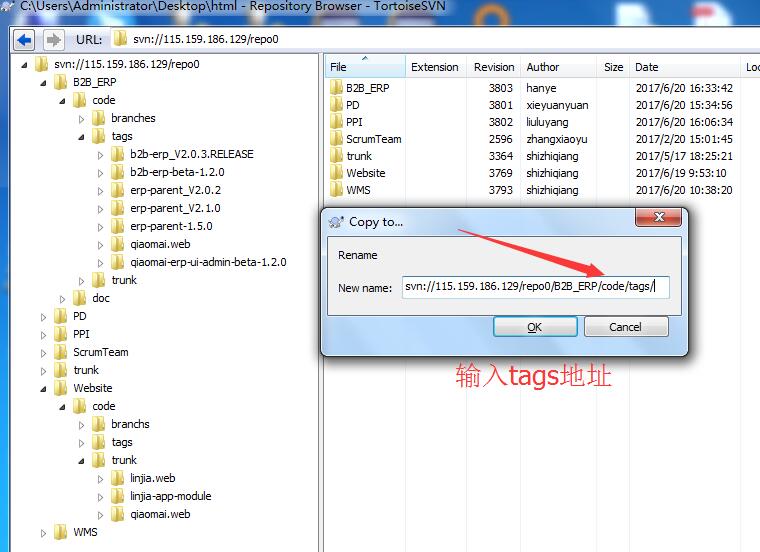
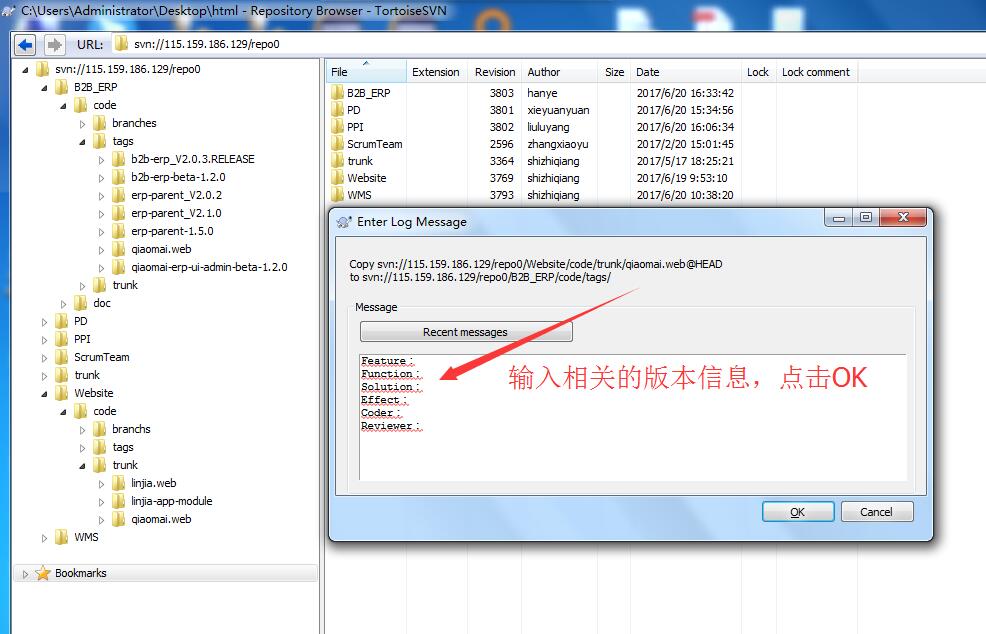
4.在弹出窗口输入基线目录地址,填写相关版本信息,提交
注释模板
Feature:
Function:
Solution:
Effect:
Coder:
Reviewer
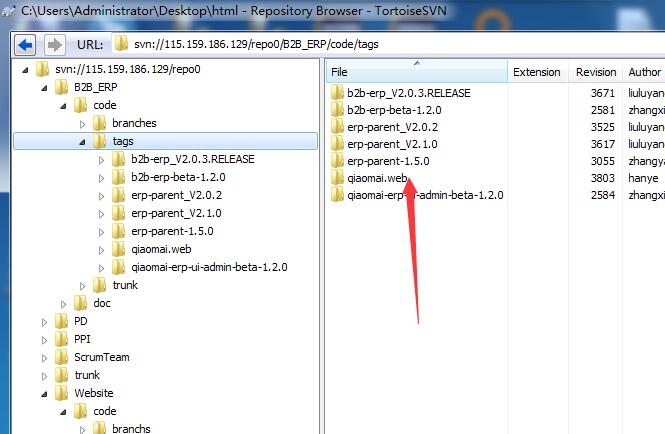
5.至此基线成功打好
转载于:https://blog.51cto.com/angustung/1940255
鼠标右键选择箭头所指位置
2.在URL输入SVN仓库地址,回车
4.在弹出窗口输入基线目录地址,填写相关版本信息,提交
注释模板
Feature:
Function:
Solution:
Effect:
Coder:
Reviewer
5.至此基线成功打好
转载于:https://blog.51cto.com/angustung/1940255
相关文章: