将mysql中的数据导入到了solr中之后,如果数据库中的数据有变动,solr中还是第一次导入的旧的数据,那该如何是好呢?该如何实现mysql数据库中的数据定时同步到solr中呢?下面将做详细的介绍。
准备工作要做好:
1、下载jar包:solr-dataimportscheduler-1.1.jar http://pan.baidu.com/s/1hsySs2S
2、新建文件:dataimport.properties,文件复制下面的就好,具体配置含义已给出注释:
|
1
2
3
4
5
6
7
8
9
10
11
12
13
14
15
16
17
18
19
20
21
22
23
24
25
26
27
28
29
30
31
32
33
34
35
36
37
38
39
40
41
42
43
44
45
46
47
48
49
50
51
52
53
54
|
################################################## ## dataimport scheduler properties ## ################################################### to sync or not to sync# 1 - active; anything else - inactive# 这里的配置不用修改syncEnabled=1# which cores to schedule# in a multi-core environment you can decide which cores you want syncronized# leave empty or comment it out if using single-core deployment# 修改成你所使用的core,我这里是我自定义的core:simplesyncCores=simple# solr server name or IP address# [defaults to localhost if empty]这个一般都是localhost不会变server=localhost# solr server port# [defaults to 80 if empty]# 安装solr的tomcat端口,如果你使用的是默认的端口,就不用改了,否则改成自己的端口就好了port=8080# application name/context# [defaults to current ServletContextListener's context (app) name]# 这里默认不改webapp=solr# URL params [mandatory]# remainder of URL# 这里改成下面的形式,solr同步数据时请求的链接params=/dataimport?command=delta-import&clean=false&commit=true# schedule interval# number of minutes between two runs# [defaults to 30 if empty]#这里是设置定时任务的,单位是分钟,也就是多长时间你检测一次数据同步,根据项目需求修改# 开始测试的时候为了方便看到效果,时间可以设置短一点interval=1# 重做索引的时间间隔,单位分钟,默认7200,即5天; # 为空,为0,或者注释掉:表示永不重做索引reBuildIndexInterval=7200# 重做索引的参数reBuildIndexParams=/select?qt=/dataimport&command=full-import&clean=true&commit=true# 重做索引时间间隔的计时开始时间,第一次真正执行的时间=reBuildIndexBeginTime+reBuildIndexInterval*60*1000;# 两种格式:2012-04-11 03:10:00 或者 03:10:00,后一种会自动补全日期部分为服务启动时的日期reBuildIndexBeginTime=03:10:00 |
准备好这一个jar包和dataimport.properties文件,开始下面的步骤……
步骤一:将solr-dataimportscheduler-1.1.jar包复制到apache-tomcat-7.0.72\webapps\solr\WEB-INF\lib中。
步骤二:在apache-tomcat-7.0.72\webapps\solr\WEB-INF目录下的web.xml文件中添加监听配置:
|
1
2
3
4
5
|
<listener>
<listener-class>
org.apache.solr.handler.dataimport.scheduler.ApplicationListener
</listener-class>
</listener>
|
温馨提示:
复制上面这段时注意org.apache.solr.handler.dataimport.scheduler.ApplicationListener后面不要有空格,不然启动tomcat会有奇怪的错误,别问我为什么知道的

步骤三:在\solrhome目录下新建一个conf文件夹(与simple文件夹同目录),将dataimport.properties文件放在conf文件夹中。
步骤四:重启tomcat,浏览器访问:localhost:8080/solr
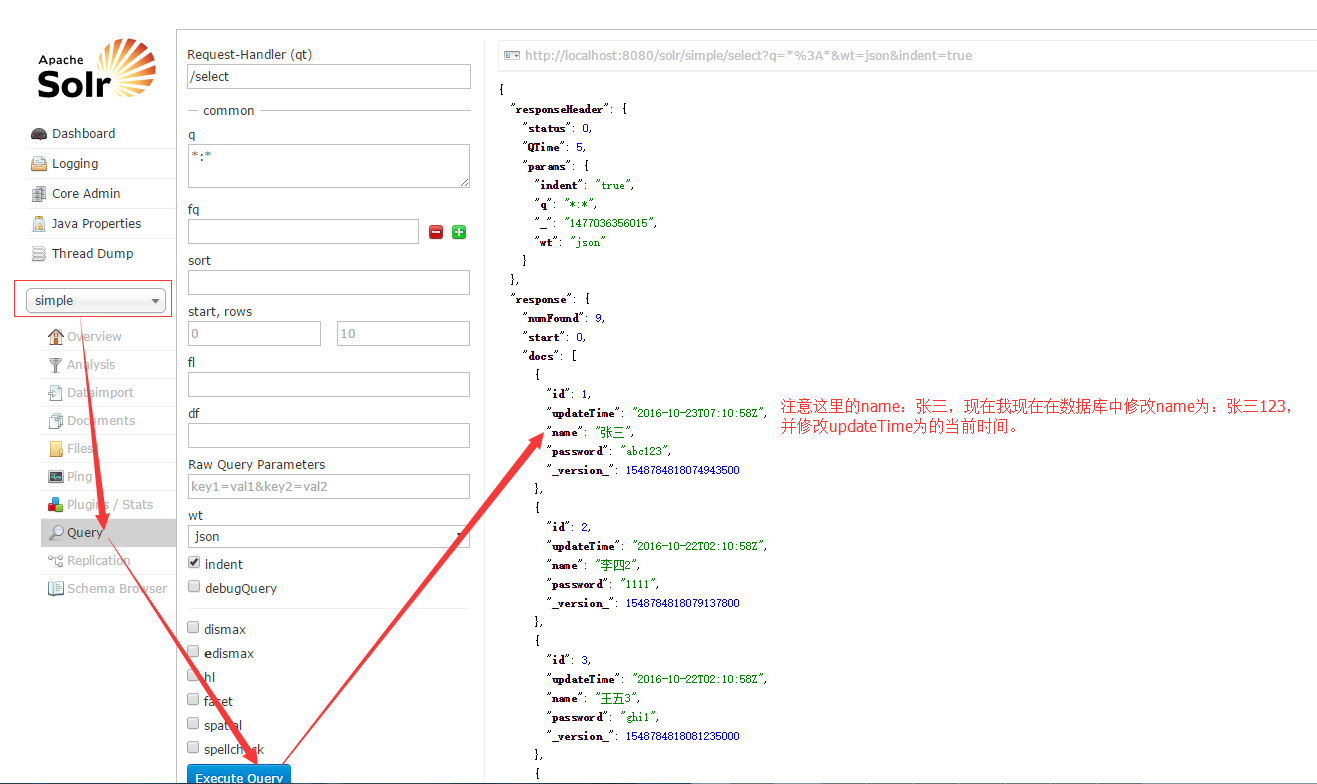
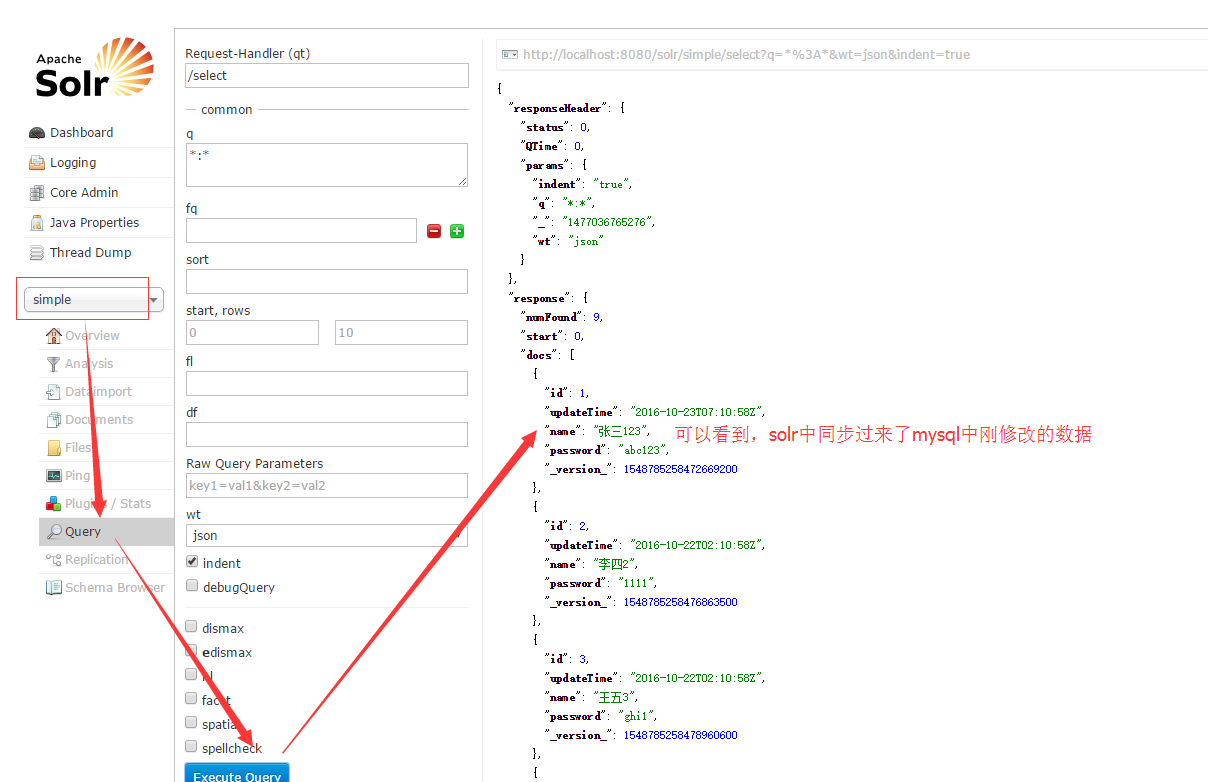
苦苦等待一分钟之后……
如图:
本文转自 兴趣e族 51CTO博客,原文链接:http://blog.51cto.com/simplelife/1864287