环境:Centos 6.4
Redmine 3.0.5
安装前请关闭Selinux与iptables
== Requirements==
* Ruby >= 1.9.3
* RubyGems
* Bundler >= 1.5.0
* A database:
* MySQL (tested with MySQL 5.1)
* PostgreSQL (tested with PostgreSQL 9.1)
* SQLite3 (tested with SQLite 3.7)
* SQLServer (tested with SQLServer 2012)
Setup 1:Environment installation
安装redmine所需要的环境包:
[[email protected] software]# yum -y install libyaml libyaml-devel zlib zlib-devel curl-devel openssl-devel httpd-devel apr-devel apr-util-devel gcc ruby-devel gcc-c++ make postgresql-devel sqlite-devel perl-LDAP mod_perl perl-Digest-SHA
rubygems
安装PHP环境:
[[email protected] software]# yum -y install php php-mysql php-gd php-imap php-ldap php-mbstring php-odbc php-pear php-xml php-xmlrpc php-pecl-apc php-soap
安装redmine password要求的环境包:
[[email protected] ~]# yum -y install readline-devel libffi-devel
Setup 2:Create an empty database and accompanying user:
[[email protected] ~]# useradd -s /sbin/nologin redmine
[[email protected] ~]# mysql -uroot -predhat
mysql> create database redmine default character set utf8 collate utf8_general_ci;
mysql> create user 'redmineuser'@'172.24.17.120' identified by 'redminepass';
mysql> grant all privileges on redmine.* to 'redmineuser'@'172.24.17.120';
mysql> grant all privileges on redmine.* to 'redmineuser'@'localhost';
mysql> flush privileges;
mysql> commit;
Setup 3:Database connection configuration:
[[email protected] software]# tar -zxvf redmine-3.0.5.tar.gz -C /usr/local/
[[email protected] software]# chown redmine:redmine /usr/local/redmine-3.0.5/ -R
[[email protected] software]# cd /usr/local/redmine-3.0.5/config
[[email protected] config]# cp database.yml.example database.yml
[[email protected] config]# head -n 12 database.yml|tail -n 8
production:
  adapter: mysql2
  database: redmine
  host: 172.24.17.120
# port: 3306
  username: redmineuser
  password: "redminepass"
  encoding: utf8
[[email protected] config]#
Setup 4:Dependencies installation
[[email protected] ~]# curl -L https://get.rvm.io | bash
····
* To start using RVM you need to run `source /etc/profile.d/rvm.sh`
····
[[email protected] ~]# source /etc/profile.d/rvm.sh
[[email protected] ~]# rvm list known
# MRI Rubies
[ruby-]1.8.6[-p420]
[ruby-]1.8.7[-head] # security released on head
[ruby-]1.9.1[-p431]
[ruby-]1.9.2[-p330]
[ruby-]1.9.3[-p551]
[ruby-]2.0.0[-p647]
[ruby-]2.1[.7]
[ruby-]2.2[.3]
[ruby-]2.2-head
ruby-head
····
[[email protected] ~]# rvm install 1.9.3    //安装Redmine 3.0.5需要安装大于1.9.3的ruby版本
[[email protected] ~]# ruby -v
ruby 1.9.3p551 (2014-11-13 revision 48407) [x86_64-linux]
[[email protected] ~]#
使用国内的gem源:
[[email protected] ~]# gem sources -l
*** CURRENT SOURCES ***
https://rubygems.org/
[[email protected] ~]# gem sources --remove https://rubygems.org/
https://rubygems.org/ removed from sources
[[email protected] ~]# gem sources -a https://ruby.taobao.org/
https://ruby.taobao.org/ added to sources
[[email protected] ~]# gem sources -l
*** CURRENT SOURCES ***
https://ruby.taobao.org/
[[email protected] ~]#
安装Bundler >= 1.5.0的版本:
[[email protected] ~]# gem install bundler        //只有安装了ruby才能使用gem命令
Fetching: bundler-1.10.6.gem (100%)
Successfully installed bundler-1.10.6
Installing ri documentation for bundler-1.10.6
1 gem installed
[[email protected] ~]#
安装所需要的依赖包(建议使用国内源,否则会出现一直卡顿的现象):
[[email protected] ~]# cd /usr/local/redmine-3.0.5/
[[email protected] redmine-3.0.5]# head -1 Gemfile
source 'https://ruby.taobao.org/'
[[email protected] redmine-3.0.5]#
[[email protected] redmine-3.0.5]# gem install rdoc-data
[[email protected] redmine-3.0.5]# rdoc-data --install
看是否安装了mysql2:(因为database.yml里面定义的是mysql2)
[[email protected] redmine-3.0.5]# gem list|grep mysql2
mysql2 (0.3.20)
[[email protected] redmine-3.0.5]#
安装rmagick可以处理PDF和PNG导出的图片(可选安装):
[[email protected] redmine-3.0.5]# yum -y install ImageMagick* rubygems* ruby-RMagick*
[[email protected] redmine-3.0.5]# gem install rmagick
[[email protected] redmine-3.0.5]# bundle install -V
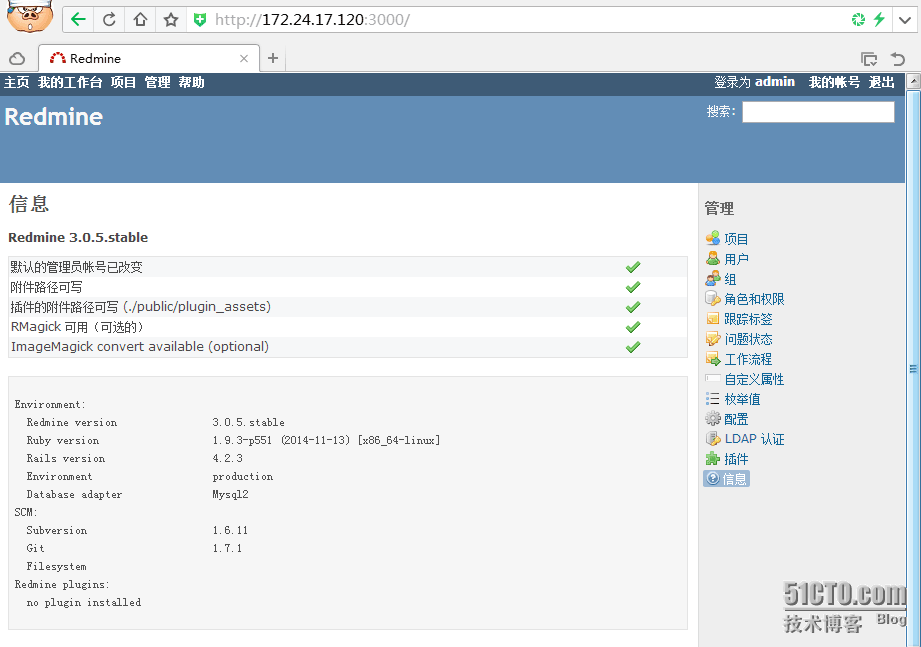
[[email protected] redmine-3.0.5]# rails -v
Rails 4.2.3
[[email protected] redmine-3.0.5]#
Setup 4:Session store secret generation
生成使用Rails编码存储会话数据,从而防止cookies随机**
[[email protected] redmine-3.0.5]# bundle exec rake generate_secret_token
Setup 5: Database schema objects creation
[[email protected] redmine-3.0.5]# RAILS_ENV=production bundle exec rake db:migrate
Setup 6:Database default data set
[[email protected] redmine-3.0.5]# RAILS_ENV=production bundle exec rake redmine:load_default_data
Select language: ar, az, bg, bs, ca, cs, da, de, el, en, en-GB, es, es-PA, et, eu, fa, fi, fr, gl, he, hr, hu, id, it, ja, ko, lt, lv, mk, mn, nl, no, pl, pt, pt-BR, ro, ru, sk, sl, sq, sr, sr-YU, sv, th, tr, uk, vi, zh, zh-TW [en] zh
====================================
Default configuration data loaded.
[[email protected] redmine-3.0.5]#
修改fastcgi:
[[email protected] ~]# cd /usr/local/redmine-3.0.5/public/
[[email protected] public]# mkdir plugin_assets           //如果没有就创建
[[email protected] public]# cp dispatch.fcgi.example dispatch.fcgi
[[email protected] public]# cp htaccess.fcgi.example .htaccess
Setup 7:File system permissions
[[email protected] redmine-3.0.5]# chown -R redmine:redmine *
[[email protected] redmine-3.0.5]# chmod -R 755 files log tmp public/plugin_assets
Setup 8:Test the installation
[[email protected] redmine-3.0.5]# bundle exec rails server -b 172.24.17.120 webrick -e production -d
=> Booting WEBrick
=> Rails 4.2.3 application starting in production on http://172.24.17.120:3000
=> Run `rails server -h` for more startup options
[[email protected] redmine-3.0.5]#
注:使用bundle exec rails server -b 172.24.17.120 webrick -e production -d和ruby bin/rails server -b 172.24.17.120 webrick -e production -d均可启动Redmine
[[email protected] redmine-3.0.5]# netstat -tunlp |grep 3000
tcp        0      0 172.24.17.120:3000          0.0.0.0:*                   LISTEN      82098/ruby
[[email protected] redmine-3.0.5]# ps -ef |grep ruby |grep -v grep
root      82098      1  0 15:16 ?        00:00:00 /usr/local/rvm/rubies/ruby-1.9.3-p551/bin/ruby bin/rails server -b 172.24.17.120 webrick -e production -d
[[email protected] redmine-3.0.5]#
[[email protected] redmine-3.0.5]# kill -9 82098          //结束Redmine进程
Setup 9:Installation Nginx(可忽略):
[[email protected] ~]# yum erase nginx
[[email protected] ~]# gem install passenger -V
[[email protected] ~]# gem -v /--version
2.4.8s
[[email protected] software]# tar -zxvf nginx-1.7.11.tar.gz
[[email protected] ~]# useradd -s /sbin/nologin nginx
[[email protected] software]# passenger-install-nginx-module

[[email protected] ~]# chown nginx:nginx /usr/local/nginx/ -R
[[email protected] ~]# head -1 /usr/local/nginx/conf/nginx.conf
user  nginx nginx;
[[email protected] ~]# /usr/local/nginx/sbin/nginx -c /usr/local/nginx/conf/nginx.conf
[[email protected] ~]# netstat -tunlp|grep 80
tcp        0      0 0.0.0.0:80                  0.0.0.0:*                   LISTEN      54828/nginx
[[email protected] ~]#
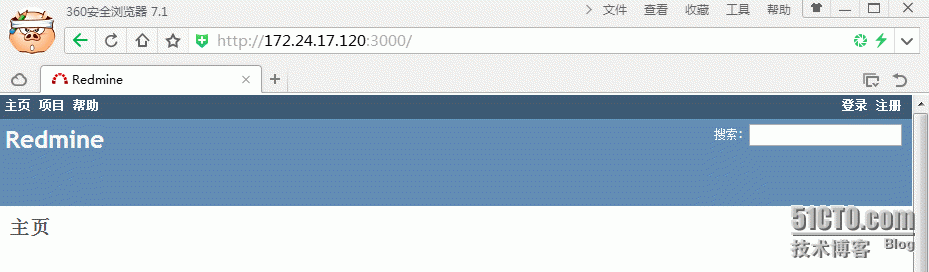
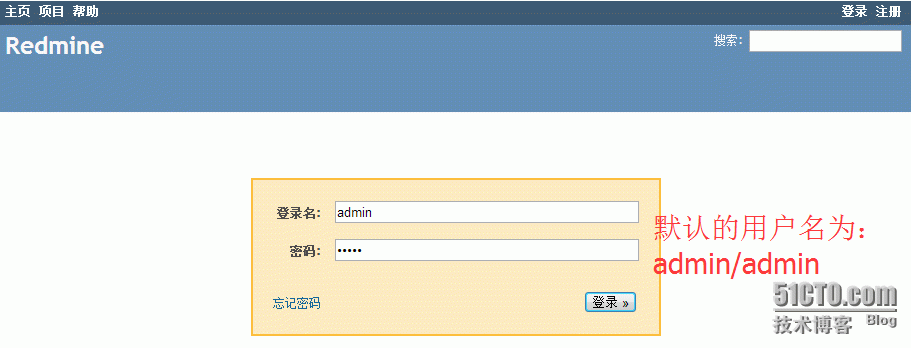
访问下:
Setup 10:Backups
    Redmine backups should include:
        data (stored in your redmine database)
        p_w_uploads (stored in the files directory of your Redmine install)
[[email protected] ~]# sh redmine_backup.sh
[[email protected] ~]# ls /usr/local/backup/
files  redmine_15_11_17.gz
[[email protected] ~]# ls /usr/local/backup/files/
redmine-3.0.5
[[email protected] ~]#


[[email protected] ~]# chkconfig --add redmined
[[email protected] ~]# chkconfig redmined on
如果重启服务器,报下面的错误:
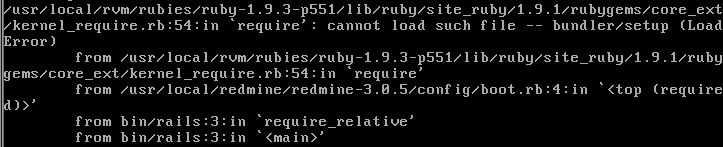
解决办法:
[[email protected] ~]# echo 'rvm_silence_path_mismatch_check_flag=1' >> ~/.rvmrc
如果再重启服务器,报下面的错误:


解决办法:
[[email protected] ~]# gem install rake
[[email protected] ~]# gem install ruby-mysql
[[email protected] ~]# gem install mysql
[[email protected] ~]# bundle install --deployment -V
[[email protected] ~]# netstat -tunlp|grep 3000
tcp        0      0 172.24.17.120:3000        0.0.0.0:*                   LISTEN      1632/ruby
[[email protected] ~]#
注:常用的源
http://rubygems.org/
http://gems.github.com
http://gems.rubyforge.org
https://ruby.taobao.org //国内的这个比较靠谱,适合安装大多数gem
http://ruby.sdutlinux.org/ //山东大学的ruby gem镜像源
进入 Administration-Settings 报 HTTP 500 错误:
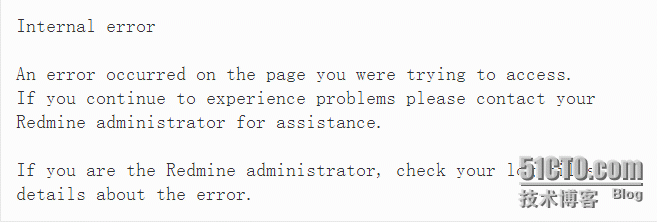
解决方法:
查看 redmine 的 tmp/cache 目录,查看目录结构应该如下所示:
[[email protected] redmine-3.0.5]# tree tmp/cache
tmp/cache
└── 900
    └── 0F0
        └── i18n%2Flanguages_options
停止 redmine,然后删除 tmp/cache 目录下的所有文件,再启动 redmine
然后 管理员设置界面 Administration-Settings 就可以进入了。
这时查看 tmp/cache 目录结构,会发现先前删除的文件和文件夹自动被创建了。
转载于:https://blog.51cto.com/yfshare/1719059