1.在https://github.com new repository
2.在eclipse中new project 比如:Test项目
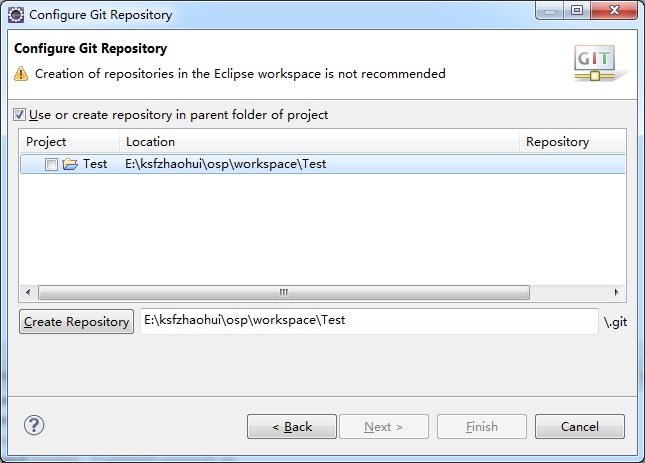
3.右击"Test"->Team->share project... ->select a repository type:Git
勾选 Use or create repository in parent folder of project
点击 Create Repository -> Finish
这时候打开在workspace中的Test目录会发现多了一个.git文件夹。
4.右击"Test"->Team->commit 本地提交

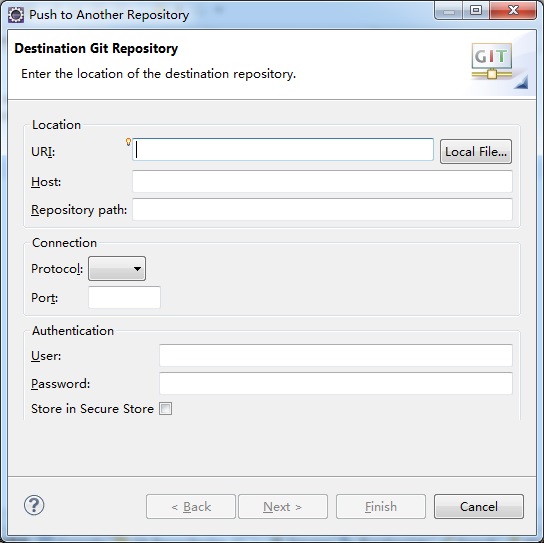
5.再右击"Test"->Team->Remote->Push
URI就是github上面指定的地址:
username和password就是github网站的用户名和密码
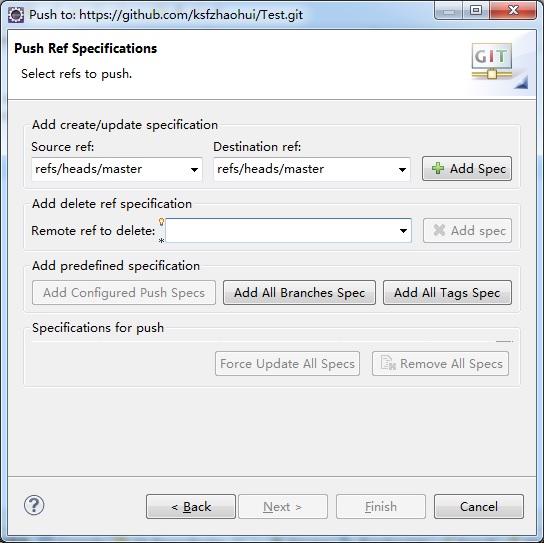
5.finish
source ref 选择 refs/heads/master destination ref会自动填充,点击 Add Spec勾选Focus update
开始提交。
6.可以刷新网页查看提交的代码了。。。

注:在Eclipse中生public key, 并添加到GitHub Repository中。
在菜单栏依次打开window → preference → general → network connection → SSH2 →
Key Management → generate RSA Key... → apply → save private key...
生成 SSH 的 public key在GitHub中通过:edit your profile -> ssh key -> Add SSH Key 添加SSH Key,