一、Ubuntu安装git软件
1、安装git和ssh
[email protected]:~$ sudo apt install git
[email protected]:~$ sudo apt install ssh
2、配置git用户信息
[email protected]:~$ git config --global user.name "wangpengtai"
[email protected]:~$ git config --global user.email "[email protected]"
注意:
[email protected]:~/devops$ git commit -m "add centos6_security.sh"
*** Please tell me who you are.
Run
  git config --global user.email "[email protected]"
  git config --global user.name "Your Name"
to set your account's default identity.
Omit --global to set the identity only in this repository.
fatal: unable to auto-detect email address (got '[email protected](none)')
不配置这会提示的!告诉你使用方法。
二、Ubunu本地创建ssh**
[email protected]:~$ ls -al
查看下有没有.ssh文件,Ubuntu新系统不带ssh,所以没有,手动创建一个或者ssh连接一台服务器,建立一下连结就行了。
[email protected]:~$ ssh-****** -t rsa -C "[email protected]"
一直回车下去,在.ssh文件夹中找到id_rsa.pub,将其内容拷贝下来。

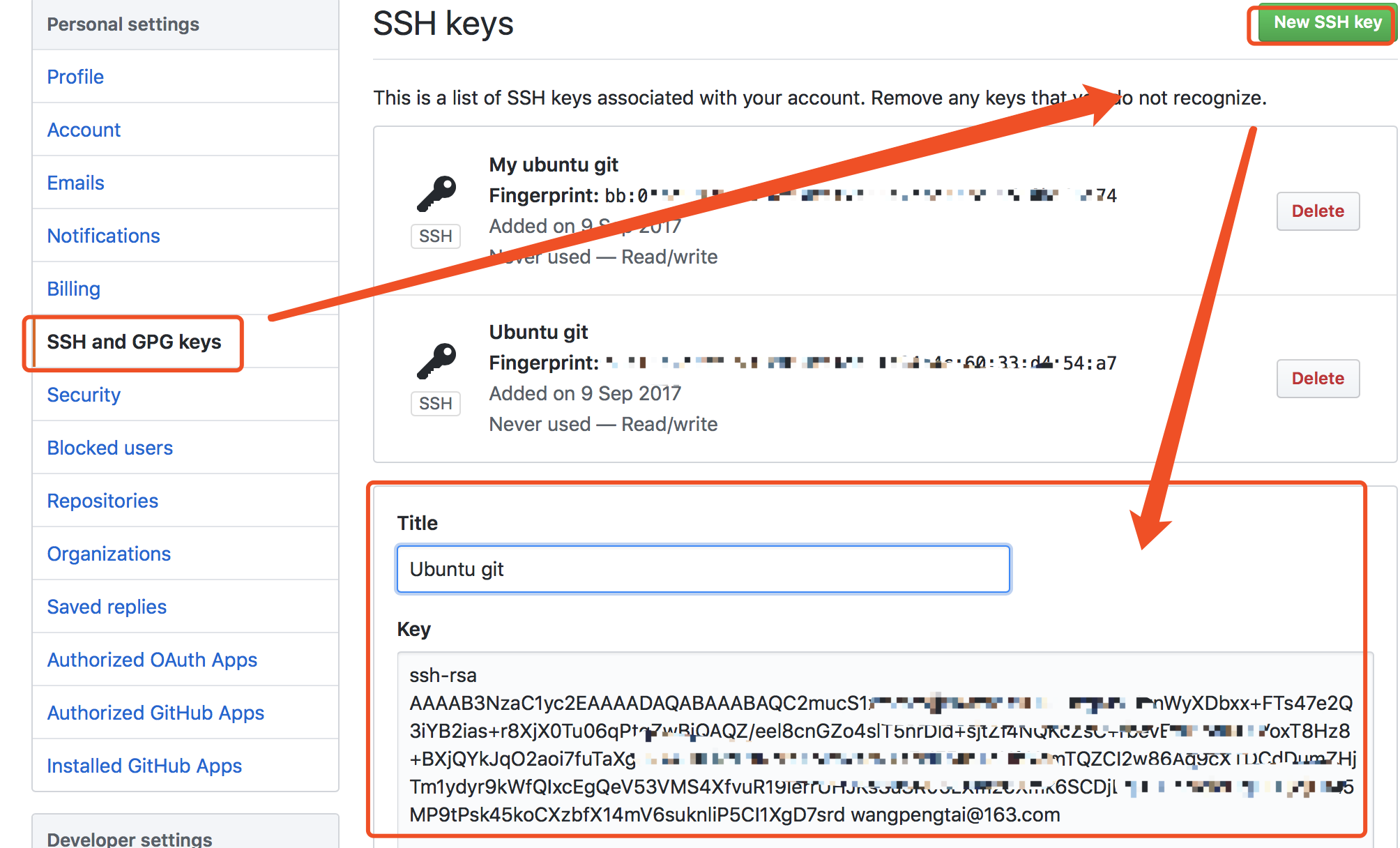
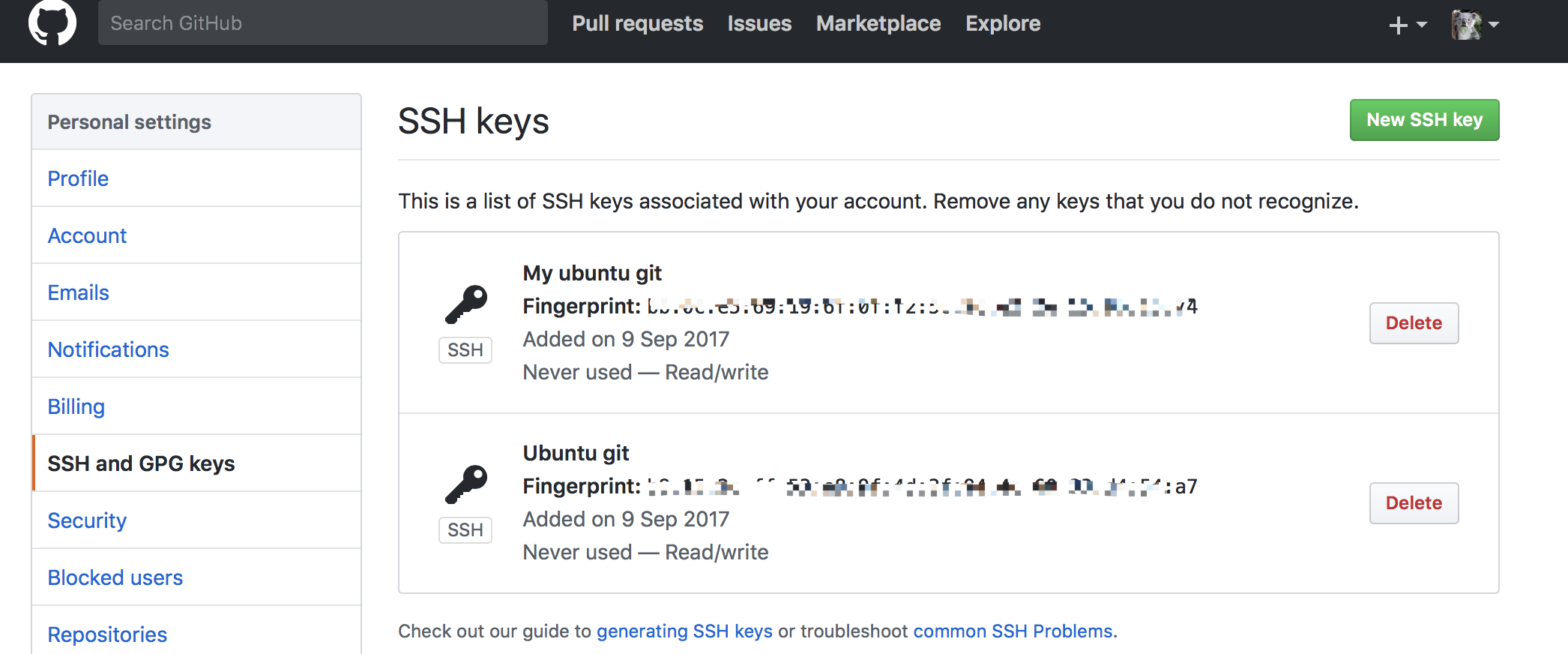
四、将github上的库克隆到本地
1、下载远程仓库
仓库可以新建一个,现在有现成的不弄了。
[email protected]:~$ git clone [email protected]:wangpengtai/devops.git
首次建立连接需要确认来自github连接的信息。
2、本地代码推送到github
[email protected]:~/devops$ git add centos6_security.sh
[email protected]:~/devops$ git commit -m "add centos6_security.sh"
[email protected]:~/devops$ git commit -m "add centos6_security.sh"
[email protected]:~/devops$ git push origin master
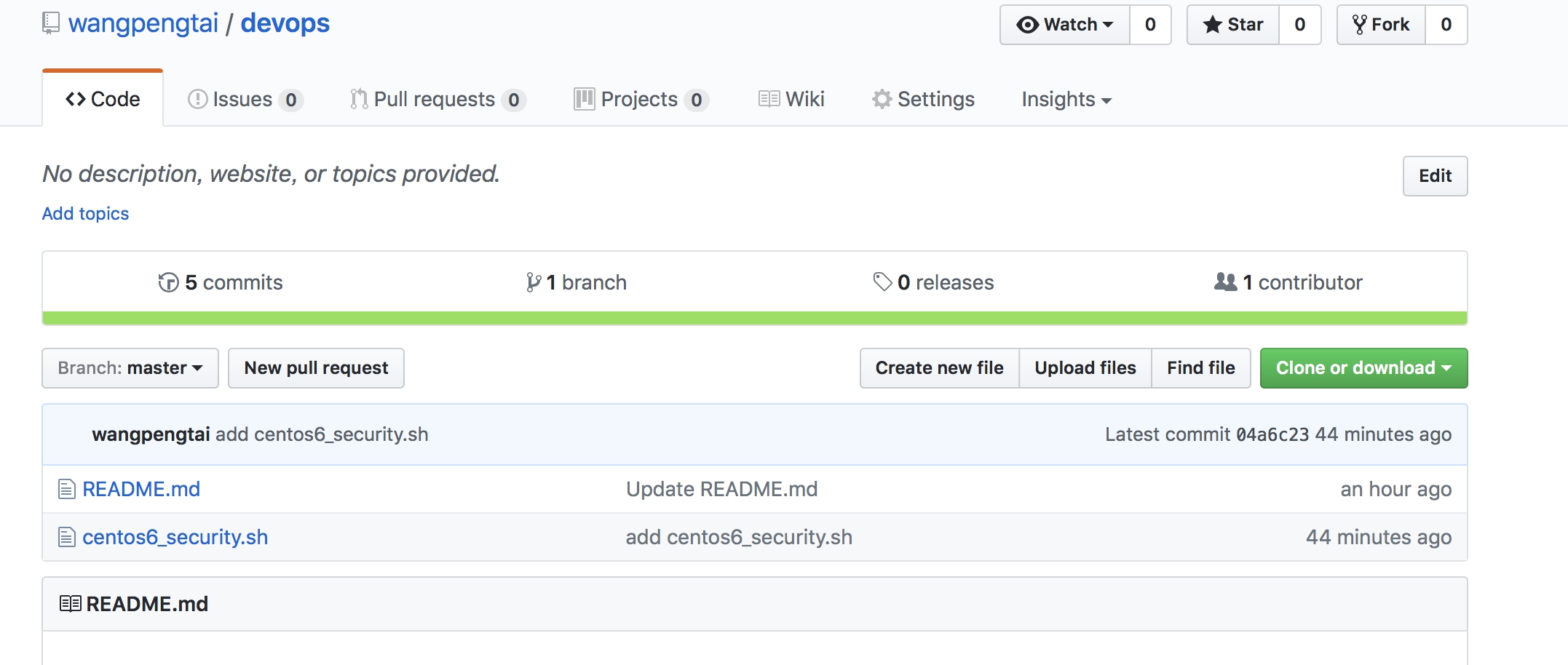
转载于:https://blog.51cto.com/wangpengtai/1964031