在Eclipse中添加了Javascript的一些第大三方库的文件时,会提示构建错误,如下图
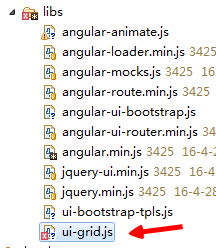
此时,可以通过如下步骤解决:
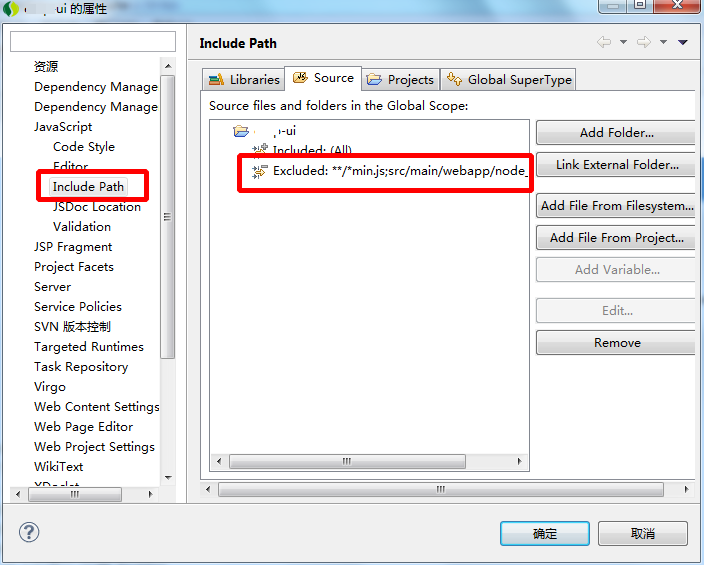
1. 鼠标右击项目名"xxx-ui" project --> "properties"
2. 选择 "JavaScript" --> "Include Path"
3. 选择 "Source" --> "Exclude" for your project --> click "Add"
4. Add directory "src\main\webapp\assets\libs\" for "Exclusion patterns" area.
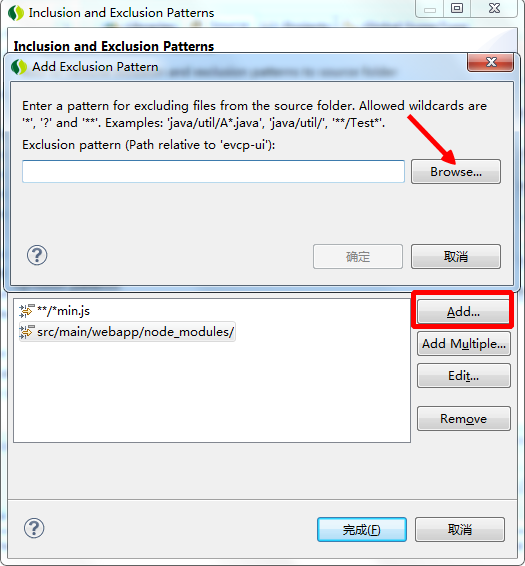
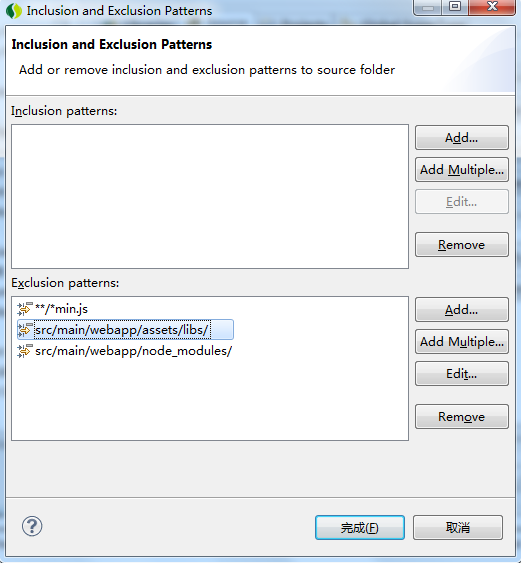
点击“完成”之后,Eclipse在构建当前项目时,就会忽略检查添加的路径下的目录。
转载于:https://my.oschina.net/u/658505/blog/678340