摘自:https://standalonelabs.wordpress.com/2011/05/07/view-global-catalog-contents/
You can use ADSIEdit to view the contents of a global catalog. This may be useful in troubleshooting scenarios or if you are just curious like me :)
Open ADSIEdit, right-click, and choose “Connect to.” In the Connections Settings, click the “Advanced” button and change from “LDAP” to “Global Catalog.” This will cause your connection to use port 3268 when you connect to your target server.

Now, on the Connection Settings screen, enter the distinguished name of the partition you wish to view. Since you will be querying a global catalog, you can connect to any domain partition in the forest, even if the domain controller you are connecting to is not a member of that domain.

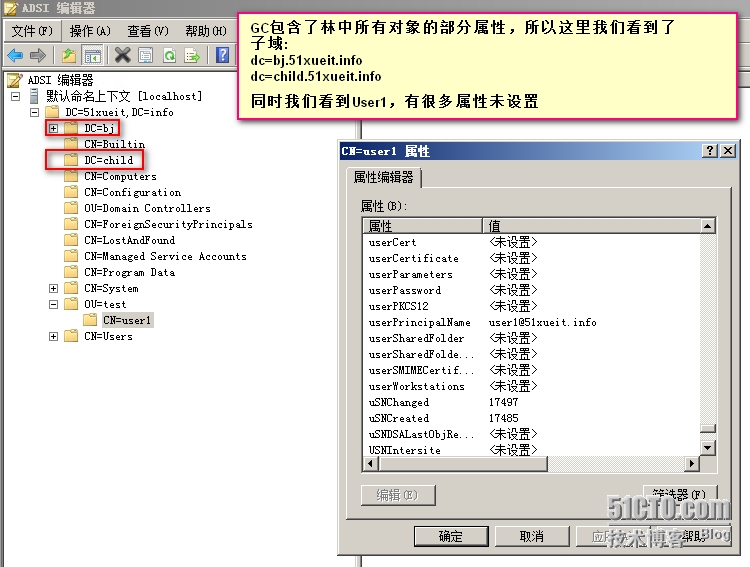
After you connect, you will see the objects in that domain and if you view the properties you will be able to view the attributes that are marked for replication to the global catalog. If an attribute has a value of <Not Set> it may mean that attribute is really not set or that attribute is not replicated to the global catalog.
转载于:https://blog.51cto.com/10500561/1704198