Android Studio在默认情况下是不会和Eclipse那样,鼠标移动到一个类或者方法或者变量上面,就会弹出悬浮框,显示相关的文档的。不过,Android Studio可以通过配置来实现这个功能。
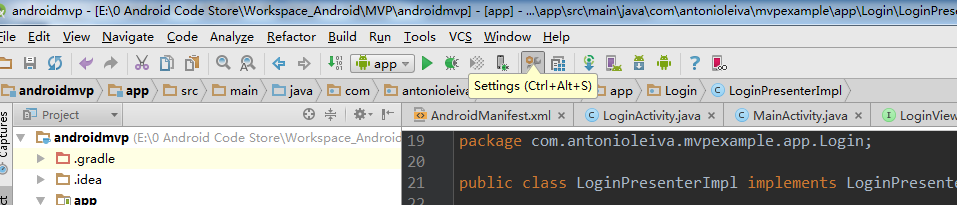
第一步:在选项卡栏目中,选中file,然后在弹出的下拉菜单,选中settings,如图:
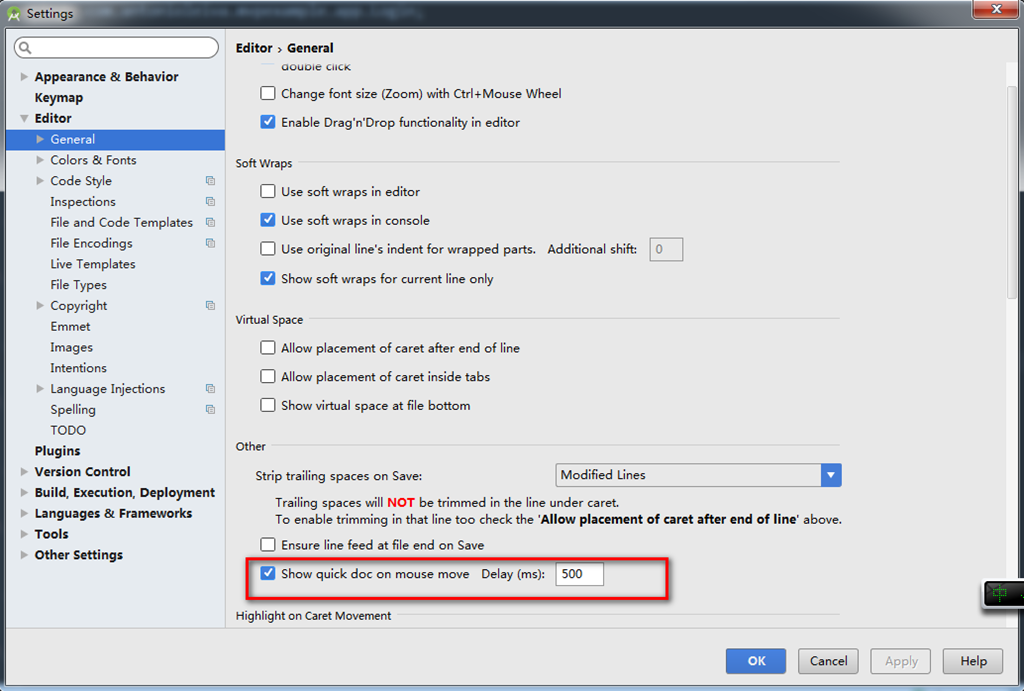
第二步:在Editor中选择General,然后选中Show quick doc on mouse move
转载于:https://my.oschina.net/reborn87/blog/523049
Android Studio在默认情况下是不会和Eclipse那样,鼠标移动到一个类或者方法或者变量上面,就会弹出悬浮框,显示相关的文档的。不过,Android Studio可以通过配置来实现这个功能。
第一步:在选项卡栏目中,选中file,然后在弹出的下拉菜单,选中settings,如图:
第二步:在Editor中选择General,然后选中Show quick doc on mouse move
转载于:https://my.oschina.net/reborn87/blog/523049
相关文章: