1.html实现
<!DOCTYPE html>
<html>
<head>
	<meta charset="utf-8">
	<meta http-equiv="X-UA-Compatible" content="IE=edge">
	<title>bing search</title>
	<link rel="stylesheet" href="search.css">
</head>
<body>
	<div id="bg-div">
		<div class="search-box">
			<!-- Login -->
			<div class="logo"></div>

			<!-- Search Input -->
			<form action="#">
				<input type="text" class="search-input-text">
				<input type="submit" class="search-input-button" value="">
			</form>
		</div>
	</div>
</body>
</html>
2.CSS实现
body{
	background-color: #ccc;
}

#bg-div{
	background-image: url(river.jpg);
	width: 1366px;
	height: 768px;
	margin:0 auto;
	position: relative;
}

.logo{
	background-image: url(logo.png);
	width: 107px;
	height: 53px;
	float: left;
	margin: -4px 10px 0 0;
}

form{
	float: left;
	background-color: #fff;
	padding:0px;
}

.search-input-text{
	border:0;
	float: left;
	height: 25px;
	line-height: 25px;
	outline: none;
	width: 350px;
}

.search-input-button{
	border: 0;
	background-image: url(search-button.png);
	width: 29px;
	height: 29px;
	outline: none;
	cursor: pointer;
}

.search-box{
	position: absolute;
	top: 200px;
	left: 400px;
}
3.实现效果
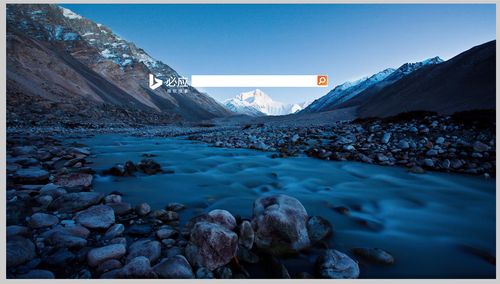
本文转自 素颜猪 51CTO博客,原文链接:http://blog.51cto.com/suyanzhu/1901599