1.下载安装thold插件
thold插件下载地址:http://docs.cacti.net/plugin:thold#thold
[[email protected] ~]# tar xvf thold-v0.5.0.tgz
[[email protected] ~]# mv thold /var/www/html/cacti/plugins/
2.在cacti界面启用thold插件
console---->Plugin Management---->安装与启用thold插件
3.修改邮件服务器与测试邮件发送
console---->Settings---->Mail / DNS
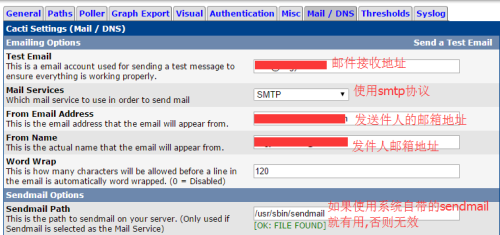
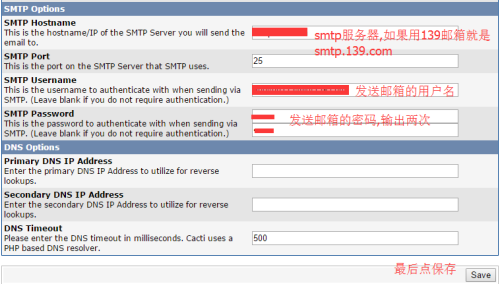
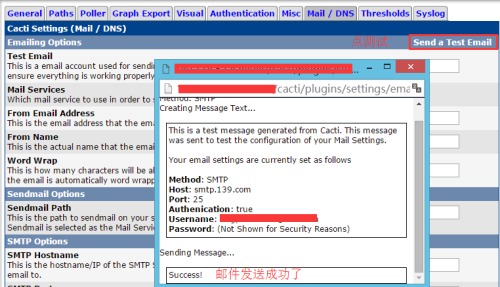

4.添加报警规则
console---->Threshold Templates
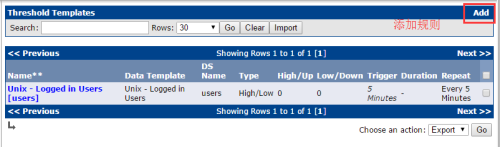
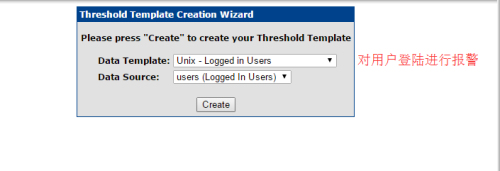

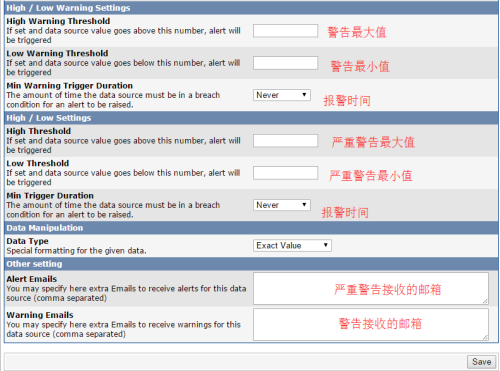
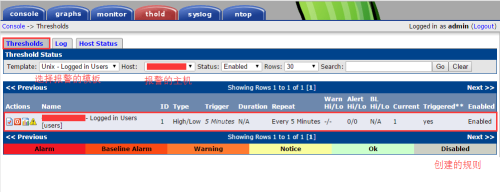
5.查看报警规则
thold---->Thresholds
本文转自 z597011036 51CTO博客,原文链接:http://blog.51cto.com/tongcheng/1786511,如需转载请自行联系原作者