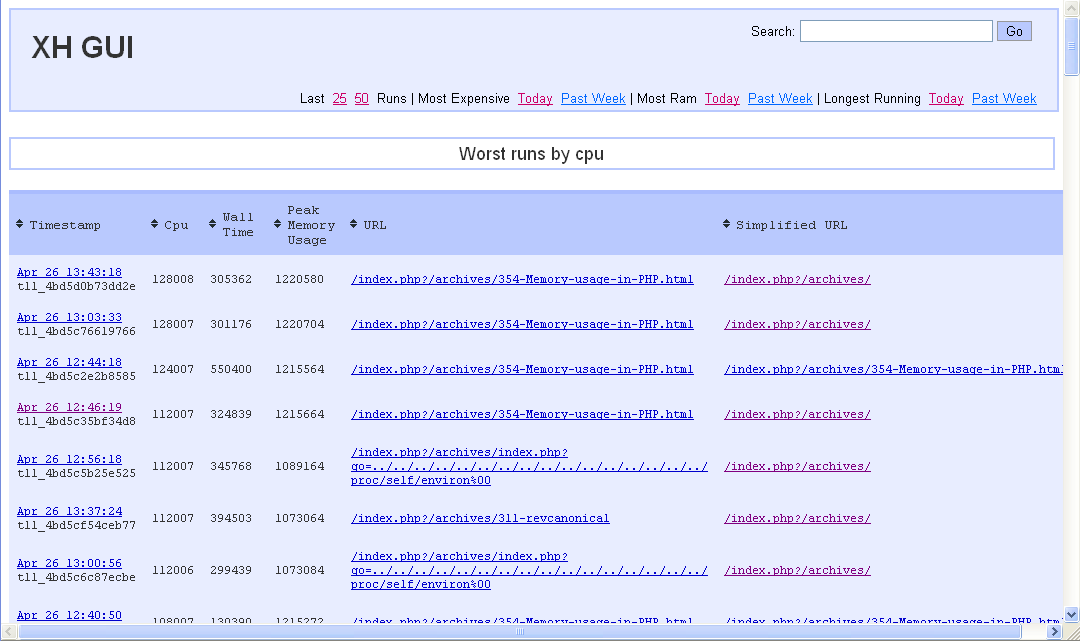
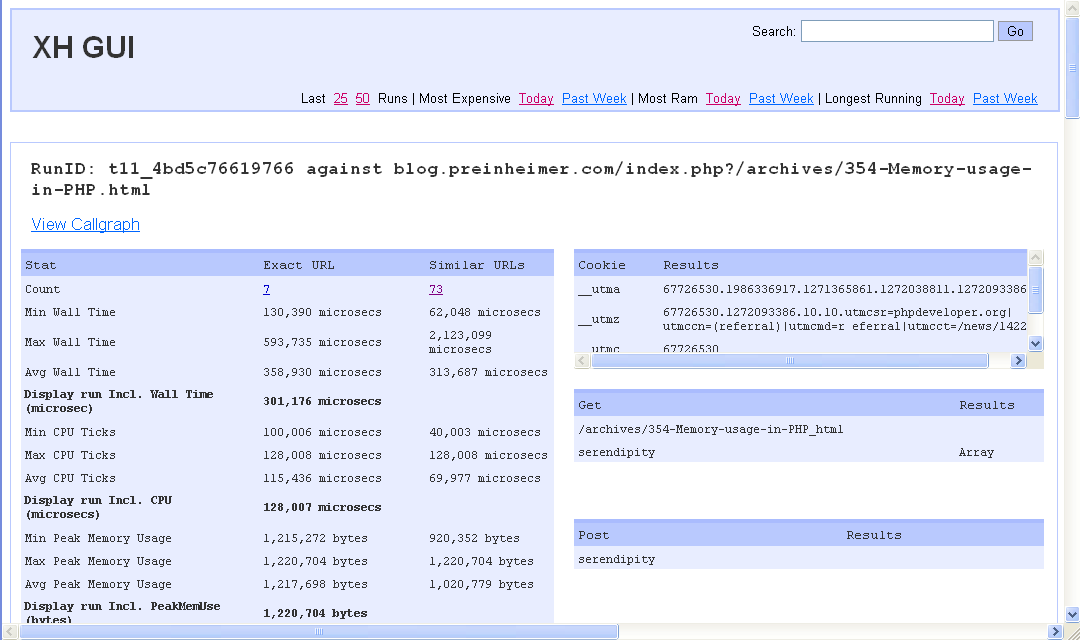
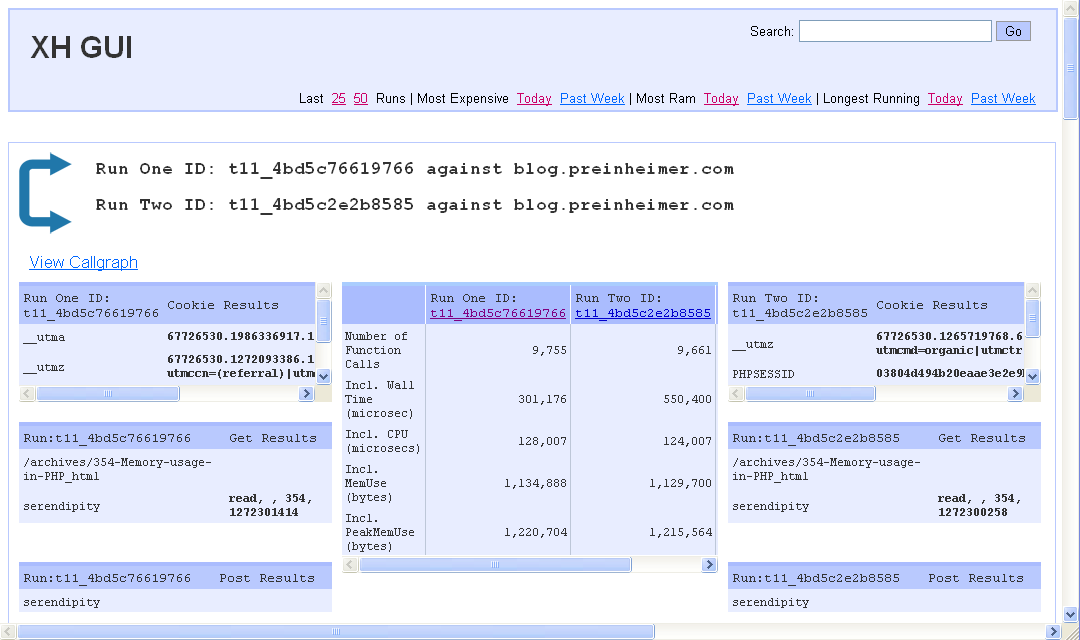
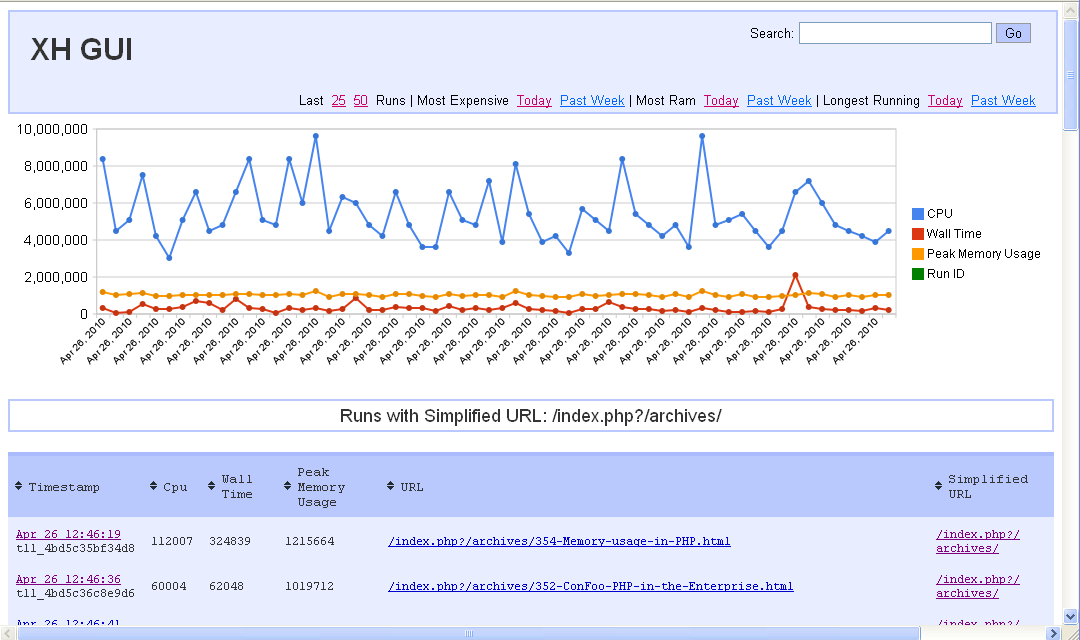
顾名思义,xhprof gui 就是一个xhprof的一个ui展现。作者hack了facebook发布的xhprof展现代码。使xhprof界面更漂亮,功能更强大。

xhprof gui新增了如下特性:

* 友好的界面
* 数据库存储(mysql)
* 支持按请求百分比执行xhprof优化。降低服务器负载。
* 支持相似url的概念。如:http://news.example.com/?story=23 http://news.example.com/?story=25 被视为相似url。 完整的特性请查看 http://blog.preinheimer.com/index.php?/archives/355-A-GUI-for-XHProf.html

安装步骤如下:
1.安装zlib扩展
windows下php默认是安装了zlib扩展的。非windows,需要自己编译扩展。扩展代码在php源码的ext/zlib目录中。如何编译扩展,就不再这里啰嗦了。
2.安装xhprof扩展
在所有需要用xhprof进行打点优化的机器上都安装xhprof的php扩展。
3.安装 graphviz
xhprof gui 使用graphviz 进行画图。
sudo yum install graphviz graphviz-gd
4.安装xhprof gui
在所有需要用xhprof打点的机器和展现打点数据的机器上都需要安装xhprof gui.
下载地址 https://github.com/preinheimer/xhprof
安装步骤见代码中的INSTALL文件。
需要注意的是,配置文件中没有填写mysql端口的地方。如果你的数据库不是使用的默认端口,你需要修改 ./xhprof_lib/utils/Db/ 相应文件的代码。

效果图:
xhprof gui,让xhprof界面更漂亮,功能更强大

<img src="http://www.bo56.com/wp-content/uploads/2014/05/2010-04-26_1443.png" alt="2010-04-26_1443" width="1080" height="640" class="alignnone size-full wp-image-366" /></a></p>

xhprof gui,让xhprof界面更漂亮,功能更强大

<img src="http://www.bo56.com/wp-content/uploads/2014/05/2010-04-26_1444.png" alt="2010-04-26_1444" width="1080" height="640" class="alignnone size-full wp-image-367" /></a></p>

xhprof gui,让xhprof界面更漂亮,功能更强大

<img src="http://www.bo56.com/wp-content/uploads/2014/05/2010-04-26_1445.png" alt="2010-04-26_1445" width="1080" height="640" class="alignnone size-full wp-image-368" /></a></p>

xhprof gui,让xhprof界面更漂亮,功能更强大

相关文章:

  • 2022-03-12
  • 2021-10-28
  • 2022-02-28
  • 2022-01-29
  • 2022-12-23
  • 2021-08-12
  • 2021-06-20
猜你喜欢
  • 2021-07-01
  • 2022-01-14
  • 2022-02-27
  • 2021-12-25
  • 2021-10-10
  • 2021-08-28
相关资源
相似解决方案