Linux+Apache+Mysql/MariaDB+Perl/PHP/Python一组常用来搭建动态网站或者服务器的开源软件,本身都是各自独立的程序,但是因为常被放在一起使用,拥有了越来越高的兼容度,共同组成了一个强大的Web应用程序平台。
随着开源潮流的蓬勃发展,开放源代码的LAMP已经与J2EE和.Net商业软件形成三足鼎立之势,并且该软件开发的项目在软件方面的投资成本较低,因此受到整个IT界的关注。
目前LAMP架构是大多数中小企业最青睐的PHP架构选择,也是众多Linux SA喜欢选择的一套架构。接下来介绍下两种安装LAMP的两种方式。
一、yum安装
1、安装lamp,并启动相关服务
|
1
2
3
4
5
6
7
8
9
10
11
12
13
14
15
16
17
18
19
20
21
22
23
24
25
26
27
28
29
30
31
|
[[email protected] ~]#yum -y install httpd httpd-devel mysql mysql-server mysql-libs php php-devel
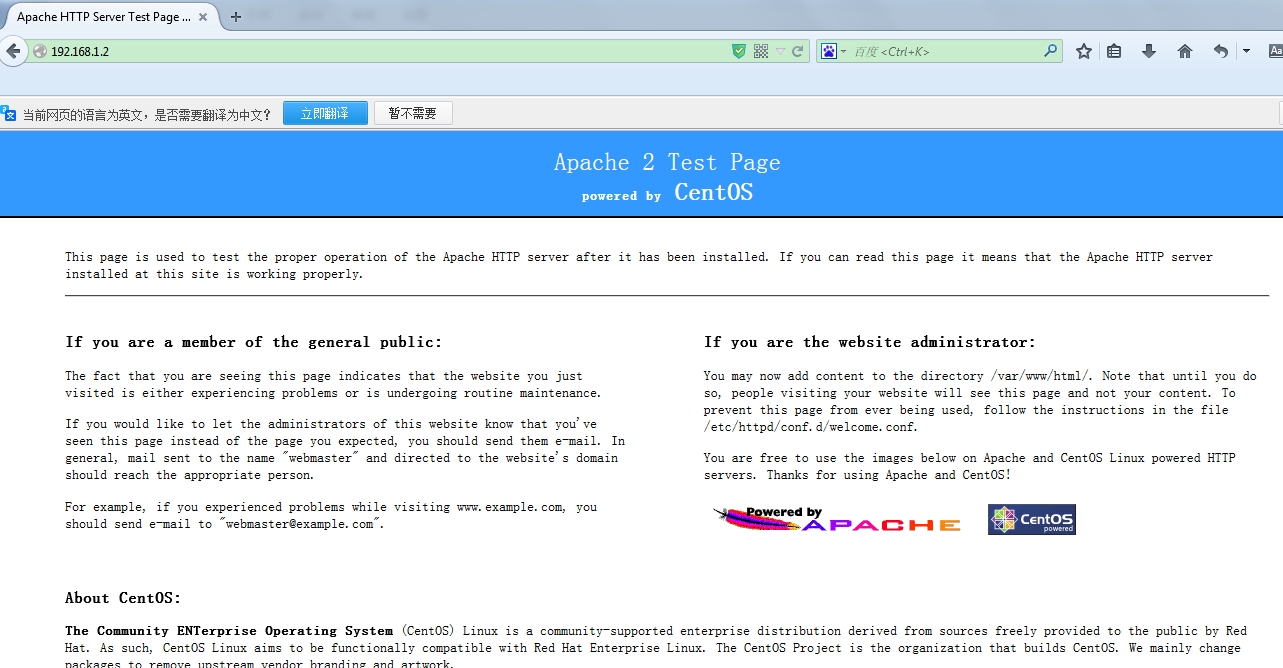
这一条命令LAMP环境即可安装成功,只需要重启apache、mysql服务即可[[email protected] ~]# /etc/init.d/mysqld start
Initializing MySQL database: Installing MySQL system tables...OKFilling help tables...OKTo start mysqld at boot time you have to copy
support-files/mysql.server to the right place for your system
PLEASE REMEMBER TO SET A PASSWORD FOR THE MySQL root USER !To do so, start the server, then issue the following commands:
/usr/bin/mysqladmin -u root password 'new-password'
/usr/bin/mysqladmin -u root -h jacken password 'new-password'
Alternatively you can run:/usr/bin/mysql_secure_installationwhich will also give you the option of removing the test
databases and anonymous user created by default. This isstrongly recommended for production servers.
See the manual for more instructions.
You can start the MySQL daemon with:cd /usr ; /usr/bin/mysqld_safe &
You can test the MySQL daemon with mysql-test-run.pl
cd /usr/mysql-test ; perl mysql-test-run.pl
Please report any problems with the /usr/bin/mysqlbug script!
[ OK ]
Starting mysqld: [ OK ][[email protected] ~]# /etc/init.d/httpd start
Starting httpd: [ OK ][[email protected] ~]# chkconfig mysqld on
[[email protected] ~]# chkconfig httpd on
[[email protected] ~]#
|
2、验证安装是否成功
|
1
2
3
4
5
6
7
|
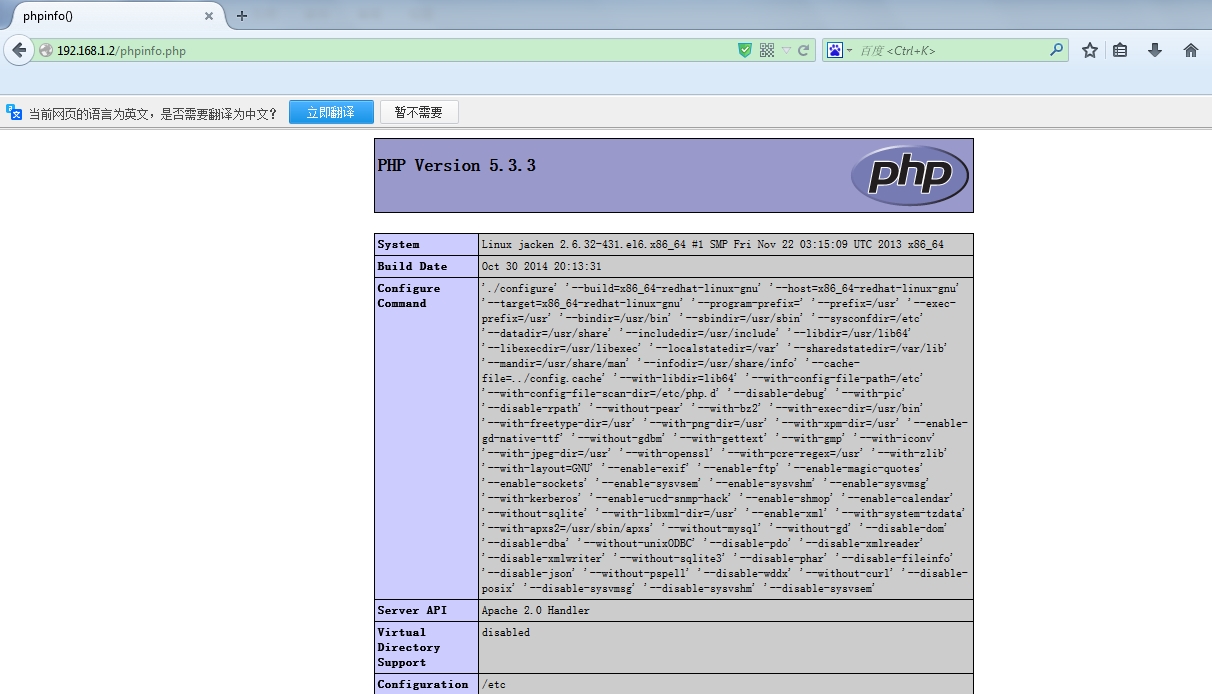
[[email protected] ~]# cd /var/www/html/
[[email protected] html]# ls
[[email protected] html]# vim phpinfo.php
[[email protected] html]# cat phpinfo.php
<?phpphpinfo();?> |
3、安装Discuz
|
1
2
3
4
5
6
7
|
[[email protected] ~]# ls
Discuz_X3.2_SC_UTF8.zip[[email protected] ~]# unzip -q -d /var/www/html/ Discuz_X3.2_SC_UTF8.zip
[[email protected] ~]# ls /var/www/html/
phpinfo.php readme upload utility[[email protected] ~]# cd /var/www/html/
[[email protected] html]# mv upload/* ./;rm -rf readme utility
|
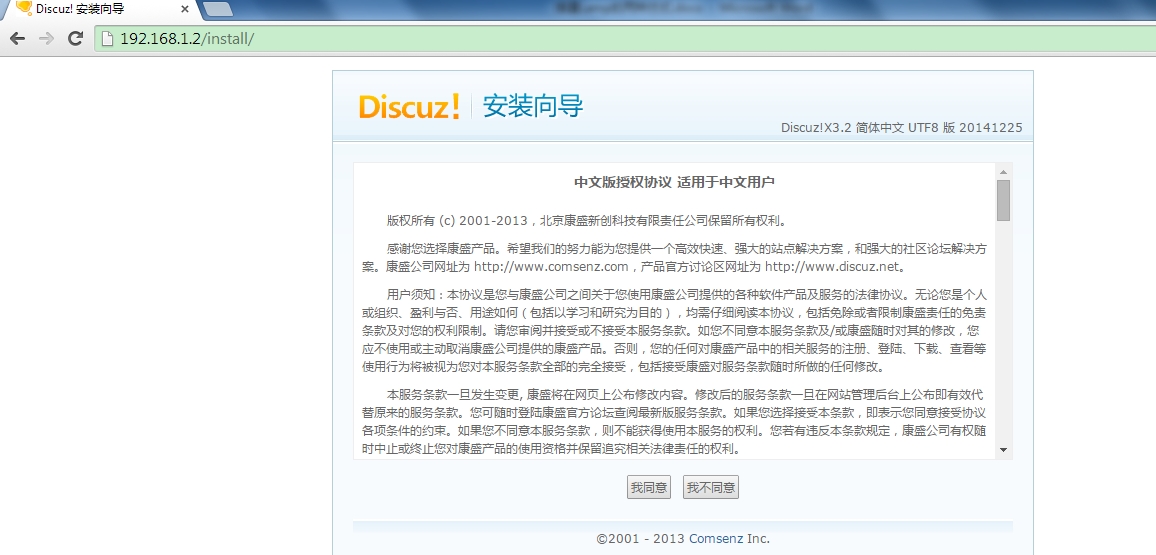
点同意
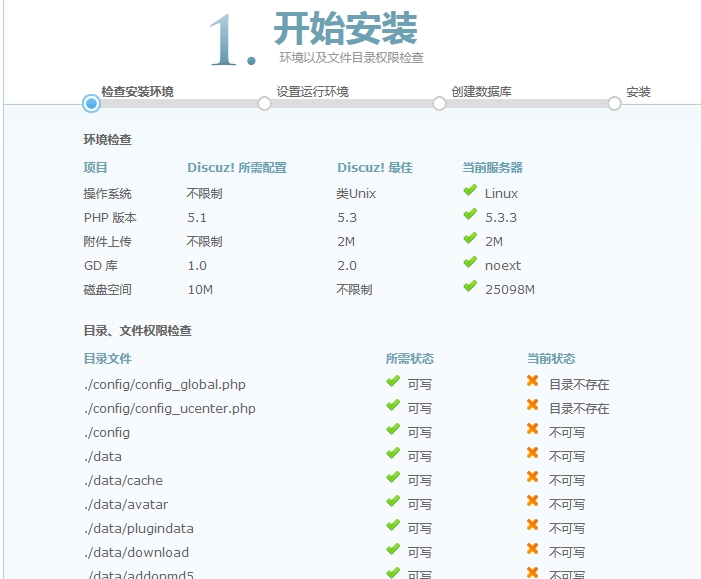
设置相关目录权限
|
1
2
3
|
[[email protected] html]# pwd
/var/www/html[[email protected] html]# chmod -R o+w config/ data/ uc_*
|
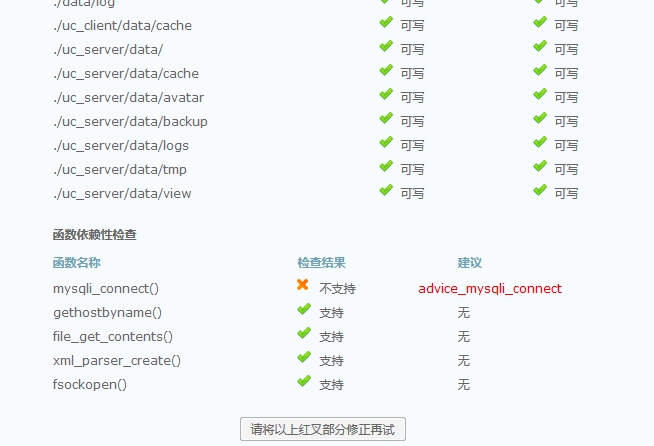
此时目录已可写,但是出现mysql链接不支持
|
1
2
3
4
|
[[email protected] upload]# yum -y install php-mysql
[[email protected] upload]# /etc/init.d/httpd restart
Stopping httpd: [ OK ]Starting httpd: [ OK ] |
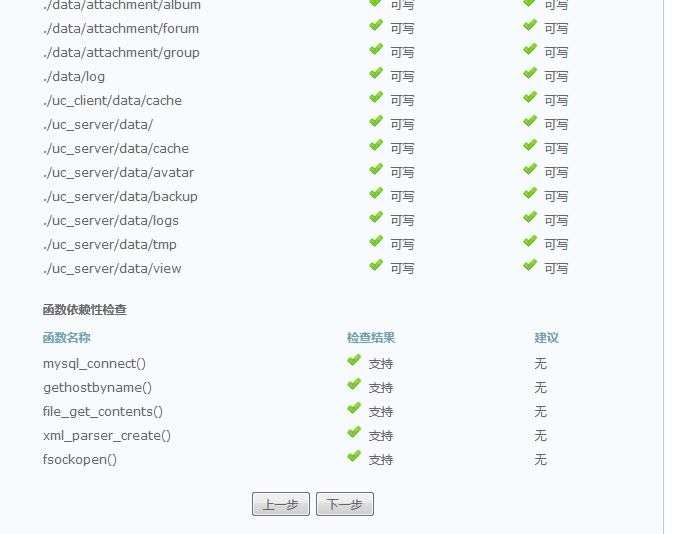
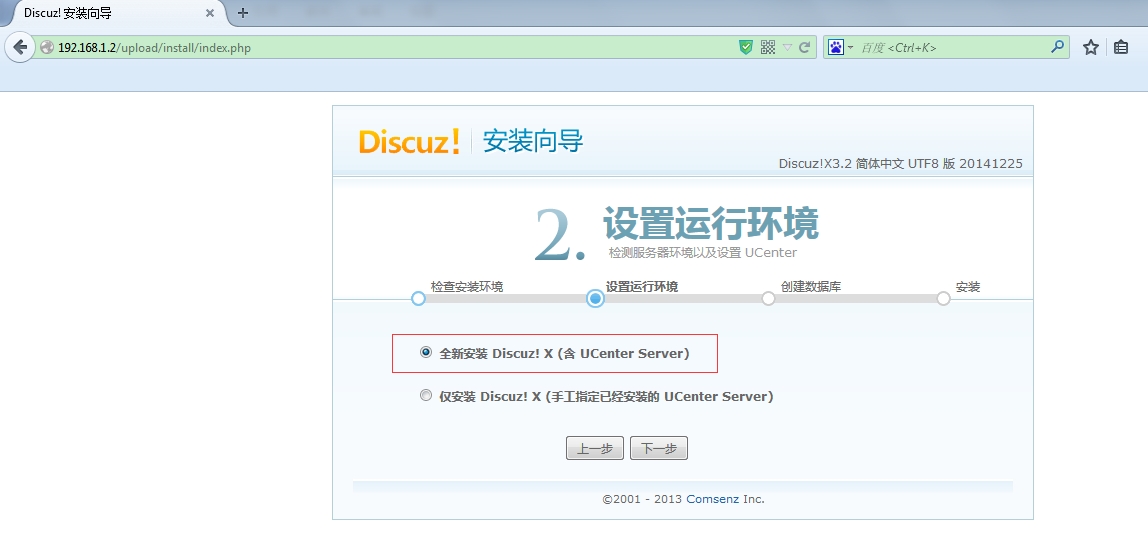
下一步
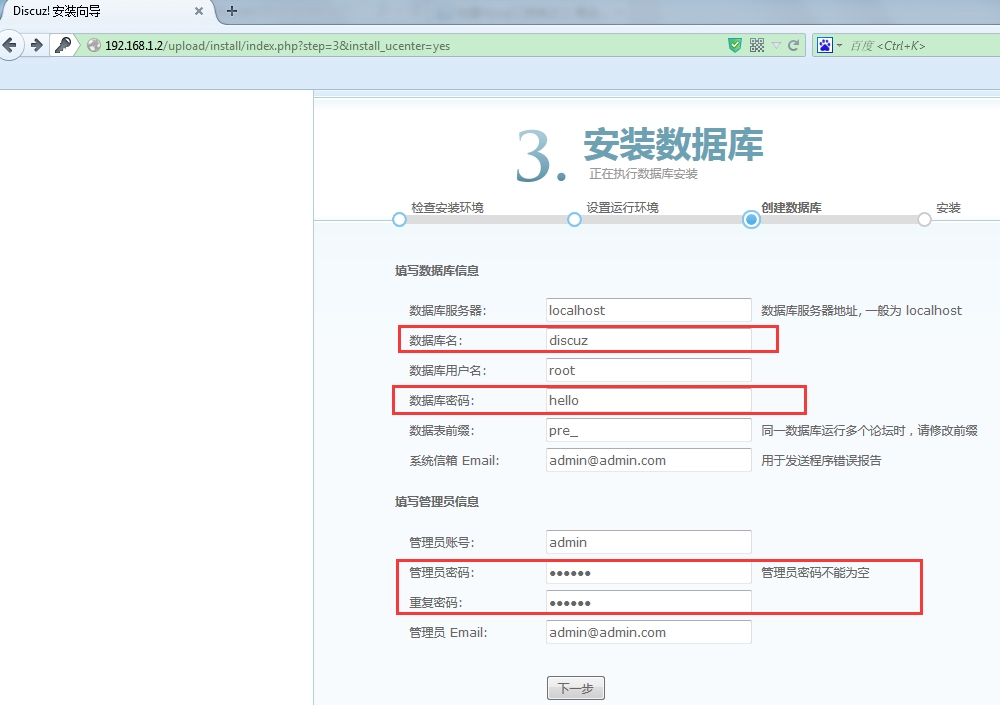
创建discuz数据库,设置root密码
|
1
2
3
4
5
6
7
8
9
10
11
12
13
14
15
16
|
mysql> create database discuz;
Query OK, 1 row affected (0.00 sec)mysql> flush privileges;
Query OK, 0 rows affected (0.00 sec)
mysql> use mysql;Reading table information for completion of table and column names
You can turn off this feature to get a quicker startup with -A
Database changed
mysql> update user set password=password('hello') where user='root';
Query OK, 0 rows affected (0.00 sec)
Rows matched: 3 Changed: 0 Warnings: 0
mysql> flush privileges;
Query OK, 0 rows affected (0.00 sec)
mysql> exit;Bye |
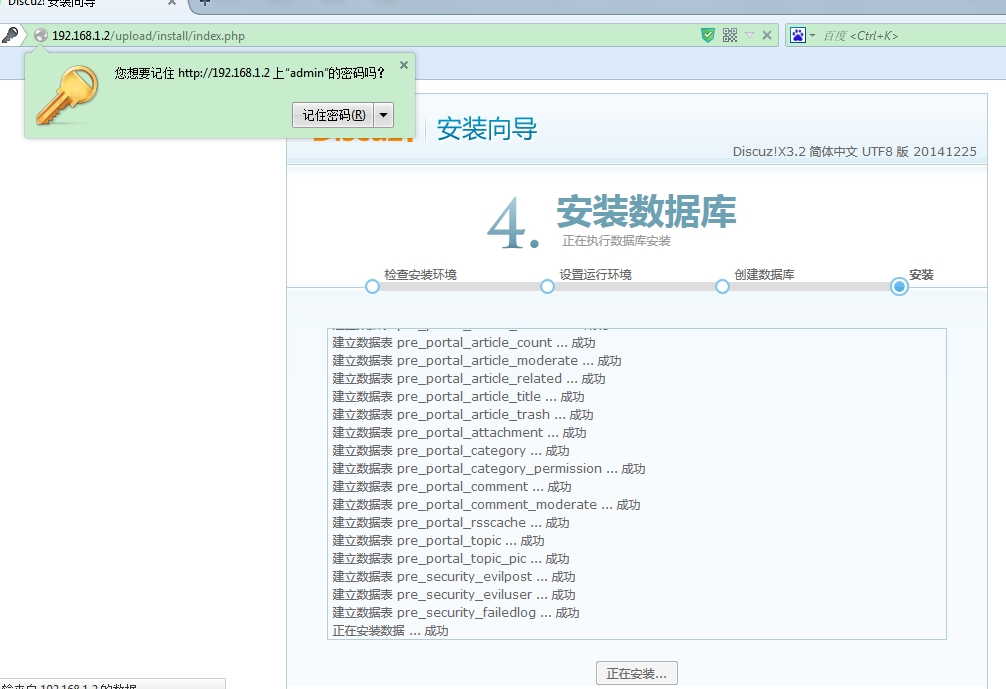
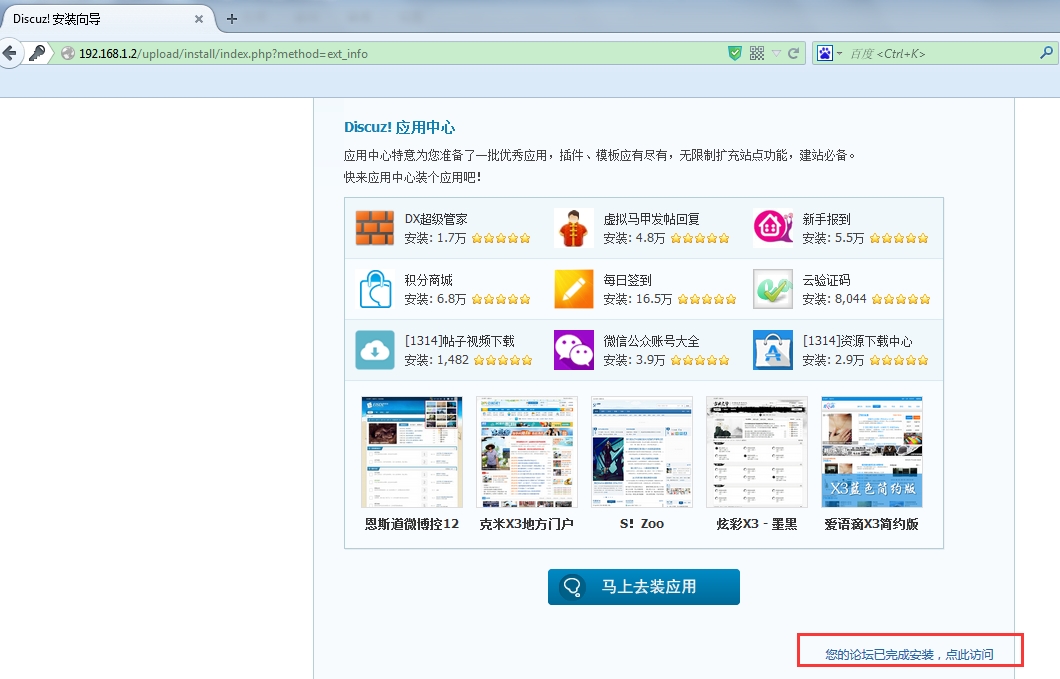
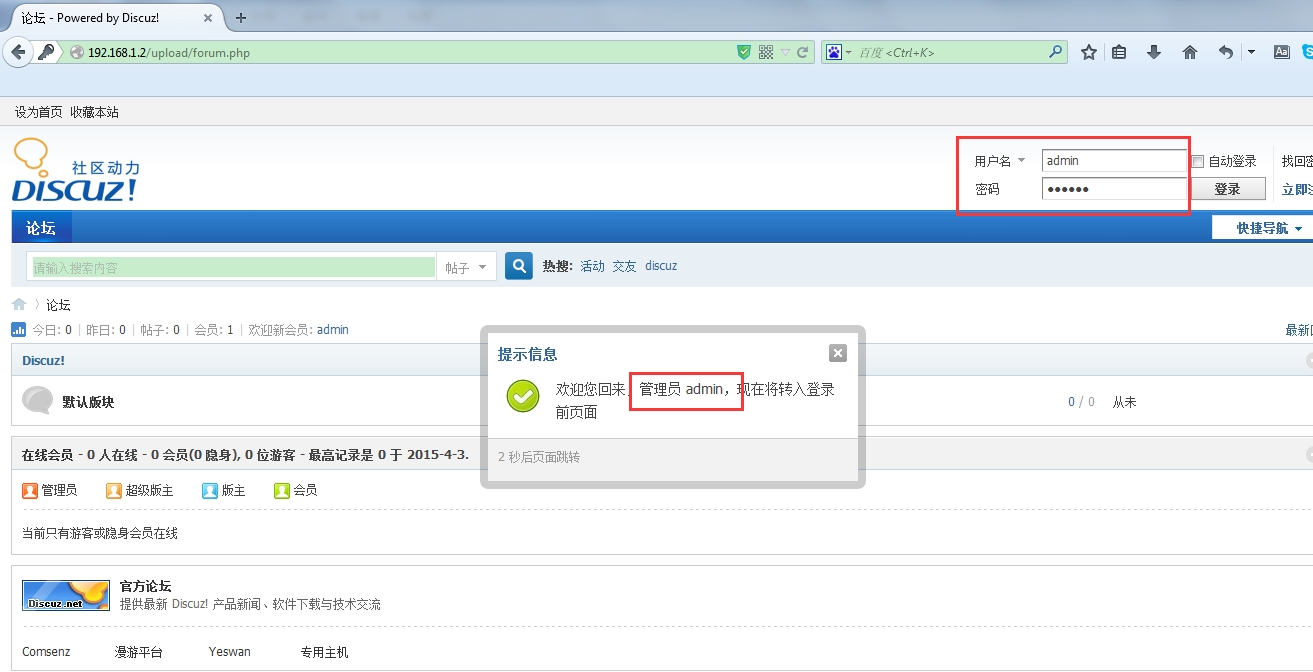
至此,LAMP基本搭建完毕。
进入论坛管理中心,会提示删除安装页

|
1
2
3
|
[[email protected] ~]# cd /var/www/html/upload/install/
|
LAMP安装完毕。
二、源码安装
下载相应的软件包
Apache http://mirror.bit.edu.cn/apache/httpd/httpd-2.2.27.tar.gz
Mysql http://downloads.mysql.com/archives/mysql-5.1/mysql-5.1.63.tar.gz
Php http://mirrors.sohu.com/php/php-5.3.28.tar.bz2
Discuz http://download.comsenz.com/DiscuzX/3.2/Discuz_X3.2_SC_UTF8.zip
|
1
2
3
4
|
[[email protected] ~]# cd /softwares/
[[email protected] softwares]# ls
Discuz_X3.2_SC_UTF8.zip httpd-2.2.27.tar.gz mysql-5.1.63.tar.gz php-5.3.28.tar.bz2
[[email protected] softwares]#
|
安装环境包
|
1
2
|
[[email protected] softwares]# yum -y install apr-devel apr-util-devel
[[email protected] ~]# yum -y install gcc
|
1、安装Apache
|
1
2
3
4
5
6
|
[[email protected] ~]# cd /softwares/
[[email protected] softwares]# ls
Discuz_X3.2_SC_UTF8.zip httpd-2.2.27.tar.gz mysql-5.1.63.tar.gz php-5.3.28.tar.bz2
[[email protected] softwares]# tar -zxf httpd-2.2.27.tar.gz
[[email protected] softwares]# cd httpd-2.2.27
[[email protected] httpd-2.2.27]#./configure --prefix=/usr/local/apache --enable-so --enable-rewrite&&make&&make install
|
2、安装Mysql
|
1
2
3
4
5
6
|
[[email protected] ~]# cd /softwares/
[[email protected] softwares]# ls
Discuz_X3.2_SC_UTF8.zip httpd-2.2.27 httpd-2.2.27.tar.gz mysql-5.1.63.tar.gz php-5.3.28.tar.bz2
[[email protected] softwares]# tar -zxf mysql-5.1.63.tar.gz
[[email protected] softwares]# cd mysql-5.1.63
[[email protected] mysql-5.1.63]# ./configure --prefix=/usr/local/mysql --enable-assembler && make && make install
|
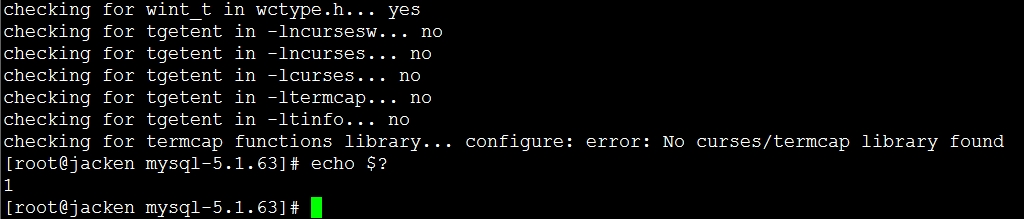
报错
|
1
2
|
[[email protected] mysql-5.1.63]# yum –y install ncurses-devel
[[email protected] mysql-5.1.63]# ./configure --prefix=/usr/local/mysql --enable-assembler && make && make install
|
报错

|
1
2
3
4
|
[[email protected] mysql-5.1.63]# yum -y install gcc-c++
[[email protected] mysql-5.1.63]# ./configure --prefix=/usr/local/mysql --enable-assembler && make && make install
[[email protected] mysql-5.1.63]# echo $?
0 |
配置Mysql服务为系统服务
|
1
2
3
4
5
6
7
8
9
10
11
12
13
14
15
16
|
[[email protected] ~]# cp /usr/local/mysql/share/mysql/my-medium.cnf /etc/my.cnf
[[email protected] ~]# cp /usr/local/mysql/share/mysql/mysql.server /etc/init.d/mysqld
[[email protected] ~]# chkconfig --add mysqld
[[email protected] ~]# chkconfig --level 345 mysqld on
[[email protected] ~]# cd /usr/local/mysql/
[[email protected] mysql]# useradd mysql
[[email protected] mysql]# chown -R mysql.mysql /usr/local/mysql
[[email protected] mysql]# /usr/local/mysql/bin/mysql_install_db --user=mysql
[[email protected] mysql]# chown -R mysql var
[[email protected] mysql]# ll -d var
drwx------. 4 mysql root 4096 Mar 31 09:54 var[[email protected] mysql]# /usr/local/mysql/bin/mysqld_safe --user=mysql&
[1] 16857[[email protected] mysql]# 150331 09:56:02 mysqld_safe Logging to '/usr/local/mysql/var/jacken.err'.
150331 09:56:02 mysqld_safe Starting mysqld daemon with databases from /usr/local/mysql/var
[[email protected] mysql]#
|
3、安装Php
|
1
2
3
4
5
6
7
8
9
10
|
[[email protected] ~]# cd /softwares/
[[email protected] softwares]# ls
Discuz_X3.2_SC_UTF8.zip httpd-2.2.27 httpd-2.2.27.tar.gz mysql-5.1.63 mysql-5.1.63.tar.gz php-5.3.28.tar.bz2
[[email protected] softwares]# tar -jxf php-5.3.28.tar.bz2
[[email protected] softwares]# cd php-5.3.28
[[email protected] php-5.3.28]# ./configure \
> --prefix=/usr/local/php5 \
> --with-config-file-path=/usr/local/php/etc \
> --with-apxs2=/usr/local/apache/bin/apxs \
> --with-mysql=/usr/local/mysql/
|
报错

|
1
2
3
4
5
6
|
[[email protected] php-5.3.28]# yum -y install libxml2 libxml2-devel
[[email protected] php-5.3.28]# ./configure \
> --prefix=/usr/local/php5 \
> --with-config-file-path=/usr/local/php5/etc \
> --with-apxs2=/usr/local/apache/bin/apxs \
> --with-mysql=/usr/local/mysql/
|
|
1
2
3
4
|
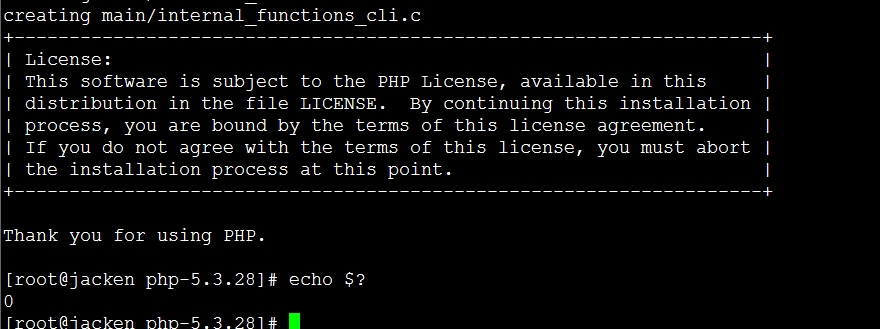
[[email protected] php-5.3.28]#make && make install
[[email protected] php-5.3.28]# echo $?
0[[email protected] php-5.3.28]#
|
安装成功
4、整合Apache+Php
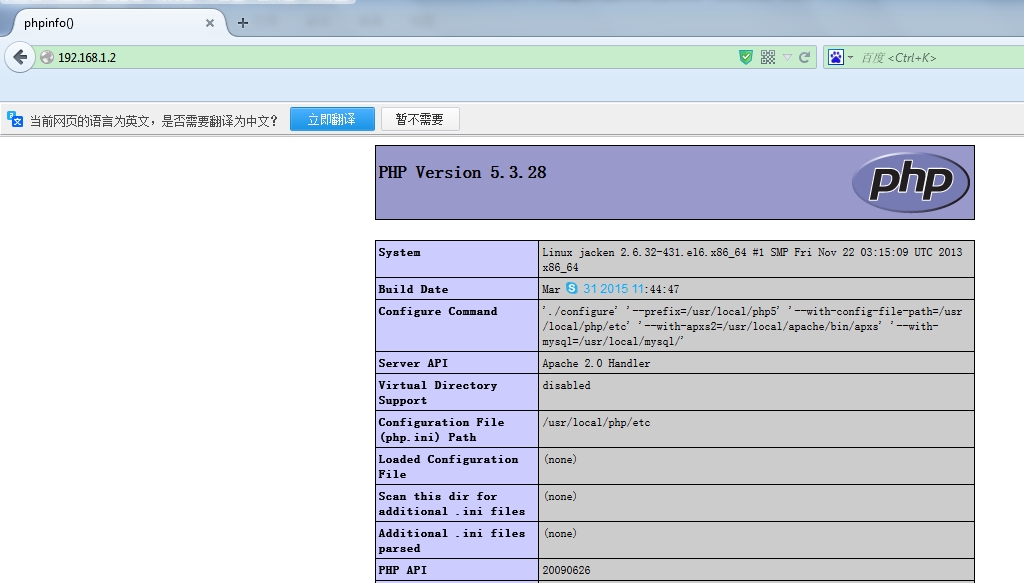
整合apache+php环境,修改httpd.conf配置文件,然后加入如下语句:
LoadModule php5_module modules/libphp5.so (默认可能已存在)
AddType application/x-httpd-php .php
DirectoryIndex index.php index.html (把index.php加入index.html之前)
然后在/usr/local/apache/htdocs目录下创建index.php测试页面,
|
1
2
3
4
5
6
7
8
9
|
[[email protected] htdocs]# ls
index.html index.php[[email protected] htdocs]# cat index.php
<?phpphpinfo();?>[[email protected] htdocs]# pwd
/usr/local/apache/htdocs[[email protected] htdocs]#
|
5、安装discuz论坛
|
1
2
3
4
5
6
7
8
9
10
11
12
13
14
15
16
17
18
|
[[email protected] ~]# cd /softwares/
[[email protected] softwares]# ls
Discuz_X3.2_SC_UTF8.zip httpd-2.2.27.tar.gz mysql-5.1.63.tar.gz php-5.3.28.tar.bz2
httpd-2.2.27 mysql-5.1.63 php-5.3.28[[email protected] softwares]#
[[email protected] softwares]# unzip Discuz_X3.2_SC_UTF8.zip -d /usr/local/apache/htdocs/
[[email protected] softwares]# cd /usr/local/apache/htdocs/
[[email protected] htdocs]# ls
index.html index.php readme upload utility[[email protected] htdocs]# mv upload/* .
mv: overwrite `./index.php'? y
[[email protected] htdocs]# ls
admin.php config data home.php member.php readme staapi connect.php favicon.ico index.html misc.php robots.txt temapi.php cp.php forum.php index.php plugin.php search.php uc_
archiver crossdomain.xml group.php install portal.php source uc_
[[email protected] htdocs]# chmod -R o+w data/ config/ uc_server/ uc_client/
[[email protected] htdocs]#
|
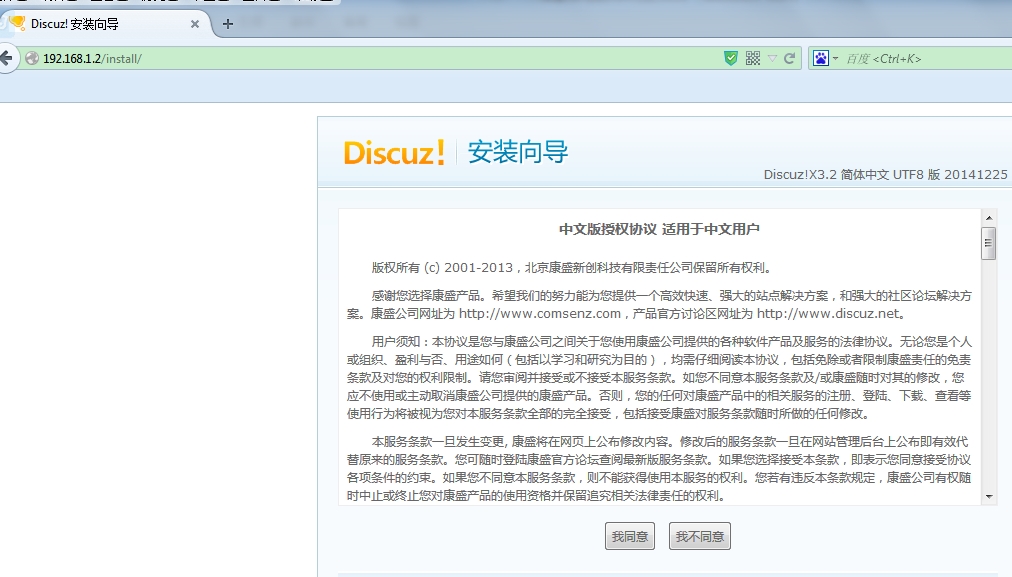
然后访问IP安装discuz论坛,如下图,选择“我同意”
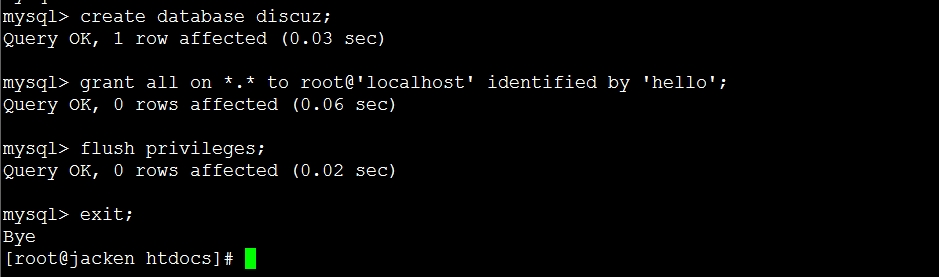
进入如下界面,数据库安装,如果不存在则需要新建数据库并授权。
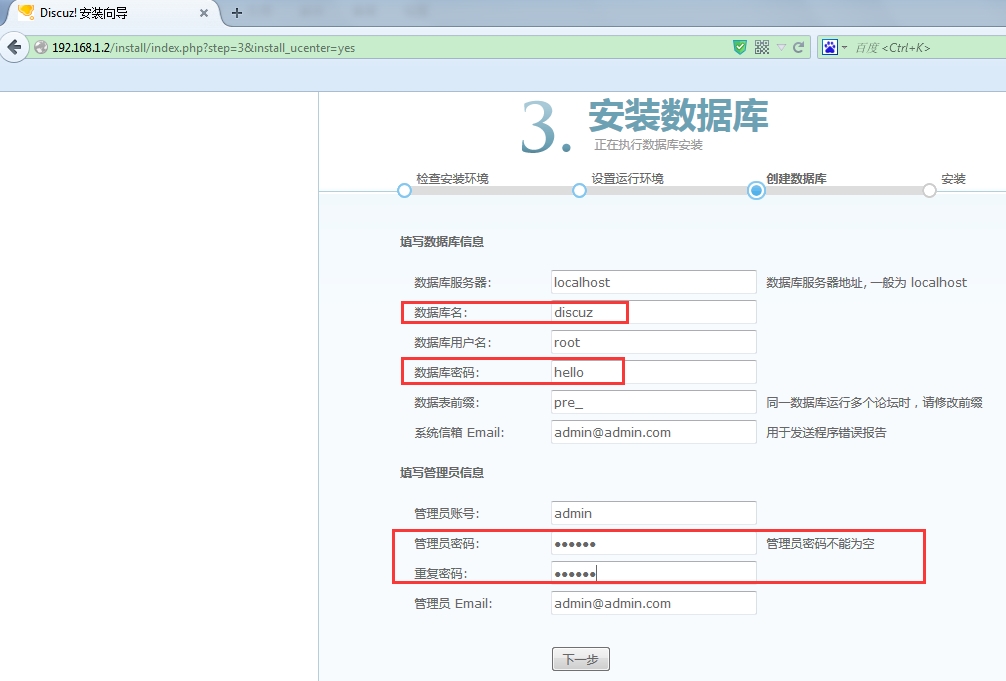
数据库创建及授权命令如下:
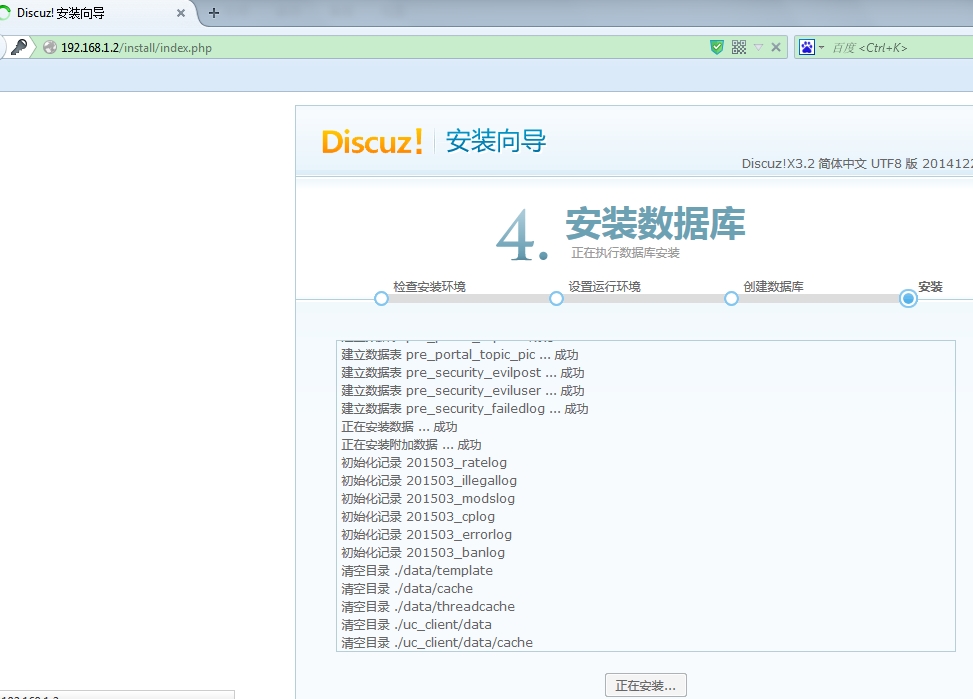
点击下一步
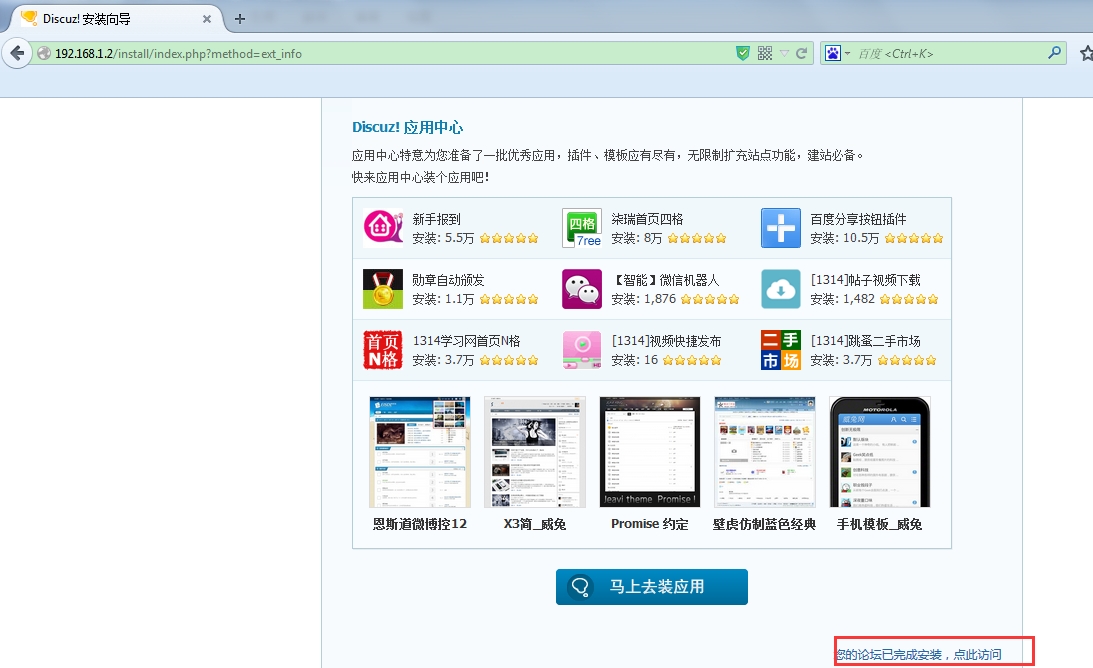
安装完成,点击访问
管理员登录
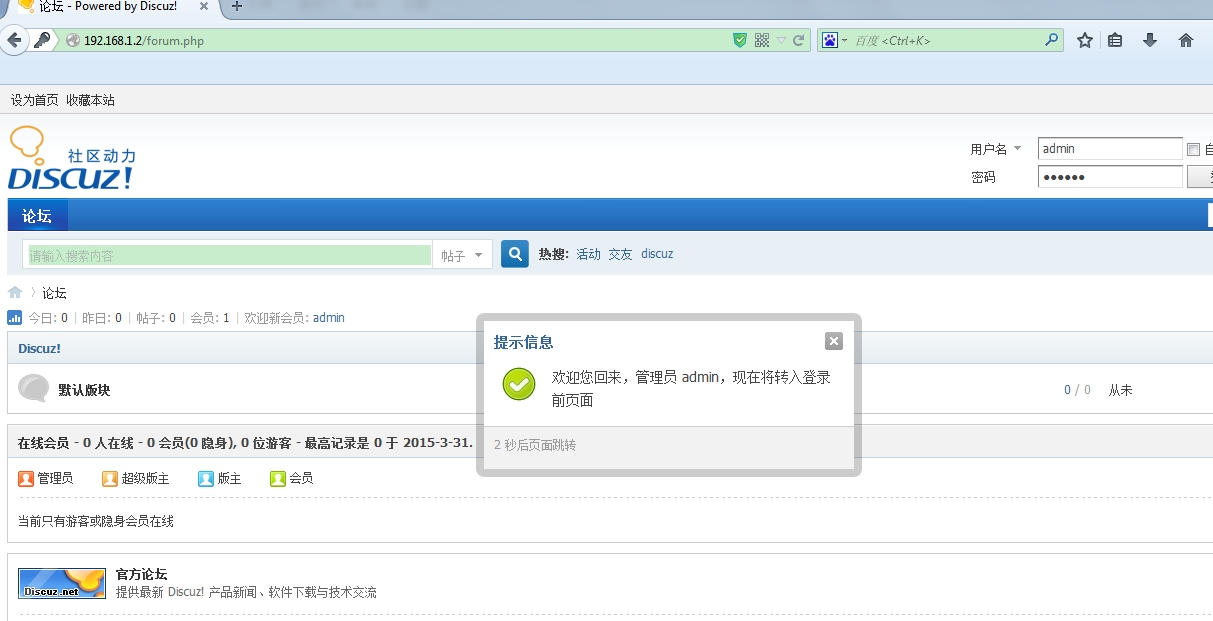
自此LAMP环境整合并搭建成功,通过IP直接访问即可
本文转自Jacken_yang 51CTO博客,原文链接:http://blog.51cto.com/linuxnote/1631251,如需转载请自行联系原作者