一、准备工作
|
1
2
3
4
5
6
7
8
9
10
11
|
[[email protected] ~]# iptables -nL
Chain INPUT (policy ACCEPT)target prot opt source destination
Chain FORWARD (policy ACCEPT)target prot opt source destination
Chain OUTPUT (policy ACCEPT)target prot opt source destination
[[email protected] ~]# getenforce
Disabled[[email protected] ~]# crontab -l
0 * * * * /usr/sbin/ntpdate 210.72.145.44 64.147.116.229 time.nist.gov
|
Cobbler服务器相关信息:
IP地址:192.168.49.210
虚拟网络类型:NAT网络(VMware网络)
服务:DHCP、TFTP、rsync、xinetd、Apache、Cobbler
二、部署Cobbler
1) 安装epel源
rpm -ivh http://download.fedoraproject.org/pub/epel/6/x86_64/epel-release-6-8.noarch.rpm
安装相关依赖包:
yum -y install gcc gcc-c++ cman fence-agents pykickstart debmirror python-ctypes
2) 安装DHCP、TFTP、rsync、xinetd、Apache
yum -y install dhcp tftp-server rsync xinetd httpd
3) 安装cobbler
yum -y install cobbler cobbler-web
[[email protected] ~]# rpm -ql cobbler # 查看安装的文件,下面列出部分。
/etc/cobbler # 配置文件目录
/etc/cobbler/settings # cobbler主配置文件,这个文件是YAML格式,Cobbler是python写的程序。
/etc/cobbler/dhcp.template # DHCP服务的配置模板
/etc/cobbler/tftpd.template # tftp服务的配置模板
/etc/cobbler/rsync.template # rsync服务的配置模板
/etc/cobbler/iso # iso模板配置文件目录
/etc/cobbler/pxe # pxe模板文件目录
/etc/cobbler/power # 电源的配置文件目录
/etc/cobbler/users.conf # Web服务授权配置文件
/etc/cobbler/users.digest # 用于web访问的用户名密码配置文件
/etc/cobbler/dnsmasq.template # DNS服务的配置模板
/etc/cobbler/modules.conf # Cobbler模块配置文件
/var/lib/cobbler # Cobbler数据目录
/var/lib/cobbler/config # 配置文件
/var/lib/cobbler/kickstarts # 默认存放kickstart文件
/var/lib/cobbler/loaders # 存放的各种引导程序
/var/www/cobbler # 系统安装镜像目录
/var/www/cobbler/ks_mirror # 导入的系统镜像列表
/var/www/cobbler/images # 导入的系统镜像启动文件
/var/www/cobbler/repo_mirror # yum源存储目录
/var/log/cobbler # 日志目录
/var/log/cobbler/install.log # 客户端系统安装日志
/var/log/cobbler/cobbler.log # cobbler日志
4) 执行cobbler check检查
|
1
2
3
4
5
6
7
8
9
10
11
12
|
[[email protected] ~]# cobbler check
The following are potential configuration items that you may want to fix:1 : The 'server' field in /etc/cobbler/settings must be set to something other than localhost, or kickstarting features will not work. This should be a resolvable hostname or IP for the boot server as reachable by all machines that will use it.
2 : For PXE to be functional, the 'next_server' field in /etc/cobbler/settings must be set to something other than 127.0.0.1, and should match the IP of the boot server on the PXE network.
3 : change 'disable' to 'no' in /etc/xinetd.d/tftp
4 : some network boot-loaders are missing from /var/lib/cobbler/loaders, you may run 'cobbler get-loaders' to download them, or, if you only want to handle x86/x86_64 netbooting, you may ensure that you have installed a *recent* version of the syslinux package installed and can ignore this message entirely. Files in this directory, should you want to support all architectures, should include pxelinux.0, menu.c32, elilo.efi, and yaboot. The 'cobbler get-loaders' command is the easiest way to resolve these requirements.
5 : change 'disable' to 'no' in /etc/xinetd.d/rsync
6 : file /etc/xinetd.d/rsync does not exist
7 : comment out 'dists' on /etc/debmirror.conf for proper debian support
8 : comment out 'arches' on /etc/debmirror.conf for proper debian support
9 : The default password used by the sample templates for newly installed machines (default_password_crypted in /etc/cobbler/settings) is still set to 'cobbler' and should be changed, try: "openssl passwd -1 -salt 'random-phrase-here' 'your-password-here'" to generate new one
Restart cobblerd and then run 'cobbler sync' to apply changes.
|
下面简单的解释一下上面的错误:
1.改变server的主机名
2.第二是DHCP的next_server改成172.16.1.101
3.改xined的tftp disable等于no
4.指定目录/var/lib/cobbler/loaders缺少一些网络启动项
5./etc/xinetd.d/rsync 也改成no
6.bug,已经存在
7.debin系统的源
8.生成密码并设置openssl passwd -1 -salt
9.fencing tools 高可用的硬件设备。
既然知道了问题所在,那就根据上面的问题逐一进行解决:
①修改server为cobbler服务器地址
|
1
2
3
4
5
|
[[email protected] ~]# sed -n '/^server/p' /etc/cobbler/settings
server: 127.0.0.1[[email protected] ~]# sed -i '/^server/s/127\.0\.0\.1/192\.168\.49\.210/' /etc/cobbler/settings
[[email protected] ~]# sed -n '/^server/p' /etc/cobbler/settings
server: 192.168.49.210 |
②修改next_server为cobbler服务器地址
|
1
2
3
4
5
|
[[email protected] ~]# sed -n '/next_server/p' /etc/cobbler/settings
next_server: 127.0.0.1[[email protected] ~]# sed -i '/next_server/s/127\.0\.0\.1/192\.168\.49\.210/' /etc/cobbler/settings
[[email protected] ~]# sed -n '/next_server/p' /etc/cobbler/settings
next_server: 192.168.49.210 |
③修改tftp配置文件取消禁用
|
1
2
3
4
5
|
[[email protected] ~]# sed -n '/disable/p' /etc/xinetd.d/tftp
disable= yes
[[email protected] ~]# sed -i '/disable/s/yes/no/' /etc/xinetd.d/tftp
[[email protected] ~]# sed -n '/disable/p' /etc/xinetd.d/tftp
disable= no |
④使用cobbler get-loaders下载缺少的网络启动项
|
1
2
3
4
5
6
7
8
9
10
11
12
13
14
|
[[email protected] ~]# cobbler get-loaders
task started: 2017-07-14_172925_get_loaderstask started (id=Download Bootloader Content, time=Fri Jul 14 17:29:25 2017)
downloading http://cobbler.github.io/loaders/README to /var/lib/cobbler/loaders/README
downloading http://cobbler.github.io/loaders/COPYING.elilo to /var/lib/cobbler/loaders/COPYING.elilo
downloading http://cobbler.github.io/loaders/COPYING.yaboot to /var/lib/cobbler/loaders/COPYING.yaboot
downloading http://cobbler.github.io/loaders/COPYING.syslinux to /var/lib/cobbler/loaders/COPYING.syslinux
downloading http://cobbler.github.io/loaders/elilo-3.8-ia64.efi to /var/lib/cobbler/loaders/elilo-ia64.efi
downloading http://cobbler.github.io/loaders/yaboot-1.3.17 to /var/lib/cobbler/loaders/yaboot
downloading http://cobbler.github.io/loaders/pxelinux.0-3.86 to /var/lib/cobbler/loaders/pxelinux.0
downloading http://cobbler.github.io/loaders/menu.c32-3.86 to /var/lib/cobbler/loaders/menu.c32
downloading http://cobbler.github.io/loaders/grub-0.97-x86.efi to /var/lib/cobbler/loaders/grub-x86.efi
downloading http://cobbler.github.io/loaders/grub-0.97-x86_64.efi to /var/lib/cobbler/loaders/grub-x86_64.efi
*** TASK COMPLETE *** |
⑤修改rsync配置文件取消禁用
|
1
2
3
4
5
|
[[email protected] ~]# sed -n '/disable/p' /etc/xinetd.d/rsync
disable= yes
[[email protected] ~]# sed -i '/disable/s/yes/no/' /etc/xinetd.d/rsync
[[email protected] ~]# sed -n '/disable/p' /etc/xinetd.d/rsync
disable= no |
⑥这条是个bug,/etc/xinetd.d/rsync文件已经存在
⑦因为并不打算批量部署安装debin,所以这里注释掉相关选项即可
|
1
2
3
4
5
|
[[email protected] ~]# sed -n '/^\@dists/p' /etc/debmirror.conf
@dists="sid";
[[email protected] ~]# sed -i '/^\@dists/s/^/#/' /etc/debmirror.conf
[[email protected] ~]# sed -n '/@dists/p' /etc/debmirror.conf
#@dists="sid"; |
⑧同上,注释掉相关选项
|
1
2
3
4
5
|
[[email protected] ~]# sed -n '/\@arches/p' /etc/debmirror.conf
@arches="i386";
[[email protected] ~]# sed -i '/\@arches/s/^/#/' /etc/debmirror.conf
[[email protected] ~]# sed -n '/\@arches/p' /etc/debmirror.conf
#@arches="i386"; |
⑨使用openssl生成系统根用户密码
|
1
2
3
4
5
6
7
8
9
|
[[email protected] ~]# openssl passwd -1 -salt 'cobbler' '123456'
$1$cobbler$sqDDOBeLKJVmxTCZr52/11
[[email protected] ~]# grep default_password_crypted /etc/cobbler/settings
default_password_crypted: "$1$mF86/UHC$WvcIcX2t6crBz2onWxyac."
[[email protected] ~]# sed -i '/default_password_crypted/s/^/#/' /etc/cobbler/settings
[[email protected] ~]# sed -i '/#default_password_crypted/adefault_password_crypted: "$1$cobbler$sqDDOBeLKJVmxTCZr52/11"' /etc/cobbler/settings
[[email protected] ~]# sed -n '/default_password_crypted/p' /etc/cobbler/settings
#default_password_crypted: "$1$mF86/UHC$WvcIcX2t6crBz2onWxyac."default_password_crypted: "$1$cobbler$sqDDOBeLKJVmxTCZr52/11"
|
5) 重启cobbler服务
|
1
2
3
|
[[email protected] ~]# /etc/init.d/cobblerd restart
Stopping cobbler daemon: [ OK ]Starting cobbler daemon: [ OK ] |
6) 指定cobbler sync使配置生效
|
1
2
3
4
5
6
7
8
9
10
11
12
13
14
15
16
17
18
19
20
21
22
23
24
25
26
27
28
|
[[email protected] ~]# cobbler sync
task started: 2017-07-14_174744_synctask started (id=Sync, time=Fri Jul 14 17:47:44 2017)
running pre-sync triggers
cleaning treesremoving: /var/lib/tftpboot/grub/images
copying bootloaderstrying hardlink /var/lib/cobbler/loaders/pxelinux.0 -> /var/lib/tftpboot/pxelinux.0
trying hardlink /var/lib/cobbler/loaders/menu.c32 -> /var/lib/tftpboot/menu.c32
trying hardlink /var/lib/cobbler/loaders/yaboot -> /var/lib/tftpboot/yaboot
trying hardlink /usr/share/syslinux/memdisk -> /var/lib/tftpboot/memdisk
trying hardlink /var/lib/cobbler/loaders/grub-x86_64.efi -> /var/lib/tftpboot/grub/grub-x86_64.efi
trying hardlink /var/lib/cobbler/loaders/grub-x86.efi -> /var/lib/tftpboot/grub/grub-x86.efi
copying distros to tftpbootcopying imagesgenerating PXE configuration filesgenerating PXE menu structurerendering TFTPD filesgenerating /etc/xinetd.d/tftp
cleaning link cachesrunning post-sync triggers
running python triggers from /var/lib/cobbler/triggers/sync/post/*
running python trigger cobbler.modules.sync_post_restart_servicesrunning shell triggers from /var/lib/cobbler/triggers/sync/post/*
running python triggers from /var/lib/cobbler/triggers/change/*
running python trigger cobbler.modules.scm_trackrunning shell triggers from /var/lib/cobbler/triggers/change/*
*** TASK COMPLETE *** |
7) 修改配置文件,让cobbler接管dhcp服务
|
1
2
3
4
5
6
7
8
9
10
|
[[email protected] ~]# sed -n '/^manage_dhcp/p' /etc/cobbler/settings
manage_dhcp: 0[[email protected] ~]# sed -i '/^manage_dhcp/s/0/1/' /etc/cobbler/settings
[[email protected] ~]# sed -n '/^manage_dhcp/p' /etc/cobbler/settings
manage_dhcp: 1[[email protected] ~]# sed -n '/pxe_just_once/p' /etc/cobbler/settings
pxe_just_once: 0[[email protected] ~]# sed -i '/pxe_just_once/s/0/1/' /etc/cobbler/settings
[[email protected] ~]# sed -n '/pxe_just_once/p' /etc/cobbler/settings
pxe_just_once: 1 |
8) 修改dhcp配置文件
[[email protected] ~]# cat /etc/dhcp/dhcpd.conf
.......
subnet 192.168.49.0 netmask 255.255.255.0 {
option routers 192.168.49.2;
option domain-name-servers 192.168.49.2;
option subnet-mask 255.255.255.0;
range dynamic-bootp 192.168.49.3 192.168.49.40;
default-lease-time 21600;
max-lease-time 43200;
next-server 192.168.49.210;
class "pxeclients" {
match if substring (option vendor-class-identifier, 0, 9) = "PXEClient";
if option pxe-system-type = 00:02 {
filename "ia64/elilo.efi";
} else if option pxe-system-type = 00:06 {
filename "grub/grub-x86.efi";
} else if option pxe-system-type = 00:07 {
filename "grub/grub-x86_64.efi";
} else {
filename "pxelinux.0";
}
}
}
.........
9) 重启cobbler
|
1
2
3
|
[[email protected] ~]# /etc/init.d/cobblerd restart
Stopping cobbler daemon: [ OK ]Starting cobbler daemon: [ OK ] |
10) 配置apache并启动服务
|
1
2
3
4
5
6
7
8
|
[[email protected] ~]# sed -n '/#ServerName/p' /etc/httpd/conf/httpd.conf
#ServerName www.example.com:80[[email protected] ~]# sed -i '/#ServerName/aServerName cobbler.contoso.com' /etc/httpd/conf/httpd.conf
[[email protected] ~]# sed -n '/^ServerName/p' /etc/httpd/conf/httpd.conf
ServerName cobbler.contoso.com[[email protected] ~]# /etc/init.d/httpd restart
Stopping httpd: [ OK ]Starting httpd: [ OK ] |
11) 设置相关服务开机自启动
|
1
2
3
4
|
[[email protected] ~]# chkconfig httpd on
[[email protected] ~]# chkconfig dhcpd on
[[email protected] ~]# chkconfig xinetd on
[[email protected] ~]# chkconfig cobblerd on
|
12) 同步配置
|
1
2
3
4
5
6
7
8
9
10
11
12
13
14
15
16
17
18
19
20
21
22
23
24
25
26
27
28
29
30
31
32
33
34
35
36
37
|
[[email protected] ~]# cobbler sync
task started: 2017-07-14_223810_synctask started (id=Sync, time=Fri Jul 14 22:38:10 2017)
running pre-sync triggers
cleaning treesremoving: /var/lib/tftpboot/pxelinux.cfg/default
removing: /var/lib/tftpboot/grub/efidefault
removing: /var/lib/tftpboot/grub/images
removing: /var/lib/tftpboot/grub/grub-x86_64.efi
removing: /var/lib/tftpboot/grub/grub-x86.efi
removing: /var/lib/tftpboot/s390x/profile_list
copying bootloaderstrying hardlink /var/lib/cobbler/loaders/grub-x86_64.efi -> /var/lib/tftpboot/grub/grub-x86_64.efi
trying hardlink /var/lib/cobbler/loaders/grub-x86.efi -> /var/lib/tftpboot/grub/grub-x86.efi
copying distros to tftpbootcopying imagesgenerating PXE configuration filesgenerating PXE menu structurerendering DHCP filesgenerating /etc/dhcp/dhcpd.conf
rendering TFTPD filesgenerating /etc/xinetd.d/tftp
cleaning link cachesrunning post-sync triggers
running python triggers from /var/lib/cobbler/triggers/sync/post/*
running python trigger cobbler.modules.sync_post_restart_servicesrunning: dhcpd -t -qreceived on stdout: received on stderr: running: service dhcpd restartreceived on stdout: Starting dhcpd: [ OK ]received on stderr: running shell triggers from /var/lib/cobbler/triggers/sync/post/*
running python triggers from /var/lib/cobbler/triggers/change/*
running python trigger cobbler.modules.scm_trackrunning shell triggers from /var/lib/cobbler/triggers/change/*
*** TASK COMPLETE *** |
13) 挂载系统映像并导入cobbler
|
1
2
3
4
5
6
7
8
9
10
11
12
13
14
15
16
17
18
19
20
21
|
[[email protected] ~]# mount /dev/sr0 /mnt/
mount: block device /dev/sr0 is write-protected, mounting read-only
[[email protected] ~]# cobbler import --name=centos6.5 --arch=x86_64 --path=/mnt
task started: 2017-07-15_004129_importtask started (id=Media import, time=Sat Jul 15 00:41:29 2017)
Found a candidate signature: breed=redhat, version=rhel6Found a matching signature: breed=redhat, version=rhel6Adding distros from path /var/www/cobbler/ks_mirror/centos6.5-x86_64:
creating new distro: centos6.5-x86_64trying symlink: /var/www/cobbler/ks_mirror/centos6.5-x86_64 -> /var/www/cobbler/links/centos6.5-x86_64
creating new profile: centos6.5-x86_64associating reposchecking for rsync repo(s)
checking for rhn repo(s)
checking for yum repo(s)
starting descent into /var/www/cobbler/ks_mirror/centos6.5-x86_64 for centos6.5-x86_64
processing repo at : /var/www/cobbler/ks_mirror/centos6.5-x86_64
need to process repo/comps: /var/www/cobbler/ks_mirror/centos6.5-x86_64
looking for /var/www/cobbler/ks_mirror/centos6.5-x86_64/repodata/*comps*.xml
Keeping repodata as-is :/var/www/cobbler/ks_mirror/centos6.5-x86_64/repodata
*** TASK COMPLETE *** |
14) 检查导入结果
|
1
2
3
4
5
6
7
8
9
10
11
12
13
14
15
16
17
18
19
20
21
22
|
[[email protected] ~]# cobbler distro list
centos6.5-x86_64
[[email protected] ~]# cobbler profile list
centos6.5-x86_64
[[email protected] ~]# cobbler distro report
Name : centos6.5-x86_64Architecture : x86_64TFTP Boot Files : {}Breed : redhatComment : Fetchable Files : {}Initrd : /var/www/cobbler/ks_mirror/centos6.5-x86_64/images/pxeboot/initrd.img
Kernel : /var/www/cobbler/ks_mirror/centos6.5-x86_64/images/pxeboot/vmlinuz
Kernel Options : {}Kernel Options (Post Install) : {}Management Classes : []OS Version : rhel6Owners : ['admin']
Red Hat Management Key : <<inherit>>Red Hat Management Server : <<inherit>>Template Files : {} |
三、客户端开机测试
创建一个网络类型为NAT方式的VMware虚拟机,不载入任何系统介质,开机后从网络启动:
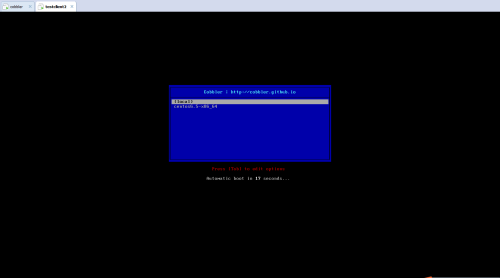
出现上述页面,说明cobbler已经工作了,点击Centos6.5,
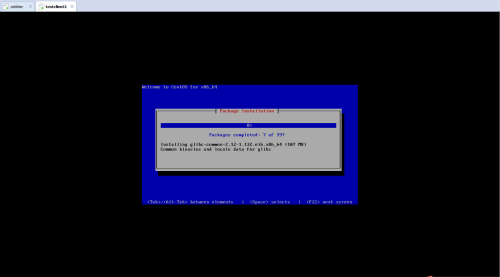
系统已经开始自动安装,
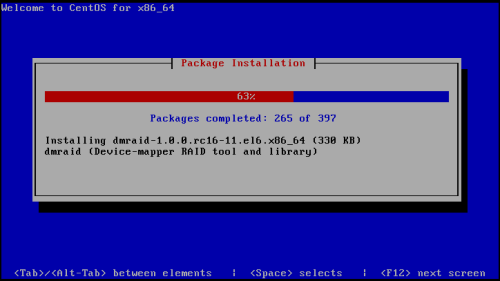
安装过程没有任何手工操作,这里就不再对安装过程逐一截图,cobbler部署系统安装至此结束。
本文转自 jerry1111111 51CTO博客,原文链接:http://blog.51cto.com/jerry12356/1949473,如需转载请自行联系原作者