iOS CollectionView的出现是一大福利,再也不用用TableView来定义复杂的多栏表格了,用法与Table类似,只是Cell必须自己添加,无默认模式
由于CollectionView没有默认的Cell布局,所以一般还是自定义方便又快捷
一、自定义Cell
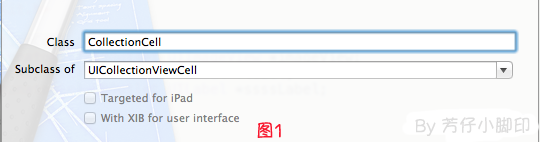
1、新建类CollectionCell继承自UICollectionViewCell

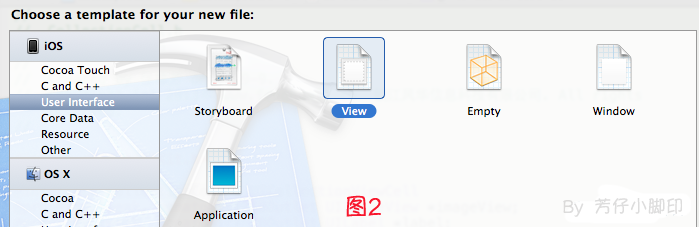
2、新建Xib,命名为CollectionCell.xib

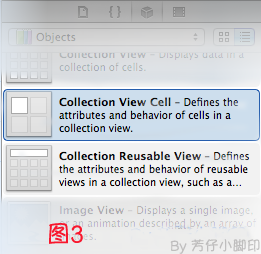
a.选中CollectionCell.xib删掉默认的View,从控件中拖一个Collection View Cell(图3)到画布中,设置大小为95*116;

b.选中刚刚添加的Cell,更改类名为CollectionCell,如图4

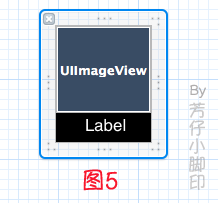
c.在CollectionCell.xib的CollectionCell中添加一个ImageView和一个Label(图5)

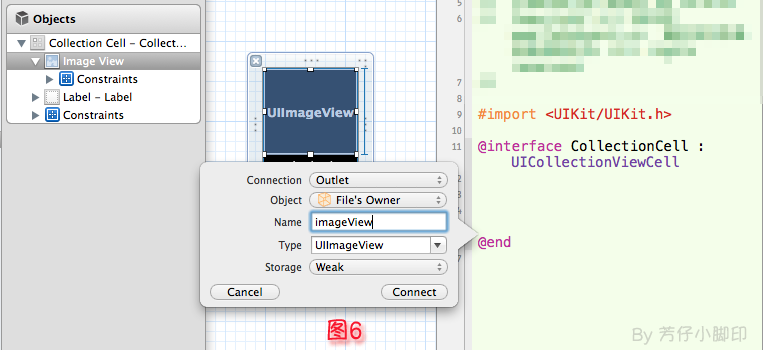
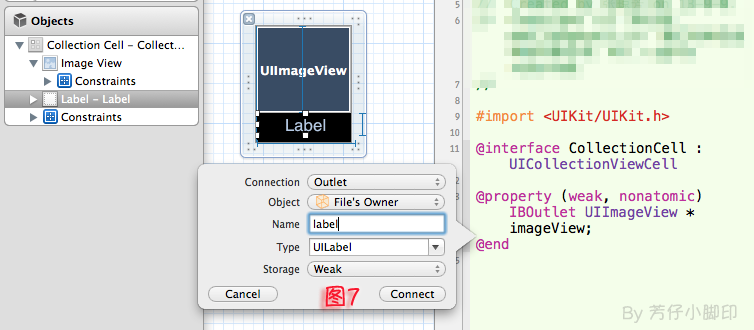
d.创建映射, 图6,图7


e.选中CollectionCell.m , 重写init方法
01 |
- (id)initWithFrame:(CGRect)frame |
03 |
self = [super initWithFrame:frame];
|
07 |
// 初始化时加载collectionCell.xib文件
|
08 |
NSArray *arrayOfViews = [[NSBundle mainBundle] loadNibNamed:@"CollectionCell" owner:self options: nil];
|
11 |
if(arrayOfViews.count < 1){return nil;}
|
13 |
// 如果xib中view不属于UICollectionViewCell类,return nil
|
14 |
if(![[arrayOfViews objectAtIndex:0] isKindOfClass:[UICollectionViewCell class]]){
|
19 |
self = [arrayOfViews objectAtIndex:0];
|
二、定义UICollectionView;
1、拖动一个Collection View到指定ViewController的View上
2、连线dataSource和delegate,并创建映射,命名为CollectionView
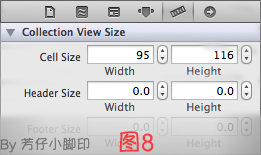
3、选中CollectionView的标尺,将Cell Size的Width和Height改成与自定义的Cell一样的95*116,图8

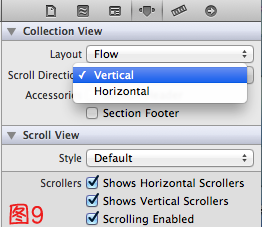
4、选中CollectionView的属性,可以修改其属性,比如是垂直滑动,还是水平滑动,选择Vertical或Horizontal

5、在ViewDidLoad方法中声明Cell的类,在ViewDidLoad方法中添加,此句不声明,将无法加载,程序崩溃
1 |
// KCellID为宏定义 @"CollectionCell" |
2 |
[self.collection registerClass:[CollectionCell class] forCellWithReuseIdentifier:KCellID];
|
6、在ViewController.h中声明代理
1 |
@interface ViewController : UIViewController<UICollectionViewDataSource,UICollectionViewDelegate> |
7、在.m文件中实现代理方法
01 |
-(NSInteger)collectionView:(UICollectionView *)collectionView numberOfItemsInSection:(NSInteger)section |
06 |
-(UICollectionViewCell *)collectionView:(UICollectionView *)collectionView cellForItemAtIndexPath:(NSIndexPath *)indexPath |
09 |
CollectionCell *cell = (CollectionCell *)[collectionView dequeueReusableCellWithReuseIdentifier:KCellID forIndexPath:indexPath];
|
12 |
NSString *imageToLoad = [NSString stringWithFormat:@"%d.JPG", indexPath.row];
|
15 |
cell.label.text = [NSString stringWithFormat:@"{%ld,%ld}",(long)indexPath.row,(long)indexPath.section];
|
18 |
cell.imageView.image = [UIImage imageNamed:imageToLoad];
|
效果如图10

点击某项后跳转事件与UITableView类似,实现代理方法
1 |
-(void)collectionView:(UICollectionView *)collectionView didSelectItemAtIndexPath:(NSIndexPath *)indexPath
|
即可,不赘述