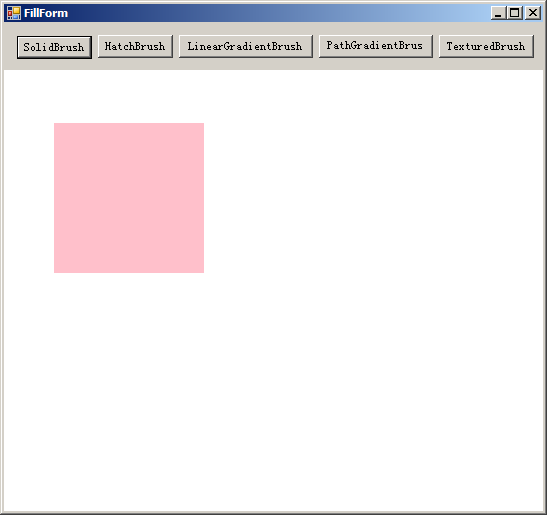
一、SolidBrush:
默认的画刷,单色笔刷,填充一片颜色
/// <summary>
        /// SolidBrush
        /// </summary>
        /// <param name="sender"></param>
        /// <param name="e"></param>
        private void PaintSolidBrush(object sender, PaintEventArgs e)
        {
            Graphics g = e.Graphics;

            //创建一把SolidBrush并用它来填充一个矩形区域
            SolidBrush sb = new SolidBrush(Color.Pink);
            //画一个填充颜色的矩形
            g.FillRectangle(sb, 50, 100, 150, 150);
        }
二、HatchBrush
/// <summary>
        /// HatchBrush
        /// </summary>
        /// <param name="sender"></param>
        /// <param name="e"></param>
        private void PaintHatchBrush(object sender, PaintEventArgs e)
        {
            Graphics g = e.Graphics;

            //创建一把HatchBrush并用它来填充一个矩形区域

            /*该画刷的HatchStyle有DiagonalCross、

            ForwardDiagonal、Horizontal、 Vertical、 Solid等不同风格 */

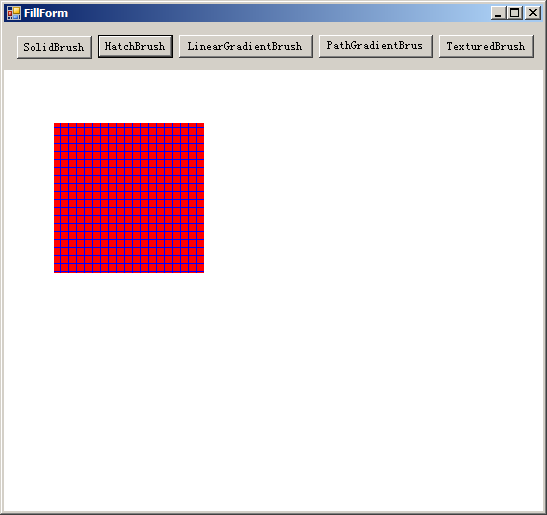
            HatchStyle hs = HatchStyle.Cross;

            HatchBrush sb = new HatchBrush(hs, Color.Blue, Color.Red);

            g.FillRectangle(sb, 50, 100, 150, 150);
        }
三、LinearGradientBrush
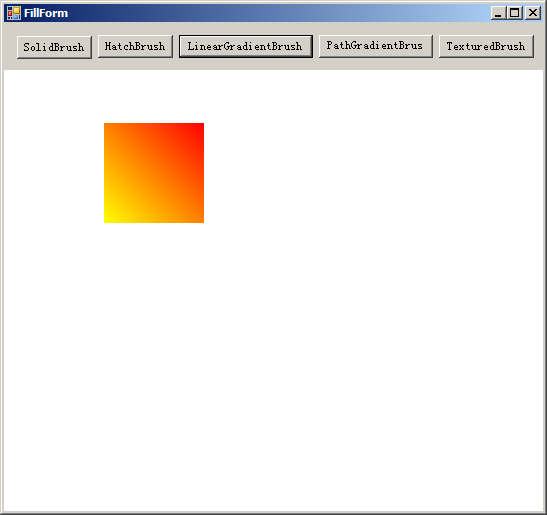
线性渐变填充
/// <summary>
        /// LinearGradientBrush
        /// </summary>
        /// <param name="sender"></param>
        /// <param name="e"></param>
        private void PaintLinearGradientBrush(object sender, PaintEventArgs e)
        {
            Rectangle r = new Rectangle(100, 100, 100, 100);//创建一个矩形

            LinearGradientBrush lb = new LinearGradientBrush(r, Color.Red, Color.Yellow,

            LinearGradientMode.BackwardDiagonal);

            e.Graphics.FillRectangle(lb, r);
        }
四、PathGradientBrush
路径渐变填充
/// <summary>
        /// PathGradientBrush
        /// </summary>
        /// <param name="sender"></param>
        /// <param name="e"></param>
        private void PaintPathGradientBrush(object sender, PaintEventArgs e)
        {
            e.Graphics.TextRenderingHint = TextRenderingHint.AntiAlias;
            e.Graphics.FillRectangle(new SolidBrush(Color.FromArgb(180, Color.White)), ClientRectangle);
            //先设置好一个路径
            GraphicsPath path = new GraphicsPath(new Point[] {
                    new Point(40, 140),
                    new Point(275, 200),
                    new Point(105, 225),
                    new Point(190, 300),
                    new Point(50, 350),
                    new Point(20, 180),
                }, new byte[] {
                    (byte)PathPointType.Start,
                    (byte)PathPointType.Bezier,
                    (byte)PathPointType.Bezier,
                    (byte)PathPointType.Bezier,
                    (byte)PathPointType.Line,
                    (byte)PathPointType.Line,
                });
            //创建一把PathGradientBrush
            PathGradientBrush pgb = new PathGradientBrush(path);
            //设置画刷的周围颜色
            pgb.SurroundColors = new Color[] {
             Color.Green,
             Color.Yellow,
             Color.Red,
             Color.Blue,
             Color.Orange,
             Color.White,
            };
            //用画刷进行填充
            e.Graphics.FillPath(pgb, path);
        }
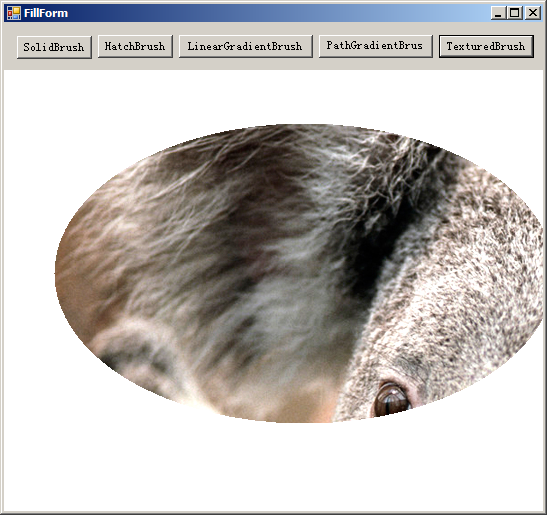
五、TexturedBrush
纹理填充
/// <summary>
        /// TexturedBrush
        /// </summary>
        /// <param name="sender"></param>
        /// <param name="e"></param>
        private void PaintTexturedBrush(object sender, PaintEventArgs e)
        {
            Graphics g = e.Graphics;
            string path = System.Environment.CurrentDirectory;
            Image bgimage = new Bitmap(path + @".\Koala.jpg");
            var bgbrush = new TextureBrush(bgimage);
            g.FillEllipse(bgbrush, 50, 100, 500, 300);
        }