1.zabbix yum源
|
1
|
rpm -ivh http://mirrors.aliyun.com/zabbix/zabbix/3.0/rhel/7/x86_64/zabbix-release-3.0-1.el7.noarch.rpm
|
修改源
cd /etc/yum.repos.d/zabbix.repo
3.4的源:
|
1
2
3
4
5
6
7
8
9
10
11
12
|
[zabbix]name=Zabbix Official Repository - $basearchbaseurl=http://repo.zabbix.com/zabbix/3.4/rhel/7/$basearch/
enabled=1gpgcheck=1gpgkey=file:///etc/pki/rpm-gpg/RPM-GPG-KEY-ZABBIX-A14FE591
[zabbix-non-supported]name=Zabbix Official Repository non-supported - $basearch baseurl=http://repo.zabbix.com/non-supported/rhel/7/$basearch/
enabled=1gpgkey=file:///etc/pki/rpm-gpg/RPM-GPG-KEY-ZABBIX
gpgcheck=1 |
|
1
2
3
4
5
6
7
8
9
10
11
12
13
|
[zabbix]name=Zabbix Official Repository - $basearchbaseurl=http://mirrors.aliyun.com/zabbix/zabbix/3.0/rhel/7/$basearch/
enabled=1gpgcheck=1gpgkey=file:///etc/pki/rpm-gpg/RPM-GPG-KEY-ZABBIX
[zabbix-non-supported]name=Zabbix Official Repository non-supported - $basearch baseurl=http://mirrors.aliyun.com/zabbix/non-supported/rhel/7/$basearch/
enabled=1gpgkey=file:///etc/pki/rpm-gpg/RPM-GPG-KEY-ZABBIX
gpgcheck=1 |
2.安装数据库 zabbix-server
|
1
|
.[[email protected] yum.repos.d]# yum install zabbix-server-mysql zabbix-web-mysql -y
|
3.启动mariadb
|
1
2
3
4
|
yum -y install mariadb-server mariadb
[[email protected] ~]# systemctl enable mariadb
Created symlink from /etc/systemd/system/multi-user.target.wants/mariadb.service to /usr/lib/systemd/system/mariadb.service.
[[email protected] ~]# systemctl start mariadb
|
4.初始化操作 root 123456
|
1
|
[[email protected] ~]# mysql_secure_installation
|
5.授权zabbix
|
1
|
create database zabbix character set utf8 collate utf8_bin;
|
|
1
|
|
6.初始化数据库
|
1
|
zcat /usr/share/doc/zabbix-server-mysql-3.0.*/create.sql.gz | mysql -uzabbix -p123456 zabbix
|
7.修改httpd的文件
|
1
2
3
4
5
6
|
vim /etc/httpd/conf/httpd.conf
ServerName 127.0.0.1:80vim /etc/httpd/conf.d/zabbix.conf
php_value date.timezone Asia/Shanghai
systemctl restart htttpd systemctl enable htttpd
|
8.修改zabbix_server 的配置数据库的文件 数据库不在一台机器上修改下
|
1
2
3
4
|
[[email protected] yum.repos.d]# vim /etc/zabbix/zabbix_server.conf
DBName=zabbixDBUser=zabbixDBPassword=123456 |
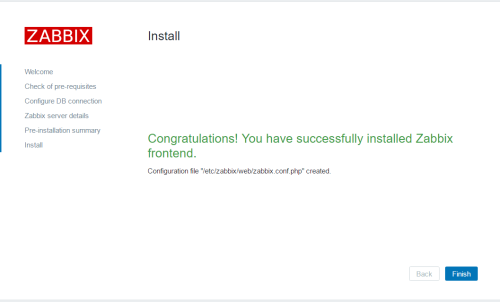
9访问 192.168.56.18/zabbix
centos6安装zabbix3.0参考
http://www.aclstack.com/351.html
本文转自 小小三郎1 51CTO博客,原文链接:http://blog.51cto.com/wsxxsl/1903337,如需转载请自行联系原作者