|
1
2
3
4
5
6
|
[[email protected]_195_205 repo]# yum -y install net-snmp net-snmp-devel libxml2-devel libcurl-devel[[email protected]_195_205 repo]# wget http://downloads.sourceforge.net/project/zabbix/ZABBIX%20Latest%20Stable/2.4.5/zabbix-2.4.5.tar.gz
[[email protected]_195_205 repo]# tar zxf zabbix-2.4.5.tar.gz[[email protected]_195_205 repo]# cd zabbix-2.4.5[[email protected]_195_205 repo]# useradd -M -s /sbin/nologin zabbix[[email protected]_195_205 zabbix-2.4.5]#./configure --prefix=/usr/local/zabbix --enable-server --with-mysql --with-net-snmp --with-jabber --with-libcurl --with-openipmi --enable-agent --with-libxml2 |
configure: error: Not found mysqlclient library
|
1
2
|
[[email protected]_195_205 zabbix-2.4.5]# yum install -y mysql-devel
[[email protected]_195_205 zabbix-2.4.5]#./configure --prefix=/usr/local/zabbix --enable-server --with-mysql --with-net-snmp --with-jabber --with-libcurl --with-openipmi --enable-agent --with-libxml2
|
configure: error: Jabber library not found
http://pan.baidu.com/s/1lUn4U 下载iksemel-1.4.tar.gz
|
1
2
3
4
5
6
|
[[email protected]_195_205 zabbix-2.4.5]# tar zxf iksemel-1.4.tar.gz
[[email protected]_195_205 zabbix-2.4.5]# cd iksemel-1.4
[[email protected]_195_205 iksemel-1.4]# ./configure --prefix=/usr/local/
[[email protected]_195_205 iksemel-1.4]# make -j4 && make install
[[email protected]_195_205 iksemel-1.4]# cd ..
[[email protected]_195_205 zabbix-2.4.5]#./configure --prefix=/usr/local/zabbix --enable-server --with-mysql --with-net-snmp --with-jabber=/usr/local/ --with-libcurl --with-openipmi --enable-agent --with-libxml2
|
configure: error: Invalid OPENIPMI directory - unable to find ipmiif.h
|
1
2
3
4
5
6
7
8
9
10
11
12
13
14
15
16
17
18
19
20
21
22
23
24
25
26
27
28
29
30
31
32
33
34
35
36
37
38
39
40
41
42
43
44
45
46
47
48
49
50
51
52
53
54
55
56
57
58
59
|
[[email protected]_195_205 zabbix-2.4.5]# yum install -y OpenIPMI-devel
[[email protected]_195_205 zabbix-2.4.5]# ./configure --prefix=/usr/local/zabbix --enable-server --with-mysql --with-net-snmp --with-jabber=/usr/local/ --with-libcurl --with-openipmi --enable-agent --with-libxml2
[[email protected]_195_205 zabbix-2.4.5]# make -j4 && make install
[[email protected]_195_205 zabbix-2.4.5]# mysql -uroot -p
mysql> create database zabbix default charset utf8;Query OK, 1 row affected (0.04 sec)Query OK, 0 rows affected (0.06 sec)mysql> flush privileges;Query OK, 0 rows affected (0.07 sec)mysql> exit
[[email protected]_195_205 zabbix-2.4.5]# cd database/mysql/
[[email protected]_195_205 mysql]# mysql -uzabbix -pzabbix123 zabbix < schema.sql
[[email protected]_195_205 mysql]# mysql -uzabbix -pzabbix123 zabbix < images.sql
[[email protected]_195_205 mysql]# mysql -uzabbix -pzabbix123 zabbix < data.sql
[[email protected]_195_205 mysql]# cd ../../
[[email protected]_195_205 zabbix-2.4.5]# cp misc/init.d/fedora/core/zabbix_* /etc/init.d/
[[email protected]_195_205 zabbix-2.4.5]# chmod 775 /etc/init.d/zabbix_*
[[email protected]_195_205 zabbix-2.4.5]# vim /usr/local/zabbix/etc/zabbix_server.conf
30 LogFile=/var/log/zabbix_server.log
68 DBHost=localhost
94 DBUser=zabbix
102 DBPassword= zabbix123
117 DBPort=3306[[email protected]_195_205 zabbix-2.4.5]# vim /etc/init.d/zabbix_server
22 BASEDIR=/usr/local/zabbix
[[email protected]_195_205 zabbix-2.4.5]# vim /etc/init.d/zabbix_agentd
22 BASEDIR=/usr/local/zabbix
[[email protected]_195_205 zabbix-2.4.5]# vim /usr/local/php/etc/php.ini
444 max_execution_time = 300
454 max_input_time = 300
740 post_max_size = 50M
1010 date.timezone = Asia/Chongqing
[[email protected]_195_205 zabbix-2.4.5]# php-fpm -t
[10-Jun-2015 15:31:30] NOTICE: configuration file /usr/local/php/etc/php-fpm.conf test is successful
[[email protected]_195_205 zabbix-2.4.5]# /etc/init.d/php-fpm restart
[[email protected]_195_205 conf]# cp -rf /root/repo/zabbix-2.4.5/frontends/php /home/wwwroot/zabbix
[[email protected]_195_205 conf]# cd /home/wwwroot/
[[email protected]_195_205 wwwroot]# chown -R apache.apache zabbix/
[[email protected]_195_205 conf]# vim /etc/httpd/conf/httpd.conf
<VirtualHost *:80> ServerName zabbix.xqzh.com
DocumentRoot /home/wwwroot/zabbix
<Directory /home/wwwroot/zabbix>
DirectoryIndex index.php
Options -Indexes FollowSymLinks
Order allow,deny
Allow from all
AllowOverride None
AddType application/x-httpd-php .php
</Directory>
</VirtualHost>
[[email protected]_195_205 conf]# httpd -t
Syntax OK[[email protected]_195_205 conf]# /etc/init.d/httpd restart
[[email protected]_195_205 wwwroot]# chkconfig zabbix_server on
[[email protected]_195_205 wwwroot]# chkconfig zabbix_agentd on
[[email protected]_195_205 wwwroot]# /etc/init.d/zabbix_server start
Starting zabbix_server: [ OK ] |
zabbix_server [18262]: cannot open [/var/log/zabbix_server.log]: [13] Permission denied
|
1
2
3
4
5
6
7
8
|
[[email protected]_195_205 wwwroot]# touch /var/log/zabbix_server.log
[[email protected]_195_205 wwwroot]# chmod -R 777 /var/log/zabbix_server.log
[[email protected]_195_205 wwwroot]# /etc/init.d/zabbix_server start
Starting zabbix_server: [ OK ][[email protected]_195_205 wwwroot]# /etc/init.d/zabbix_agentd start
Starting zabbix_agentd: [ OK ][[email protected]_195_205 wwwroot]# netstat -tunlp|grep zabbix ##查看端口缺少server10051tcp 0 0 0.0.0.0:10050 0.0.0.0:* LISTEN 31107/zabbix_agentd
[[email protected]_195_205 wwwroot]# tail -f /var/log/zabbix_server.log
|
9871:20150610:160421.477 [Z3001] connection to database 'zabbix' failed: [2002] Can't connect to local MySQL server through socket '/var/lib/mysql/mysql.sock' (2)
9871:20150610:160421.477 database is down: reconnecting in 10 seconds
|
1
2
3
4
5
|
[[email protected]_195_205 wwwroot]# vim /usr/local/zabbix/etc/zabbix_server.conf
109 DBSocket=/tmp/mysql.sock
[[email protected]_195_205 wwwroot]# netstat -tunlp|grep zabbix
tcp 0 0 0.0.0.0:10050 0.0.0.0:* LISTEN 31107/zabbix_agentd
tcp 0 0 0.0.0.0:10051 0.0.0.0:* LISTEN 23885/zabbix_server
|
修改C:\Windows\System32\drivers\etc\HOSTS文件
192.168.195.205 zabbix.xqzh.com
浏览器访问:http://zabbix.xqzh.com/
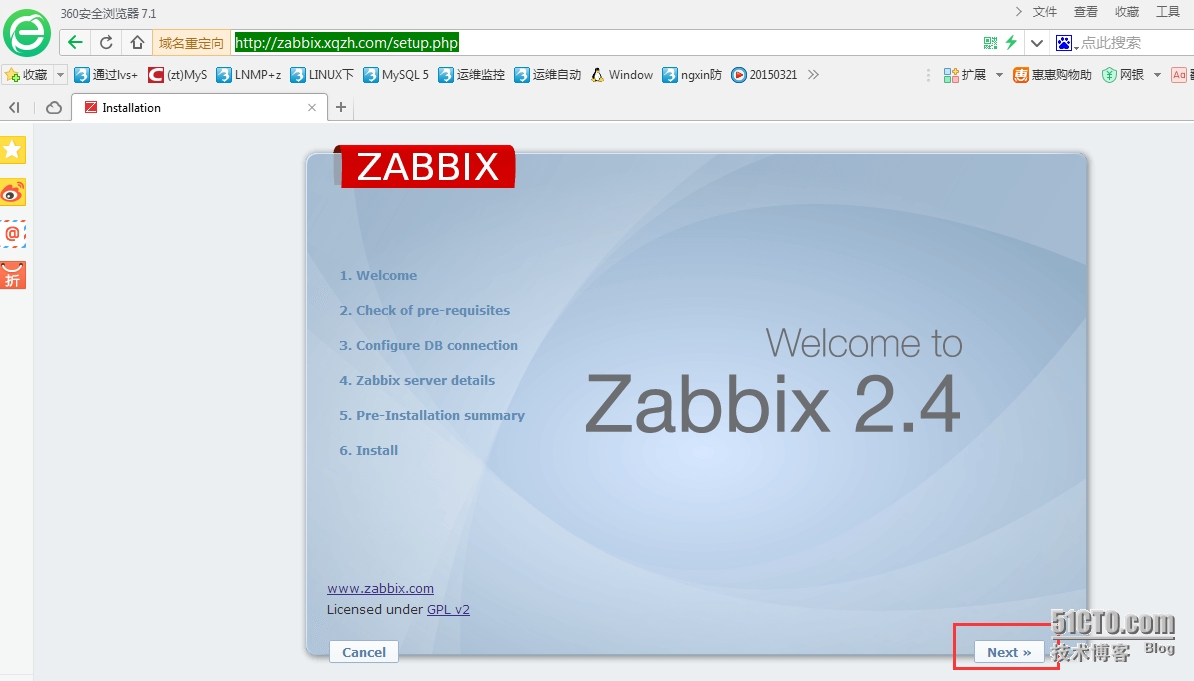
1.Next
2.缺少bcmath
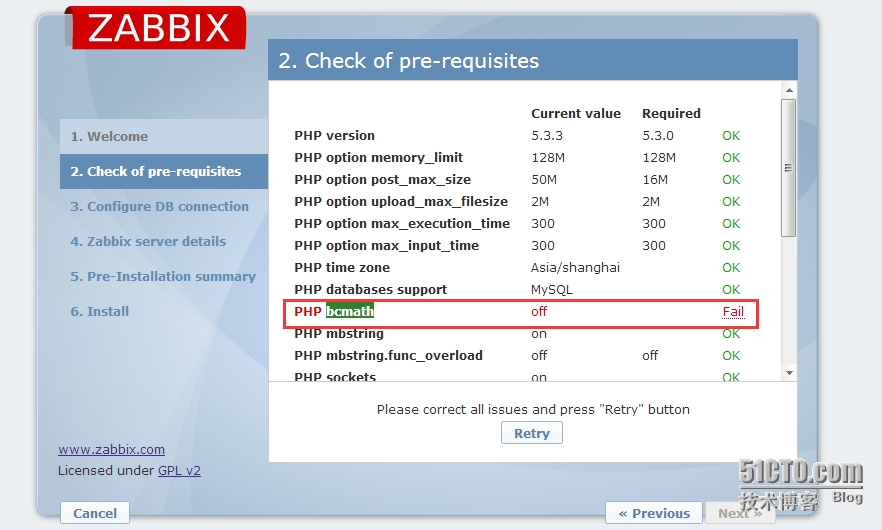
[[email protected]_195_205 wwwroot]# yum search bcmath
[[email protected]_195_205 wwwroot]# yum install -y php-bcmath.x86_64
[[email protected]_195_205 wwwroot]# /etc/init.d/httpd restart
解决之后:retry重新检测 然后Next
3.找不到sock
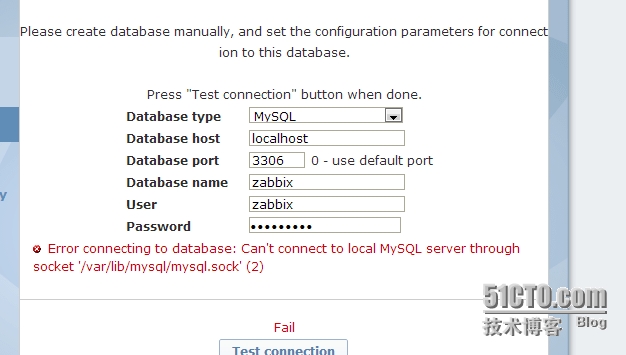
[[email protected]_195_205 tmp]# ln -s /tmp/mysql.sock /var/lib/mysql/
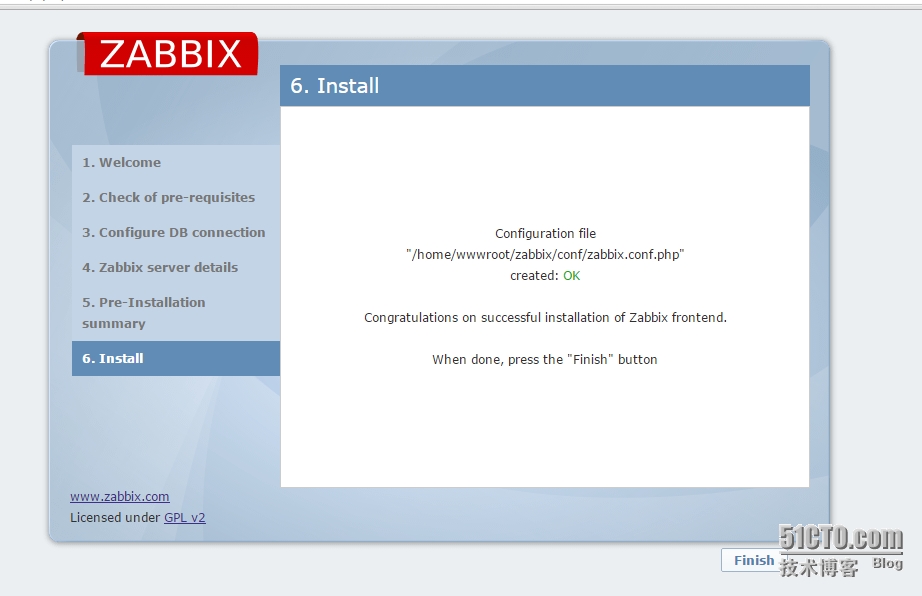
4.填写zabbix名地址,ip,一路next,安装完成
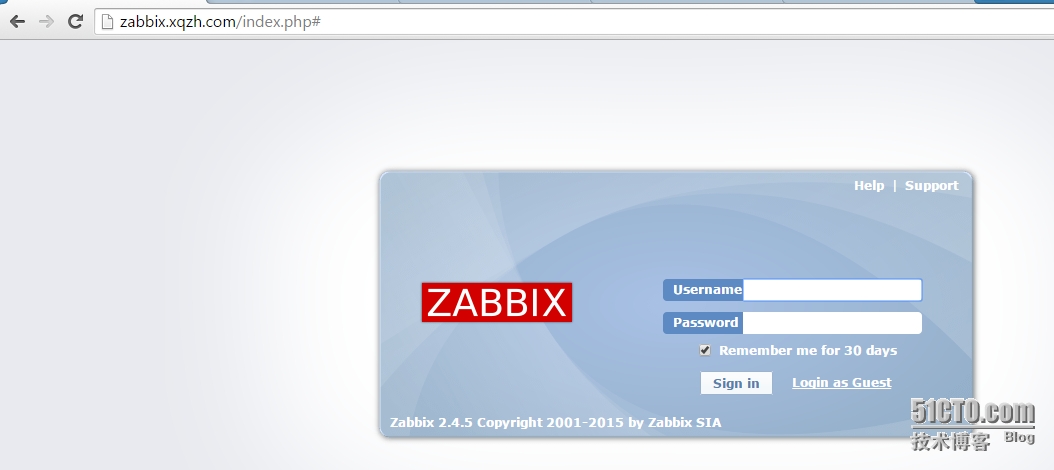
5.登录页,默认用户名admin,密码:zabbix