1.首先要准备LAMP环境。
(1)安装php
Zabbix 3.0对PHP的要求最低为5.4,而CentOS6默认为5.3.3,完全不满足要求,故需要利用第三方源,将PHP升级到5.4以上
|
1
2
3
4
5
6
7
8
9
10
|
rpm -ivh http://repo.webtatic.com/yum/el6/latest.rpm
yum install php56w php56w-gd php56w-mysql php56w-bcmath php56w-mbstring php56w-xml php56w-ldap
vim /etc/php.ini
date.timezone = Asia/Shanghai
post_max_size = 32Mmax_execution_time = 300max_input_time = 300always_populate_raw_post_data = -1service php-fpm start #启动服务
chkconfig php-fpm on |
(2)安装mysql
|
1
2
3
4
5
6
7
8
|
rpm -ivh http://dev.mysql.com/get/mysql-community-release-el6-5.noarch.rpm
yum install -y mysql-server mysql-devel
useradd mysql -s /sbin/nologin -M mysql #创建mysql用户
mkdir -p /data/mysql #创建数据目录
chown -R mysql:mysql /data/mysql/
sed -i 's#^datadir=#datadir=/data/mysql#' /etc/init.d/mysqld
service mysqld start #启动服务
chkconfig mysqld on |
初始化mysql
|
1
|
mysql_install_db --user=mysql --data=/data/mysql
|
启动mysql
|
1
2
|
service mysqld startchkconfig mysqld on |
(3)在mysql中创建zabbix所需要的库和用户
|
1
2
3
4
5
6
7
8
9
10
11
12
13
|
mysql -uroot -pmysql> CREATE DATABASE zabbix CHARACTER SET utf8 COLLATE utf8_bin;mysql> flush privileges; mysql> show databases; +--------------------+ | Database | +--------------------+ | information_schema | | mysql | | performance_schema | | zabbix | +--------------------+ |
(4)安装apache
|
1
|
yum install httpd libxml2-devel net-snmp-devel libcurl-devel
|
(5)安装zabbix
|
1
2
3
4
5
6
7
|
groupadd zabbixuseradd -g zabbix -m -s /sbin/nologin
wget http://sourceforge.net/projects/zabbix/files/ZABBIX%20Latest%20Stable/3.0.3/zabbix-3.0.3.tar.gz
tar zxvf zabbix-3.0.3.tar.gz
cd zabbix-3.0.3
./configure --prefix=/usr/local/zabbix --sysconfdir=/etc/zabbix/ --enable-server --enable-agent --with-net-snmp --with-libcurl --with-mysql --with-libxml2
make &&make install
|
(6)导入zabbix库
|
1
2
3
4
|
cd /root/zabbix-3.0.3/database/mysql
mysql -uzabbix -pzabbix zabbix < database/mysql/schema.sql
mysql -uzabbix -pzabbix zabbix < database/mysql/images.sql
mysql -uzabbix -pzabbix zabbix < database/mysql/data.sql
|
(7)配置zabbix_server
|
1
2
3
4
5
6
7
8
9
10
11
12
13
14
15
16
17
18
19
20
21
22
|
vim /etc/zabbix/zabbix_server.conf
DBHost=localhost 数据库ip地址DBName=zabbixDBUser=zabbixDBPassword=zabbixListenIP=192.168.10.10 zabbix server ip地址StartIPMIPollers=10StartPollersUnreachable=10StartTrappers=10StartPingers=10StartDiscoverers=10CacheSize=256MStartDBSyncers=40HistoryCacheSize=128MTrendCacheSize=128MHistoryTextCacheSize=128MValueCacheSize=128MTimeout=30AlertScriptsPath=/etc/zabbix/alertscripts //修改
ExternalScripts=/etc/zabbix/externalscripts //修改
LogSlowQueries=10000StartProxyPollers=50 |
创建zabbix所需要的脚本目录
|
1
2
|
mkdir /etc/zabbix/alertscripts mkdir /etc/zabbix/externalscripts
|
|
1
2
3
4
|
ln -s /usr/local/zabbix/sbin/* /usr/sbin/
cp /home/sources/zabbix-3.0.3/misc/init.d/fedora/core/zabbix_* /etc/init.d/ #复制服务启动脚本
chmod +x /etc/init.d/zabbix_*
sed -i "[email protected]=/usr/[email protected]=/usr/local/[email protected]" /etc/init.d/zabbix_server
|
(8)配置web
|
1
2
3
4
5
6
7
8
9
10
11
12
|
vim /etc/httpd/conf/httpd.conf
ServerName 127.0.0.1DocumentRoot "/var/www/html"
mkdir -p /var/www/html/zabbix
cp -r /home/sources/zabbix-3.0.3/frontends/php/* /var/www/html/zabbix/
chown -R apache.apache /var/www/html/zabbix/
chkconfig zabbix_server onchkconfig httpd onchkconfig mysqld on/etc/init.d/zabbix_server start
service httpd restartchkconfig httpd on |
(9)在web页面配置zabbixserver
用浏览器访问 http://10.200.11.226/zabbix/setup.php
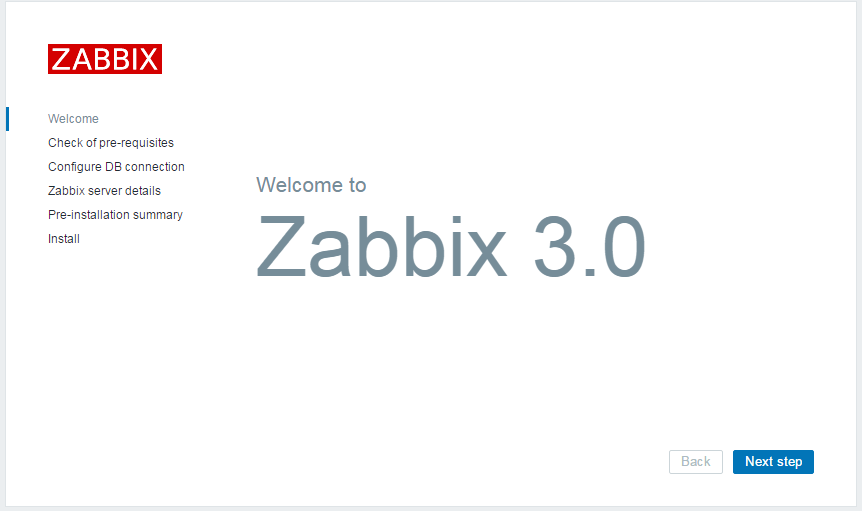
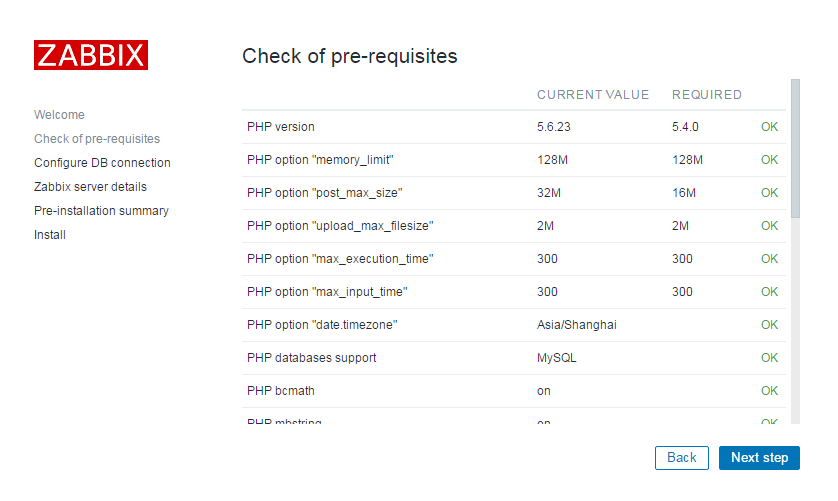
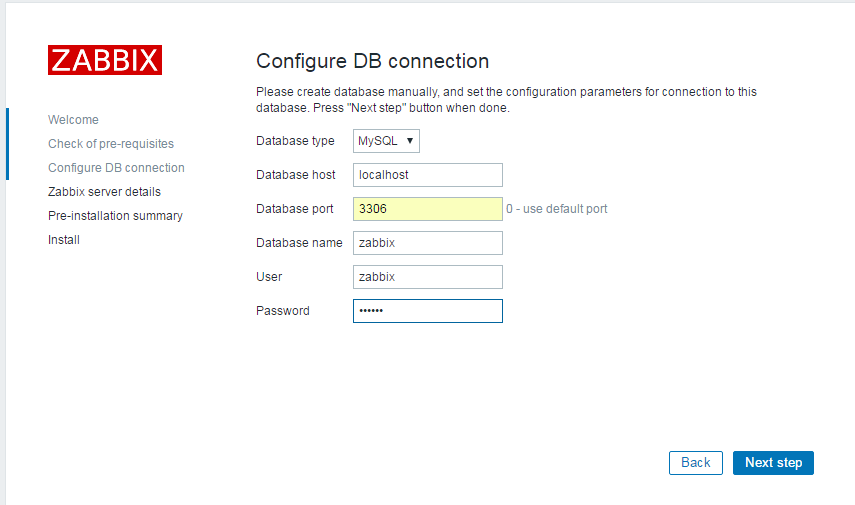
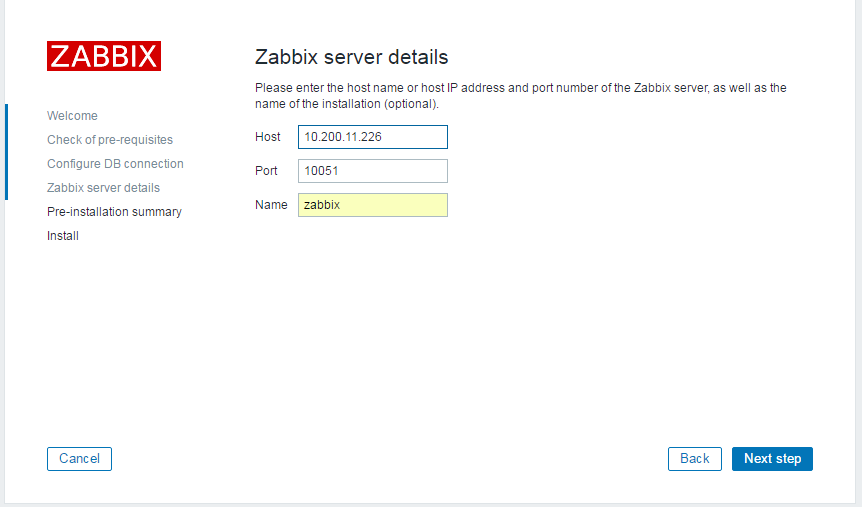
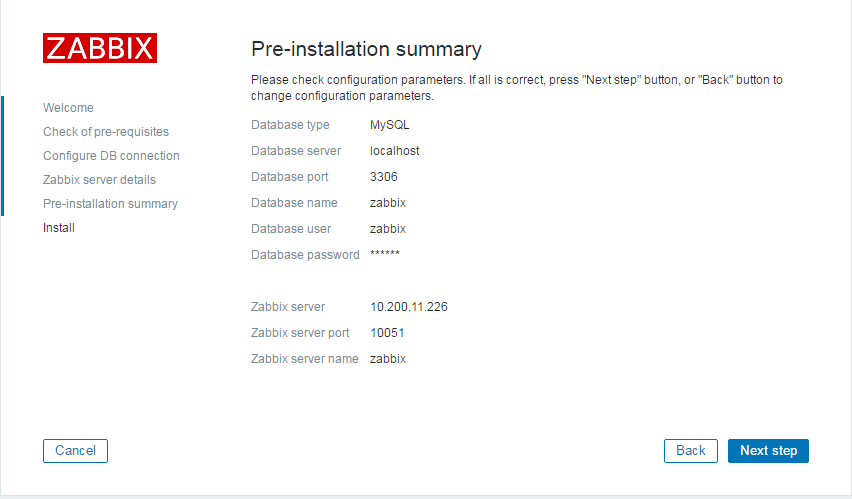
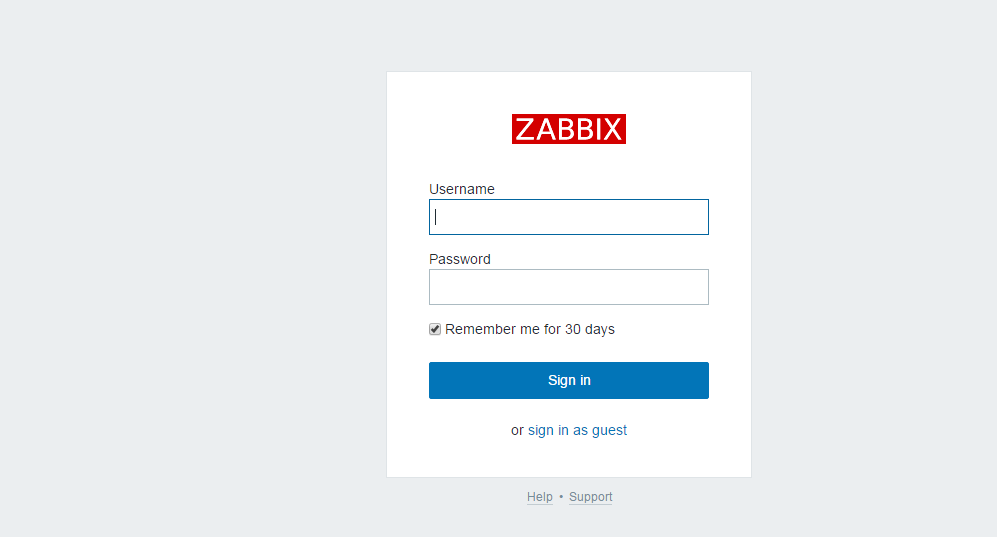
用户名 Admin 密码 zabbix
本文转自 shouhou2581314 51CTO博客,原文链接:http://blog.51cto.com/thedream/1879587,如需转载请自行联系原作者