一.postfix邮件服务
Postfix 是一种电子邮件服务器,postfix提供smtp协议用来投递邮件
默认端口25
/var/log/maillog 服务日志
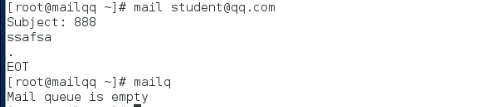
mail [email protected]
Subject: hello
hello world
. 用"."来结束录入内容并发送
mailq 查看邮件队列
postqueue -f 重新处理邮件队列
默认情况下邮件端口只在127.0.0.1上开启
二.环境配置
1.设置mailqq.qq.com主机
设置主机名为mailqq.qq.com
安装域名解析dns
设置IP地址为192.168.122.98
关闭防火墙
2.设置mailwestos.westos.com主机
设置主机名为mailwestos.westos.com
设置IP地址为172.25.254.228
关闭防火墙
3.配置mailqq.qq.com主机dns

4.配置rfc1912.zones文件
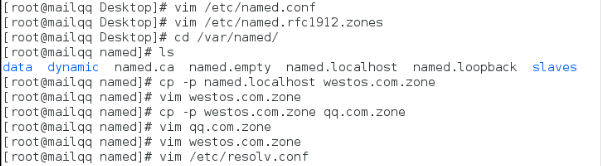
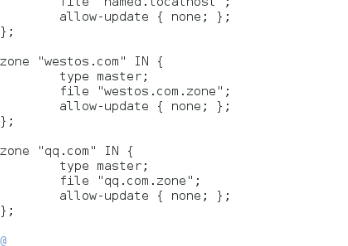
5.配置qq.com.zone解析文件和westos.com.zone解析文件
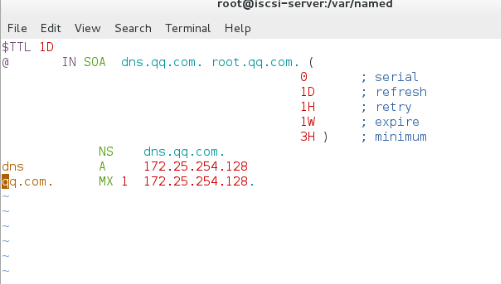
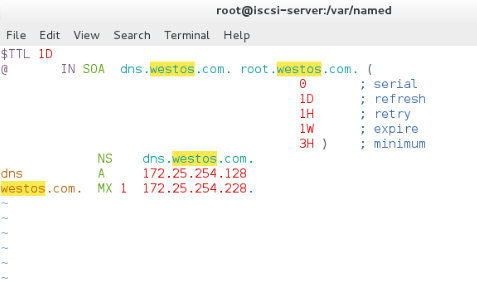
6.配置mailqq.qq.com主机和mailwestos.westos.com 的dns
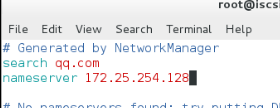
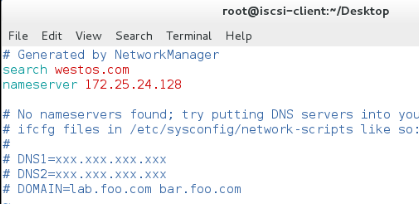
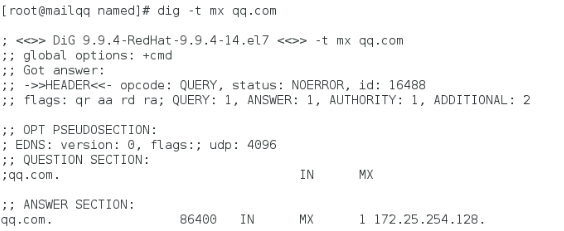
7.在mailqq上测试qq.com和westos.com
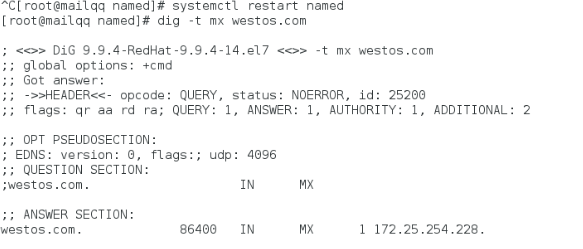
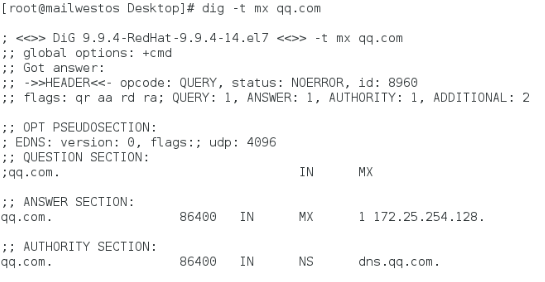
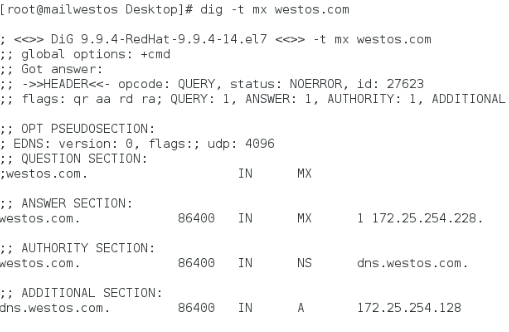
8.在mailwestos上测试qq.com和westos.com
三.邮件服务配置
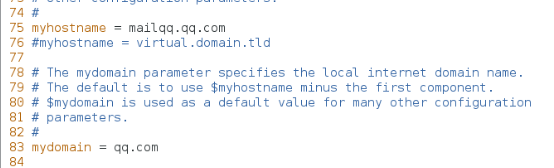
1.配置mailqq.qq.com主机
vim /etc/postfix/main.cf
75 myhostname = mailqq.qq.com 指定 主机名称
83 mydomain = qq.com 指定 的域名
113 inet_interfaces = all 25端口开启的网络接口
116 inet_interfaces = localhost 开启本地接口(需要注释)
164 mydestination = $myhostname, $mydomain, localhost 接收邮件结尾字符的指定
systemctl restart postfix.service
systemctl stop firewalld


2.配置mailwestos.westos.com主机
vim /etc/postfix/main.cf
75 myhostname = mailwestos.westos.com 指定 主机名称
83 mydomain = westos.com 指定 的域名
113 inet_interfaces = all 25端口开启的网络接口
116 inet_interfaces = localhost 开启本地接口(需要注释)
164 mydestination = $myhostname, $mydomain, localhost 接收邮件结尾字符的指定
systemctl restart postfix.service
systemctl stop firewalld



3.测试
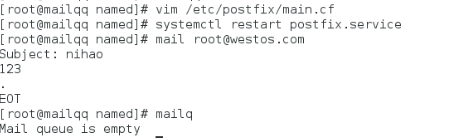
qq端发送
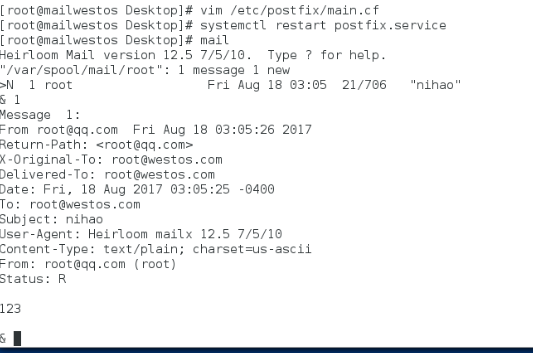
westos端接收
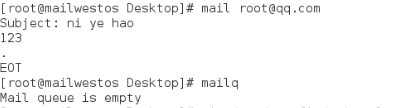
westos端回复
qq端接收
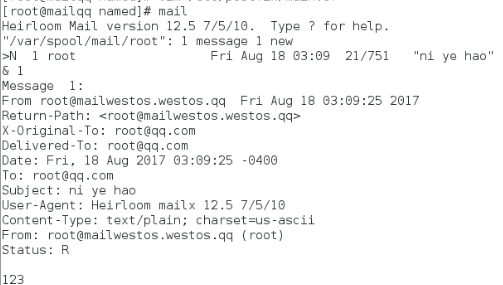
测试邮件通信成功
四.dovecot 用来提供收件协议
Dovecot 是一个开源的 IMAP 和 POP3 邮件服务器,支持 Linux/Unix 系统。
postfix(作为发送邮件服务器)+dovecot(作为接收邮件服务器)
1.邮件协议收发端口
pop3 110
imap 143
imaps 993
pop3s 995
2.yum install dovecot -y

3.配置dovecot文件
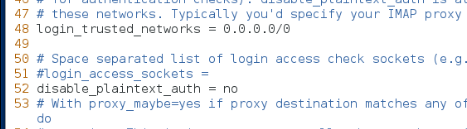
vim /etc/dovecot/dovecot.conf
24 protocols = imap pop3 lmtp
48 login_trusted_networks = 0.0.0.0/0
49 disable_plaintext_auth = no

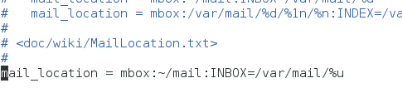
vim /etc/dovecot/conf.d/10-mail.conf
30 mail_location = mbox:~/mail:INBOX=/var/mail/%u
4.重启服务systemctl restart dovecot,查看端口
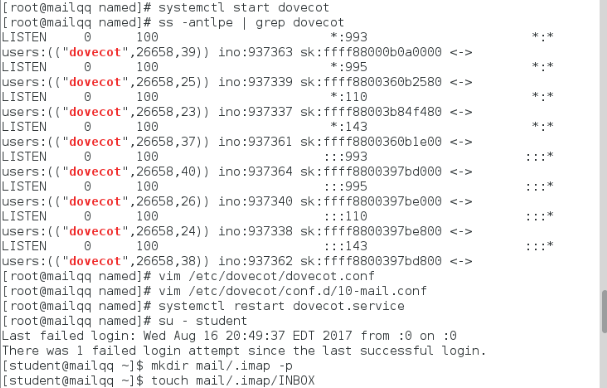
5.切换到student用创建文件
mkdir /etc/skel/mail/.imap -p
touch /etc/skel/mail/.imap/INBOX

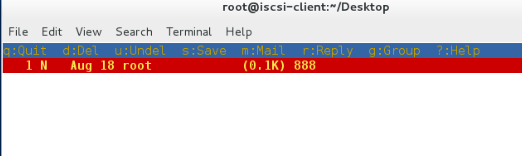
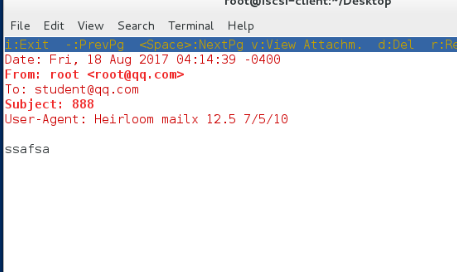
6.在mailwestos上安装mutt,mutt是一款基于文字界面的邮件客户端,非常小巧,但功能强大,可以用它来读写,回复保存和删除你的邮件,能在linux命令行模式下收发邮件附件。
测试mutt -f pop://[email protected]


发送
用mutt可以验证接收
五.在真机安装邮件服务接收软件雷鸟
1.安装雷鸟软件

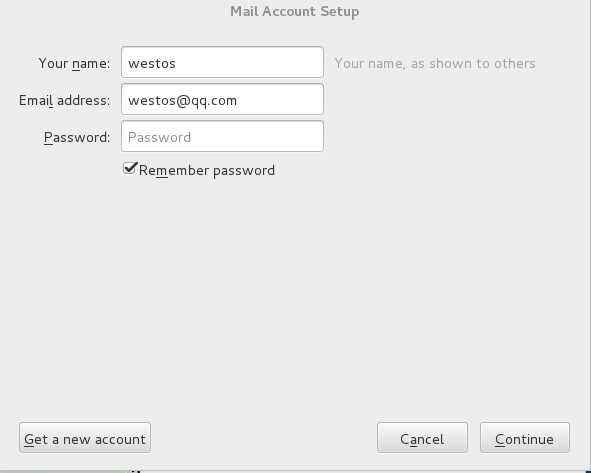
2.设置账户
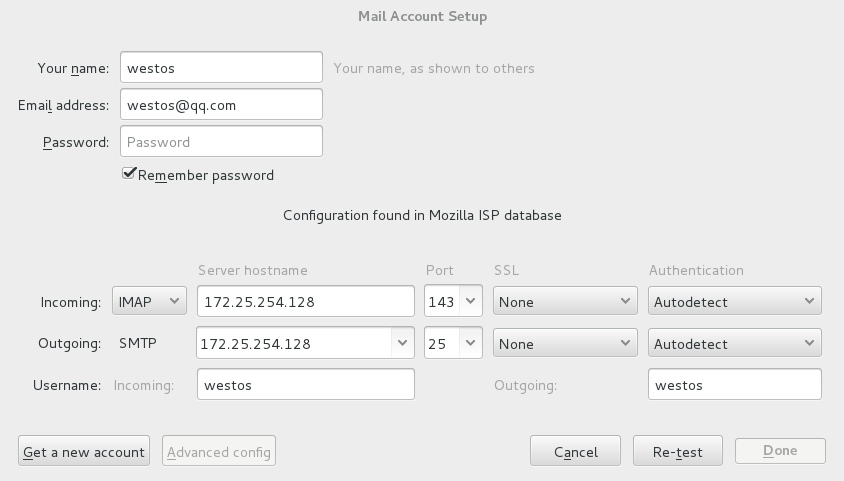
3.配置账户参数
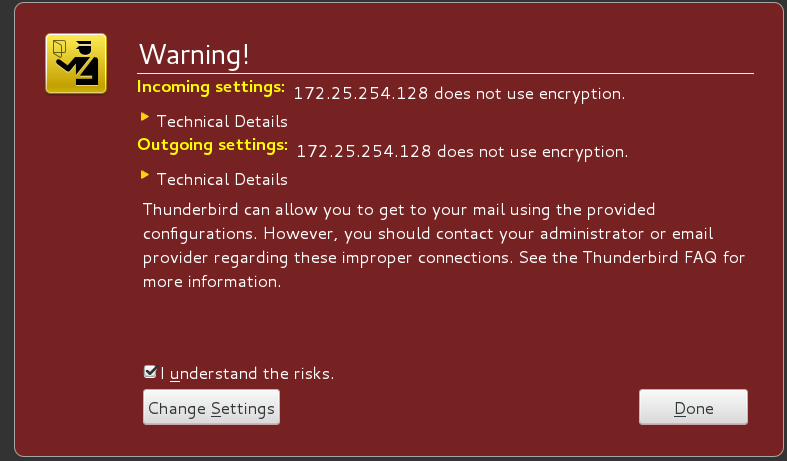
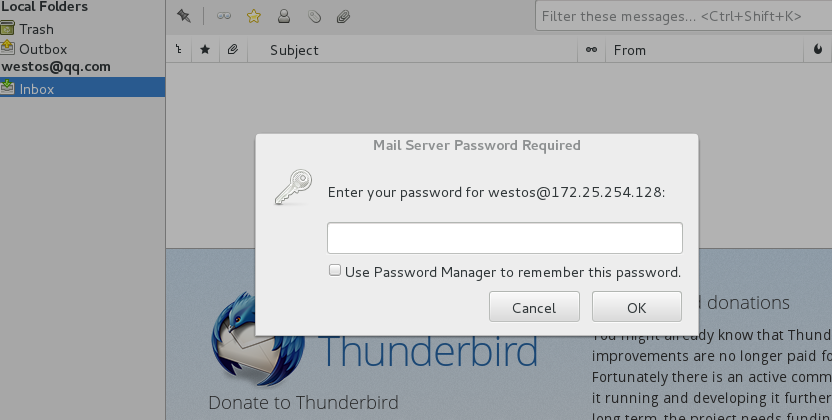
4.输入westos用户的密码
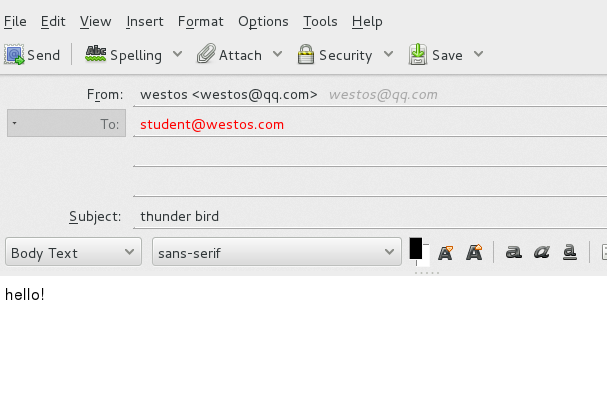
5.给westos.com上的student用户发送邮件
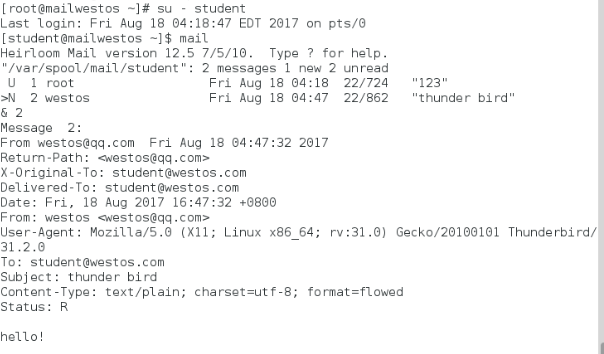
6.在westos.com上登陆student用户接收到了邮件