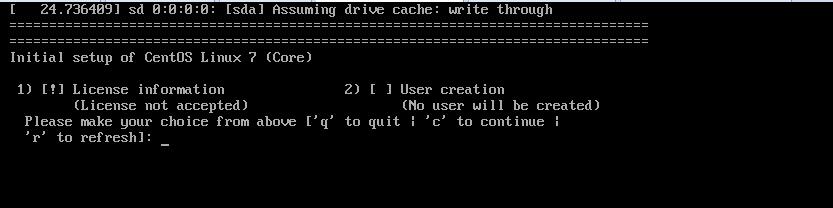
CentOS7系统更新后,然后重启,发现如下图报错(initial setup of centos linux 7 (core))
解决方法:
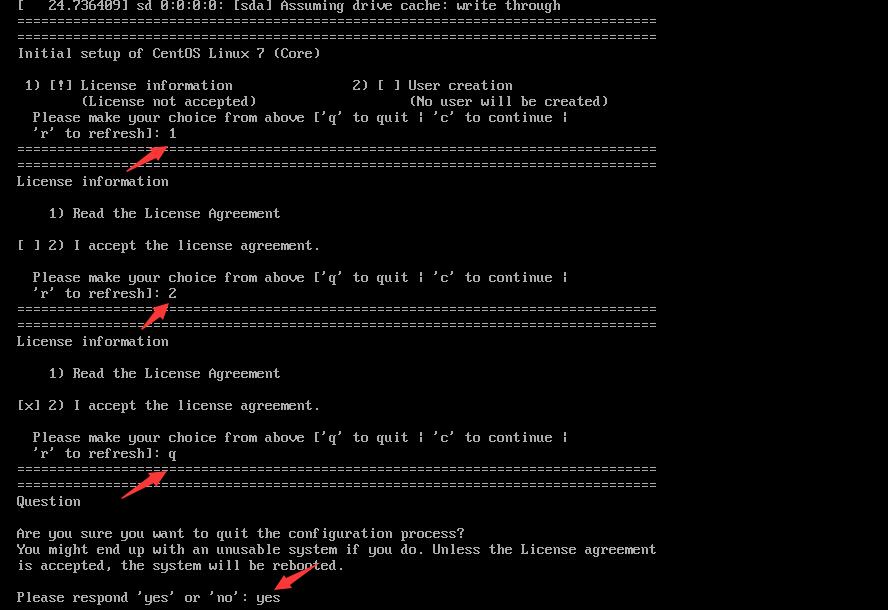
输入"1",按Enter键确认
输入"2",按Enter键确认
输入"q"(退出),按Enter键确认
输入"yes"(确认),按Enter键确认,系统会自动启动
进入配置界面后进行相应配置及选择后就OK了。
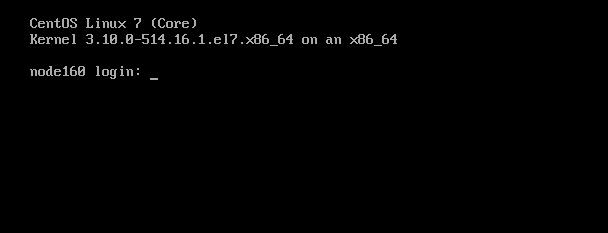
然后,我们输入正确的用户名和密码就可以登录系统了
转载于:https://blog.51cto.com/molewan/1926428
CentOS7系统更新后,然后重启,发现如下图报错(initial setup of centos linux 7 (core))
解决方法:
输入"1",按Enter键确认
输入"2",按Enter键确认
输入"q"(退出),按Enter键确认
输入"yes"(确认),按Enter键确认,系统会自动启动
进入配置界面后进行相应配置及选择后就OK了。
然后,我们输入正确的用户名和密码就可以登录系统了
转载于:https://blog.51cto.com/molewan/1926428
相关文章: