首先看下admin的后台管理界面(默认,未做任何设置)
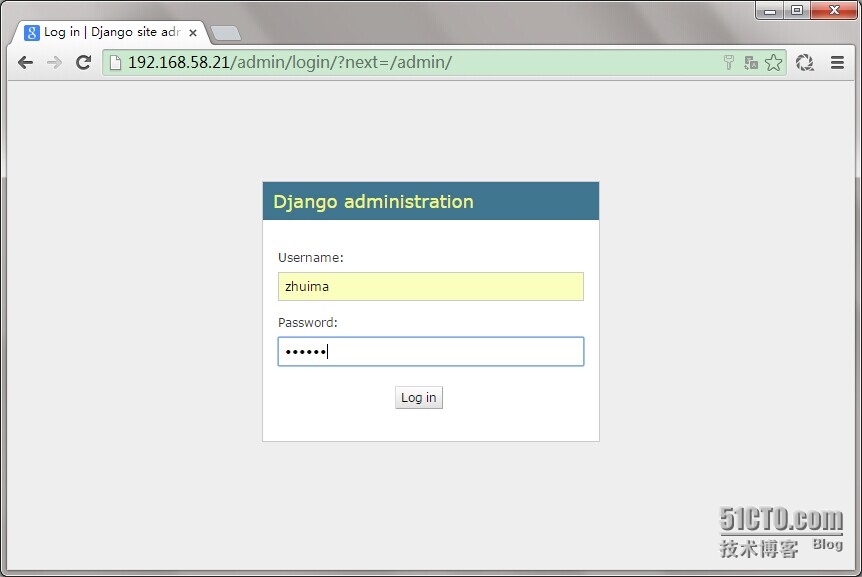
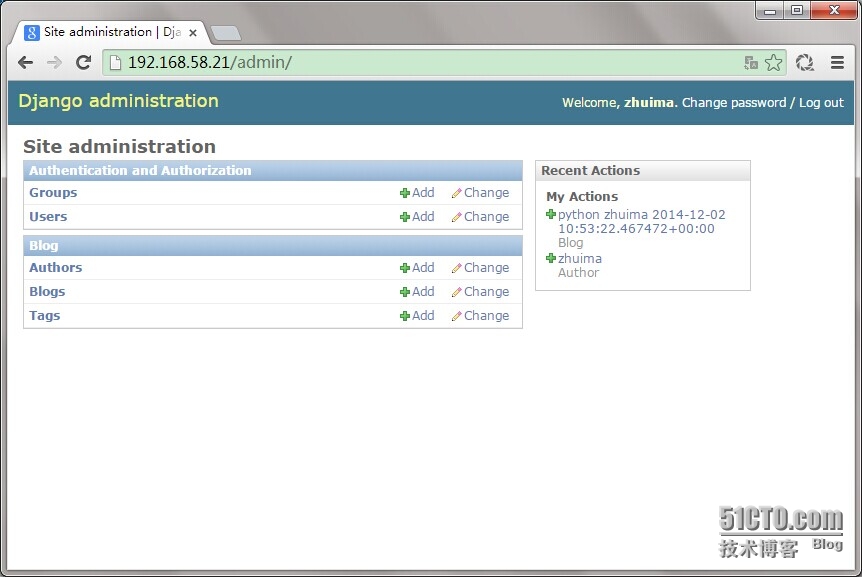
都说xadmin很吊,吊炸天,我就拿过来撸了一把,发现事实并不是这样的,我只能说一句,最合适自己的才是最好的,还是自己撸吧,偶尔借鉴下还是可以的~ 不要太沉迷于这些框架~
开工~
-
xadmin官方地址 http://xadmin.io/
-
xadmin github地址:https://github.com/sshwsfc/django-xadmin
-
xadmin文档介绍:https://xadmin.readthedocs.org/en/latest/index.html
安装须知:
-
django >=1.4
-
django-crispy-forms >=1.2.3 (For xadmin crispy forms)
-
django-reversion ([OPTION] For object history and reversion feature, please select right version by your django, see changelog )
-
xlwt ([OPTION] For export xls files)
-
xlsxwriter ([OPTION] For export xlsx files)
个人建议:
-
建议使用django==1.5的版本,高或者低都有bug,亲测
-
有bug,请提交,为xadmin贡献一下,当然能自我修复bug并提交,最好不过了
-
感谢作者~
-
本篇文章只是简单的安装,没有涉及到真正的应用,so~
步骤:
-
创建虚拟环境
|
1
2
3
4
5
6
7
8
9
10
|
[[email protected] ~]# pythonbrew venv create djCreating `dj` environment into /root/.pythonbrew/venvs/Python-2.7.6Already using interpreter /root/.pythonbrew/pythons/Python-2.7.6/bin/pythonNew python executable in /root/.pythonbrew/venvs/Python-2.7.6/dj/bin/pythonInstalling setuptools............done.Installing pip...............done.[[email protected] ~]# pythonbrew venv use dj# Using `dj` environment (found in /root/.pythonbrew/venvs/Python-2.7.6)# To leave an environment, simply run `deactivate`(dj)[[email protected] ~]# ls |
2、安装django==1.5
|
1
2
3
4
5
6
7
8
9
10
11
12
13
14
15
16
17
|
(dj)[[email protected] ~]# pip install 'django==1.5'Downloading/unpacking django==1.5 Downloading Django-1.5.tar.gz (8.0MB): 8.0MB downloaded
Running setup.py egg_info for package django
warning: no previously-included files matching '__pycache__' found under directory '*'
warning: no previously-included files matching '*.py[co]' found under directory '*'
Installing collected packages: django Running setup.py install for django
changing mode of build/scripts-2.7/django-admin.py from 644 to 755
warning: no previously-included files matching '__pycache__' found under directory '*'
warning: no previously-included files matching '*.py[co]' found under directory '*'
changing mode of /root/.pythonbrew/venvs/Python-2.7.6/dj/bin/django-admin.py to 755
Successfully installed djangoCleaning up...(dj)[[email protected] ~]# |
3、创建一个名为blog的项目
|
1
2
3
4
5
6
7
8
9
10
11
12
13
|
(dj)[[email protected] ~]# django-admin.py startproject blog(dj)[[email protected] ~]# cd blog/(dj)[[email protected] blog]# lsblog manage.py(dj)[[email protected] blog]# tree ..├── blog│ ├── __init__.py│ ├── settings.py│ ├── urls.py│ └── wsgi.py└── manage.py1 directory, 5 files |
4、创建一个名为polls的app
|
1
2
3
4
5
6
7
8
|
(dj)[[email protected] blog]# python manage.py startapp polls(dj)[[email protected] blog]# lsblog manage.py polls(dj)[[email protected] blog]# lltotal 12drwxr-xr-x 2 root root 4096 Dec 2 03:29 blog-rw-r--r-- 1 root root 247 Dec 2 03:28 manage.pydrwxr-xr-x 2 root root 4096 Dec 2 03:29 polls |
安装xadmin
|
1
2
3
4
5
6
7
8
9
10
11
12
13
14
15
16
17
18
19
20
21
|
(dj)[[email protected] blog]# pip install django-xadminDownloading/unpacking django-xadmin Downloading django-xadmin-0.5.0.tar.gz (1.0MB): 1.0MB downloaded
Running setup.py egg_info for package django-xadmin
Requirement already satisfied (use --upgrade to upgrade): setuptools in /root/.pythonbrew/venvs/Python-2.7.6/dj/lib/python2.7/site-packages/setuptools-0.6c11-py2.7.egg (from django-xadmin)Requirement already satisfied (use --upgrade to upgrade): django>=1.5 in /root/.pythonbrew/venvs/Python-2.7.6/dj/lib/python2.7/site-packages (from django-xadmin)Downloading/unpacking django-crispy-forms>=1.4.0 (from django-xadmin) Downloading django-crispy-forms-1.4.0.tar.gz (47kB): 47kB downloaded
Running setup.py egg_info for package django-crispy-forms
warning: no files found matching '*' under directory 'crispy_forms/static'
Installing collected packages: django-xadmin, django-crispy-forms Running setup.py install for django-xadmin
Running setup.py install for django-crispy-forms
warning: no files found matching '*' under directory 'crispy_forms/static'
Successfully installed django-xadmin django-crispy-formsCleaning up...(dj)[[email protected] blog]# |
调整相关参数让xadmin可以正常访问
-
在settings文件中添加刚才我们创建的polls这个app
|
1
2
3
4
5
6
7
8
9
10
11
|
DATABASES = { 'default': {
'ENGINE': 'django.db.backends.sqlite3', # Add 'postgresql_psycopg2', 'mysql', 'sqlite3' or 'oracle'. # 设置数据库使用sqlite3
'NAME': 'db.sqlite3', # Or path to database file if using sqlite3. # 数据库名称为db.sqlite3
# The following settings are not used with sqlite3:
'USER': '',
'PASSWORD': '',
'HOST': '', # Empty for localhost through domain sockets or '127.0.0.1' for localhost through TCP.
'PORT': '', # Set to empty string for default.
}
} |
|
1
2
3
4
5
6
7
8
9
10
11
12
13
14
|
INSTALLED_APPS = ( 'django.contrib.auth',
'django.contrib.contenttypes',
'django.contrib.sessions',
'django.contrib.sites',
'django.contrib.messages',
'django.contrib.staticfiles',
# Uncomment the next line to enable the admin:
# 'django.contrib.admin',
# Uncomment the next line to enable admin documentation:
# 'django.contrib.admindocs',
'polls', # 添加该行
‘xadmin', # 添加该行
) |
2、设置urls文件
|
1
2
3
4
5
6
7
8
9
10
11
12
13
14
15
16
17
18
|
from django.conf.urls import patterns, include, urlimport xadmin # 添加该行xadmin.autodiscover() # 添加该行# Uncomment the next two lines to enable the admin:# from django.contrib import admin# admin.autodiscover()from xadmin.plugins import xversion # 添加该行xversion.registe_models() # 添加该行urlpatterns = patterns('', # Examples:
# url(r'^$', 'blog.views.home', name='home'),
# url(r'^blog/', include('blog.foo.urls')),
# Uncomment the admin/doc line below to enable admin documentation:
# url(r'^admin/doc/', include('django.contrib.admindocs.urls')),
# Uncomment the next line to enable the admin:
# url(r'^admin/', include(admin.site.urls)),
url(r'^xadmin/', include(xadmin.site.urls)), # 添加该行
) |
3、收集media信息
|
1
2
3
4
5
6
7
8
|
(dj)[[email protected] blog]# python manage.py collectstaticYou have requested to collect static files at the destinationlocation as specified in your settings.This will overwrite existing files!Are you sure you want to do this?Type 'yes' to continue, or 'no' to cancel: yes0 static files copied.(dj)[[email protected] blog]# |
4、同步数据库
|
1
2
3
4
5
6
7
8
9
10
11
12
13
14
15
16
17
18
19
20
21
22
|
(dj)[[email protected] blog]# python manage.py syncdbCreating tables ...Creating table auth_permissionCreating table auth_group_permissionsCreating table auth_groupCreating table auth_user_groupsCreating table auth_user_user_permissionsCreating table auth_userCreating table django_content_typeCreating table django_sessionCreating table django_siteYou just installed Django's auth system, which means you don't have any superusers defined.Would you like to create one now? (yes/no): yesUsername (leave blank to use 'root'): zhuimaEmail address: Password: Password (again): Superuser created successfully.Installing custom SQL ...Installing indexes ...Installed 0 object(s) from 0 fixture(s)(dj)[[email protected] blog]# |
5、开启服务,前台登陆测试
|
1
2
3
4
5
6
7
|
(dj)[[email protected] blog]# python manage.py runserver 0.0.0.0:80Validating models...0 errors foundDecember 01, 2014 - 20:59:40Django version 1.5, using settings 'blog.settings'Development server is running at http://0.0.0.0:80/Quit the server with CONTROL-C. |
6、出现报错
|
1
2
3
4
5
6
7
8
9
10
11
12
13
14
15
16
17
18
19
20
21
22
23
24
25
26
27
|
AttributeError at /xadmin/'module' object has no attribute 'atomic'Request Method:GETRequest URL:http://192.168.58.21/xadmin/Django Version:1.5Exception Type:AttributeErrorException Value:'module' object has no attribute 'atomic'Exception Location:/root/.pythonbrew/venvs/Python-2.7.6/dj/lib/python2.7/site-packages/reversion/admin.py in VersionAdmin, line 384Python Executable:/root/.pythonbrew/venvs/Python-2.7.6/dj/bin/pythonPython Version:2.7.6Python Path:['/root/blog', '/root/.pythonbrew/venvs/Python-2.7.6/dj/lib/python2.7/site-packages/setuptools-0.6c11-py2.7.egg',
'/root/.pythonbrew/venvs/Python-2.7.6/dj/lib/python2.7/site-packages/pip-1.2.1-py2.7.egg',
'/root/.pythonbrew/pythons/Python-2.7.6/lib',
'/root/.pythonbrew/venvs/Python-2.7.6/dj/lib/python27.zip',
'/root/.pythonbrew/venvs/Python-2.7.6/dj/lib/python2.7',
'/root/.pythonbrew/venvs/Python-2.7.6/dj/lib/python2.7/plat-linux2',
'/root/.pythonbrew/venvs/Python-2.7.6/dj/lib/python2.7/lib-tk',
'/root/.pythonbrew/venvs/Python-2.7.6/dj/lib/python2.7/lib-old',
'/root/.pythonbrew/venvs/Python-2.7.6/dj/lib/python2.7/lib-dynload',
'/root/.pythonbrew/pythons/Python-2.7.6/lib/python2.7',
'/root/.pythonbrew/pythons/Python-2.7.6/lib/python2.7/plat-linux2',
'/root/.pythonbrew/pythons/Python-2.7.6/lib/python2.7/lib-tk',
'/root/.pythonbrew/venvs/Python-2.7.6/dj/lib/python2.7/site-packages']
Server time:Mon, 1 Dec 2014 21:29:24 -0600 |
6、解决办法(个人解决方法,不建议采用)
注释掉`/root/.pythonbrew/venvs/Python-2.7.6/dj/lib/python2.7/site-packages/reversion/admin.py in VersionAdmin, line 384` 文件中包含`atomic`字样的信息,然后重启服务即可
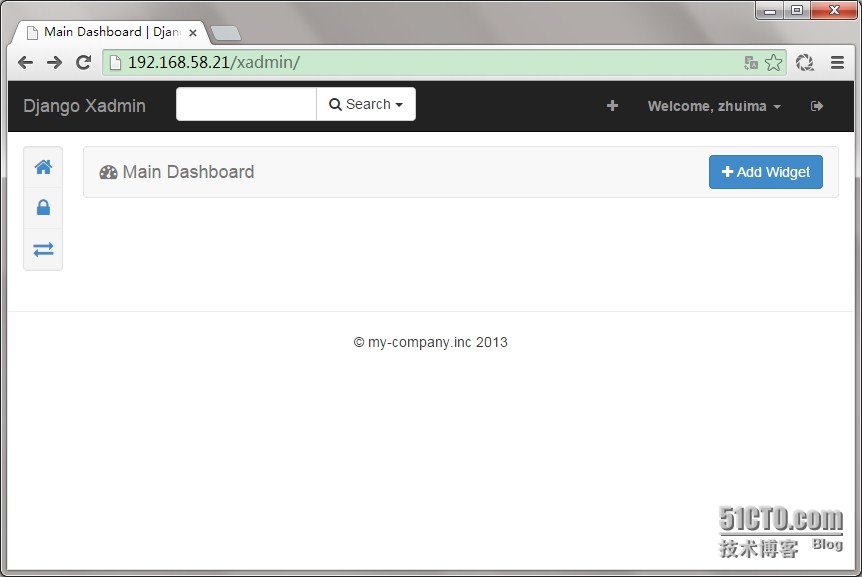
7、前端显示
本文转自lovelace521 51CTO博客,原文链接:http://blog.51cto.com/lovelace/1585864,如需转载请自行联系原作者